
1. Introduction
Thank you for choosing the HIRREO EF18 Military Smart Watch. This device is designed for durability and functionality, offering a wide range of features to support your active lifestyle. This manual provides essential information for setting up, operating, and maintaining your smartwatch.
The EF18 features a 1.7-inch HD display, a 1000mAh battery for extended use, a built-in LED flashlight, Bluetooth calling, smart notifications, over 100 sports modes, and IP68 waterproofing. It is compatible with both Android and iOS devices.
2. Package Contents
Please verify that all items are present in your package:
- HIRREO EF18 Military Smart Watch
- Stainless Steel Strap (x1)
- Silicone Straps (x2)
- Charging Cables (USB-A and USB-C)
- Instruction Manual
- Strap Accessories
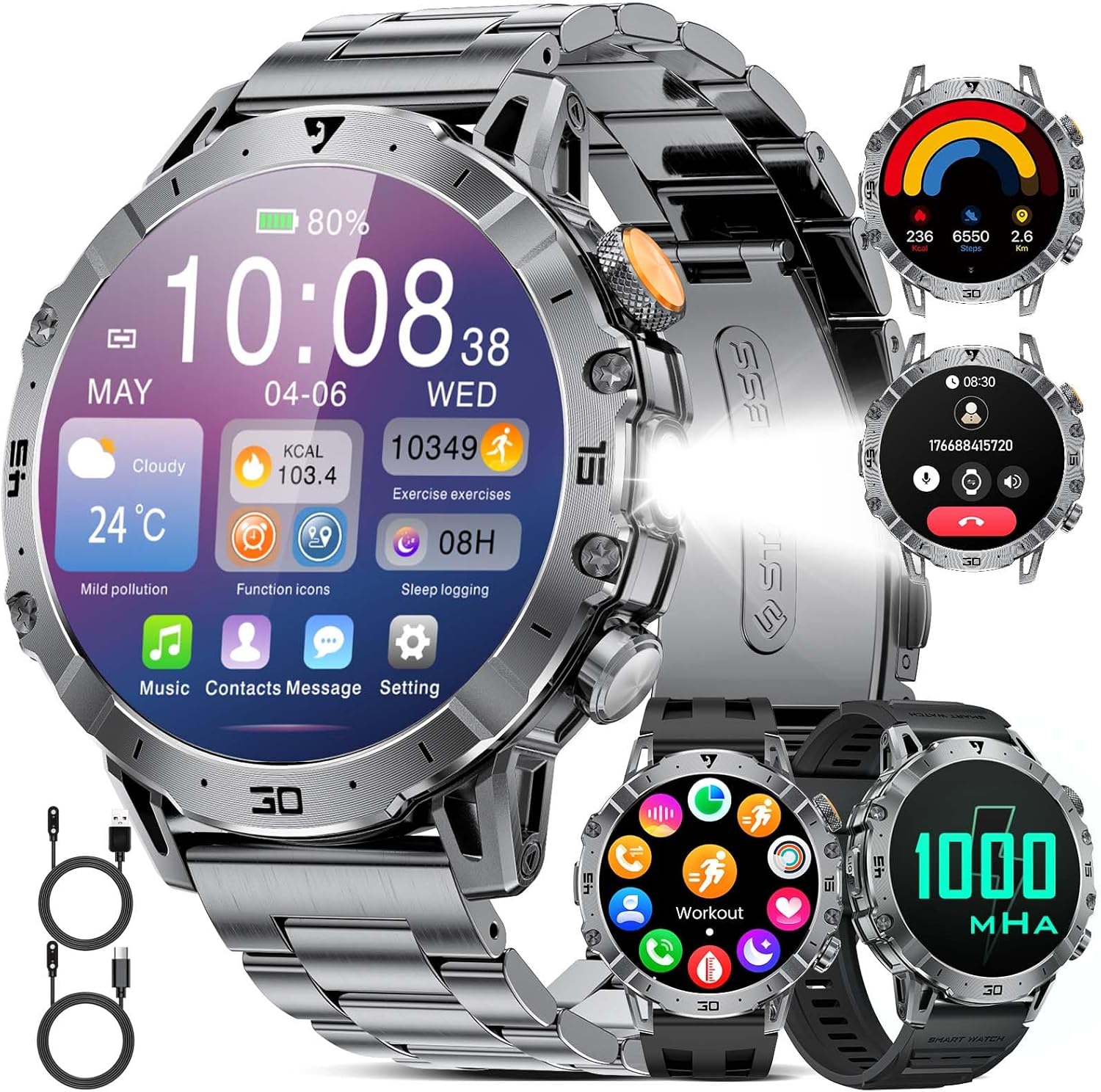
The image above displays the HIRREO EF18 Military Smart Watch along with its complete set of accessories, including the watch body, stainless steel strap, two silicone straps, and two types of charging cables (USB-A and USB-C).
3. Setup
3.1. Initial Charging
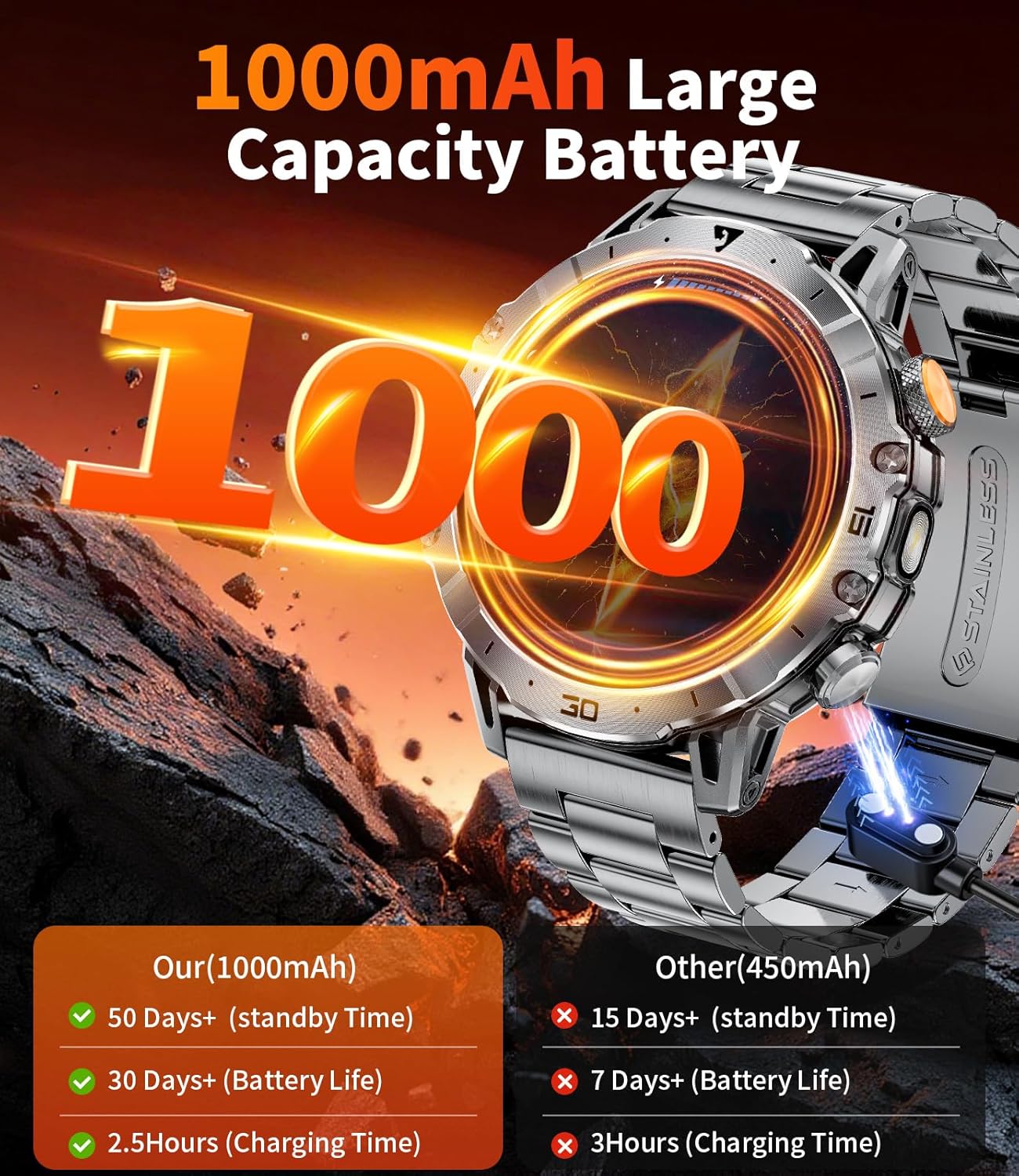
Before first use, fully charge your HIRREO EF18 Smart Watch. The watch is equipped with a 1000mAh battery, providing extended usage. Use the provided magnetic charging cables (both Type-C and USB-A options are included for convenience).
- Connect the magnetic end of the charging cable to the charging points on the back of the watch.
- Connect the USB-A or Type-C end to a compatible power adapter (not included) or a computer USB port.
- A charging indicator will appear on the watch screen. A full charge typically takes approximately 3 hours.

This image shows the two types of magnetic charging cables provided with the watch, offering versatile charging options.
3.2. App Installation and Device Pairing
To unlock the full potential of your smartwatch, download and install the companion app, FitCloudPro, on your smartphone.
- Download the App: Scan the QR code in the manual or search for "FitCloudPro" in the Apple App Store (for iOS) or Google Play Store (for Android).
- Enable Bluetooth: Ensure Bluetooth is enabled on your smartphone.
- Pair the Device: Open the FitCloudPro app, navigate to the device section, and search for "EF18" in the list of available devices. Tap to connect.
- Allow Permissions: Follow the on-screen prompts in the app to grant necessary permissions for notifications, contacts, and call history. This ensures full functionality, including Bluetooth calling and message alerts.
- Complete Setup: Once paired, the app will sync data with your watch. You can then customize watch faces and settings through the app.

This diagram illustrates the process of connecting your HIRREO EF18 Smart Watch to your smartphone via the FitCloudPro application, detailing app download, Bluetooth pairing, and notification setup.
4. Operating the Watch
4.1. Display and Navigation
The EF18 features a 1.7-inch HD touch screen with a 60Hz refresh rate for smooth interaction. You can navigate through menus and functions using swipes and taps.
- Swipe Down: Access quick settings (brightness, DND, phone, alarm, etc.).
- Swipe Up: View health data and activity summaries.
- Swipe Left/Right: Cycle through main function screens (e.g., activity, heart rate, weather, music).
- Press Side Buttons: The watch has multiple physical buttons for power, back, and quick access to specific functions like the flashlight.
This image highlights the clear and vibrant 1.7-inch HD display of the EF18 Smart Watch, showcasing its detailed interface.

The image displays a selection of the over 200 customizable watch faces that can be downloaded and applied via the FitCloudPro app to personalize your EF18 Smart Watch.
4.2. Built-in LED Flashlight
The EF18 includes a practical LED flashlight function. To activate, long-press the designated button on the side of the watch. This feature is useful for navigating in low-light conditions, finding items, or during outdoor activities at night.
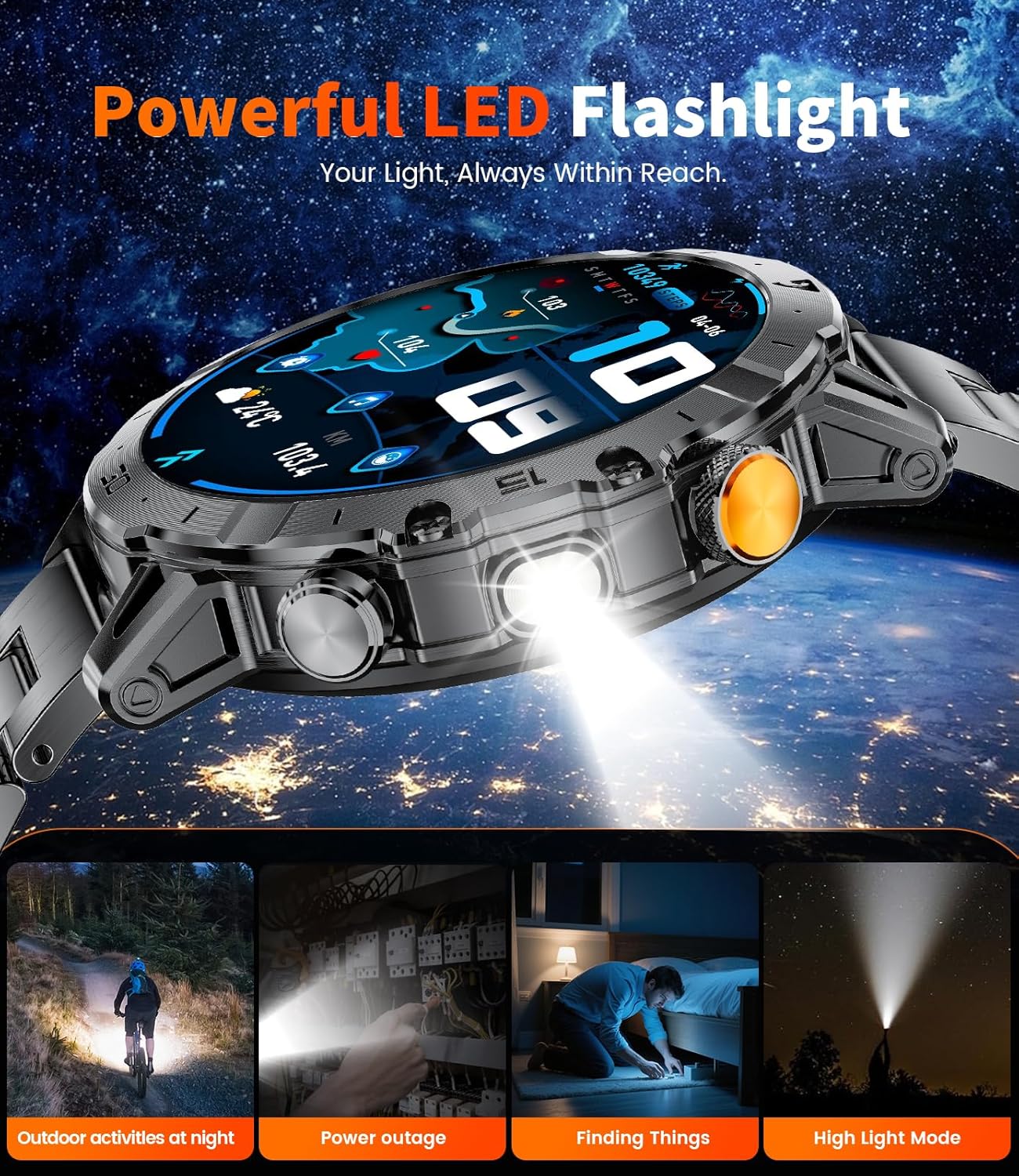
This image illustrates the integrated LED flashlight feature of the HIRREO EF18 Smart Watch, showing its utility in dark environments for various tasks.
4.3. Bluetooth Calling & Smart Notifications
Stay connected with Bluetooth calling and smart message notifications directly on your wrist.
- Bluetooth Calling: With a built-in HD microphone and speaker, you can make or answer calls directly from the watch. Ensure your watch is connected to your phone via Bluetooth.
- Message Alerts: Receive notifications from various apps like Facebook, text messages, emails, and other social media platforms. Configure these alerts in the FitCloudPro app.

The image demonstrates the EF18 Smart Watch's capability to display incoming calls and various smart notifications from connected smartphone applications.
4.4. Sports Modes
The EF18 offers 8 built-in sports modes and access to over 100 additional modes via the FitCloudPro app. Track your performance for activities such as walking, running, hiking, cycling, basketball, swimming, badminton, football, tennis, yoga, and more.

This image shows the EF18 Smart Watch displaying real-time sports data, including steps, calories, and distance, during a cycling activity.
4.5. Health Monitoring
The EF18 provides comprehensive health monitoring features:
- Heart Rate: Continuously monitors your heart rate throughout the day.
- Blood Oxygen: Measures your blood oxygen saturation levels.
- Sleep Tracking: Analyzes your sleep patterns, including deep sleep, light sleep, and awake times.
- Stress Tracker: Monitors stress levels.
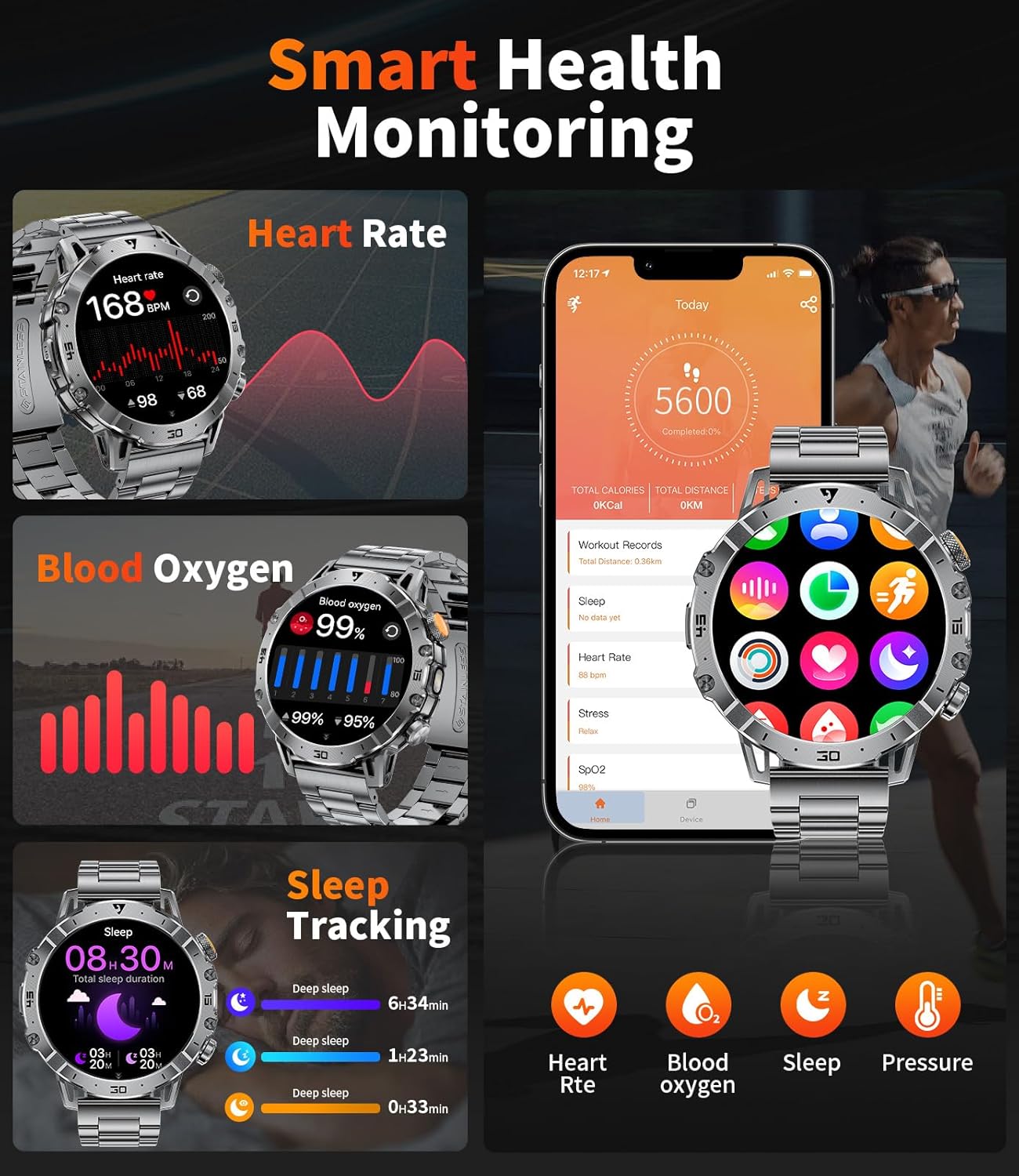
This image displays the EF18 Smart Watch's health monitoring capabilities, including heart rate, blood oxygen, and sleep tracking, with corresponding data shown on the watch and a companion app.
4.6. Other Integrated Functions
The smartwatch integrates various practical tools for daily convenience:
- Alarm Clock, Stopwatch, Countdown Timer
- Weather Check, Music Control, Remote Photography
- Phone Finder, Calculator, Calendar
- Drinking Water Reminder, Sedentary Reminder, Do Not Disturb Mode
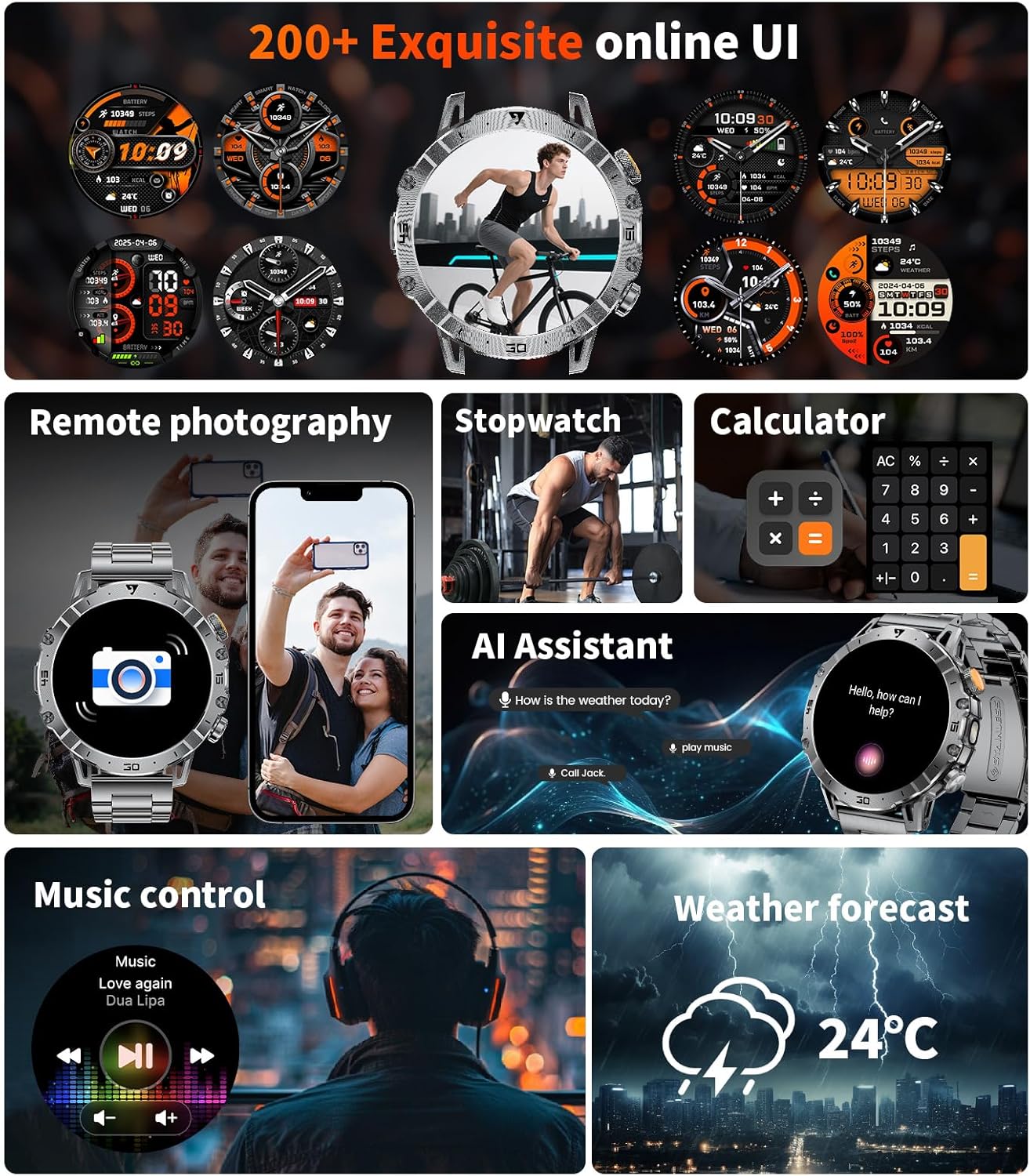
This image provides a visual summary of the EF18 Smart Watch's diverse functionalities, such as remote camera control, stopwatch, calculator, AI assistant, music playback control, and weather updates.
5. Maintenance
5.1. IP68 Waterproof Design
The EF18 Smart Watch features an IP68 waterproof rating, making it resistant to splashes, rain, and sweat. You can wear it during hand washing or workouts without concern. However, it is not suitable for hot water, seawater, or diving.

This image visually represents the military-grade quality of the EF18 Smart Watch, emphasizing its resistance to dust, water (up to 5 ATM), and impact, as well as its ability to withstand extreme temperatures.
5.2. General Care
- Clean the watch regularly with a soft, dry cloth.
- Avoid exposing the watch to extreme temperatures or direct sunlight for prolonged periods.
- Ensure the charging contacts are clean and dry before charging.
6. Troubleshooting
If you encounter issues with your HIRREO EF18 Smart Watch, please refer to the following common solutions:
- Watch not turning on: Ensure the watch is fully charged. Connect it to the charger and wait a few minutes before attempting to power it on.
- Cannot pair with phone: Make sure Bluetooth is enabled on your phone and the watch is within range. Restart both the watch and your phone, then try pairing again through the FitCloudPro app.
- Notifications not received: Check app permissions in your phone settings and ensure notifications are enabled for FitCloudPro. Also, verify that notification settings are correctly configured within the FitCloudPro app for specific applications.
- Inaccurate health data: Ensure the watch is worn snugly on your wrist, with the sensors making good contact with your skin. Avoid excessive movement during measurements.
- Short battery life: Adjust screen brightness, reduce the frequency of heart rate monitoring, and disable unnecessary notifications to conserve battery.
7. Specifications
| Feature | Detail |
|---|---|
| Brand | HIRREO |
| Model | EF18 |
| Display Size | 1.7 Inches HD |
| Battery Capacity | 1000 mAh (Lithium Polymer) |
| Battery Life (Average) | 7-10 days (daily use), up to 45 days (standby) |
| Charging Time | 3 Hours |
| Waterproof Rating | IP68 |
| Connectivity | Bluetooth 4.0 |
| Compatibility | iOS 11.0+ (calls iOS 13+), Android 5.0+ |
| Special Features | LED Flashlight, 100+ Sports Modes, Fitness Tracker, Stress Tracker, Sleep Monitor, Calorie Counter, Answer/Dial Calls, Messaging Notification, Voice Assistant, Multi-Language, Weather Forecast, Stopwatch, Pedometer, Timer, Music Control, Remote Camera Control, Calculator, Drinking Water Reminder, Sedentary Reminder, Do Not Disturb Mode, All-Day Activity Tracker |
8. Warranty and Support
Your HIRREO EF18 Smart Watch comes with a 24-month warranty. For any questions regarding accessories, quality issues, operation, or charging problems, please contact our customer support.
- Online Support: 24-hour online support is available to assist you.
- Contact: Refer to the contact information provided in your product packaging or on the official HIRREO website for assistance. We aim to provide a solution within 24 hours.