
1. Introduction
Thank you for choosing the imuto Rechargeable AA and AAA Battery Set with 8-Slot Charger. This manual provides essential information for the safe and efficient use of your new battery charging system. Please read it thoroughly before first use and retain it for future reference.
2. Package Contents
Carefully unpack the box and ensure all items are present and in good condition. If any items are missing or damaged, please contact imuto customer support.
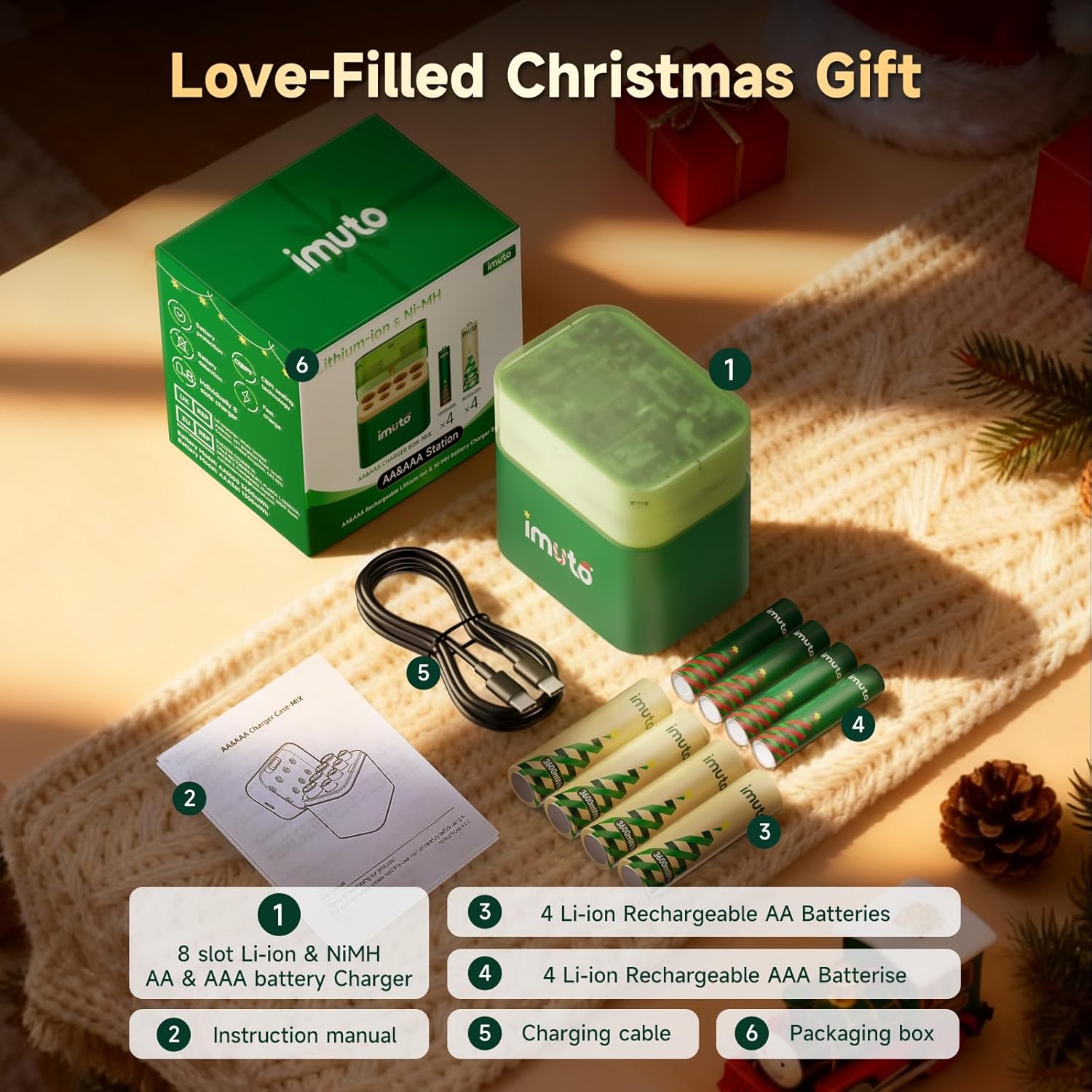
Image: The image displays the complete package contents, including the charger, AA and AAA batteries, charging cable, and instruction manual.
- 1 x imuto 8-Slot Li-ion & Ni-MH AA & AAA Battery Charger
- 4 x imuto 3600mWh Li-ion Rechargeable AA Batteries
- 4 x imuto 1300mWh Li-ion Rechargeable AAA Batteries
- 1 x USB Charging Cable
- 1 x Instruction Manual
3. Safety Information
WARNING: Failure to follow these safety instructions may result in fire, electric shock, injury, or damage to the product or property.
- Use only the provided charger or a compatible 5V/3A adapter for charging.
- Do not attempt to charge non-rechargeable batteries.
- Do not charge batteries that are damaged, leaking, or show signs of swelling.
- Do not short-circuit, disassemble, or expose batteries to fire or extreme temperatures.
- Keep the charger and batteries out of reach of children.
- Ensure proper battery polarity (+/-) when inserting into the charger.
- Do not mix different types or brands of batteries in the charger simultaneously unless explicitly supported (this charger supports Li-ion and Ni-MH AA/AAA).
- The charger is designed for indoor use only. Avoid exposure to moisture or extreme environments.
- The batteries are designed with CBPI sealing technology for leak-proof performance and do not contain harmful substances like lead, mercury, or cadmium.

Image: This image highlights the safety certifications (CE, FCC, RoHS) and specifications printed on the product packaging, emphasizing compliance with international standards.
4. Product Overview
The imuto battery charging kit provides a versatile solution for powering your devices. It includes high-capacity lithium AA and AAA batteries and an intelligent 8-slot charger compatible with both Li-ion and Ni-MH battery types.
4.1. imuto 8-Slot Battery Charger
This charger features 8 independent charging slots, allowing you to charge AA and AAA batteries simultaneously. It automatically detects battery type (Li-ion or Ni-MH) and applies the appropriate charging protocol. The charger requires a 5V/3A power adapter (not included) for optimal fast charging.
4.2. imuto Rechargeable Batteries
- AA Lithium Batteries: 3600mWh capacity, 1.5V constant output.
- AAA Lithium Batteries: 1300mWh capacity, 1.5V constant output.
- Cycle Life: Up to 1600 recharge cycles, offering long-term value.
- Temperature Range: Operates effectively in extreme temperatures from -40°F to 140°F (-40°C to 60°C).

Image: A clear view of the imuto 8-slot charger with both AA and AAA rechargeable batteries, showcasing the product design.
5. Setup
- Unpack: Remove all components from the packaging.
- Connect Power: Connect the provided USB charging cable to the charger's USB-C port. Plug the other end into a 5V/3A USB power adapter (not included). For optimal fast charging, a 5V/3A adapter is recommended.
- Initial Check: The charger's indicator lights may briefly illuminate upon power connection.
6. Operating Instructions
6.1. Charging Batteries
- Insert Batteries: Carefully insert AA or AAA rechargeable batteries into the charging slots, ensuring correct polarity (+ and - ends match the markings in the slot). The charger can accommodate a mix of AA and AAA batteries, and both Li-ion and Ni-MH types.
- Charging Process: Once batteries are correctly inserted, the corresponding indicator light for each slot will begin to blink, indicating that charging has started.
- Completion: When a battery is fully charged, its indicator light will turn solid.
- Remove Batteries: Once charging is complete, remove the batteries from the charger.

Image: This diagram illustrates how to insert both Lithium-ion and Ni-MH batteries into the charger, along with detailed input and output specifications for different battery types.
7. Status Indicators
The charger features LED indicators for each slot to communicate the charging status:

Image: This image clearly labels the LED status indicators on the imuto charger, explaining what each color and state (blinking/solid) signifies for both Li-ion and Ni-MH batteries.
- Blink Green: Li-ion battery is charging.
- Solid Green: Li-ion battery is fully charged.
- Blink Blue: Ni-MH battery is charging.
- Solid Blue: Ni-MH battery is fully charged.
- Blink Red: Battery failure or incompatible battery detected. Remove the battery immediately.
- No Light: Charger failure or no battery inserted.
8. Maintenance
- Cleaning: Disconnect the charger from power before cleaning. Use a soft, dry cloth to wipe the charger and batteries. Do not use harsh chemicals or abrasive materials.
- Storage: Store the charger and batteries in a cool, dry place away from direct sunlight and extreme temperatures. For long-term storage, it is recommended to charge batteries to about 50% capacity.
- Battery Care: Avoid completely draining lithium batteries for extended periods to prolong their lifespan.
9. Troubleshooting
- Batteries not charging:
- Ensure the charger is properly connected to a working power source (5V/3A adapter recommended).
- Check if batteries are inserted with correct polarity.
- Verify that the batteries are rechargeable and not damaged. If the indicator blinks red, the battery may be faulty or incompatible.
- Indicator light blinking red:
- This indicates a battery error or incompatibility. Remove the battery from the slot. Do not attempt to charge it further.
- Slow charging:
- Ensure you are using a 5V/3A power adapter. Lower amperage adapters may result in slower charging times.
10. Specifications
| Feature | Specification |
|---|---|
| Charger Input | USB-C 5.0V-3A |
| AA Lithium-ion Battery Output | 5.0V-350mA |
| AAA Lithium-ion Battery Output | 5.0V-200mA |
| AA Ni-MH Battery Output | 1.2V-300mA |
| AAA Ni-MH Battery Output | 1.2V-200mA |
| AA Battery Capacity | 3600mWh |
| AAA Battery Capacity | 1300mWh |
| Battery Cell Composition | Lithium Ion |
| Operating Temperature | -40°F to 140°F (-40°C to 60°C) |
| Cycle Life | 1600+ cycles |
| Package Dimensions | 3.82 x 3.03 x 2.24 inches |
| Item Weight | 9.1 ounces |
11. Warranty and Support
imuto products are designed for reliability and performance. For warranty information, technical support, or any questions regarding your product, please contact imuto customer service through the retailer's platform or the official imuto website. Please have your product model number (B0FP56HSRC) and purchase date available when contacting support.