1. Introduction
The FlyFrost DC226 is an advanced 8K digital camera designed for high-quality photography and video recording. Featuring 8K video resolution and 88MP photo capabilities, it captures moments with exceptional clarity and detail. Equipped with autofocus, 16X digital zoom, and a dual-lens system, this camera offers versatility for various shooting scenarios. Built-in Wi-Fi allows for easy sharing, and a 3.2-inch IPS touch screen simplifies operation. This manual provides essential information for setting up, operating, and maintaining your camera.
2. What's in the Box
Verify that all items are present in the package:
- FlyFrost DC226 Camera Body
- Lens Hood
- 2 x Rechargeable Batteries
- Charging Stand
- Lens Cap
- HDMI Cable
- 2 x Lanyards
- Cleaning Cloth
- USB Cable
- Camera Bag
- User Manual
- Adapter
- 32GB SD Card

Image: All included accessories for the FlyFrost DC226 Digital Camera.
3. Product Overview
The FlyFrost DC226 camera is equipped with an 88MP CMOS sensor for high-resolution images and 8K video recording. It features a 3.2-inch IPS touch screen for intuitive control and a dual-lens design for versatile shooting, including selfies. Advanced autofocus and 16X digital zoom enhance image capture, while built-in Wi-Fi facilitates instant sharing and webcam functionality.
Key Features:
- 8K Video Resolution & 88MP Photo Capability
- Advanced Autofocus & 16X Digital Zoom
- Dual-Lens (Front and Rear) for versatile shooting
- 3.2-inch IPS Touch Screen
- Built-in Wi-Fi for instant sharing via 'iSmart DV2' app
- 6-axis Anti-shake stabilization
- Webcam Functionality & HDMI Output
- Multiple Shooting Modes (Auto, Filters, Program, Scene, Portrait, Landscape, Slow Motion, Time-lapse)

Image: The camera's 88MP CMOS sensor for ultra-high definition details.

Image: Visual representation of 8K Ultra HD video quality.

Image: Autofocus and 16X Digital Zoom capabilities.

Image: Dual-Camera Design with 3.2-inch Touch Screen.
4. Setup
4.1. Battery and SD Card Installation
- Locate the battery/SD card compartment cover on the bottom of the camera.
- Slide the latch to open the cover.
- Insert the fully charged battery into the compartment, ensuring correct orientation.
- Insert the 32GB SD card into the designated slot until it clicks into place.
- Close the compartment cover securely.
4.2. Initial Power On
Press and hold the power button (usually located on the top or back of the camera) until the screen illuminates and displays the 'Welcome' message. The camera is now ready for use.
Video: This video demonstrates the unboxing, battery and SD card installation, and initial power-on sequence of a similar digital camera, providing a visual guide for the setup process.
5. Operating Instructions
5.1. Selecting Shooting Modes
The camera features a 360° rotary dial on the top for easy selection of 8 different shooting modes:
- Auto Mode: For general point-and-shoot photography.
- Filters: Apply various creative filters to your photos.
- Program: Offers more control over settings while maintaining some automation.
- Scene: Optimized settings for specific scenarios (e.g., Sports, Night).
- Portrait: Ideal for capturing subjects with blurred backgrounds.
- Landscape: Enhances outdoor scenes and wide views.
- Slow Motion: Records video at a higher frame rate for slow-motion playback.
- Time-lapse: Captures a sequence of images over time to create a sped-up video.
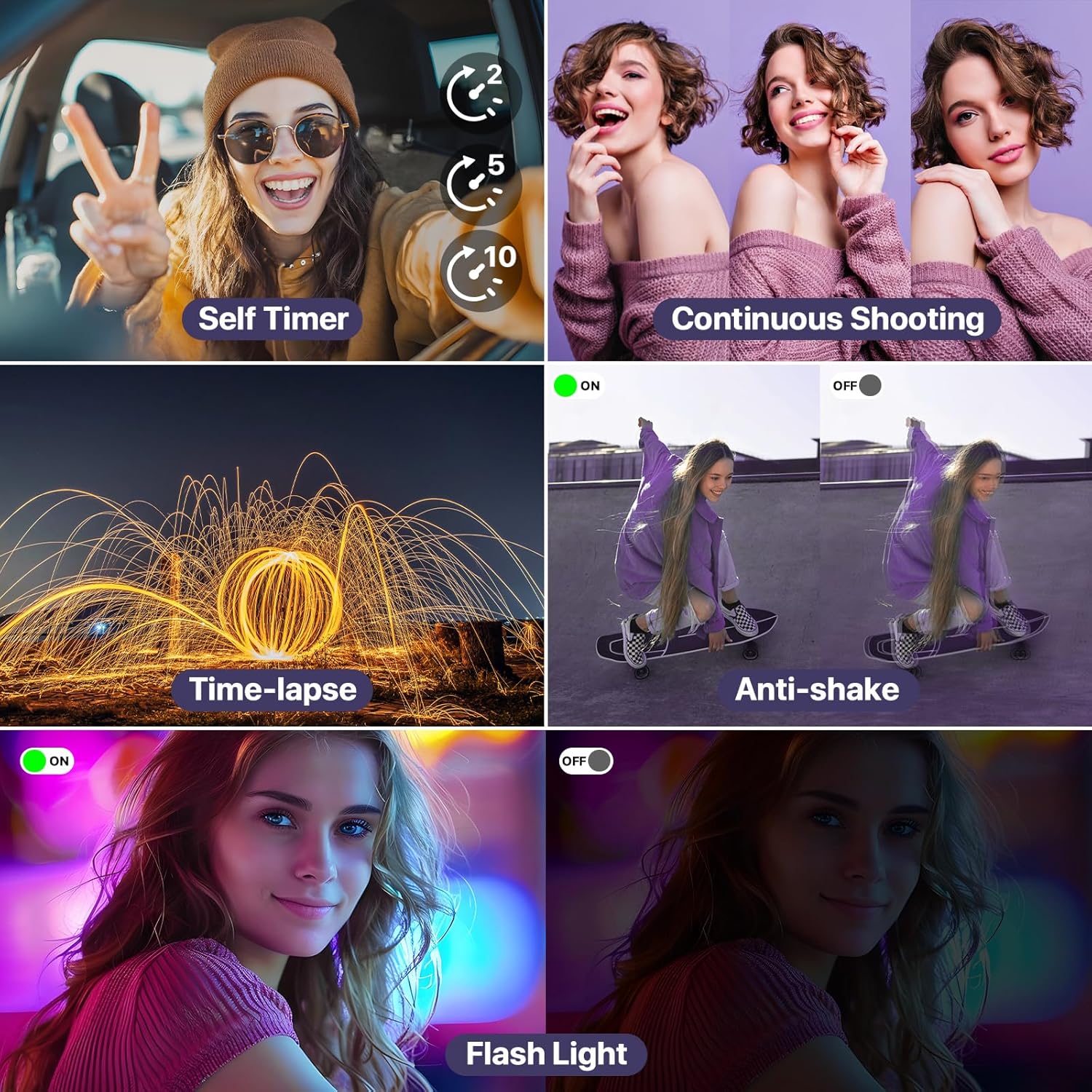
Image: Overview of various shooting modes and features.
5.2. Photography
To take a photo, select your desired mode using the rotary dial. Frame your shot using the 3.2-inch touch screen. The camera's advanced autofocus system will automatically detect and focus on your subject. Press the shutter button halfway to focus, then fully press to capture the image. Utilize the 16X digital zoom by pressing the 'W' (wide) or 'T' (telephoto) buttons on the camera body.
5.3. Video Recording
Select a video mode from the rotary dial. The camera supports 8K video recording and features 6-axis anti-shake stabilization for smoother footage. Press the record button to start and stop recording. The 3.2-inch touch screen allows for easy monitoring of your recording.
5.4. Dual-Lens Functionality
The camera is equipped with both front and rear lenses. To switch between them, use the dedicated button or on-screen option, allowing for easy selfies or vlogging from different perspectives.
5.5. Wi-Fi Connectivity
Download the 'iSmart DV2' app on your Android or iOS device. Enable Wi-Fi on both your camera and smartphone. Connect to the camera's Wi-Fi network (SSID and password displayed on the camera screen). Once connected, you can instantly upload and share videos and photos directly to social media platforms or cloud storage.

Image: Wi-Fi Connection for Instant Sharing.
5.6. Webcam Functionality & HDMI Output
Connect the camera to a computer via the USB cable to use it as a webcam for video calls or live streaming. For viewing content on a larger screen, connect the camera to a TV or monitor using the provided HDMI cable.

Image: Webcam Function and HDMI Output.
Video: This video provides a detailed demonstration on how to use the various features and functions of the 8K digital camera, including mode selection and basic operation.
6. Maintenance
- Keep the camera clean using the provided microfiber cloth. Avoid abrasive materials.
- Store the camera in its bag when not in use to protect it from dust and scratches.
- Ensure batteries are fully charged before extended use.
- Avoid exposing the camera to extreme temperatures or moisture.
7. Troubleshooting
- Camera not powering on: Ensure the battery is fully charged and correctly inserted.
- Poor image quality: Check lens cleanliness. Ensure sufficient lighting. Adjust shooting mode or settings.
- Wi-Fi connection issues: Verify the 'iSmart DV2' app is installed and updated. Ensure camera and phone Wi-Fi are enabled and connected to the correct network.
- SD card error: Reinsert the SD card. If the issue persists, try formatting the card (this will erase all data) or use a different compatible SD card.
8. Specifications
| Feature | Detail |
|---|---|
| Brand | FlyFrost |
| Model Name | DC226 |
| Maximum Webcam Image Resolution | 88 MP |
| Photo Sensor Technology | CMOS |
| Effective Still Resolution | 88 MP |
| Video Resolution | 4320p (8K) |
| Digital Zoom | 16 x |
| Screen Size | 3.2 Inches |
| Display Type | LCD |
| Wireless Technology | Wi-Fi |
| Image Stabilization | Digital (6-axis Anti-shake) |
| Autofocus | Yes (Contrast Detection, Eye Detection, Face Detection, Phase Detection) |
| Memory Storage Capacity | 32 GB (SD Card included) |
| Battery Cell Type | Lithium Polymer |
| Special Feature | Selfie Dual-lens Camera; Cradle Charger; IPS HD Screen; 12MP photosensitive chip; Time-Stamp; Flash; Pause Function; Time-lapse(2/5/10S); 3 Continuous Shooting; Slow Motion; Travel Compact Portable; Smile & Face Detection; Filters; Webcam. |
9. Warranty and Support
The FlyFrost DC226 Digital Camera comes with a 1 Year Manufacturer Warranty. For technical support, troubleshooting assistance, or warranty claims, please refer to the contact information provided in the packaging or visit the official FlyFrost website.