
1. Introduction
This manual provides detailed instructions for the safe installation, operation, and maintenance of your ZMISHIBO HQ48 48-inch Ceiling Fan. Please read this manual thoroughly before installation and use, and retain it for future reference. This ceiling fan features integrated LED lighting, a quiet DC motor, and can be controlled via both a remote control and a smartphone application.
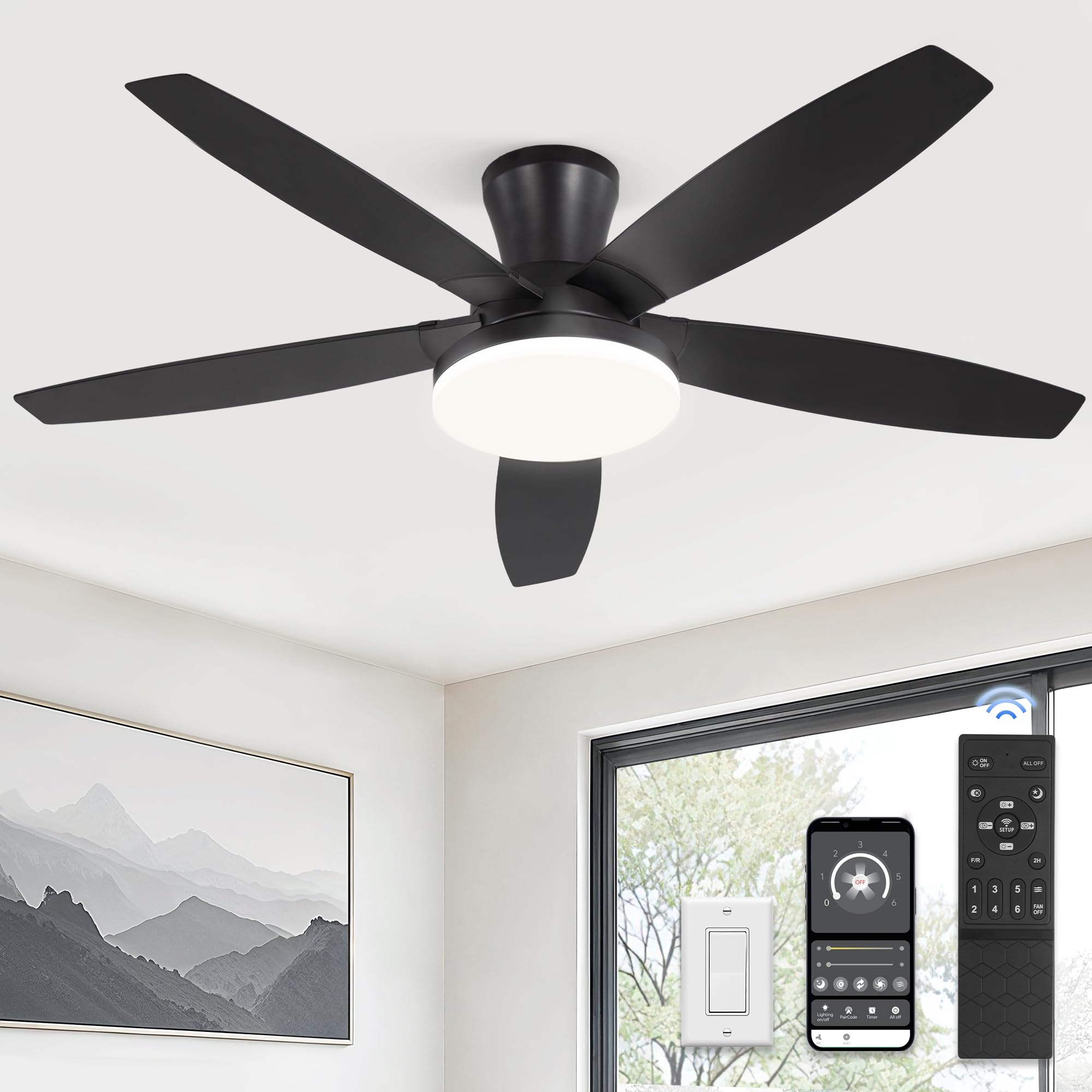
Image 1: ZMISHIBO HQ48 48-inch Ceiling Fan with Lights. This image shows the black ceiling fan with five blades and a central LED light, installed on a white ceiling.
2. Safety Information
Always follow basic safety precautions when installing and operating electrical appliances to reduce the risk of fire, electric shock, and personal injury.
- Electrical Safety: Ensure the power supply is disconnected at the circuit breaker before installation or maintenance. All wiring must be in accordance with national and local electrical codes.
- Installation: The fan must be mounted to a structurally sound ceiling capable of supporting the fan's weight. Use only the hardware provided.
- Blade Clearance: Ensure fan blades are at least 7 feet (2.1 meters) from the floor and have adequate clearance from walls or other obstructions.
- Motor Operation: Do not insert objects into the path of the fan blades.
- Light Source: Do not attempt to disassemble or replace the integrated LED light source. Contact customer support for service.
3. Package Contents
Verify that all components are present and undamaged before beginning installation. If any parts are missing or damaged, contact ZMISHIBO customer support.
- Ceiling Fan Motor Assembly
- Fan Blades (5)
- LED Light Kit
- Remote Control with Wall Mount
- Mounting Bracket
- Hardware Pack (screws, wire nuts, etc.)
- User Manual
4. Setup and Installation
Installation of this ceiling fan requires basic electrical knowledge. If you are unsure about any steps, it is recommended to consult a qualified electrician.
4.1 Pre-Installation Checklist
- Ensure power is OFF at the circuit breaker.
- Confirm you have all necessary tools (screwdriver, wire strippers, ladder, etc.).
- Verify the mounting location is suitable and can support the fan's weight.
4.2 Installation Steps
- Mounting Bracket Installation: Secure the mounting bracket to the ceiling junction box using the provided screws. Ensure it is firmly attached.
- Wiring Connections: Connect the fan's electrical wires to your household wiring according to the wiring diagram in the quick installation guide. Use appropriate wire nuts.
- Fan Body Attachment: Carefully lift the fan motor assembly and attach it to the mounting bracket. Ensure all safety connections are made.
- Blade Installation: Attach the five fan blades to the motor housing using the provided screws. Ensure they are securely fastened.
- Light Kit Installation: Connect the LED light kit wiring to the fan motor assembly and secure the light kit to the fan.

Image 2: Easy Installation. This image illustrates the simple process of attaching a fan blade to the motor housing, highlighting the ease of assembly.

Image 3: ZMISHIBO Ceiling Fan Dimensions and Components. This image shows the fan's overall dimensions (48 inches diameter, 11.4 inches height) and details of the 5 blades, silent DC motor, and LED light panel.
5. Operating Instructions
Your ZMISHIBO HQ48 ceiling fan can be operated using the included remote control or a smartphone application.
5.1 Remote Control Operation
The remote control allows for comprehensive control over fan speed, light settings, and other features.

Image 4: Remote and App Control Interface. This image displays the remote control layout with labeled buttons and a smartphone screen showing the fan control app.
- Light ON/OFF: Press the light button to turn the LED light on or off.
- CCT Change: Adjust the color temperature (3000K Warm, 4500K Natural, 6000K Cool White).
- Fan Speed (1-6): Select desired fan speed from 1 (lowest) to 6 (highest).
- F/R Reverse Function: Change fan direction for summer (downward airflow) or winter (upward airflow).
- Timer: Set a 2-hour auto-off timer.
- Night Light: Activates a low-brightness light mode.
- Pairing: Used for initial pairing with the fan.
5.2 App Control Operation
Download the "HF Smart" app from Google Play or Apple App Store. Follow the in-app instructions to pair your fan. The app provides similar controls to the remote, including fan speed, light dimming, and color temperature adjustments.
5.3 Light Functions
The integrated LED light offers customizable illumination.
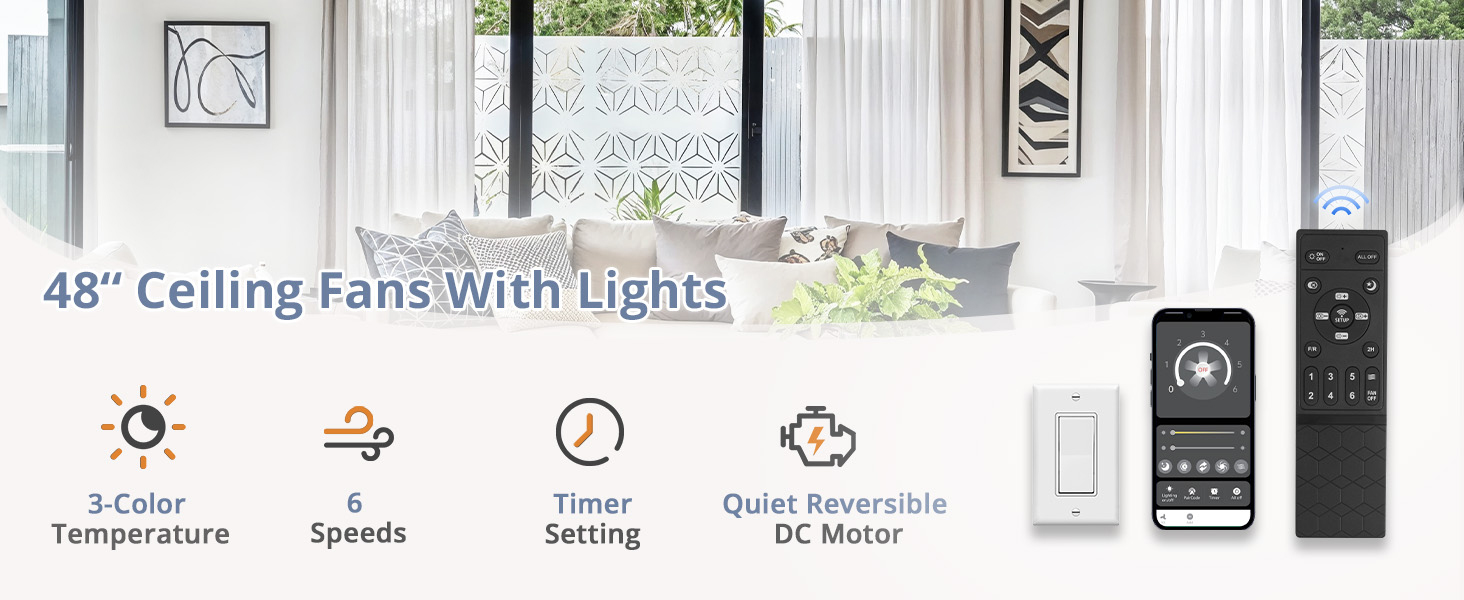
Image 5: Adjustable Color Temperature and Smooth Dimming. This image shows three ceiling fans with different light temperatures (3000K Warm, 4500K Nature, 6000K Cold White) and a slider indicating dimming from 10% to 100%.
- Dimmable: Adjust brightness from 10% to 100%.
- Color Temperature: Choose between 3000K (Warm White), 4500K (Natural White), and 6000K (Cool White).
- Memory Function: The fan remembers your last brightness and color temperature setting if turned off for more than 10 seconds.
5.4 Fan Functions
The fan features a quiet DC motor with multiple speed settings and a reversible function.

Image 6: 6 Speeds Selectable Fan Operation. This image illustrates the six fan speed levels, categorized into Soft Wind (Level 1-2), Natural Wind (Level 3-4), and Cool Wind (Level 5-6), with corresponding lifestyle images.

Image 7: Reversible Motor for Summer and Winter. This image shows the fan operating in two modes: forward for cool downward airflow in summer and reverse for warm upward airflow in winter.
- 6 Wind Speeds: Choose from gentle breeze to strong airflow.
- Reversible DC Motor: Operates in forward mode for cooling during summer and reverse mode for circulating warm air during winter.
- Quiet Operation: Engineered for low noise levels (approx. 35dB).
6. Maintenance
Regular maintenance ensures optimal performance and longevity of your ceiling fan.
- Cleaning: Dust the fan blades and motor housing periodically with a soft, damp cloth. Do not use abrasive cleaners or solvents.
- Blade Inspection: Check fan blades for any cracks or damage. Replace if necessary.
- Tightness Check: Periodically check all screws and connections to ensure they are secure.
- No Lubrication Needed: The DC motor is permanently lubricated and does not require additional oiling.
7. Troubleshooting
If you encounter issues with your ZMISHIBO HQ48 ceiling fan, refer to the following common problems and solutions.
| Problem | Possible Cause | Solution |
|---|---|---|
| Fan does not start | No power supply Loose wire connections Remote not paired | Check circuit breaker and wall switch Ensure all wires are securely connected (power off first) Pair the remote control with the fan (refer to section 5.1) |
| Light does not work | No power to light kit Light kit wiring issue | Check light switch and remote light button Verify light kit connections (power off first) |
| Remote control not working | Dead batteries Not paired Obstruction | Replace batteries Re-pair the remote with the fan Ensure clear line of sight to the fan's receiver |
| Fan wobbles | Loose blades or mounting Unbalanced blades | Tighten all blade screws and mounting hardware Ensure blades are installed correctly and balanced |
| Fan makes noise | Loose screws Motor hum | Check and tighten all screws A slight hum from DC motors is normal; if excessive, contact support |
If the problem persists after attempting these solutions, please contact ZMISHIBO customer support.
8. Specifications
Detailed technical specifications for the ZMISHIBO HQ48 48-inch Ceiling Fan.
| Feature | Specification |
|---|---|
| Brand | ZMISHIBO |
| Model Number | HQ48 |
| Size | 48 Inch |
| Product Dimensions | 48"D x 48"W x 11.4"H |
| Color | Black |
| Material | Plastic |
| Motor Type | DC Motor |
| Number of Speeds | 6 |
| Noise Level | 35 Decibels |
| Wattage | 50 watts |
| Light Source | Integrated LED (24W, 1800LM) |
| Color Temperature | 3000K-6000K (Adjustable) |
| Dimming Range | 10%-100% |
| Control Method | Remote Control, App Control |
| Mounting Type | Flush Mount |
| Indoor/Outdoor Usage | Indoor, Outdoor (Covered Patio) |

Image 8: LED Light and Energy-Efficient DC Motor. This image highlights the eye-care LED light panel and the pure copper strong DC motor, emphasizing energy efficiency and quiet operation.
9. Warranty and Support
ZMISHIBO is committed to providing quality products and customer satisfaction. While specific warranty details are not provided in this manual, please retain your proof of purchase for any warranty claims.
For technical assistance, troubleshooting, or any questions regarding your ZMISHIBO HQ48 ceiling fan, please contact ZMISHIBO customer support. We aim for a 24-hour response time to ensure your satisfaction.
Contact information can typically be found on the product packaging or the official ZMISHIBO website.
