
1. Introduction
This manual provides detailed instructions for the setup, operation, maintenance, and troubleshooting of your Muddy Pro Cam 20 MP Trail Camera. Please read this manual thoroughly before using the camera to ensure proper function and longevity of the device. The Muddy Pro Cam 20 MP is designed for capturing high-resolution images and videos of wildlife with its 20MP sensor and 720p video capabilities.

Figure 1: Front view of the Muddy Pro Cam 20 MP Trail Camera.
2. Package Contents
Verify that all items listed below are included in your package:
- Muddy Pro Cam 20 Megapixel Trail Camera with Video Function
3. Key Features
- High-Resolution Imaging: 20MP camera with 850nm LEDs for clear day and night captures. Supports 20MP, 8MP, and 4MP resolution images.
- High-Definition Video: Captures 720p videos at 30 frames per second (FPS).
- Fast Trigger Speed: 0.5-second trigger speed to capture quick movements.
- Versatile Burst Mode: Captures 1 to 3 images per triggering event.
- Extensive Detection Range: 80-foot detection range for broad coverage.
- Power Source: Operates on eight AA batteries.
- Security: Integrated Python lock latch for theft deterrence.
4. Setup
4.1. Battery Installation
- Open the camera housing latch.
- Locate the battery compartment.
- Insert eight (8) AA batteries, ensuring correct polarity (+/-) as indicated inside the compartment.
- Close the battery compartment securely.
4.2. SD Card Installation
- With the camera powered off, locate the SD card slot.
- Insert a standard SD card (up to 32GB, not included) into the slot with the metal contacts facing down, until it clicks into place.
- To remove, press the SD card gently to release it.
4.3. Mounting the Camera
The camera can be mounted using the included strap or a compatible mounting accessory.
- Select a suitable location, such as a tree or post, ensuring a clear view of the desired area.
- Thread the mounting strap through the slots on the back of the camera.
- Securely fasten the strap around the mounting surface.
- Adjust the camera angle to optimize the field of view and detection zone.
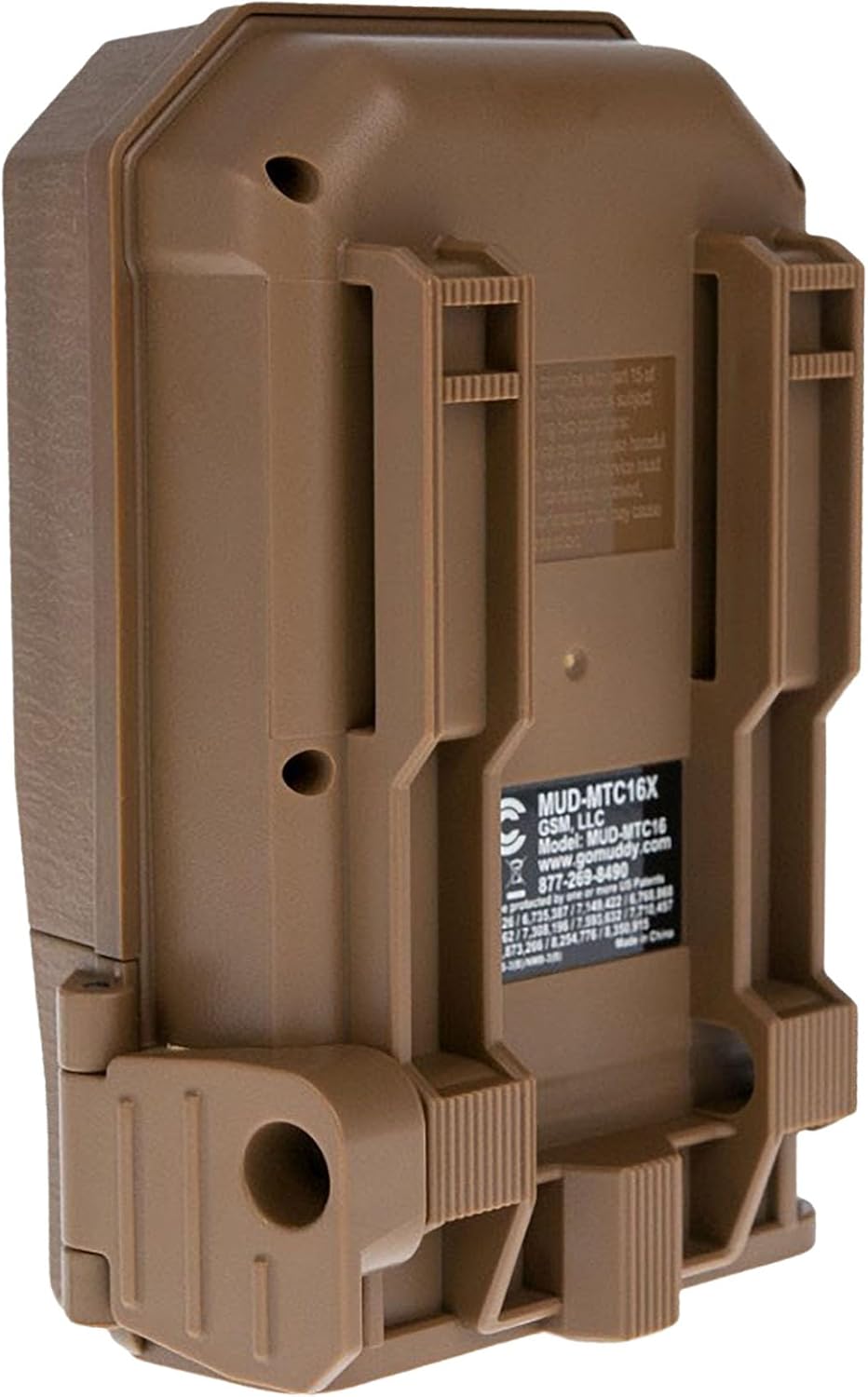
Figure 2: Back view of the camera showing mounting slots and product label.
5. Operating Instructions
5.1. Powering On/Off
- To power on, slide the power switch to the 'ON' position. The camera will perform a self-check.
- To power off, slide the power switch to the 'OFF' position.
5.2. Menu Navigation
Use the navigation buttons (Up, Down, Left, Right, OK) to move through the menu options and confirm selections. The display screen will show current settings.
5.3. Photo Mode Settings
In the menu, navigate to 'Photo Settings' to adjust:
- Resolution: Select 20MP, 8MP, or 4MP for image quality. Higher resolution results in larger file sizes.
- Burst Mode: Set the number of images captured per trigger (1 to 3 photos).
- Delay: Set the time interval between consecutive triggers.
5.4. Video Mode Settings
In the menu, navigate to 'Video Settings' to adjust:
- Resolution: Set to 720p for video capture.
- Video Length: Specify the duration of each video clip.
- Audio Recording: Enable or disable audio capture with video.
5.5. Detection and Trigger
The camera features an 80-foot detection range and a 0.5-second trigger speed. Ensure the detection area is clear of obstructions that might cause false triggers, such as swaying branches.
6. Maintenance
6.1. Battery Replacement
When the battery indicator shows low power, replace all eight AA batteries with new ones to ensure optimal performance and prevent data loss.
6.2. SD Card Management
Regularly check the SD card capacity. Format the SD card periodically to maintain optimal performance and prevent corruption. Always power off the camera before inserting or removing the SD card.
6.3. Cleaning
Use a soft, dry cloth to clean the camera lens and housing. Avoid using abrasive cleaners or solvents. Ensure the camera is dry before closing the housing.
7. Troubleshooting
- Camera not powering on: Check battery installation and ensure batteries are fresh.
- No images/videos captured: Verify SD card is inserted correctly and has sufficient space. Check camera settings for proper mode selection and trigger delay.
- Poor image/video quality: Ensure the lens is clean. Check resolution settings.
- False triggers: Adjust camera placement to avoid moving branches or excessive sunlight in the detection zone.
8. Specifications
| Feature | Specification |
|---|---|
| Model Number | MUD-MTC20X |
| Image Resolution | 20MP, 8MP, 4MP |
| Video Resolution | 720p @ 30 FPS |
| Detection Range | 80 feet |
| Trigger Speed | 0.5 seconds |
| Flash Memory Type | SD (up to 32GB) |
| Power Source | 8 x AA Batteries |
| Photo Sensor Technology | CMOS |
| Connectivity Technology | Infrared |
| Item Weight | 12.3 ounces |
| Product Dimensions | 1 x 1 x 1 inches |
9. Warranty Information
For detailed warranty information, please refer to the official MUDDY website or contact customer support. Keep your purchase receipt as proof of purchase.
10. Support
If you require further assistance or have questions not covered in this manual, please visit the MUDDY support page on their official website or contact their customer service department. Contact information can typically be found on the product packaging or the manufacturer's website.


