
DuneVoyager DV-GK03
DuneVoyager DV-GK03 USB Mechanical Gaming Keyboard User Manual
Model: DV-GK03 | Brand: DuneVoyager
Introduction
This manual provides detailed instructions for the setup, operation, and maintenance of your DuneVoyager DV-GK03 USB Mechanical Gaming Keyboard. Please read this manual thoroughly before using the product to ensure optimal performance and longevity.
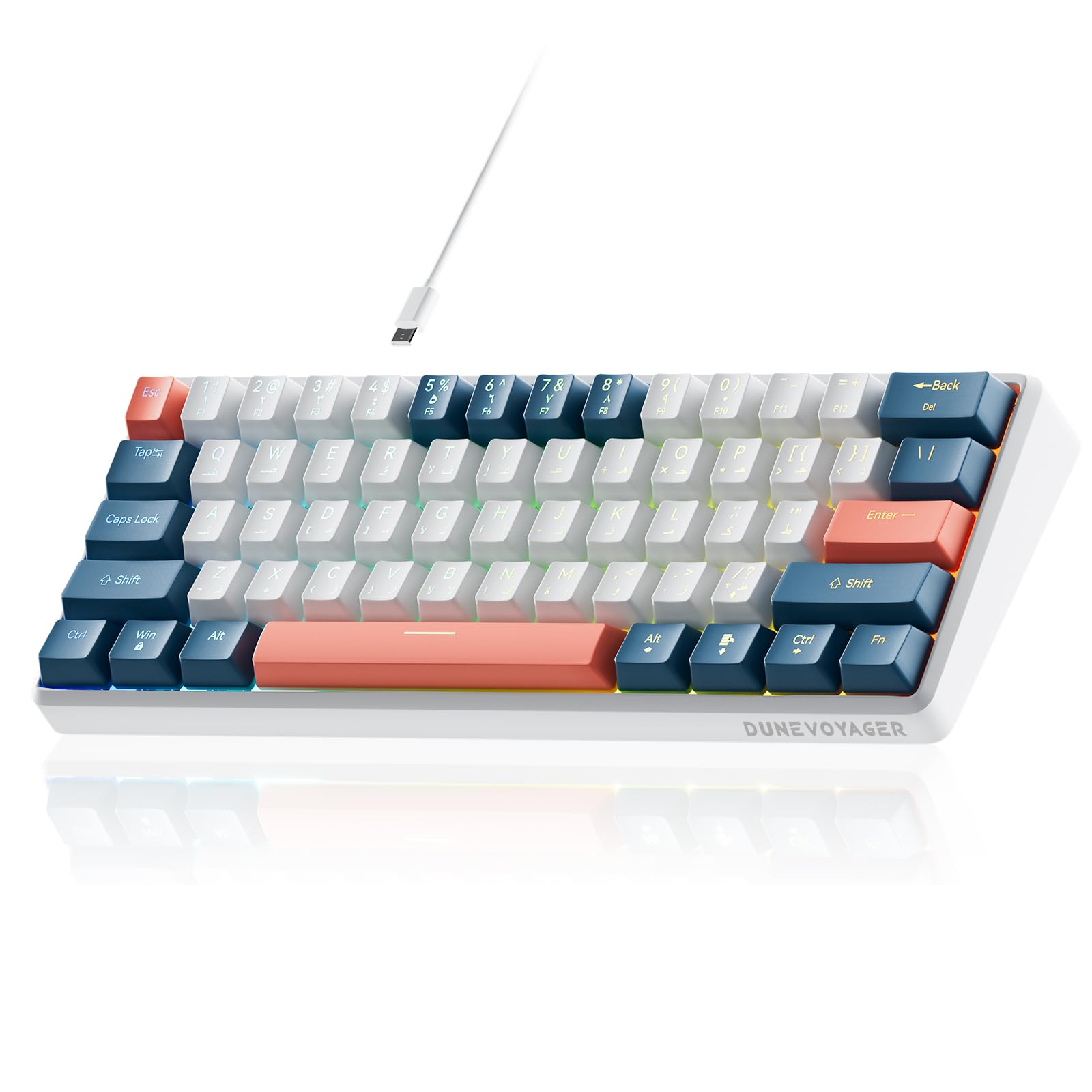
Image: DuneVoyager DV-GK03 Mechanical Gaming Keyboard in white and blue.
Product Features
- Linear Red Mechanical Switches: Experience smooth and responsive keystrokes without tactile bumps, ideal for fast-paced gaming.
- 16.8 Million Color RGB Backlight: Each key can display 16.8 million RGB colors with 20 pre-set lighting modes, creating an immersive visual experience.
- Compact 60% Layout: Space-saving design with 61 keys and a detachable USB-C cable, making it portable and suitable for various setups.
- Full-Key Anti-Ghosting & Hot-Swappable Switches: Ensures all key presses are registered accurately during intense gaming. Hot-swappable design allows for easy switch replacement and customization.
- Robust Design: Weighs 525g, featuring a metal positioning plate and foam base for stability and a premium feel, ensuring comfortable use during long sessions.
- Saudi User Experience: Specifically designed with Arabic keycaps, balancing functionality and aesthetics for bilingual users. Includes a keycap puller and extra white keycaps and red mechanical switches for personalization.
- Wide Compatibility: Compatible with PC, PlayStation 4, Xbox, and Mac operating systems.
Package Contents
Upon opening the package, please verify that all items listed below are included:
- 1 x DuneVoyager DV-GK03 Mechanical Gaming Keyboard
- 1 x Detachable USB-C Cable
- 1 x Keycap Puller
- 3 x Extra White Keycaps (Enter, ESC, Spacebar)
- 2 x Extra Red Mechanical Switches
- 1 x Decorative Sticker
- 1 x User Manual

Image: Contents of the keyboard package, showing the keyboard, keycap puller, and additional keycaps and switches.
Setup Instructions
- Unpack the Keyboard: Carefully remove the keyboard and all accessories from the packaging.
- Connect the USB-C Cable: Insert the USB-C end of the provided cable into the port on the back of the keyboard.
- Connect to Device: Plug the standard USB-A end of the cable into an available USB port on your computer, PS4, Xbox, or Mac.
- Driver Installation (if necessary): Your operating system should automatically detect and install the necessary drivers. If not, please visit the DuneVoyager support website for driver downloads.
- Placement: Place the keyboard on a stable, flat surface. The keyboard features adjustable feet for ergonomic positioning.
Video: A demonstration of connecting the USB-C cable to the keyboard and showcasing the RGB lighting effects.
Operating Instructions
Basic Usage
Once connected, the keyboard is ready for immediate use. Simply begin typing or gaming.
RGB Lighting Control
The DV-GK03 keyboard features 16.8 million color RGB backlighting with 20 pre-set lighting effects. Use the following key combinations to adjust the lighting:
- Change Lighting Effect: Press Fn + \ | to cycle through the 20 lighting modes.
- Adjust Brightness: Press Fn + [ { to decrease brightness, and Fn + ] } to increase brightness.
- Adjust Speed: Press Fn + < , to decrease effect speed, and Fn + > . to increase effect speed.
- Change Light Color: Press Fn + Shift to change the color of certain lighting effects.
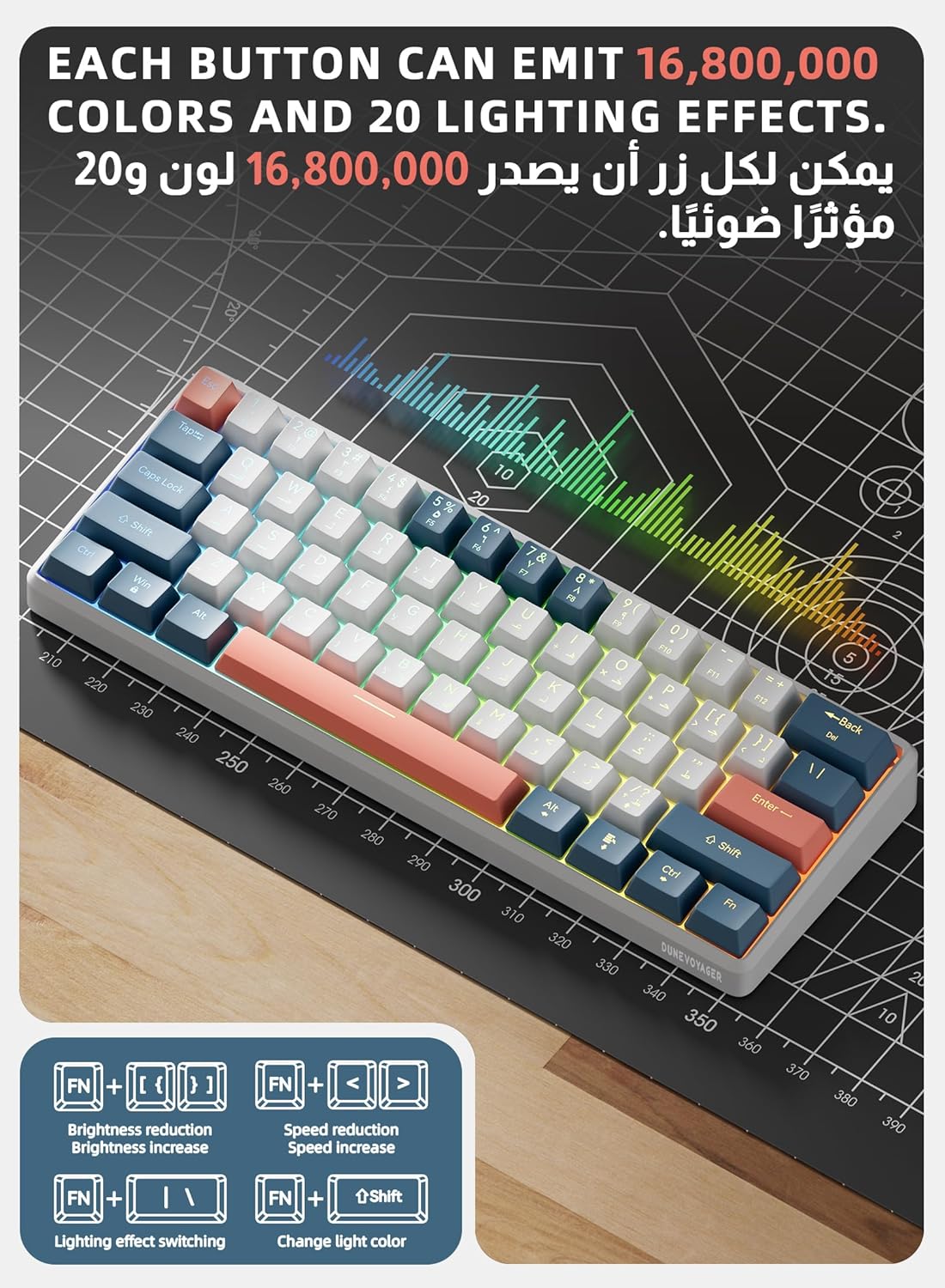
Image: Visual guide to RGB lighting control key combinations on the keyboard.
Video: Demonstration of various RGB lighting effects and adjustments on the keyboard.
Programmable Software
The keyboard supports programmable software to customize lighting effects and key functions. Download the software from the official DuneVoyager website.

Image: Screenshot of the programmable software interface, showing options for lighting and key function settings.
Hot-Swappable Switches
The DV-GK03 features hot-swappable mechanical switches, allowing you to change switches without soldering. Use the provided switch puller to carefully remove and replace switches.

Image: Close-up of the keyboard demonstrating the hot-swappable switches and the use of a switch puller.
Maintenance
- Cleaning: Use a soft, dry cloth to wipe the keyboard surface. For deeper cleaning, use compressed air to remove dust and debris from between the keycaps.
- Keycap Removal: Use the provided keycap puller to carefully remove keycaps for cleaning or replacement. Avoid pulling keycaps forcefully to prevent damage to the switches.
- Storage: When not in use, store the keyboard in a clean, dry environment away from direct sunlight and extreme temperatures.
- Cable Care: Avoid bending or twisting the USB-C cable excessively to prevent internal damage.
Troubleshooting
| Problem | Solution |
|---|---|
| Keyboard not responding |
|
| RGB lighting not working or incorrect |
|
| Keys not registering or double-typing |
|
Specifications
| Feature | Detail |
|---|---|
| Brand | DuneVoyager |
| Model Number | DV-GK03 |
| Connectivity Technology | USB-C (Wired) |
| Keyboard Description | Mechanical Gaming Keyboard |
| Switch Type | Red Mechanical Switches (Linear) |
| Number of Keys | 61 |
| Backlight | RGB (16.8 Million Colors, 20 Effects) |
| Compatibility | PC, PlayStation 4, Xbox, Mac |
| Material | Plastic |
| Weight | 525g |
| Power Source | USB Power |
| Special Features | Backlit, Detachable Palm Rest |
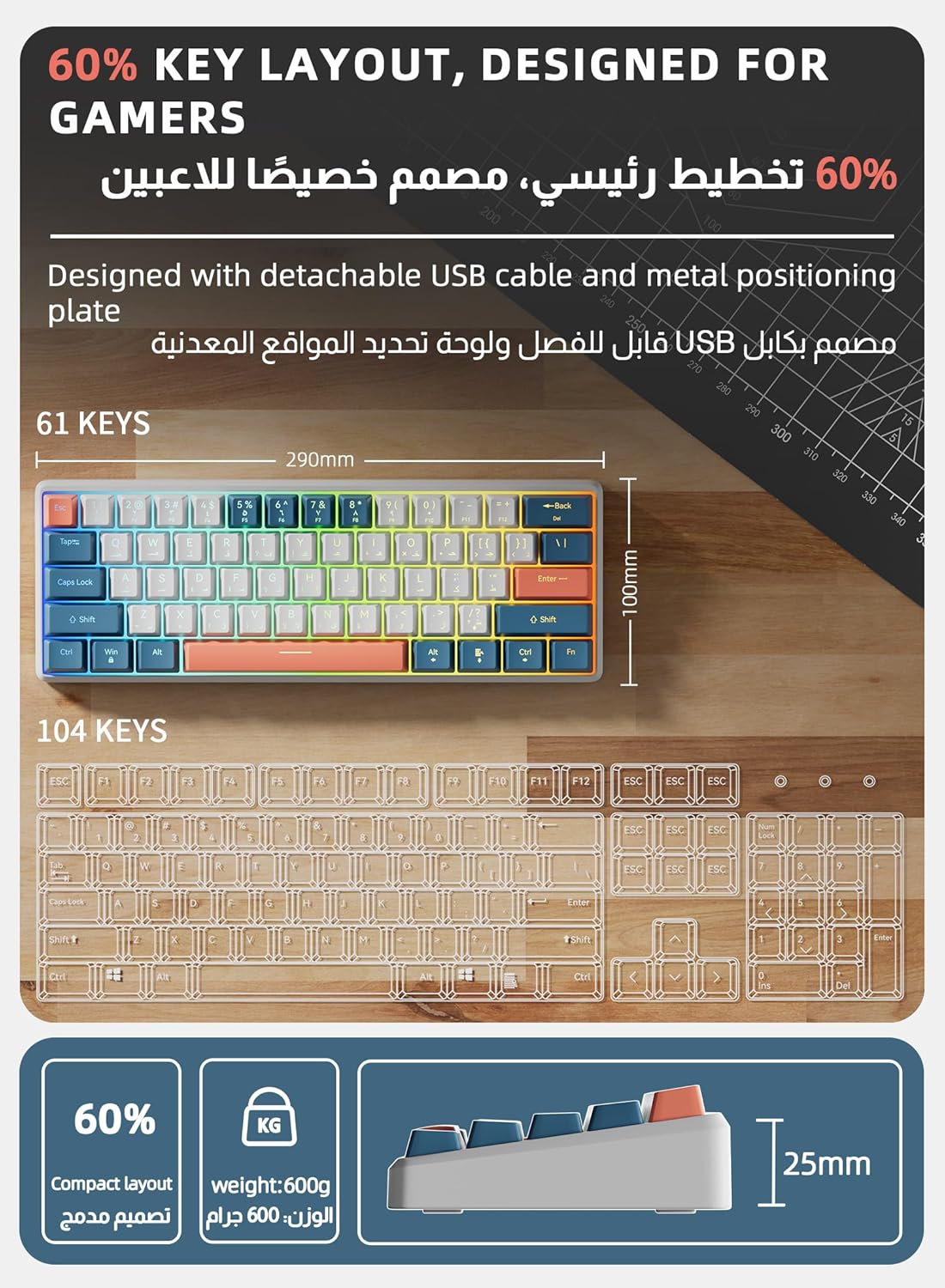
Image: Diagram illustrating the compact 60% layout and dimensions of the keyboard.
Warranty Information
The DuneVoyager DV-GK03 Mechanical Gaming Keyboard comes with a two-year manufacturer's warranty. This warranty covers defects in materials and workmanship under normal use. It does not cover damage caused by misuse, accidents, unauthorized modifications, or normal wear and tear.
For warranty claims or service, please retain your proof of purchase and contact DuneVoyager customer support.
Customer Support
If you encounter any issues not covered in the troubleshooting section or require further assistance, please contact DuneVoyager customer support through their official website or the retailer where you purchased the product.
Online Resources:
- Visit the DuneVoyager Store on Amazon for product information and updates.
- Check the official DuneVoyager website for FAQs, driver downloads, and additional support.