
1. Introduction
This manual provides detailed instructions for the installation, operation, and maintenance of your IIWEY iK9 9-inch Wireless CarPlay & Android Auto Screen. Please read this manual thoroughly before using the device to ensure proper functionality and safety.
What's in the Box
- 4K CarPlay Device
- 1080P Backup Camera
- 64GB SD Card
- Car Charger with Extra USB Port
- Suction Mount
- 3M Sticker Mount
- Crowbar
- Retrieve Card Pin
- Wire Buckles
- User Manual
- FAQ Menu
- Gift Box Packaging

2. Safety Information
Always prioritize safety while operating your vehicle. Do not attempt to adjust settings or interact with the device in a way that distracts you from driving. Ensure all cables are securely routed and do not obstruct your view or vehicle controls. Some map displays may not show all surroundings; always verify your environment visually.
3. Product Overview
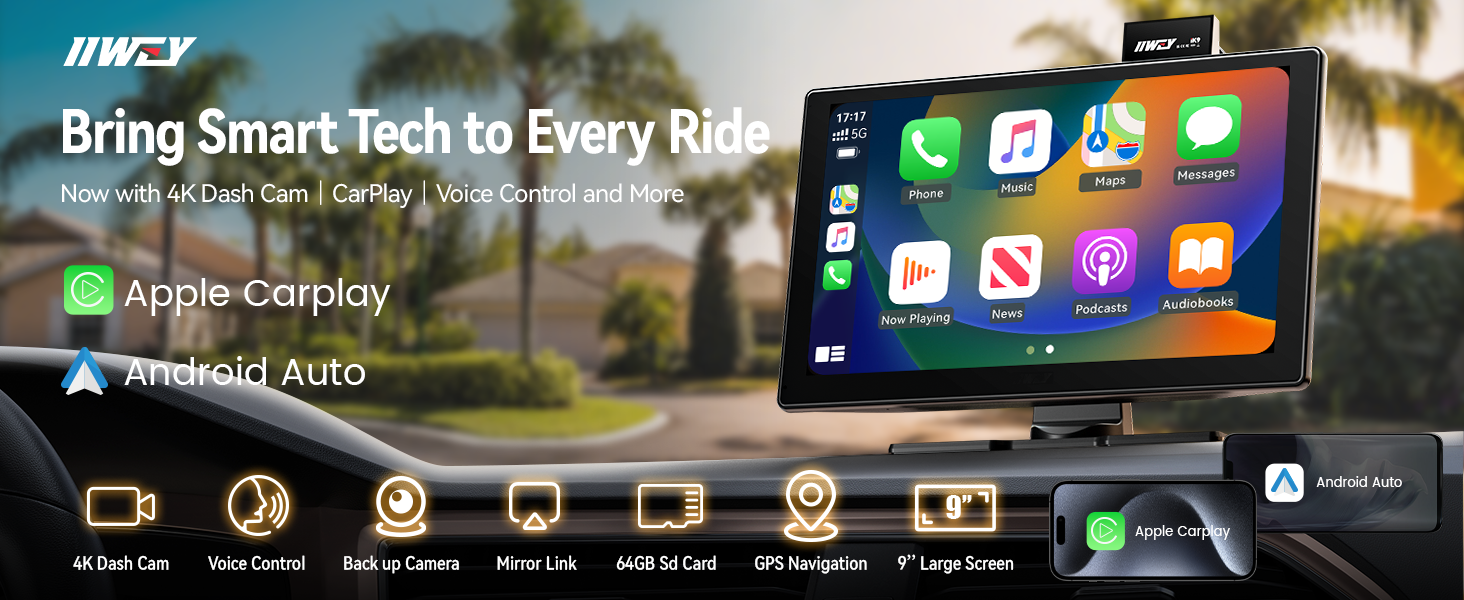
The IIWEY iK9 is a portable car stereo system designed to integrate wireless Apple CarPlay and Android Auto into any vehicle. It features a 9-inch HD touch screen, a built-in 4K front dash cam, and a 1080p rear camera for comprehensive road coverage and parking assistance.
Key Features
- Wireless Apple CarPlay & Android Auto
- 9-inch HD Touch Screen (1024x600 resolution)
- Integrated 4K Front Dash Cam with adjustable lens
- 1080P Rear Camera with adjustable parking guidelines
- Voice Control via Siri & Google Assistant
- Bluetooth for calls and audio streaming
- Wireless Mirroring (AirPlay & Miracast)
- FM Transmitter and AUX output for audio integration
- Loop Recording and Wi-Fi Video Transfer
- Includes 64GB SD Card

4. Setup & Installation
The iK9 system offers flexible installation options using either a suction cup mount or 3M adhesive. Ensure the mounting location does not obstruct your view or interfere with airbag deployment.
Mounting the Device
The device can be attached to either the windshield or the dashboard. Choose a location that provides optimal visibility and accessibility without impeding safe driving.

Connecting the Rear Camera
The 1080P rear camera connects to the main unit and should be installed at the rear of your vehicle. For automatic activation when reversing, connect the camera's red wire to the positive lead of your vehicle's reverse light. Route the cable carefully to avoid damage or interference.
Powering the Device
Use the provided car charger to power the iK9. The device is designed to automatically power on and start recording when the engine is active. The car charger features a built-in FM transmitter for audio output.
5. Operating Instructions
Wireless CarPlay & Android Auto Connection
To connect your smartphone wirelessly:
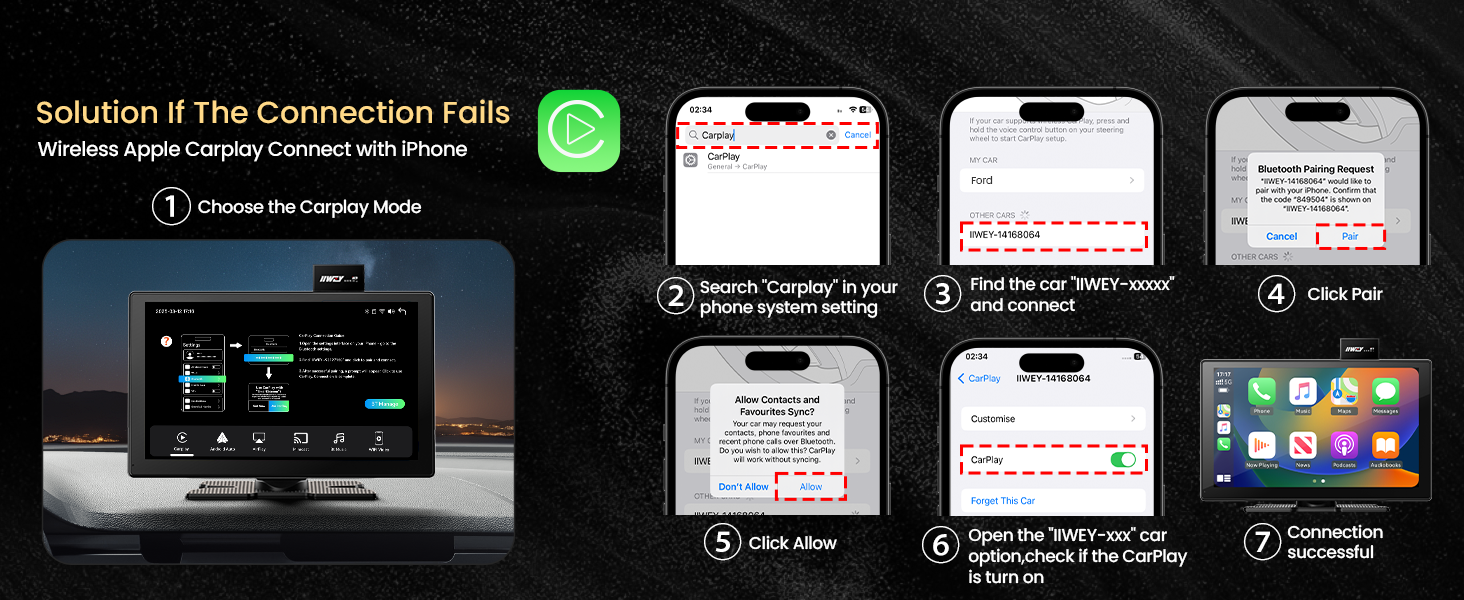
- On the iK9 screen, select either 'CarPlay' or 'Android Auto' mode.
- On your smartphone, go to Bluetooth settings and find the device named "IIWEY-XXXXXX".
- Pair your phone with the iK9. Confirm any pairing requests on both devices.
- Allow access to contacts and messages if prompted.
- The device will automatically switch to the CarPlay or Android Auto interface.
For optimal performance, ensure both WLAN and Bluetooth are enabled on your phone when pairing for the first time. Android Auto requires Android 6.0 or later, while iPhones require iOS 11 or higher.

Voice Control
Utilize Siri or Google Assistant for hands-free control of navigation, calls, messages, and music. Activate your voice assistant by saying "Hey Siri" or "Hey Google" or by pressing the voice command button on the screen.

Dash Cam Operation
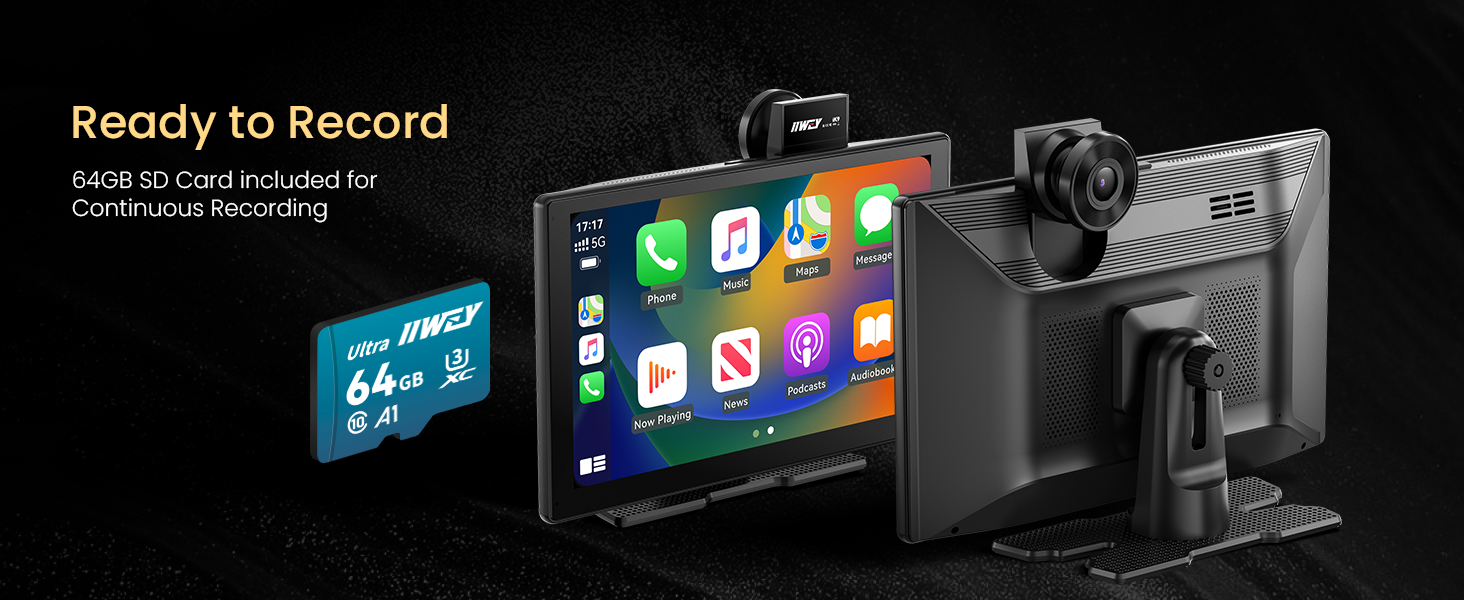
The built-in 4K front dash cam and 1080p rear camera continuously record footage to the included 64GB SD card. The front camera lens can be manually adjusted for optimal viewing angle. Footage is recorded in a loop, overwriting the oldest files when the SD card is full.

Backup Camera Functionality
When the vehicle is shifted into reverse, the 1080P rear camera automatically displays a wide-angle view on the iK9 screen. Parking guidelines are customizable to assist with precise parking maneuvers.
6. Connectivity
Audio Output Options
The iK9 offers multiple ways to output audio to your car's sound system:
- FM Transmission: Tune your car radio to an unused FM frequency and set the iK9 to transmit on the same frequency.
- Car Bluetooth: Connect the iK9 to your car's existing Bluetooth system.
- AUX Cable: Use an AUX cable to connect the iK9's audio output to your car's AUX input.

Wireless Mirroring (AirPlay & Miracast)
The iK9 supports AirPlay for iOS devices and Miracast for Android devices, allowing you to mirror your smartphone screen onto the 9-inch display.

Wi-Fi Video Transfer
Recorded dash cam footage can be transferred to your smartphone via Wi-Fi using the IIWEY app. This allows for quick access and sharing of video files.

7. Maintenance
SD Card Management
The device comes with a 64GB SD card pre-installed. For optimal performance and to prevent data corruption, it is recommended to format the SD card periodically. The device supports SD cards with capacities ranging from 128GB to 256GB (MicroSD, Class 10, U3 Speed card).
Cleaning the Device
Use a soft, dry cloth to clean the screen and exterior of the device. Avoid using abrasive cleaners or solvents, which may damage the screen or finish.
8. Troubleshooting
| Issue | Possible Cause | Solution |
|---|---|---|
| Device does not power on. | No power supply or faulty connection. | Ensure the car charger is securely plugged into the vehicle's power outlet and the device. Verify the vehicle's power outlet is functional. |
| CarPlay/Android Auto fails to connect. | Bluetooth/Wi-Fi issues, incorrect pairing. | Ensure both Bluetooth and Wi-Fi are enabled on your phone. Forget the device in your phone's Bluetooth settings and re-pair. Restart both the phone and the iK9. |
| No audio output. | Incorrect audio output setting or connection. | Check the iK9's audio output settings (FM, Bluetooth, AUX). Ensure your car stereo is set to the correct input source (FM frequency, Bluetooth, or AUX). |
| Rear camera view is mirrored. | Mirror setting enabled for rear camera. | Access the iK9 settings and disable the mirror view option for the rear camera. If the issue persists, check for firmware updates. |
| SD card error/recording issues. | SD card full, corrupted, or incompatible. | Format the SD card periodically. Replace the SD card if it is old or damaged, ensuring it is a MicroSD, Class 10, U3 Speed card. |
9. Specifications
- Brand: IIWEY
- Model Number: iK9
- Screen Size: 9 Inches
- Display Resolution: 1024 x 600
- Display Type: LCD
- Front Dash Cam: 4K
- Rear Camera: 1080P
- Connectivity Technology: Wireless, Apple CarPlay, Android Auto, Mirror Link, GPS
- Compatible Devices: Smartphone (iOS 11+, Android 6.0+)
- Item Dimensions (D x W x H): 1.8"D x 8.7"W x 5.3"H
- Item Weight: 0.45 Kilograms
- Included SD Card: 64GB
10. Warranty & Support
The IIWEY iK9 comes with a 1-year manufacturer's warranty. For warranty claims or technical assistance, please refer to the contact information provided in your product packaging or visit the official IIWEY support website. You can also extend your warranty from 12 to 24 months by registering your device.