Introduction
Thank you for choosing the Wefomey COB LED Strip Light. This 16.4ft (5-meter) dimmable LED strip features high-density COB technology with 3100 LEDs, providing a continuous, uniform, and spotless light output. It offers tunable white light from 2700K (warm white) to 6500K (cool white) and can be controlled via an RF remote or the LotusLamp X mobile application. This manual provides detailed instructions for installation, operation, and maintenance to ensure optimal performance and longevity of your LED strip light.

Image: Wefomey COB LED Strip Light providing ambient lighting in a living room.
What's in the Box
Please verify that all components are present before beginning installation:
- 16.4ft (5m) 24V COB LED Strip Light (2700K-6500K Tunable White)
- RF Remote Control (2*AAA Batteries Not Included)
- Controller
- FCC Listed DC 24V 48W Power Supply
- 2-Pin 8mm COB LED Strip Connectors
- Mounting Brackets
Safety Information
- Ensure the power supply is disconnected before installation or maintenance.
- Use only the provided 24V power supply or a compatible 24V power supply with sufficient wattage for the total length of the strip light.
- Do not exceed the maximum load of the power supply. If extending the strip beyond 32.8ft, a higher output 24V power supply is required.
- Avoid installing the strip light in wet or damp locations as it is rated for indoor use (IP22).
- Do not bend the strip light sharply or apply excessive force, which may damage the LEDs or internal circuitry.
- Ensure proper ventilation around the power supply during operation to prevent overheating.
- Keep out of reach of children.
Setup and Installation
Follow these steps for proper installation of your Wefomey COB LED Strip Light:
- Prepare the Surface: Ensure the installation surface is clean, dry, and smooth. Dust, oil, or moisture can reduce the adhesive's effectiveness.
- Measure and Cut (Optional): If a shorter length is required, locate the designated cutting marks (every 42mm / 16.5 inches) on the strip. Cut only at these marked points using sharp scissors.
- Connect the Strip: Attach the COB LED strip to the controller. Ensure the positive (+) and negative (-) terminals align correctly. The red and black wires at the end of the strip are for connecting to the DC connector, allowing power at both ends for longer installations.
- Apply Adhesive: Peel off the backing from the strong adhesive tape on the back of the LED strip. Carefully press the strip onto the desired surface, ensuring firm contact along its entire length. For added security, use the included mounting brackets.
- Connect Power: Connect the controller to the 24V 48W DC power supply. Plug the power supply into a standard electrical outlet.

Image: Example installation of the LED strip light under kitchen cabinets.

Image: Flexible installation of the LED strip light in a bedroom setting.
Operating Instructions
Your Wefomey COB LED Strip Light can be controlled using the included RF remote or the LotusLamp X mobile application.
A. App Control (LotusLamp X)
The LotusLamp X app provides comprehensive control over your LED strip light:
- Download the App: Search for "LotusLamp X" in your smartphone's app store (iOS or Android) and install it.
- Pairing: Ensure Bluetooth is enabled on your phone. Open the app, and it should automatically detect the LED strip controller. Follow the on-screen prompts to pair the device.
- Color Temperature Adjustment: Within the app, you can precisely adjust the white light color temperature from 2700K (warm white) to 6500K (cool white).
- Brightness Control: Adjust the brightness from 0% to 100% to suit your preference.
- Timer Function: Set schedules for the light to turn on or off automatically at specific times.
- Group Control: If you have multiple Wefomey LED strip lights, you can group them together for synchronized control.
- Memory Function: The light will remember your last used color temperature and brightness settings when powered off and on.

Image: LotusLamp X app interface for controlling color temperature and brightness.
B. RF Remote Control
The RF remote provides convenient control without needing your phone:
- Power On/Off: Press the power button to turn the lights on or off.
- Brightness Adjustment: Use the 'B+' and 'B-' buttons to increase or decrease brightness (10 levels).
- Color Temperature Adjustment: Use the 'W' button for warmer white and 'C' button for cooler white. Specific Kelvin presets (3000K, 3500K, 4000K, 4500K, 5000K, 6000K) are also available.
- One Hour Timer: Press the '1H' button to set a 1-hour timer.
- Cancel Timing: Press the 'Cancel' button to deactivate any active timer.
- Battery Installation: The remote requires 2 AAA batteries (not included). Open the battery compartment on the back of the remote to insert them, observing polarity.
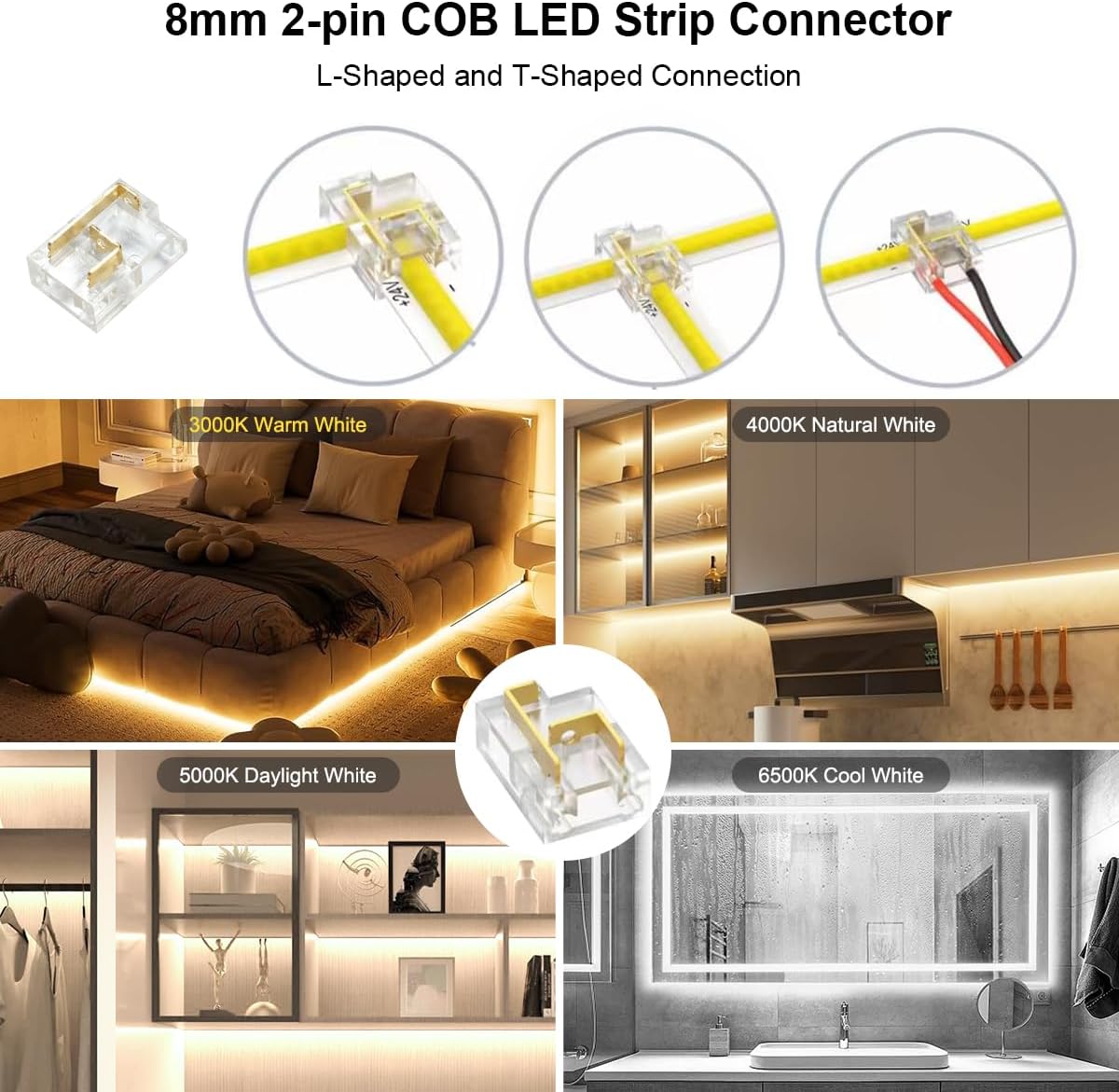
Image: RF Remote Control layout and functions.

Image: Visual representation of tunable white light from 2700K to 6500K.
DIY and Customization
The Wefomey COB LED Strip Light is designed for flexible customization:
- Flexibility: The strip can be bent at various angles to conform to different surfaces and shapes, making it suitable for creative lighting designs.
- Cutting: The strip can be cut at marked intervals (every 42mm / 16.5 inches) to achieve the desired length. Always cut at the designated metal points.
- Reconnection: Cut sections of the strip can be reconnected using the provided 2-pin 8mm COB LED strip connectors. Ensure correct polarity (+ to + and - to -) when reconnecting.
Maintenance
To ensure the longevity and optimal performance of your LED strip light:
- Cleaning: Gently wipe the LED strip with a soft, dry cloth to remove dust. Do not use abrasive cleaners or liquids directly on the strip.
- Connection Check: Periodically inspect all connections (strip to controller, controller to power supply) to ensure they are secure.
- Power Supply: Ensure the power supply is not covered or placed in an enclosed space where heat can build up.
Troubleshooting
| Problem | Possible Cause | Solution |
|---|---|---|
| Light strip does not turn on. | No power, loose connection, faulty power supply/controller. | Check power outlet. Ensure all connections are secure. Test with another compatible 24V power supply if available. |
| Lights flicker or are dim. | Insufficient power, loose connection, damaged strip. | Verify power supply wattage is adequate. Check connections. Inspect strip for visible damage. |
| Remote control not working. | Dead batteries, remote out of range, interference. | Replace AAA batteries in the remote. Ensure remote is within 49-66ft (15-20m) of the controller. Reduce potential interference. |
| App control not connecting. | Bluetooth off, app not paired, controller issue. | Ensure Bluetooth is enabled on your phone. Re-open the app and attempt to pair again. Restart the controller by unplugging and replugging the power. |
| Adhesive not holding. | Surface not clean/dry, unsuitable surface material. | Clean and dry the surface thoroughly before application. Use additional mounting clips or a stronger double-sided adhesive tape (e.g., 3M foam tape) for better adhesion. |
| Power supply gets very hot. | Overload, poor ventilation, faulty power supply. | Ensure the total wattage of the LED strip does not exceed the power supply's rating. Provide adequate ventilation around the power supply. If the issue persists, discontinue use and replace the power supply. |
Specifications
| Feature | Detail |
|---|---|
| Model Number | WF-TWCOB-5M |
| Light Type | COB LED Strip Light |
| Length | 16.4 ft (5 meters) |
| LED Quantity | 3100 LEDs (620 LEDs/meter) |
| Color Temperature | 2700K - 6500K Tunable White |
| Brightness | 0-100% Dimmable, 15200 Lumens (White Brightness) |
| Color Rendering Index (CRI) | >90 |
| Voltage | 24V DC |
| Wattage | 48W |
| Strip Width | 8mm (0.31 inches) |
| Cutting Unit | 42mm (1.65 inches) |
| Control Method | RF Remote Control, LotusLamp X App Control (Bluetooth) |
| Indoor/Outdoor Use | Indoor (IP22) |
| Power Source | Corded Electric |
| Material | Plastic |

Image: Detailed specifications and component dimensions.
Warranty and Support
Wefomey products are designed for quality and reliability. For warranty information or technical support, please refer to the contact details provided with your purchase or visit the official Wefomey website. Please retain your proof of purchase for warranty claims.


