
Introduction
The Acora R22189132 LED Solar Outdoor Wall Light is designed to provide reliable and energy-efficient illumination for outdoor areas such as driveways, garden paths, and yards. This unit features an integrated solar panel for battery charging, a motion sensor for automatic activation, and a twilight sensor for operation in low light conditions. Control options include a remote control for adjusting brightness and operating modes. Constructed from durable plastic with an IP65 rating, it is built to withstand various weather conditions.

Image: Front view of the Acora LED Solar Outdoor Wall Light, showcasing its square design and central motion sensor.
Safety Instructions
- Ensure all electrical connections are secure and protected from moisture.
- Do not attempt to open or modify the product. Refer servicing to qualified personnel.
- Mount the light and solar panel securely to prevent falling.
- Keep the solar panel clean and free from obstructions to ensure efficient charging.
- Dispose of the product and its battery responsibly according to local regulations.

Image: Diagram illustrating different IP classifications for outdoor lighting, indicating suitable installation zones.
Package Contents
Verify that all components are present before installation:
- Acora LED Solar Outdoor Wall Light unit
- Solar Panel with 2-meter connection cable
- Remote Control
- Mounting instructions
- Mounting hardware (screws, anchors)
Setup and Installation
1. Choosing a Location
Select a location for the light unit that provides the desired illumination coverage. For the solar panel, choose a spot that receives direct sunlight for 8-10 hours daily to ensure optimal charging. The 2-meter cable allows flexible placement of the solar panel relative to the light unit.
2. Mounting the Light Unit
- Mark the desired mounting points for the light unit on the wall.
- Drill pilot holes and insert appropriate wall anchors if necessary.
- Secure the light unit to the wall using the provided screws.
3. Mounting the Solar Panel
- Mark the desired mounting points for the solar panel.
- Drill pilot holes and insert appropriate wall anchors.
- Secure the solar panel to the wall, ensuring it can be angled towards the sun.
- Connect the solar panel cable to the light unit's input port. Ensure the connection is tight and secure to maintain IP65 rating.

Image: The Acora light unit connected to its separate solar panel via a cable, ready for installation.
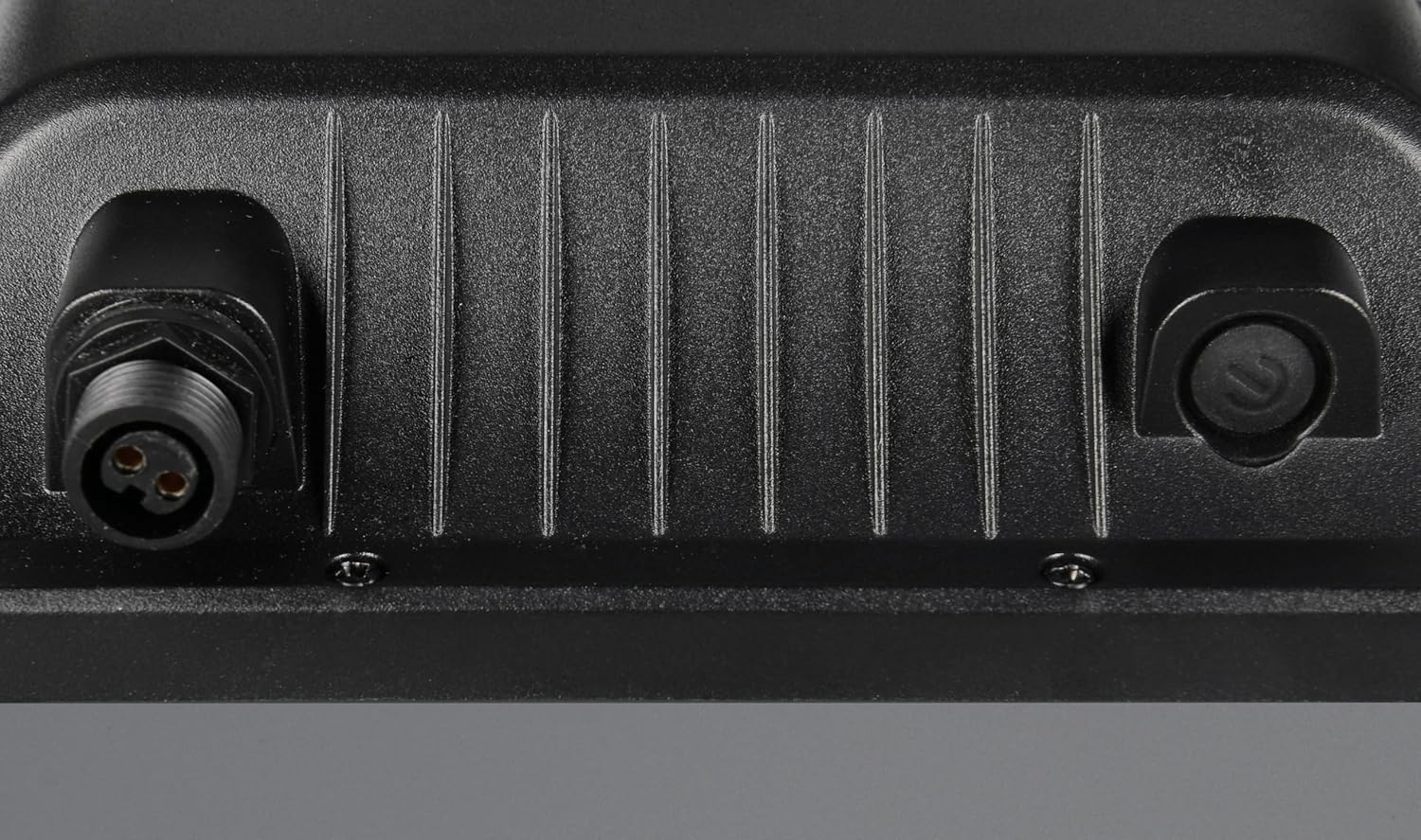
Image: Close-up view of the secure, waterproof connection ports on the back of the light unit.

Image: The Acora light and solar panel installed on an exterior wall, demonstrating typical outdoor placement.
4. Initial Charging
Allow the solar panel to charge the internal battery for 8-10 hours in direct sunlight before first use. This ensures the battery is fully charged for optimal performance.
Operating Instructions
The Acora light features a motion sensor, twilight sensor, and remote control for versatile operation.
Remote Control Functions
Use the provided remote control to select operating modes and adjust settings:
- On/Off: Manually turn the light on or off.
- Brightness: Adjust light intensity to 100%, 50%, or dimming options.
- PIR Mode with Orientation Light: The light activates at full brightness upon motion detection and then dims to a low orientation light after a set period of no motion.
- Auto Mode (30%): The light automatically turns on at 30% brightness in darkness and remains on.
- Timer: Set the light to operate for a specific duration (3h, 5h, or 8h).
Sensor Operation
- Motion Sensor: Detects movement up to 8 meters within a 120° angle. The light will activate or brighten when motion is detected, depending on the selected mode.
- Twilight Sensor: Automatically detects ambient light levels, enabling the light to operate only when it is dark enough.

Image: Graphic display of feature icons including remote control, 4000K color temperature, timer, battery, solar charging, twilight sensor, motion sensor, and IP65 rating.

Image: Detailed close-up of the integrated motion sensor, located centrally on the light unit.
Maintenance
- Cleaning: Regularly wipe the solar panel and light surface with a soft, damp cloth to remove dust, dirt, and debris. A clean solar panel ensures efficient charging.
- Inspection: Periodically check the mounting hardware and cable connections for tightness and signs of wear or damage.
- Battery: The integrated battery is designed for long-term use. If the light duration significantly decreases over time, ensure the solar panel is receiving adequate sunlight and is clean.
Troubleshooting
| Problem | Possible Cause | Solution |
|---|---|---|
| Light does not turn on at night. | Insufficient solar panel charging. Battery depleted. Twilight sensor not detecting darkness. | Ensure solar panel is in direct sunlight for 8-10 hours. Clean solar panel. Check for obstructions blocking the twilight sensor. |
| Motion sensor not working. | Sensor obstructed. Incorrect mode selected. | Clear any obstructions from the sensor's field of view. Use remote control to select PIR mode. |
| Light duration is shorter than expected. | Insufficient charging. Old battery. | Ensure maximum sun exposure for the solar panel. If the issue persists after prolonged use, the battery may be nearing its end of life. |
| Remote control not responding. | Remote battery depleted. Obstruction between remote and light. | Replace remote control battery. Ensure clear line of sight to the light unit. |
Specifications
| Feature | Detail |
|---|---|
| Model Number | R22189132 |
| Brand | RL LIVE YOUR LIGHT |
| Material | Plastic |
| Colour | Matt Black |
| Light Source | Integrated LED |
| Wattage | 18 Watts |
| Brightness | 2600 Lumens |
| Colour Temperature | 4000 Kelvin (Neutral White) |
| Power Source | Solar Powered |
| Special Features | Motion Sensor, Twilight Sensor, Remote Control, Energy Efficient |
| Motion Sensor Detection | 8m / 120° |
| Protection Class | IP65 (Dust-proof, protected against jet water) |
| Charging Time | Approx. 8-10 hours (full sunlight) |
| Operating Time | Approx. 8-9 hours (full battery) |
| Product Dimensions (L x W x H) | 45L x 200W x 190H mm |
| Item Weight | 1.93 Kilograms |
| Energy Efficiency Class | F |

Image: Technical drawing showing detailed dimensions of the Acora light unit and its solar panel.

Image: Energy efficiency label indicating class F for the product.
Warranty and Support
For warranty information or technical support, please refer to the documentation provided with your purchase or contact the manufacturer directly. Keep your proof of purchase for warranty claims.