
1. Product Overview
The Huuger L Shaped Standing Desk offers a versatile workspace with adjustable height and a reversible design. It is equipped with integrated power outlets for convenience and features a robust construction for stability.
- Adjustable Height: Easily switch between sitting and standing positions with a height range of 28.3" to 46.5".
- Reversible L-Shaped Design: Maximize your desktop space (63 x 55.1 inches) and configure the L-shape on either the left or right side to fit your room layout.
- Built-In Charging Station: Features 4 AC outlets, 1 USB-A port, and 1 USB-C port to power your devices directly from the desk.
- Smooth Motor Lift with Memory Presets: A powerful motor ensures quiet and stable height adjustments. Save up to 3 preferred height settings for quick transitions.
- Cable Management & Hooks: Includes a cable management tray and two side headphone hooks to keep your workspace organized.
- Durable Construction: Made from sturdy particleboard and solid steel legs, designed for long-lasting stability and a load-bearing capacity of up to 260 lbs.
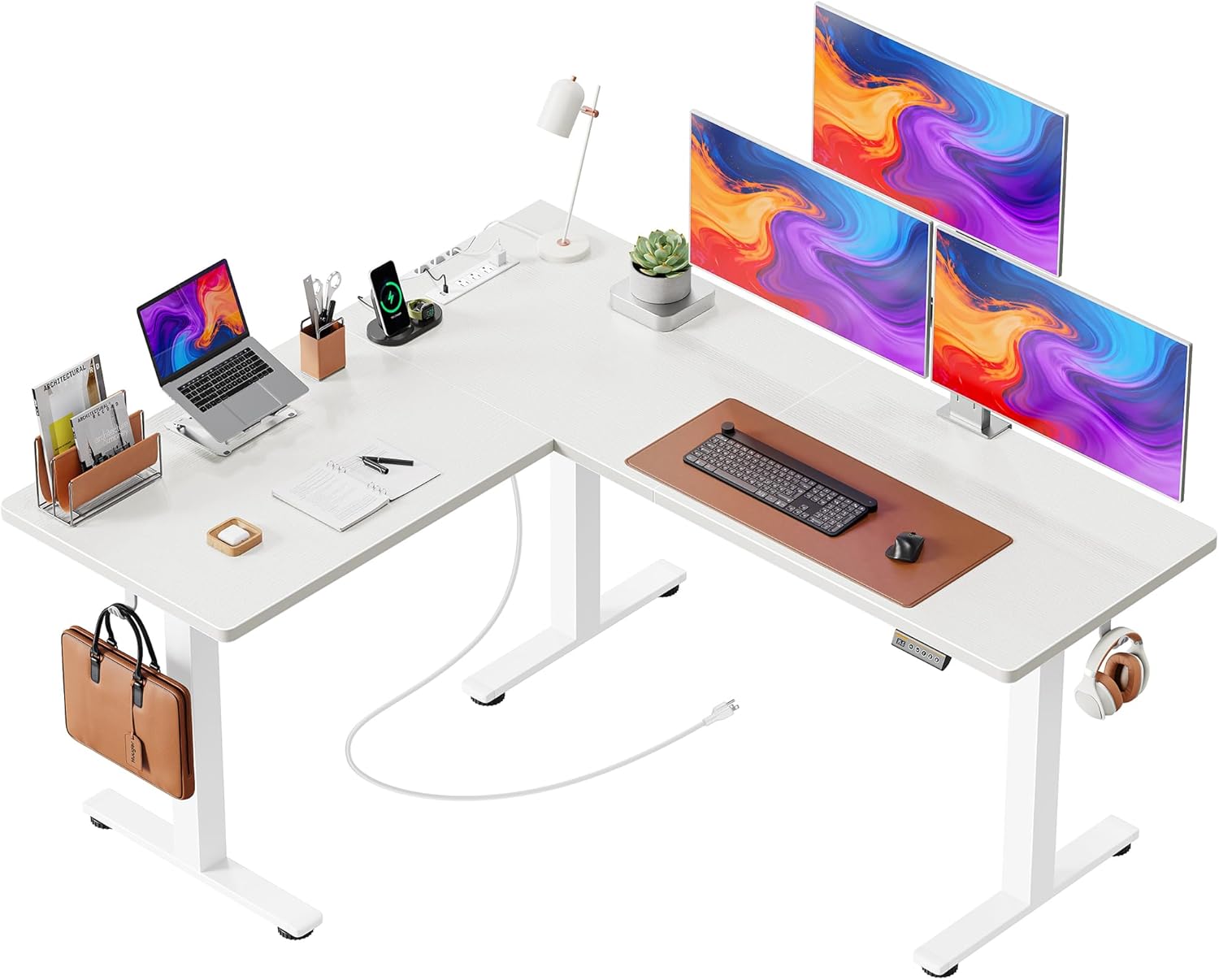
Image 1.1: The Huuger L Shaped Standing Desk in White, showcasing its spacious design.
2. Setup & Assembly
Assembly of the Huuger L Shaped Standing Desk is designed to be straightforward. All parts are clearly numbered, and a detailed manual with installation tools is included. It is recommended to have assistance during assembly due to the size and weight of the components.
2.1 Unpacking and Component Check
- Carefully unpack all components from the packaging.
- Verify that all parts listed in the included manual are present and undamaged. Refer to the parts list in your manual.
- Place all components on a soft, clean surface to prevent scratches during assembly.
2.2 Assembly Steps (General Guidance)
- Assemble the Desk Legs: Attach the feet to the bottom of the desk legs using the provided screws. Ensure they are securely fastened.
- Connect the Crossbars: Attach the crossbars between the desk legs. These provide structural support and house the motor mechanism.
- Install the Motor and Drive Shafts: Carefully install the motor and connect the drive shafts to the lifting columns. Ensure the drive shafts are fully extended and properly seated.
- Attach the Desktop Panels: Place the desktop panels onto the assembled frame. Secure them using the designated screws. Note the reversible design allows you to choose the orientation of the L-shape (left or right).
- Install the Control Panel: Mount the control panel to the underside of the desktop in the designated location. Connect its cable to the motor control box.
- Install the Power Strip: Secure the built-in power strip to the underside of the desk. Connect its power cable to the control box.
- Attach Accessories: Install the cable management tray and headphone hooks as desired.
- Cable Management: Route all cables neatly using the cable management tray and any included ties to prevent tangling and ensure safe operation.
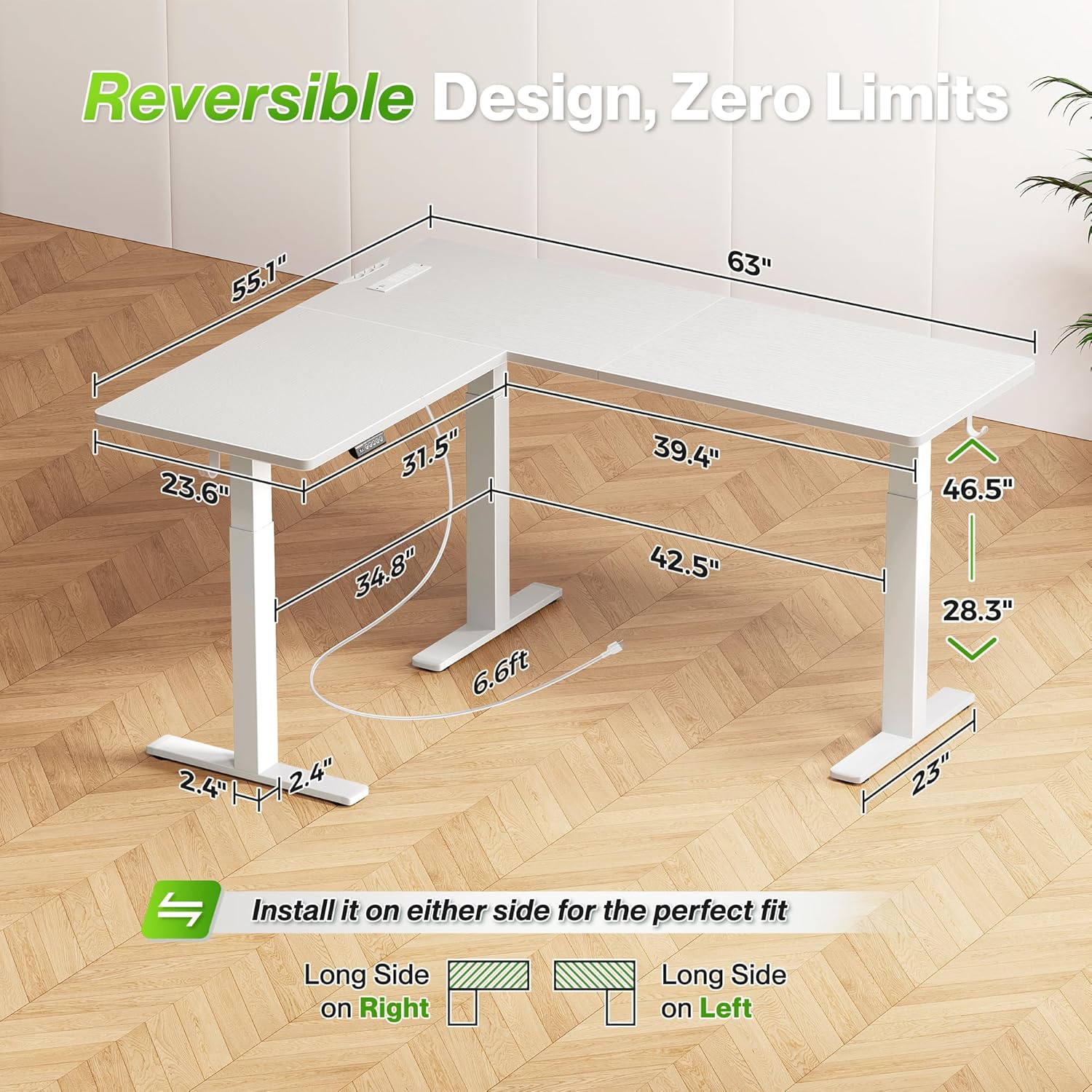
Image 2.1: Desk dimensions and illustration of the reversible L-shaped design.
3. Operating Instructions
This section details how to operate your Huuger L Shaped Standing Desk, including height adjustment and using the memory presets and integrated power outlets.
3.1 Height Adjustment
The desk features an electric motor for smooth height adjustments between 28.3" (minimum) and 46.5" (maximum).
- Raise the Desk: Press and hold the Up Arrow (^) button on the control panel. The desk will move upwards. Release the button when the desired height is reached.
- Lower the Desk: Press and hold the Down Arrow (v) button on the control panel. The desk will move downwards. Release the button when the desired height is reached.
- The LED display on the control panel shows the current desk height.
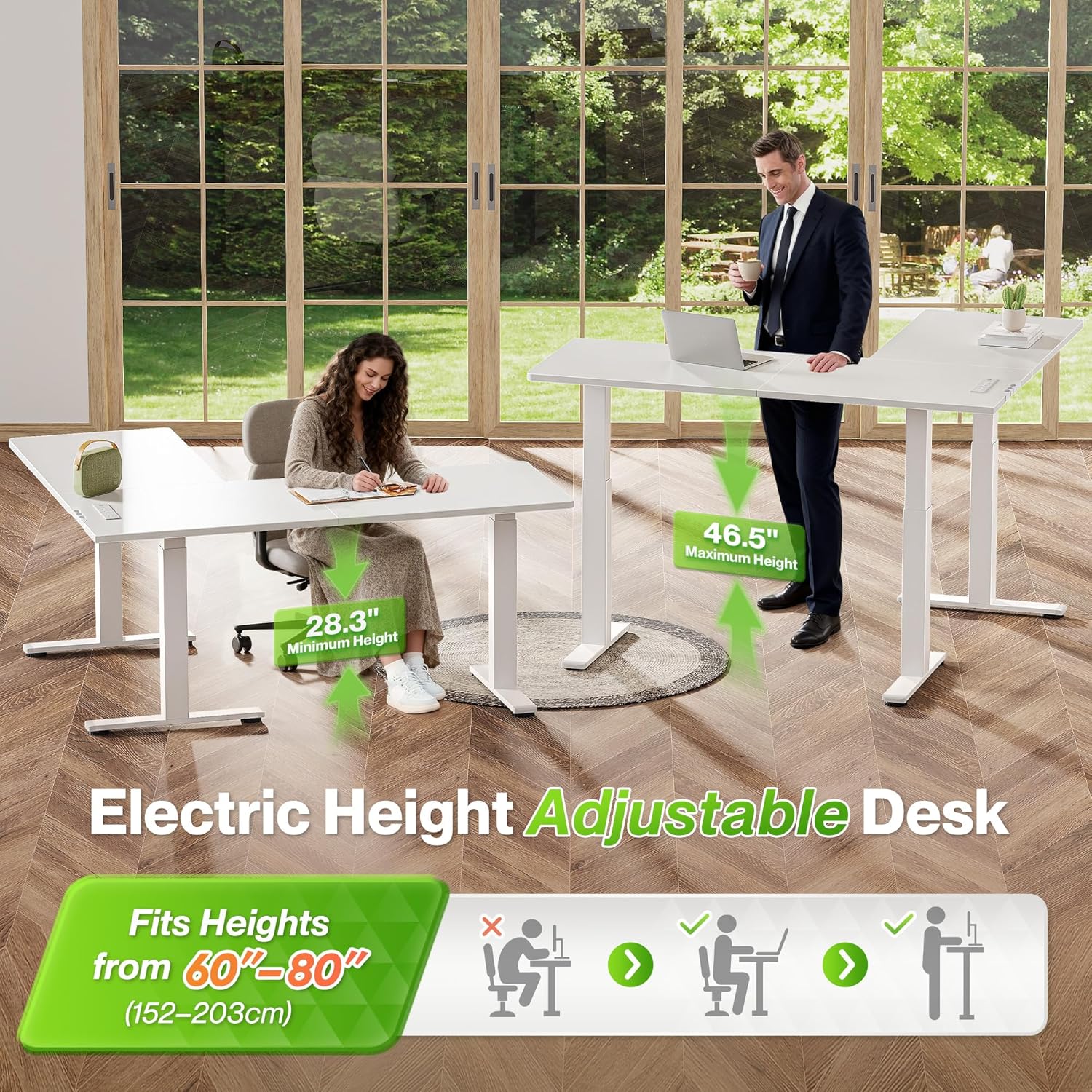
Image 3.1: Illustration of the desk's adjustable height range.
3.2 Memory Presets
The control panel allows you to save up to three preferred height settings for quick and easy transitions.
- Set a Memory Position:
- Adjust the desk to your desired height using the Up/Down buttons.
- Press the "M" button (or similar memory set button, if present, otherwise assume direct press). The display may flash "S-" or similar.
- Immediately press one of the numbered preset buttons (1, 2, or 3) to save the current height to that position. The display will confirm the setting.
- Recall a Memory Position: Simply press the desired numbered preset button (1, 2, or 3). The desk will automatically move to the saved height.

Image 3.2: The desk's control panel, showing height display and memory preset buttons.
3.3 Built-In Charging Station
The desk includes a convenient power strip to charge your electronic devices.
- The charging station provides 4 AC outlets (20V/12A), 1 USB-A port (5V/3A), and 1 USB-C port (5V/3A).
- Plug your devices directly into the appropriate ports on the power strip.
- Ensure the desk is connected to a wall outlet for the charging station to function.

Image 3.3: The integrated power strip for convenient device charging.
4. Maintenance
Regular maintenance ensures the longevity and optimal performance of your Huuger L Shaped Standing Desk.
- Cleaning: Wipe the desktop and frame with a soft, damp cloth. Avoid harsh chemicals or abrasive cleaners that could damage the finish.
- Cable Management: Periodically check and reorganize cables to prevent tangling and ensure they do not interfere with the desk's movement.
- Fasteners: Occasionally check all screws and bolts to ensure they are tight. Retighten if necessary.
- Motor Inspection: Listen for any unusual noises during height adjustment. If you notice any issues, refer to the troubleshooting section or contact customer support.
5. Troubleshooting
If you encounter any issues with your Huuger L Shaped Standing Desk, refer to the following common problems and solutions.
| Problem | Possible Cause | Solution |
|---|---|---|
| Desk does not move or respond to control panel. |
|
|
| Desk moves unevenly or makes unusual noises. |
|
|
| Memory presets are not working. |
|
|
| Power outlets are not providing power. |
|
|
6. Specifications
Detailed technical specifications for the Huuger L Shaped Standing Desk.
| Feature | Detail |
|---|---|
| Brand | Huuger |
| Model | 63 x 55 Inch L Shaped Standing Desk |
| Product Dimensions | 55.12"D x 63"W x 28.35"H (L-shape configuration) |
| Height Adjustment Range | 28.3" - 46.5" |
| Desktop Material | Engineered Wood |
| Base Material | Metal (Solid Steel Legs) |
| Load-Bearing Capacity | Up to 260 lbs |
| Noise Level (Operation) | Under 45dB |
| Power Outlets | 4 AC Outlets (20V/12A), 1 USB-A Port (5V/3A), 1 USB-C Port (5V/3A) |
| Special Features | 3 Memory Presets, Reversible Design, Anti-Collision System, Cable Management Tray, Headphone Hooks |
| Assembly Required | Yes (Instructions Included) |

Image 6.1: The desk's robust construction supports up to 260 lbs.

Image 6.2: Illustration of the upgraded hardware and solid desk legs ensuring stability.
7. Warranty & Support
Huuger is committed to providing high-quality products and customer satisfaction.
7.1 Warranty Information
Please refer to the warranty card included with your product for specific warranty terms and conditions. Generally, Huuger products are covered against manufacturing defects for a specified period from the date of purchase. Keep your proof of purchase for warranty claims.
7.2 Customer Support
If you have any questions, require assistance with assembly, or experience any issues not covered in the troubleshooting section, please contact Huuger customer support:
- Email: [Insert Customer Support Email Here]
- Phone: [Insert Customer Support Phone Number Here]
- Website: Visit the official Huuger website for FAQs and additional support resources.
When contacting support, please have your product model number and purchase date ready.