
1. Introduction
This manual provides detailed instructions for the safe and effective use of your Tangxi Smart Glasses. Please read this manual thoroughly before operating the device and retain it for future reference. These smart glasses integrate sun protection, anti-blue light filtering, open-ear audio, and smart touch controls for a versatile user experience.
2. Safety Information
- Do not expose the glasses to extreme temperatures or direct sunlight for extended periods.
- Avoid contact with water or other liquids to prevent damage to electronic components.
- Do not attempt to disassemble or repair the device yourself. Contact customer support for assistance.
- Keep out of reach of children.
- Use only the provided charging cable.
- Ensure the glasses are clean before wearing to maintain clear vision.
3. Package Contents
Verify that all items are present in your package:
- 1 x Tangxi Smart Glasses
- 1 x USB Charging Cable
- 1 x Cleaning Cloth
- 1 x Storage Bag
- 1 x User Manual (this document)

Image: Contents of the Tangxi Smart Glasses package.
4. Product Overview
The Tangxi Smart Glasses are designed for comfort and functionality. They feature integrated speakers and microphones for open-ear audio, touch controls on the temples, and advanced lenses.
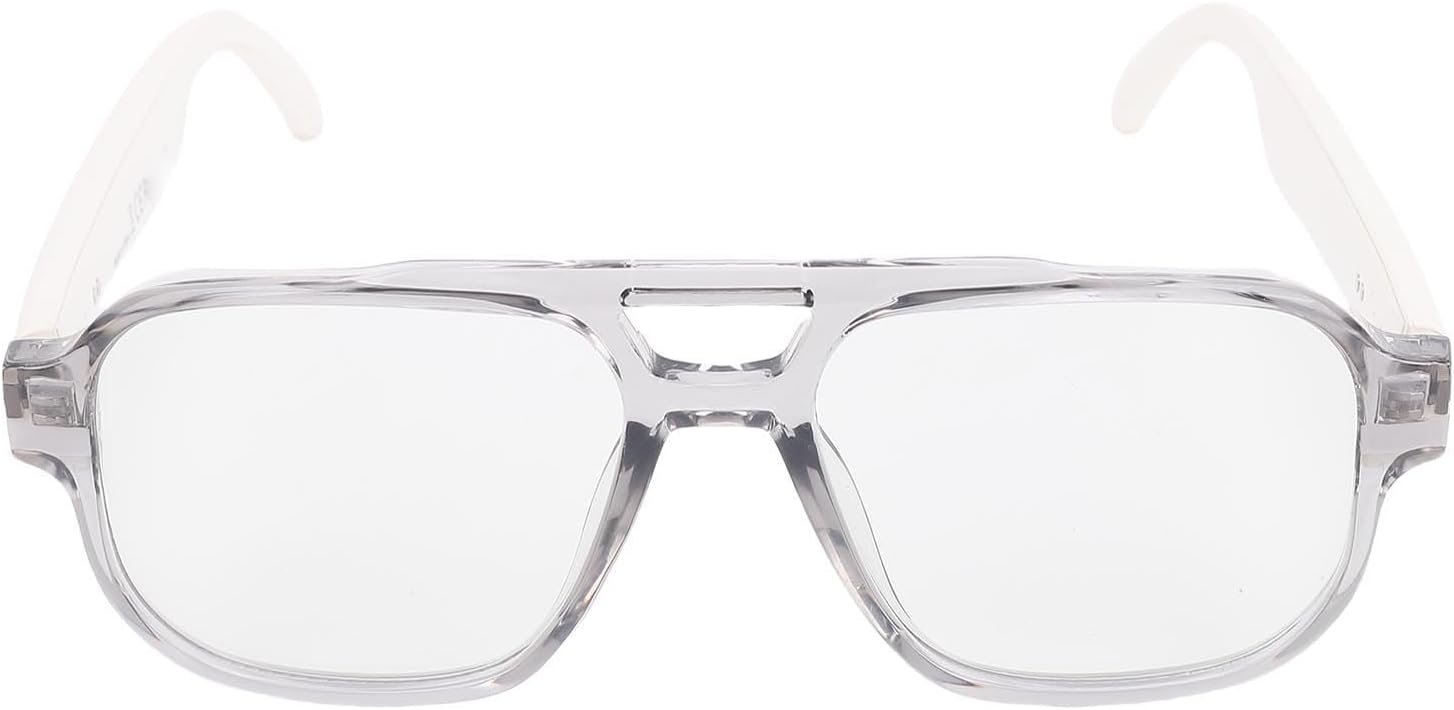
Image: Front view of the Tangxi Smart Glasses.

Image: Multiple color options for the smart glasses.
5. Setup
5.1 Charging the Glasses
Before initial use, fully charge your Tangxi Smart Glasses. A full charge takes approximately 1 hour.
- Connect the provided USB charging cable to the magnetic charging port on the glasses.
- Connect the other end of the USB cable to a compatible USB power source (e.g., computer USB port, wall adapter).
- The indicator light will show charging status (refer to LED indicator section for details).

Image: Magnetic charging connection.
5.2 Powering On/Off
- Power On: Simultaneously press and hold the touch sensors on both the left and right temples for 3 seconds.
- Power Off: Press and hold the touch sensor on either the left or right temple for 5 seconds.
5.3 Bluetooth Pairing
To connect your Tangxi Smart Glasses to a device (smartphone, tablet, etc.):
- Ensure the glasses are powered on and in pairing mode (indicator light will flash, refer to LED indicator section).
- On your device, enable Bluetooth and search for available devices.
- Select "Tangxi Smart Glasses" (or similar name) from the list.
- Once connected, the indicator light will change (refer to LED indicator section). The effective range for connection is approximately 10 meters (32.81 feet).
6. Operating Instructions
6.1 Smart Touch Controls
The temples of the glasses are equipped with touch sensors for various functions:
| Action | Command |
|---|---|
| Power On | Simultaneously press left and right for 3 seconds. |
| Shutdown | Long press for 5 seconds (left/right). |
| Play/Pause Music | Touch twice (left/right). |
| Previous Song | Click (left). |
| Next Song | Click (right). |
| Answer/Hang Up Call | Touch twice (left/right). |
| Refuse Call | Long press for 3 seconds (left/side). |
| Voice Assistant | Touch three times (left). |
| Volume Increase | Long press for 1.5 seconds (left). |
| Volume Decrease | Click (right). |
| Remote Control Photography | Touch three times (right). |
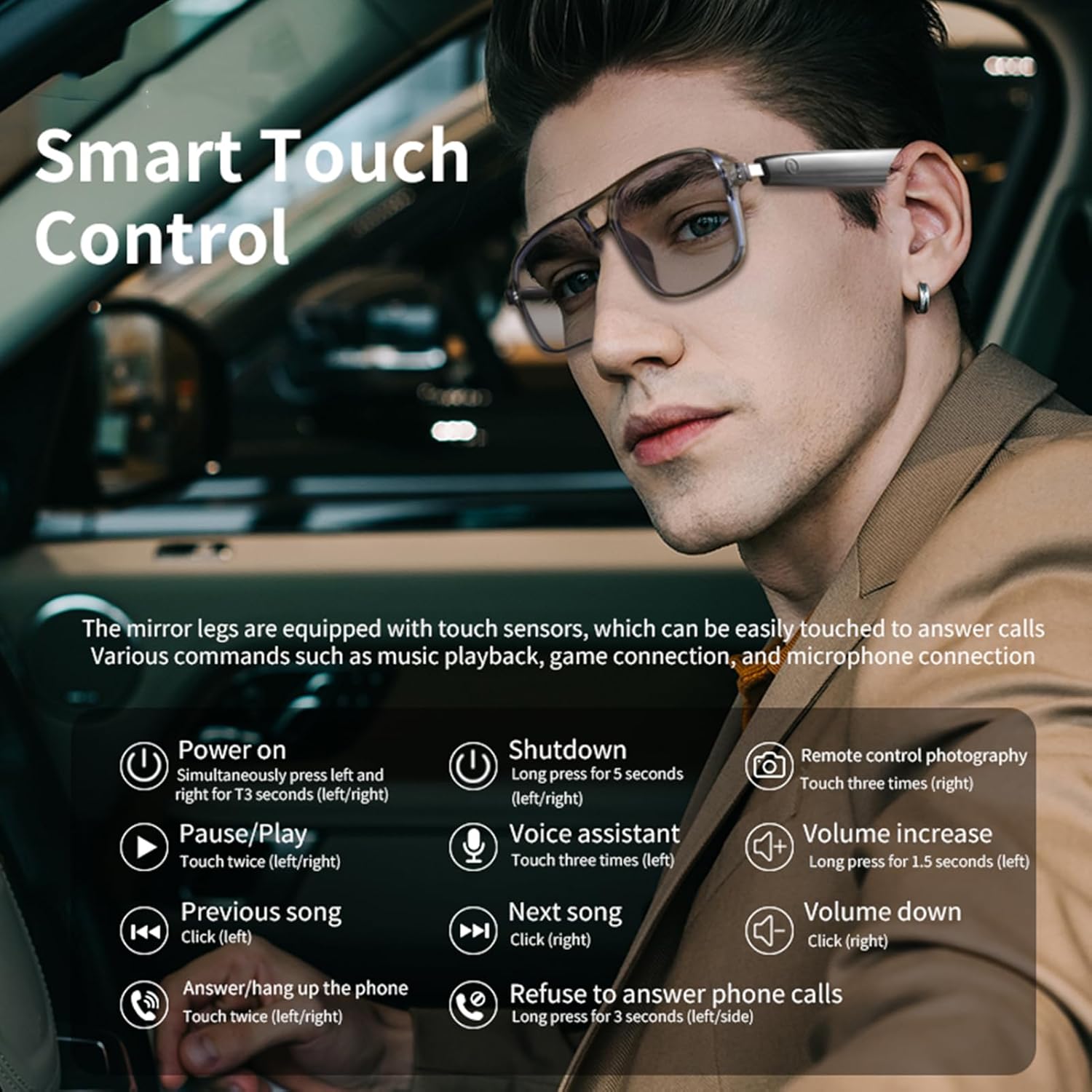
Image: Detailed Smart Touch Control functions.
6.2 Lens Features
The Tangxi Smart Glasses are equipped with specialized lenses:
- Sun Protection: Lenses provide protection against harmful UV rays.
- Anti-Blue Light Filter: Reduces blue light exposure from digital screens.
- Intelligent Color Changing (Photochromic): Lenses automatically adjust their tint based on UV light exposure, becoming darker in bright sunlight and clearer indoors.

Image: Demonstration of intelligent color-changing lenses.

Image: Smart glasses with color-changing lenses and key features.
7. Maintenance
7.1 Cleaning
- Use the provided cleaning cloth to gently wipe the lenses and frame.
- For stubborn smudges, use a lens cleaning spray specifically designed for eyewear and a microfiber cloth.
- Avoid using abrasive materials or harsh chemicals, as these can damage the lenses and frame.
7.2 Storage
- When not in use, store the glasses in the provided storage bag or a protective case to prevent scratches and damage.
- Store in a cool, dry place away from direct sunlight and extreme temperatures.
8. Troubleshooting
| Problem | Possible Cause | Solution |
|---|---|---|
| Glasses do not power on. | Low battery. | Charge the glasses for at least 1 hour. |
| Cannot connect via Bluetooth. | Glasses not in pairing mode; device Bluetooth off; out of range. | Ensure glasses are powered on and in pairing mode. Turn Bluetooth on your device. Move device closer to glasses (within 10m). |
| No sound from speakers. | Volume too low; not connected; media paused. | Increase volume using touch controls or connected device. Verify Bluetooth connection. Ensure media is playing. |
| Touch controls unresponsive. | Temporary software glitch; dirty sensor. | Power off and restart the glasses. Clean the touch sensor area on the temples. |
9. Specifications
| Feature | Detail |
|---|---|
| Product Material | PC+TAC |
| Battery Type | Lithium-ion Battery (Built-in) |
| Battery Capacity | 70mAh x 2 |
| Lens Type | Sun Protection, Anti-Blue Light Filter, Photochromic |
| Bluetooth Version | 5.4 |
| Effective Range | Approx. 10m / 32.81ft |
| Sensitivity | 95±3dB |
| Playback Time | Up to 8 hours |
| Standby Time | Up to 200 hours |
| Charging Time | Approx. 1 hour |
| Model Number | Tangxit4oak5i3gz-12 |
| Compatibility | Android, iOS |
10. Warranty and Support
Tangxi Smart Glasses come with a standard manufacturer's warranty. For specific warranty details, please refer to the warranty card included in your package or visit the official Tangxi website. For technical support, troubleshooting assistance, or warranty claims, please contact Tangxi customer service through their official channels.
You can find more information and support on the Tangxi Store on Amazon.
11. Usage Scenarios
The Tangxi Smart Glasses are suitable for various activities:
- Office Use: Manage calls and listen to audio discreetly.
- Driving: Hands-free communication and navigation audio.
- Outdoor Activities: Sun protection, music, and calls during sports, fishing, or relaxing.

Image: Examples of smart glasses usage in office and leisure settings.