
VOOPEAK TC29A2
VOOPEAK TC29A2 WiFi Bluetooth Trail Camera User Manual
Model: TC29A2
Introduction
Thank you for choosing the VOOPEAK TC29A2 WiFi Bluetooth Trail Camera. This manual provides essential information for the proper setup, operation, and maintenance of your camera. Please read it thoroughly before use to ensure optimal performance and longevity of the device.
Package Contents
The package includes:
- VOOPEAK TC29A2 Trail Camera (2 units)
- Mounting Strap
- User Manual
Note: Memory card and batteries are not included and must be purchased separately.
Setup
1. Battery Installation
The camera requires 4 AA batteries for operation. Ensure the batteries are inserted with the correct polarity as indicated inside the battery compartment.
- Open the camera's casing.
- Locate the battery compartment.
- Insert 4 AA batteries, observing the positive (+) and negative (-) terminals.
- Close the battery compartment securely.
2. SD Card Installation
A memory card is required to store photos and videos. The camera supports standard SD cards (not included).
- With the camera powered off, open the casing.
- Locate the SD card slot.
- Insert the SD card until it clicks into place.
- To remove, press the card gently until it springs out.
3. Mounting the Camera
The camera is designed for tree mounting and can be installed using the included strap or screws.
- Strap Mounting: Thread the provided mounting strap through the slots on the back of the camera and secure it around a tree or pole.
- Screw Mounting: Use screws (not included) to attach the camera to a surface. The camera features a screw-in installation type.
Ensure the camera is positioned to capture the desired area, considering the 130-degree wide-angle view.
Operating Instructions
1. Powering On/Off
Locate the power switch inside the camera's casing. Toggle it to the "ON" position to power on the camera. Toggle to "OFF" to power it down.
2. WiFi and Bluetooth Connection (Waskame App)
The camera creates its own local WiFi hotspot for direct connection to your smartphone via the Waskame app. This allows for real-time monitoring, wireless preview, and setting adjustments without removing the SD card.
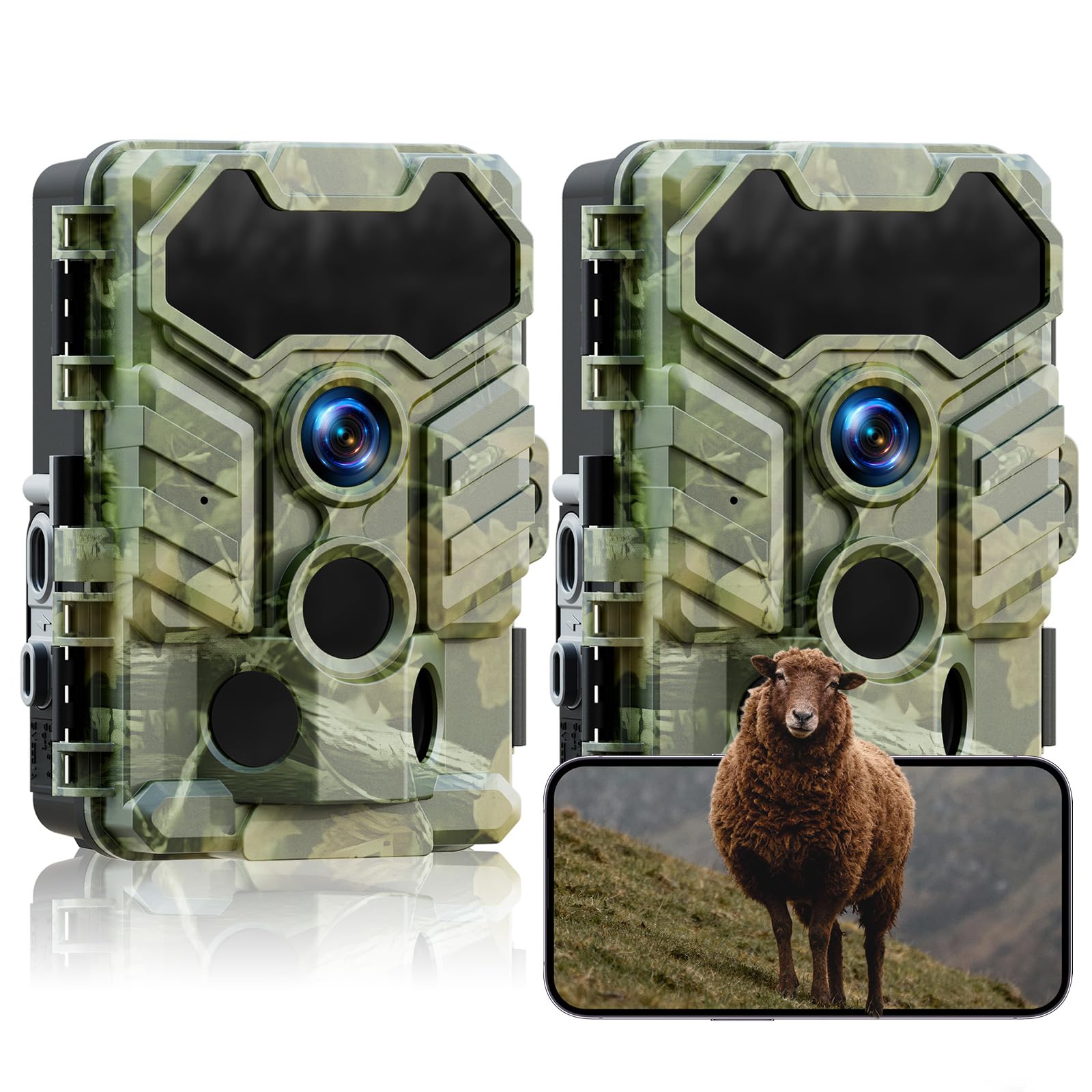
Image: VOOPEAK TC29A2 Trail Camera showing WiFi connection and app control. The camera connects directly to a smartphone via its own WiFi hotspot, allowing users to preview and download files. The WiFi connection has a range limit of 33 feet.
- Download the "Waskame" app from your smartphone's app store.
- Ensure the camera is powered on.
- Enable Bluetooth on your smartphone.
- Open the Waskame app and follow the instructions to connect to the camera via Bluetooth, which will then establish a WiFi connection.
- The WiFi connection range is approximately 33 feet (10 meters).
3. Capturing Images and Videos
The camera is equipped with a 32MP sensor for high-resolution images and HD video recording. It features a 0.1-second trigger speed and a 130-degree wide-angle lens to capture motion effectively.

Image: VOOPEAK TC29A2 Trail Camera illustrating its 130-degree detection angle. The image highlights the wide field of view provided by the lens and the three PIR sensors for motion detection.

Image: VOOPEAK TC29A2 Trail Camera demonstrating its 0.1-second trigger speed, capturing fast-moving wildlife.
- The camera automatically captures photos or videos when motion is detected by its 3 high-sensitivity PIR sensors.
- Adjust settings such as photo resolution, video resolution, and trigger interval via the Waskame app.
4. Night Vision
Equipped with 4 low-glow infrared LEDs, the camera provides clear night vision without disturbing wildlife. The night vision range is up to 65 feet (20 meters).

Image: VOOPEAK TC29A2 Trail Camera showcasing its low-glow night vision capability, capturing clear images in total darkness without startling animals. The effective range is shown as 49 feet.
5. Loop Recording and H.264 Compression
The camera utilizes advanced H.264 video compression to optimize storage space, reducing usage by up to 80% compared to older formats. With loop recording enabled, the camera automatically overwrites the oldest files when the memory card is full, ensuring continuous recording.

Image: VOOPEAK TC29A2 Trail Camera illustrating the loop recording feature, where the oldest videos are automatically replaced by the newest ones to ensure continuous capture.
Maintenance
1. Cleaning
- Gently wipe the camera lens and PIR sensors with a soft, dry cloth to remove dust and dirt.
- Do not use abrasive cleaners or solvents.
2. Water Resistance
The camera is IP66 waterproof, designed to withstand rain and harsh outdoor conditions. Ensure all latches and covers are securely closed to maintain its water resistance.

Image: VOOPEAK TC29A2 Trail Camera demonstrating its IP66 waterproof rating, shown in a snowy environment with a deer. The camera is designed to operate in temperatures from -20°C to 60°C.
3. Battery Replacement
Replace batteries when the power indicator shows low battery or when performance degrades. Always use fresh, high-quality AA batteries.
Troubleshooting
- Camera not powering on:
- Check if batteries are inserted correctly with proper polarity.
- Ensure batteries have sufficient charge.
- Verify the power switch is in the "ON" position.
- Cannot connect via WiFi/Bluetooth:
- Ensure the camera is powered on.
- Confirm Bluetooth is enabled on your smartphone.
- Make sure your smartphone is within 33 feet (10 meters) of the camera.
- Restart the Waskame app and try again.
- No images/videos captured:
- Check if the SD card is properly inserted and not full.
- Ensure the camera is in an active recording mode.
- Verify that the PIR sensors are not obstructed.
- Adjust sensor sensitivity if necessary.
- Poor image/video quality:
- Clean the camera lens.
- Ensure sufficient lighting during daytime or proper night vision activation at night.
- Check resolution settings in the Waskame app.
Specifications
| Model Number | TC29A2 |
| Image Resolution | 32 MP |
| Video Capture Resolution | 1080p (HD) |
| Trigger Speed | 0.1 seconds |
| Detection Angle | 130 degrees |
| Night Vision Range | Up to 65 feet (20 meters) |
| Wireless Communication | WiFi, Bluetooth |
| Water Resistance Level | IP66 (Waterproof) |
| Power Source | 4 AA Batteries (not included) |
| Mounting Type | Tree Mount, Screw-in |
| Dimensions (L x W x H) | 14.22 x 10.11 x 16.51 cm (5.6 x 3.98 x 6.5 inches) |
| Weight | 871 g |
| Operating Temperature | -20°C to 60°C |
Warranty and Support
VOOPEAK provides reliable support for your product:
- 12-Month Repair Warranty: Covers manufacturing defects for one year from the date of purchase.
- 30-Day Return Policy: Allows returns without reason within 30 days of purchase.
- Lifetime Customer Support: Dedicated support is available for the lifetime of the product.
For assistance, please contact VOOPEAK customer service through the official channels.