
1. Introduction
Thank you for choosing the Generic DHG8 Male Enhancement Device. This manual provides essential information for the safe and effective use of your device. Please read it thoroughly before first use and retain it for future reference.
The DHG8 is designed for personal use, offering various vibration patterns for an enhanced experience. It features a comfortable silicone body and is rechargeable for convenience.
2. Safety Information
- Read all instructions: Before using the device, carefully read and understand all instructions provided in this manual.
- Personal use only: This device is intended for personal use only.
- Consult a physician: If you have any pre-existing medical conditions, or experience discomfort or pain during use, discontinue use immediately and consult a physician.
- Keep out of reach of children: Store the device in a safe place away from children.
- Charging: Use only the provided charging cable. Do not use the device while it is charging.
- Cleaning: Clean the device thoroughly before and after each use as described in the "Maintenance" section.
- Storage: Store the device in a cool, dry place away from direct sunlight and extreme temperatures.
- Disposal: Dispose of the device and its battery according to local regulations. Do not dispose of in household waste.
3. Setup
3.1 Charging the Device
Before first use, fully charge the device. The device is rechargeable via a USB cable.
- Locate the charging port on the device.
- Connect the provided USB charging cable to the device's charging port.
- Connect the other end of the USB cable to a compatible USB power source (e.g., wall charger, PC, power bank, car charger).
- The indicator light will illuminate during charging and turn off or change color when fully charged.
- Disconnect the cable once charging is complete.
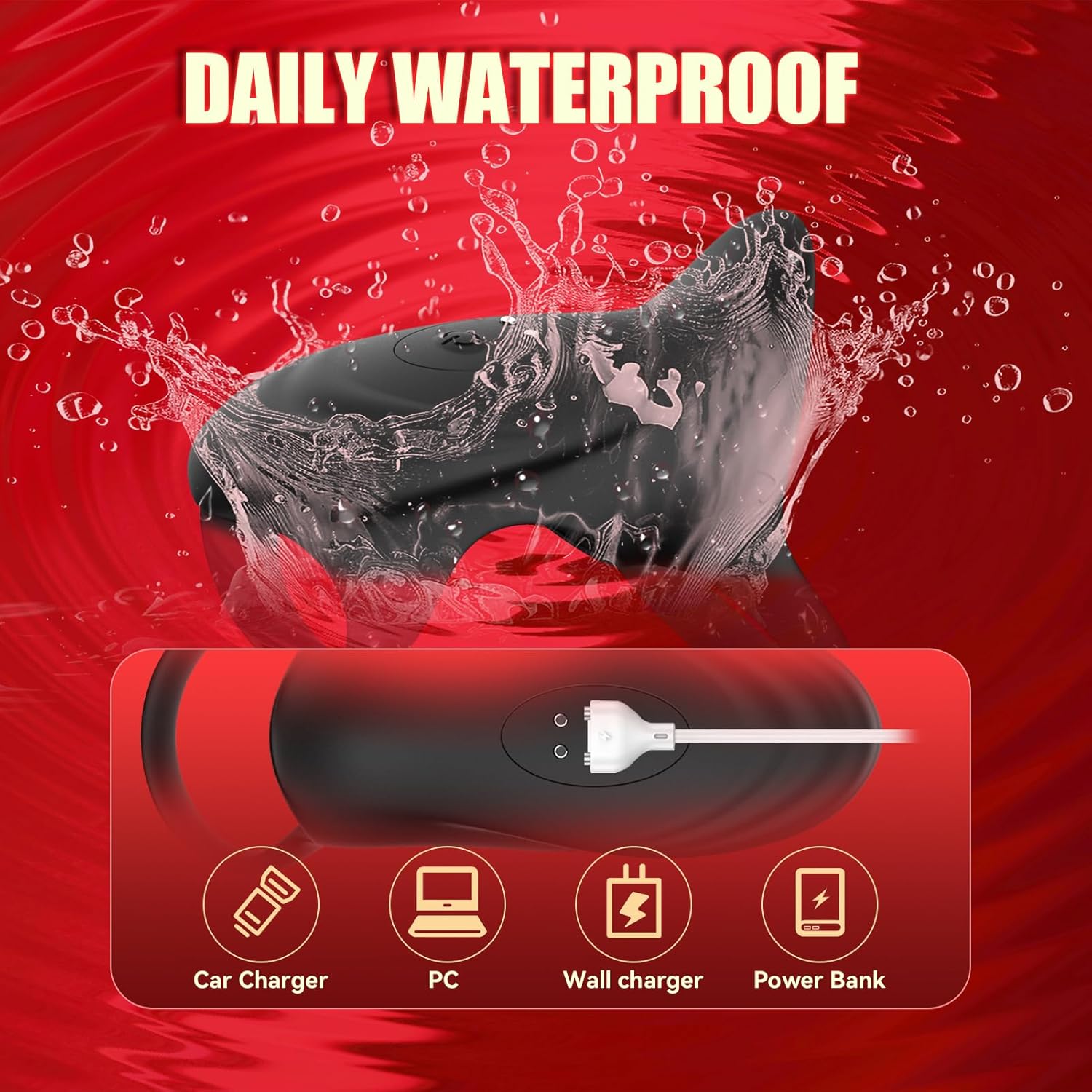
Figure 3.1: The DHG8 device connected to a USB charging cable, illustrating compatibility with various power sources including car chargers, PCs, wall chargers, and power banks. The image also highlights the device's daily waterproof feature.
3.2 Initial Preparation
Before each use, ensure the device is clean and fully charged. Apply a water-based lubricant to the device for comfortable use.
4. Operating Instructions
4.1 Powering On/Off
Press and hold the power button (usually the central button) for a few seconds to turn the device on or off.
4.2 Adjusting Vibration Intensity and Patterns
The DHG8 device offers multiple vibration intensities and patterns for a customizable experience.

Figure 4.1: The DHG8 device, demonstrating its capability to provide 10 distinct vibration intensity patterns, represented by various waveform graphics.
- Changing Patterns: Press the pattern button (often marked with waves or a similar icon) to cycle through the available vibration patterns.
- Adjusting Intensity: Use the '+' and '-' buttons to increase or decrease the vibration intensity within the selected pattern.

Figure 4.2: An illustrative diagram of the DHG8 device's internal components, emphasizing its high vibration stimulation capabilities and showing the control panel with buttons for operation.
5. Maintenance
5.1 Cleaning
The DHG8 device is designed to be daily waterproof, making cleaning simple and hygienic.
- After each use, wash the device thoroughly with warm water and a mild, antibacterial soap.
- Rinse the device completely to remove all soap residue.
- Dry the device with a lint-free cloth or allow it to air dry completely before storage.
- Do not use cleaners containing alcohol, petroleum, or acetone, as these can damage the silicone material.
Figure 5.1: The DHG8 device being splashed with water, demonstrating its daily waterproof design for easy cleaning.
5.2 Storage
Store the device in a clean, dry, and cool place, away from direct sunlight and extreme temperatures. Keep it separate from other silicone products to prevent material degradation.
6. Troubleshooting
| Problem | Possible Cause | Solution |
|---|---|---|
| Device does not turn on. | Battery is depleted. | Charge the device fully using the provided USB cable. |
| Vibrations are weak or inconsistent. | Low battery. Incorrect setting. | Recharge the device. Adjust vibration intensity using the '+' button. |
| Device not charging. | Cable not properly connected. Faulty cable or power source. | Ensure the USB cable is securely connected to both the device and the power source. Try a different USB port or power adapter. |
| Discomfort during use. | Insufficient lubricant. Incorrect positioning. Allergic reaction. | Apply more water-based lubricant. Adjust the device's position. Discontinue use immediately and consult a physician. |
7. Specifications
| Feature | Detail |
|---|---|
| Model | DHG8 |
| Brand | Generic |
| Material | Silicone |
| Power Source | Rechargeable via USB |
| Vibration Modes | 10 Intensity Patterns |
| Water Resistance | Daily Waterproof |
| Approximate Dimensions | 4.7 inches (length) x 2 inches (width) x 1.6 inches (height/ring diameter) |

Figure 7.1: Visual representation of the DHG8 device's dimensions (4.7in length, 2in width, 1.6in ring diameter) and its adaptable design for small, medium, and large sizes.
8. Warranty and Support
No specific warranty information is provided in the product details. For support or warranty inquiries, please refer to the retailer or manufacturer's contact information provided at the point of purchase.