
1. Introduction
Thank you for choosing the Cenroelon V9 Car Head-Up Display (HUD) GPS Speedometer. This device projects essential driving information, such as vehicle speed, onto your car's windshield, allowing you to keep your eyes on the road. Utilizing GPS technology, it provides accurate speed readings for all types of vehicles. This manual will guide you through the setup, operation, and maintenance of your new HUD.
2. Safety Information
- Ensure the HUD is securely placed and does not obstruct your view of the road or interfere with vehicle controls.
- Do not attempt to disassemble or modify the device.
- Keep the device away from water and extreme temperatures.
- Clean the device with a soft, dry cloth only.
3. Package Contents
Please check the package for the following items:
- Cenroelon V9 Car Head-Up Display Unit
- USB Power Cable
4. Product Overview
The Cenroelon V9 HUD features a compact design with a built-in sunshade for enhanced visibility. It displays speed using large, clear LED digits, available in green or white, ensuring readability in various lighting conditions.

Image: The Cenroelon V9 Car Head-Up Display unit, showing its compact black casing and green digital display.
5. Setup
- Placement: Choose a suitable flat surface on your dashboard, typically near the windshield, where the projected display will be clearly visible without obstructing your view. Ensure the device is stable and does not slide during driving.
- Power Connection: Connect the provided USB power cable to the HUD unit and plug the other end into a USB power source in your vehicle (e.g., a USB port, cigarette lighter adapter with USB output).
- Automatic Operation: The HUD is designed for plug-and-play operation. It will automatically power on when your vehicle starts and power off when the vehicle is shut down, provided it is connected to a switched power source.
- Initial GPS Signal Acquisition: Upon first use or after a long period of inactivity, the device may take a few moments to acquire a GPS signal. For accurate readings, ensure the vehicle is outdoors with a clear view of the sky.

Image: The Cenroelon V9 HUD mounted on a car dashboard, projecting speed onto the windshield, demonstrating typical placement.

Image: Graphic illustrating the automatic power on/off function of the HUD, activating with the car's ignition.
6. Operating Instructions
The Cenroelon V9 HUD is designed for straightforward operation:
- Power On/Off: The device automatically turns on when connected to power and the vehicle starts, and turns off when the vehicle is shut down.
- Speed Display: Once a GPS signal is acquired, your current vehicle speed will be displayed on the HUD. The display uses large, clear digits for easy readability.
- GPS Accuracy: The HUD uses a GPS + Beidou dual-mode chip with a 10 Hz refresh rate, ensuring quick and accurate speed updates without delay.
- Visibility: The high-definition LED display and built-in sunshade ensure the speed is clearly visible both during the day and at night.

Image: Illustration of the GPS + Beidou Dual Chipsets, highlighting the advanced satellite positioning technology for accurate speed measurement.
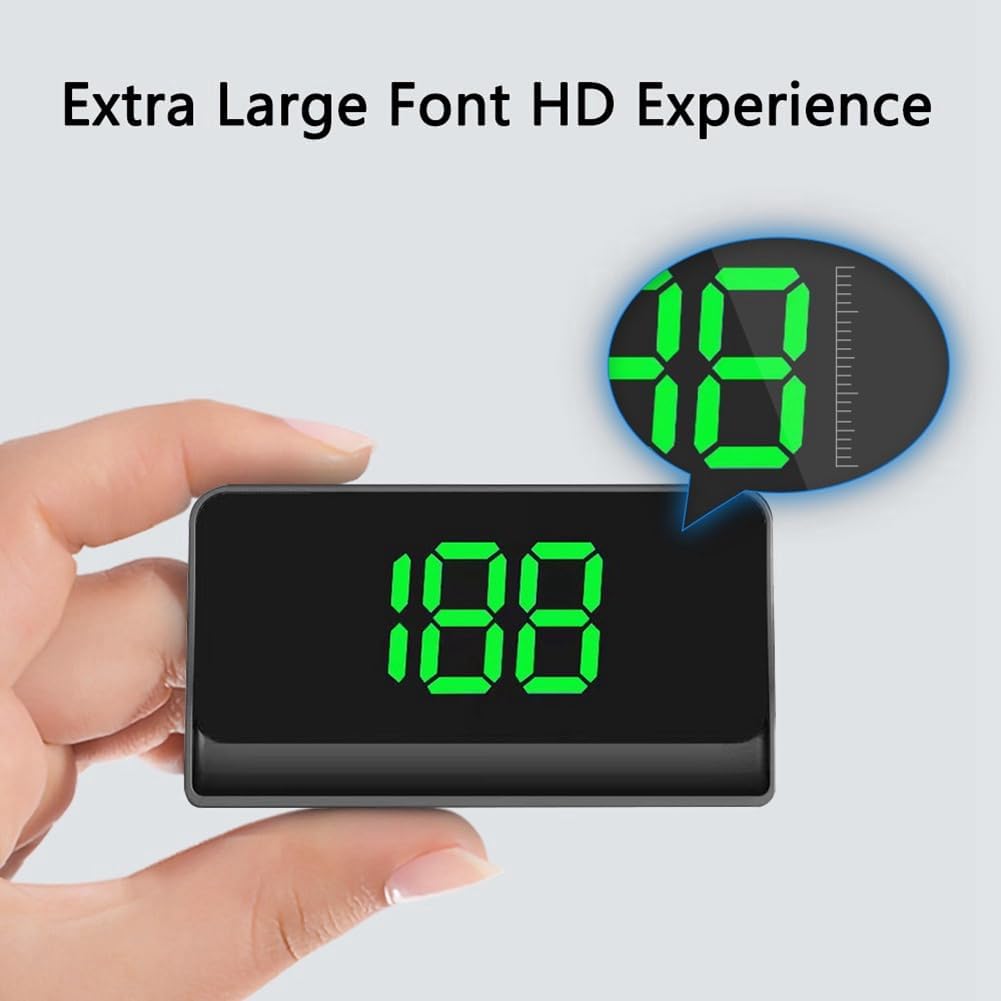
Image: A hand holding the Cenroelon V9 HUD, demonstrating the extra-large font size for enhanced readability.

Image: Comparison showing the clear visibility of the HUD's high-definition LED display during both daytime and nighttime driving conditions.
7. Maintenance
To ensure the longevity and optimal performance of your Cenroelon V9 HUD:
- Cleaning: Use a soft, dry, lint-free cloth to gently wipe the display and casing. Avoid using abrasive cleaners or solvents.
- Storage: If storing the device for an extended period, disconnect it from power and keep it in a cool, dry place.
8. Troubleshooting
- No Speed Displayed:
- Ensure the device is powered on and connected correctly.
- The device is a GPS digital speedometer. Speed is collected from satellites. If you are testing indoors or in a parking lot with poor satellite reception, the speed may not display correctly. Conduct tests outdoors with a clear view of the sky.
- Allow a few moments for the device to acquire a stable GPS signal, especially after initial setup or moving to a new location.
- Display Not Turning On:
- Check the USB power cable connection to both the HUD and the vehicle's power source.
- Ensure the vehicle's power source (e.g., USB port) is active.
- If connected to a switched power source, ensure the vehicle's ignition is on.
9. Specifications
| Type | Front Windshield Projection Head-Up Display |
| System | GPS for all cars |
| Power Source | USB Cable |
| Material | ABS |
| Color | Black casing, Green or White LED display |
| Dimensions | 92mm x 52mm x 20mm |
| Chipset | GPS + Beidou Dual Chipsets |
| Refresh Rate | 10 Hz |
10. Warranty and Support
For warranty information or technical support, please refer to the documentation provided at the point of purchase or contact your retailer. Keep your purchase receipt as proof of purchase.