
1. Introduction
This manual provides essential information for setting up, operating, and maintaining your abytespark AMD Ryzen R5 5500 Gaming PC Desktop Computer, Model AOV590. Please read this manual thoroughly before using your new computer to ensure optimal performance and longevity.
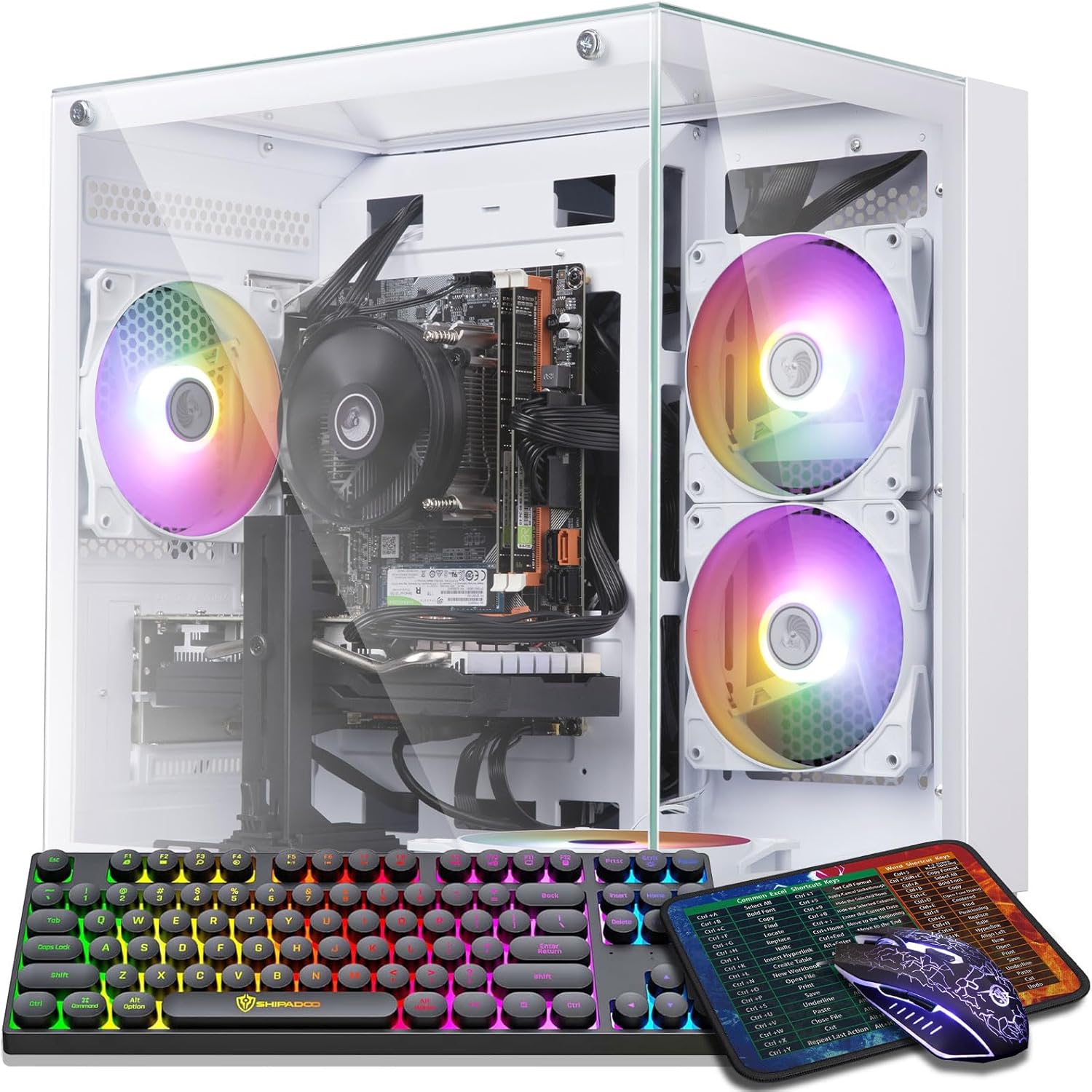
Image 1.1: The abytespark AMD Ryzen R5 5500 Gaming PC Desktop Computer with included accessories.
2. Package Contents
Verify that all items listed below are included in your package:
- abytespark AMD Ryzen R5 5500 Gaming PC Desktop Computer (Model AOV590)
- Gaming Keyboard
- Gaming Mouse
- Mouse Pad
- Power Cable
- Documentation (this manual)

Image 2.1: The gaming keyboard, mouse, and mouse pad included with your PC.
3. Setup Guide
3.1 Unpacking
Carefully remove the computer from its packaging. Open the side panel and remove any internal foam or protective packaging materials that secure components during shipping. Ensure no loose items remain inside the case.

Image 3.1: Internal view of the PC, showing the CPU cooler, RAM, and graphics card. Remove any protective foam before use.
3.2 Connecting Peripherals
- Monitor: Connect your monitor to the graphics card's HDMI or DisplayPort output. The graphics card is typically located in the lower expansion slots.
- Keyboard and Mouse: Connect the included gaming keyboard and mouse to any available USB ports on the rear or top of the PC.
- Network: For a wired connection, connect an Ethernet cable to the RJ-45 port. For wireless connectivity, ensure the Wi-Fi antennas are securely attached to the rear panel.
- Power: Connect the power cable to the power supply unit (PSU) at the rear of the PC and then to a wall outlet.
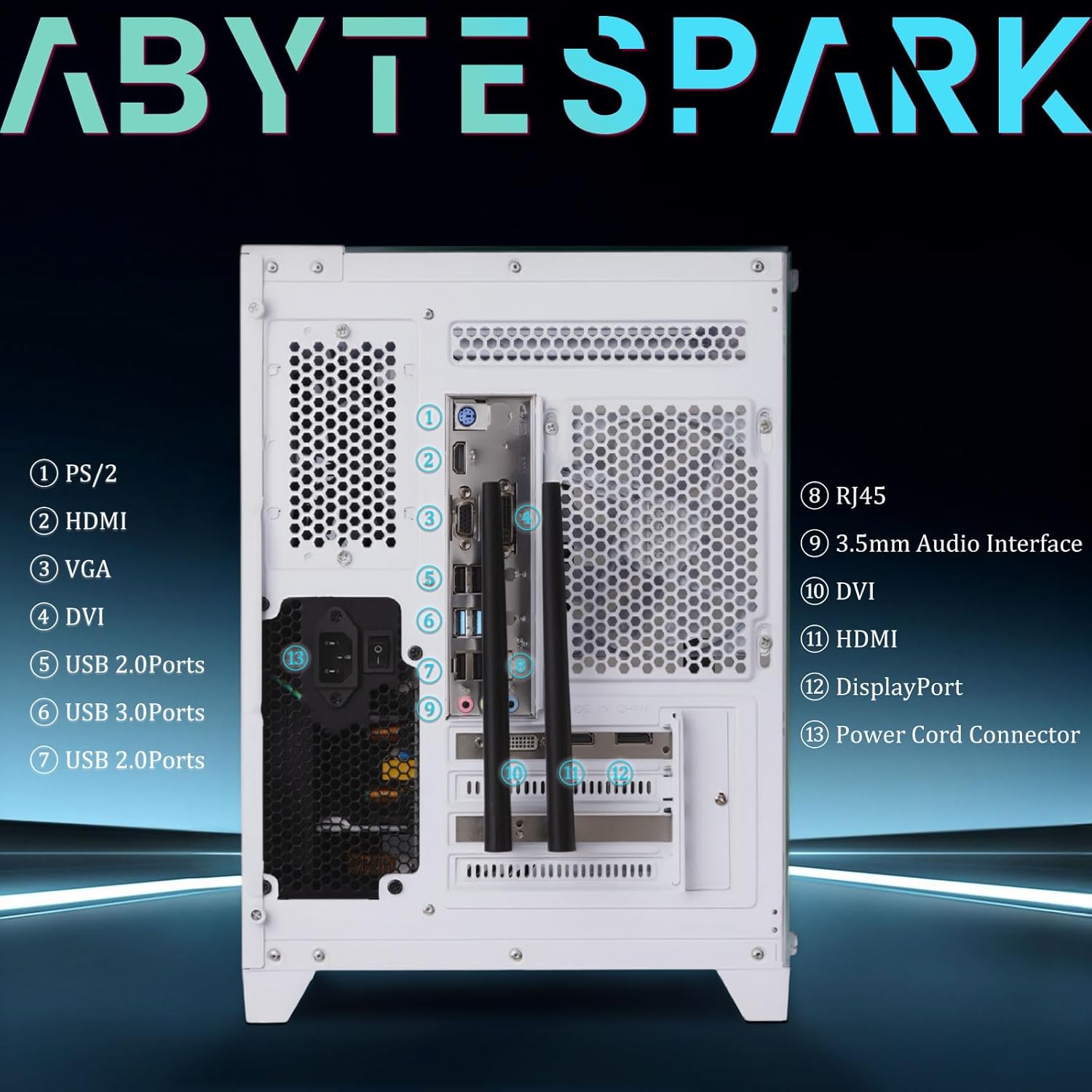
Image 3.2: Rear panel connections for peripherals and power.
Video 3.1: A demonstration of the initial setup process, including unpacking and connecting cables to the abytespark Gaming PC.
4. Operating Instructions
4.1 Power On/Off
Press the power button located on the top panel of the PC to turn it on. To shut down, use the standard Windows 11 shutdown procedure. Avoid forced shutdowns by holding the power button unless absolutely necessary.
4.2 Initial Windows 11 Setup
Your PC comes pre-installed with Genuine Windows 11 Home 64-Bit. Upon first boot, follow the on-screen instructions to complete the operating system setup, including language, region, network connection, and user account creation.
4.3 RGB Lighting Control
The PC features RGB chassis lighting and four RGB fans. Control for these lights may be available through pre-installed software or physical buttons on the case, if applicable. Refer to the specific software or case documentation for detailed instructions on customizing lighting effects.
Video 4.1: A demonstration of the RGB lighting features and internal components of the abytespark Gaming PC.
5. Key Features and Performance
The abytespark AOV590 is designed for a variety of tasks, including gaming, entertainment, business, and content creation. Its robust configuration ensures smooth performance across demanding applications.
- Processor: AMD Ryzen R5 5500 Processor, operating at up to 4.2GHz.
- Graphics Card: AMD Radeon RX 590 with 8GB GDDR5 Video Memory.
- RAM: 16GB DDR4 RAM for high-speed and stable data processing.
- Storage: 1TB M.2 NVME High-speed SSD with read speeds of 3000+ MB/s.
- Operating System: Genuine Windows 11 Home 64-Bit.
- Connectivity: Integrated Wi-Fi 5.0 (2.4-5.0 GHz) and RJ-45 Ethernet.
- Cooling: Equipped with 4 RGB fans for efficient cooling and aesthetic appeal.
Image 5.1: Key internal components and their specifications.

Image 5.2: Versatile applications of the abytespark Gaming PC.
6. Maintenance
6.1 General Care
- Keep the PC in a well-ventilated area to prevent overheating.
- Regularly clean dust from the case, fans, and vents using compressed air. Ensure the PC is powered off and unplugged before cleaning.
- Avoid placing liquids or heavy objects on top of the computer.
6.2 Software Updates
Regularly update your Windows operating system, graphics drivers, and other software to ensure optimal performance, security, and compatibility with new applications and games.
7. Troubleshooting
If you encounter issues with your abytespark Gaming PC, refer to the following common troubleshooting steps:
7.1 PC Does Not Turn On
- Ensure the power cable is securely connected to both the PC and the wall outlet.
- Check if the power switch on the back of the power supply unit (PSU) is in the 'ON' position.
- Verify that the wall outlet is functional by plugging in another device.
7.2 No Display on Monitor
- Confirm that the monitor is powered on and correctly connected to the graphics card's output port (HDMI/DisplayPort).
- Ensure the monitor's input source is set to the correct port.
- Try connecting the monitor to a different port on the graphics card, if available.
7.3 System Instability or Crashes
- Ensure all drivers, especially graphics drivers, are up to date.
- Check for sufficient airflow and ensure fans are operating correctly to prevent overheating.
- Run a system diagnostic tool to check for hardware issues.
8. Specifications
Detailed technical specifications for the abytespark AMD Ryzen R5 5500 Gaming PC Desktop Computer (Model AOV590):
| Component | Specification |
|---|---|
| Processor | AMD Ryzen R5 5500 (3.6 GHz, up to 4.2 GHz) |
| RAM | 16 GB DDR4 |
| Storage | 1 TB NVME SSD |
| Graphics Coprocessor | AMD Radeon RX 590 (8 GB GDDR5) |
| Operating System | Windows 11 Home |
| Wireless Type | 2.4 GHz Radio Frequency (Wi-Fi 5.0) |
| USB 2.0 Ports | 5 |
| USB 3.0 Ports | 3 |
| Video Outputs | 1x HDMI, 1x DisplayPort, 1x DVI |
| Item Weight | 13.23 pounds |
| Product Dimensions (LxWxH) | 12.8 x 10.6 x 11.8 inches |
| Color | White |
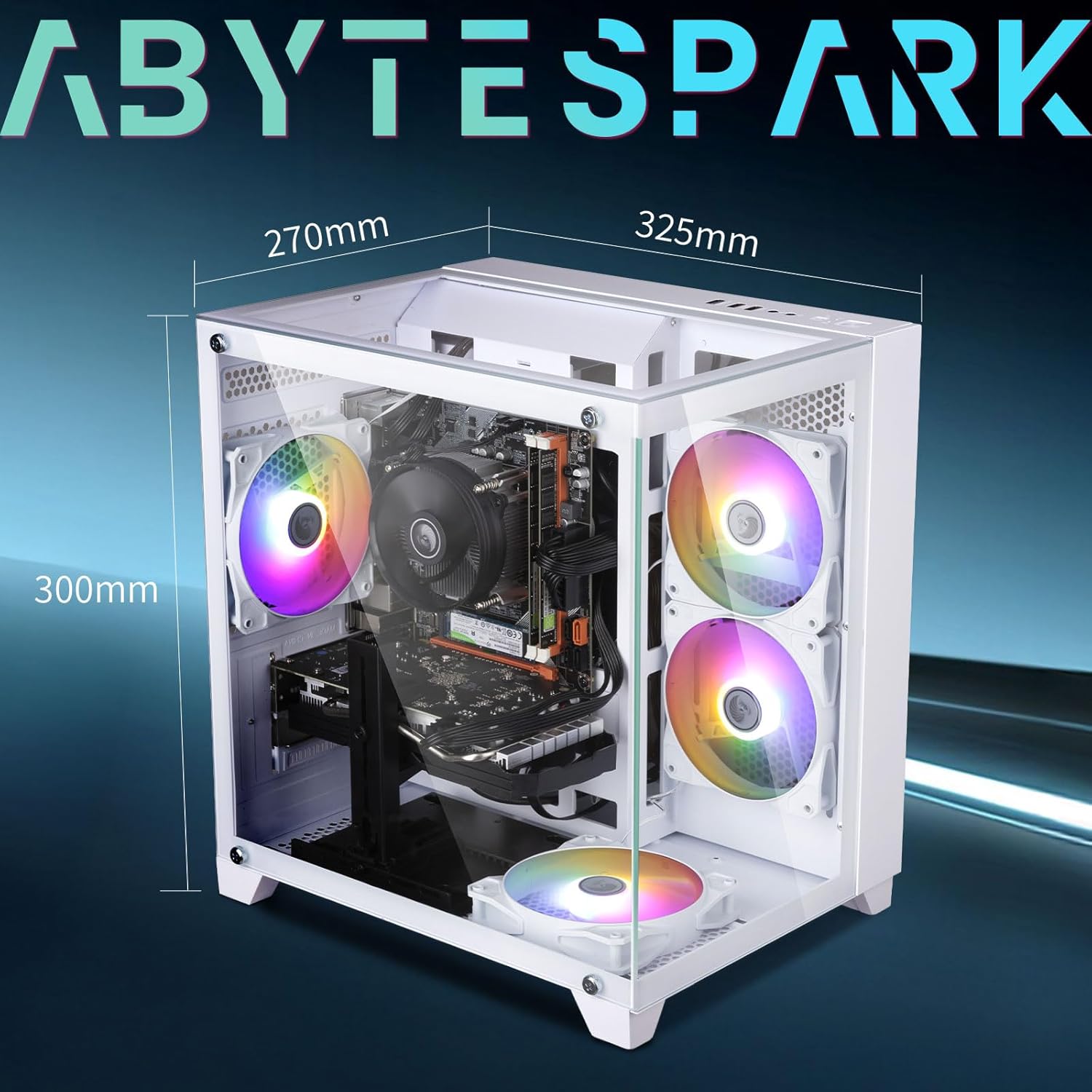
Image 8.1: Physical dimensions of the PC case.
9. Support
For any technical assistance or inquiries, abytespark offers lifetime free technical support. Please refer to the contact information provided with your purchase or visit the official abytespark website for support resources.