
1. Introduction
This manual provides detailed instructions for the proper use and maintenance of your Dawsho BBH-919s Neckband Bluetooth Headphones. Please read this manual thoroughly before using the product to ensure optimal performance and longevity.

Image 1.1: Dawsho BBH-919s Neckband Bluetooth Headphones. This image displays the full view of the black neckband headphones with retractable earbuds extended.
2. Package Contents
Verify that all items are present in your package:
- Dawsho BBH-919s Neckband Bluetooth Headphones
- User Manual
- USB Charging Cable (not explicitly listed but implied for rechargeable device)
- Ear Tips (various sizes, implied by A+ content images)
3. Product Overview
The Dawsho BBH-919s headphones feature a lightweight, ergonomic neckband design with advanced Bluetooth 5.4 technology for stable connectivity. Key features include retractable earbuds, CVC8.0 noise cancellation for calls, and IPX5 water resistance.
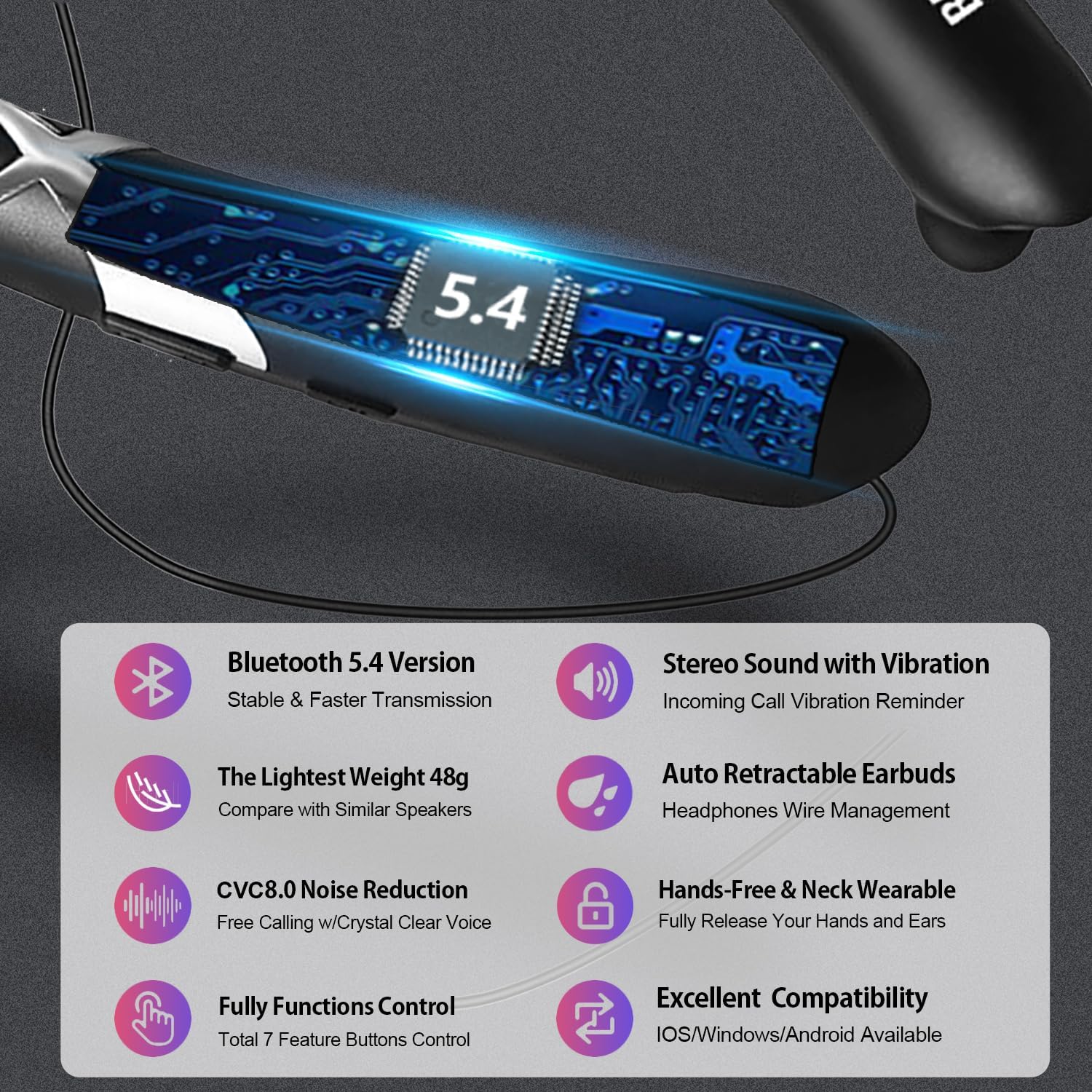
Image 3.1: Overview of key features including Bluetooth 5.4, stereo sound with vibration, 48g lightweight design, auto retractable earbuds, CVC8.0 noise reduction, hands-free operation, and broad compatibility.
3.1. Components and Controls
The neckband houses the main controls and battery. The earbuds are connected via retractable wires.
- Power Button: Used for powering on/off and pairing.
- Volume Buttons (+/-): Adjust volume, skip tracks.
- Multi-function Button: Play/pause music, answer/end calls.
- Retract Buttons: Automatically retract earbuds.
- Charging Port: For connecting the USB charging cable.
- LED Indicator: Displays power, pairing, and charging status.
- Microphone: For hands-free calls.
4. Setup
4.1. Charging the Headphones
Before first use, fully charge the headphones. A full charge takes approximately 2.5 hours.
- Connect the USB charging cable to the charging port on the neckband.
- Connect the other end of the cable to a USB power source (e.g., computer, wall adapter).
- The LED indicator will show charging status (e.g., red while charging, blue when fully charged).
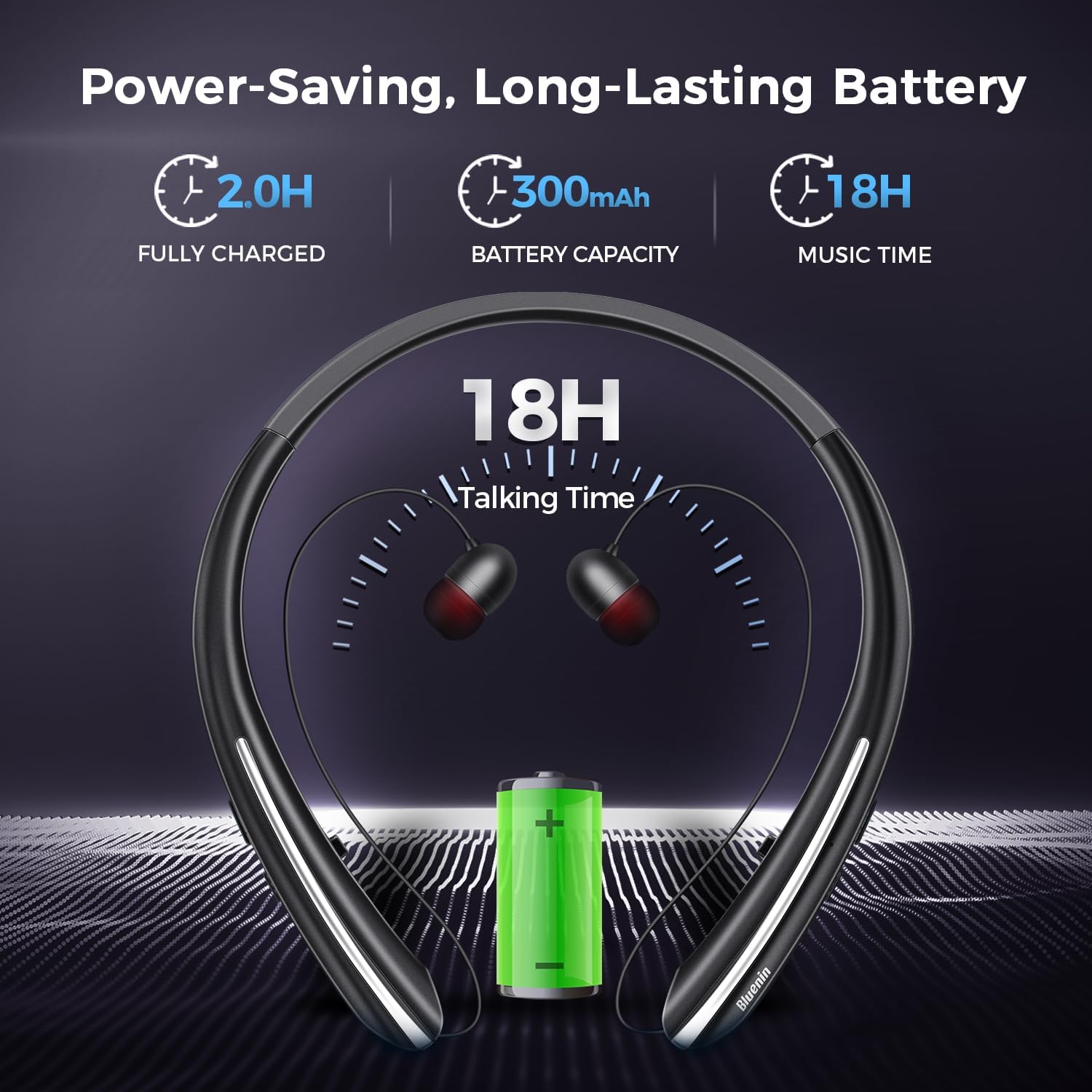
Image 4.1: Illustration showing the 300mAh battery capacity, 2.5 hours charging time, and up to 18 hours of music playback.
4.2. Pairing with a Bluetooth Device
The headphones can connect to two devices simultaneously (multi-point support).
- Power On: Press and hold the Power button until the LED indicator flashes blue and red, indicating pairing mode.
- Activate Bluetooth: On your device (smartphone, tablet, etc.), enable Bluetooth.
- Select Device: In your device's Bluetooth settings, search for available devices and select "BBH-919s".
- Confirmation: Once connected, the LED indicator will flash blue slowly, and you may hear an audible confirmation.
- Second Device (Optional): To connect a second device, disable Bluetooth on the first device, put the headphones back into pairing mode, and connect the second device. Then, re-enable Bluetooth on the first device; the headphones should automatically connect to both.

Image 4.2: Visual representation of the headphones connecting to two separate Bluetooth-enabled devices simultaneously.
5. Operating Instructions
5.1. Power On/Off
- Power On: Press and hold the Power button for approximately 3 seconds.
- Power Off: Press and hold the Power button for approximately 3 seconds.
5.2. Music Playback
- Play/Pause: Press the Multi-function button once.
- Volume Up: Press the Volume + button.
- Volume Down: Press the Volume - button.
- Next Track: Press and hold the Volume + button.
- Previous Track: Press and hold the Volume - button.
5.3. Call Management
- Answer/End Call: Press the Multi-function button once.
- Reject Call: Press and hold the Multi-function button for 2 seconds.
- Redial Last Number: Double-press the Multi-function button.
- Vibration Alert: The neckband will vibrate gently for incoming calls.

Image 5.1: A user wearing the neckband headphones, illustrating the vibration reminder feature for incoming calls.
5.4. Retractable Earbuds Operation
The earbuds feature an automatic retraction mechanism for tangle-free storage.
- Extend Earbuds: Gently pull the earbuds out to the desired length.
- Retract Earbuds: Press the dedicated retract button on the neckband. The earbud wires will automatically retract into the neckband.

Image 5.2: Diagram illustrating the automatic retraction of the earbud wires with a single button press, ensuring tangle-free storage.
6. Care and Maintenance
- Cleaning: Wipe the headphones with a soft, dry cloth. Do not use abrasive cleaners or solvents.
- Storage: Store the headphones in a cool, dry place away from direct sunlight and extreme temperatures.
- Water Resistance: The headphones are IPX5 waterproof, meaning they are resistant to water splashes and sweat. Do not submerge them in water. Ensure the charging port cover is securely closed when not charging.
- Battery Care: To preserve battery life, charge the headphones regularly, even if not in frequent use. Avoid fully discharging the battery for extended periods.

Image 6.1: A man wearing the headphones during exercise, demonstrating their sweatproof and splash-resistant design (IPX5 rating).
7. Troubleshooting
If you encounter issues with your headphones, refer to the following common problems and solutions:
| Problem | Solution |
|---|---|
| Headphones do not power on. | Ensure the headphones are fully charged. Press and hold the Power button for at least 3 seconds. |
| Cannot pair with a device. | Ensure headphones are in pairing mode (LED flashing blue/red). Turn off and on your device's Bluetooth. Move headphones closer to the device. Clear previous Bluetooth connections on your device. |
| No sound or low volume. | Check volume levels on both headphones and the connected device. Ensure headphones are properly connected. Try re-pairing. |
| Sound cuts out or connection is unstable. | Ensure no obstacles are between the headphones and the device. Move closer to the device (within 33 feet/10 meters). Avoid strong electromagnetic interference. |
| Earbuds do not retract smoothly. | Ensure the wires are not tangled or obstructed. Press the retract button firmly. Avoid pulling the earbuds out excessively forcefully. |
| Voice prompts are not in English. | Refer to the full user manual for specific instructions on changing voice prompt language, if available. This feature is typically controlled by a combination of button presses. |
8. Specifications
| Feature | Detail |
|---|---|
| Model Name | BBH-919s |
| Brand | Dawsho |
| Connectivity Technology | Wireless (Bluetooth) |
| Bluetooth Version | 5.4 |
| Bluetooth Range | Up to 10 meters (33 feet) |
| Battery Capacity | 300mAh Lithium-ion (rechargeable) |
| Music Playback Time | Up to 16-18 hours |
| Talking Time | Up to 18 hours |
| Standby Time | Up to 500 hours |
| Charging Time | Approximately 2.5 hours |
| Noise Control | Passive Noise Cancellation (CVC8.0 for calls) |
| Water Resistance Level | IPX5 (Waterproof/Sweatproof) |
| Item Weight | 48 grams (0.11 Kilograms / 3.84 ounces) |
| Ear Placement | In Ear |
| Microphone | Built-in |
| UPC | 753853546019 |
9. Warranty and Support
For warranty information or technical support, please refer to the documentation included with your purchase or contact the retailer/manufacturer directly. Keep your proof of purchase for warranty claims.