
1. Introduction
Welcome to your new ONBRILL 63-Inch TV Stand. This manual provides detailed instructions for assembly, operation, maintenance, and safety to ensure proper use and longevity of your product. Please read all instructions carefully before beginning assembly and retain this manual for future reference.
2. Safety Information
Your safety is important. Please observe the following precautions:
- Weight Capacity: Do not exceed the maximum weight capacity of 300 lbs for the top surface and 60 lbs for each shelf. Overloading can cause the stand to collapse, resulting in injury or damage to property.
- Electrical Safety: Use the built-in power outlets with care to prevent electrical hazards. Ensure all devices plugged into the outlets are within the specified voltage and current limits. Do not use damaged cords or plugs.
- Liquid Exposure: Keep the product away from water and other liquids to prevent electrical shock and damage to the wood.
- Sliding Doors: Do not place heavy objects on the sliding grille doors or apply excessive force, as this may cause damage or injury. Ensure fingers are clear when opening or closing the doors.
- Stability: Place the TV stand on a flat, level surface. If the stand feels unstable, recheck all connections and ensure all components are correctly assembled. Consider using anti-tip hardware if available and necessary, especially in homes with children or pets.
- Ventilation: Ensure adequate ventilation around electronic devices placed within the stand to prevent overheating.
Caution: Use the built-in power outlets with care to prevent electrical hazards. Keep the product away from water and other liquids. Do not place heavy objects on the sliding grille doors to prevent damage or injury.
3. Product Overview
The ONBRILL 63-Inch TV Stand is designed to accommodate televisions up to 75 inches, offering a stylish and functional solution for your living space. It features a mid-century modern design with a black finish, curved edges, and sliding grille doors.
Key Features:
- Dimensions: 63"L x 15.7"W x 24"H
- Material: High-quality engineered wood
- Weight Capacity: Up to 300 lbs on the top surface, 60 lbs per shelf
- Storage: Two cabinets with sliding grille doors and adjustable shelves, plus an open central compartment with an adjustable shelf.
- Integrated Power: Built-in power socket with 2 AC outlets, 1 USB port, and 1 Type-C port.
- Design: Curved round edges, sturdy tapered legs, and a smooth gliding system for doors.

Figure 1: Product dimensions and maximum load capacity. The stand measures 63 inches in length, 15.75 inches in depth, and 24.02 inches in height. The top surface can hold up to 220 lbs, and each shelf can hold up to 60 lbs.

Figure 2: Detail of the built-in power socket, featuring 2 AC outlets, 1 USB port, and 1 Type-C port for convenient device charging.

Figure 3: The TV stand features three adjustable shelves, allowing customization for items of various sizes.
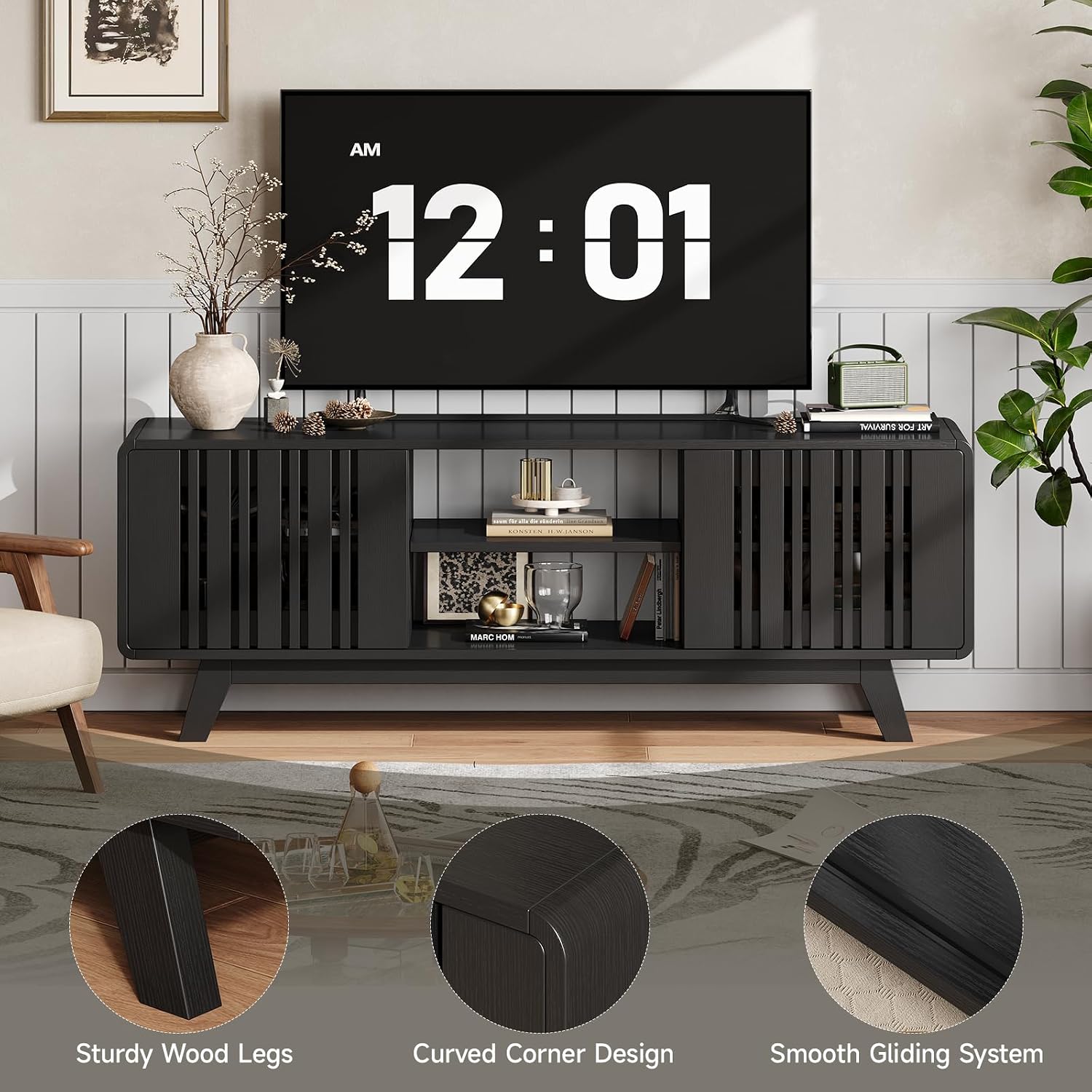
Figure 4: Details showcasing the sturdy wood legs, the elegant curved corner design, and the smooth gliding mechanism for the cabinet doors.
4. Assembly Instructions
Assembly of your ONBRILL TV Stand is designed to be straightforward. All necessary tools and hardware are included, and pieces are labeled for easy identification. Follow the enclosed instruction manual step-by-step.
Required Tools (Not Included, but Recommended):
- Phillips head screwdriver (manual or electric)
- Hammer (for dowels, if applicable)
Assembly Video:
Video 1: Detailed assembly guide for the ONBRILL Mid-Century Modern Television Stand. This video provides visual instructions to assist with the setup process.
General Assembly Steps:
- Unpack and Verify: Carefully unpack all components and hardware. Compare them against the parts list in your included instruction manual to ensure all pieces are present and undamaged.
- Prepare Workspace: Clear a spacious, clean, and level area for assembly. Lay down a blanket or cardboard to protect the floor and furniture pieces from scratches.
- Assemble Base/Frame: Begin by attaching the legs and constructing the main frame of the TV stand according to the diagrams.
- Install Panels: Secure the side, back, and top panels to the frame.
- Insert Shelves: Place the adjustable shelves into the desired positions within the compartments. Ensure they are securely seated on the shelf pins.
- Attach Sliding Doors: Install the sliding grille doors into their tracks. Test their movement to ensure smooth operation.
- Install Power Outlet: Carefully insert the built-in power socket into its designated slot on the top panel.
- Final Check: Once assembled, gently lift and move the stand to its final position. Double-check all screws and fasteners to ensure they are tight.
5. Operating Instructions
Using your ONBRILL TV Stand is simple and intuitive.
Placing Your Television:
- Carefully place your television on the center of the top surface. Ensure the TV's base is fully supported and does not overhang the edges.
- This stand is suitable for TVs up to 75 inches. Verify your TV's base dimensions against the stand's top surface (63"L x 15.7"W) to ensure compatibility.
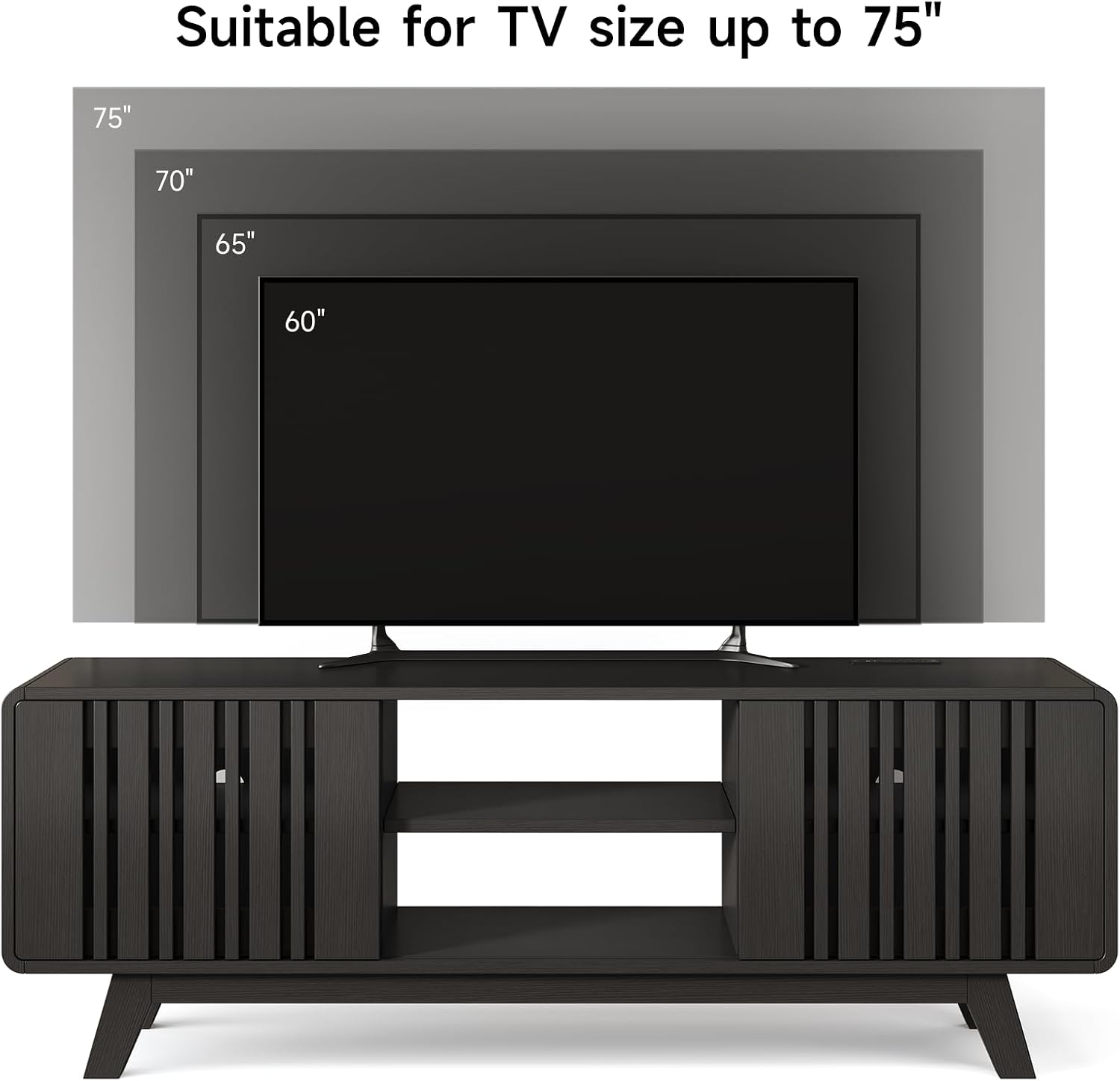
Figure 5: The TV stand is designed to safely support televisions up to 75 inches in size.
Using the Sliding Grille Doors:
- Gently slide the doors along their tracks to open or close the cabinet compartments. The grille design allows for some airflow and remote signal pass-through.
Adjusting Shelves:
- To adjust a shelf, remove all items from it. Carefully lift the shelf and remove the four shelf pins supporting it. Reinsert the pins into the desired holes at the new height, ensuring they are fully seated, then place the shelf back onto the pins.
Using the Built-in Power Outlet:
- Plug your electronic devices into the 2 AC outlets, 1 USB port, or 1 Type-C port located on the top surface of the stand.
- Ensure the total power draw of all connected devices does not exceed the maximum rating of the power strip.
6. Maintenance and Care
Proper care will help maintain the appearance and longevity of your TV stand.
- Cleaning: Wipe surfaces with a soft, dry cloth. For stubborn marks, use a slightly damp cloth with mild soap, then dry immediately. Avoid harsh chemicals, abrasive cleaners, or polishes that may damage the finish.
- Dusting: Regularly dust the stand to prevent buildup, especially in the grille doors.
- Spills: Clean up spills immediately to prevent staining or damage to the engineered wood.
- Sunlight and Heat: Avoid prolonged exposure to direct sunlight or extreme heat, which can cause fading, warping, or cracking.
- Hardware Check: Periodically check all screws and fasteners to ensure they remain tight. Tighten if necessary to maintain stability.
7. Troubleshooting
If you encounter any issues with your TV stand, refer to the following common solutions:
| Problem | Possible Cause | Solution |
|---|---|---|
| Stand is wobbly or unstable. | Loose fasteners; uneven floor. | Ensure all screws and bolts are tightened. Move the stand to a level surface or use shims under the legs if necessary. |
| Sliding doors stick or do not move smoothly. | Debris in tracks; misaligned doors. | Clean the tracks of any dust or debris. Check that the doors are correctly seated in their upper and lower tracks. |
| Power outlets are not working. | Not plugged in; circuit breaker tripped; faulty device. | Ensure the stand's power cord is securely plugged into a working wall outlet. Check your home's circuit breaker. Test the device in another outlet to rule out a device issue. |
| Minor scratches or surface damage. | Accidental impact; abrasive cleaning. | For minor scratches, a furniture repair marker or wood filler matching the finish may be used. Avoid abrasive materials for cleaning. |
8. Specifications
Detailed specifications for the ONBRILL 63-Inch TV Stand (Model ON-TV-05):
| Feature | Detail |
|---|---|
| Brand | ONBRILL |
| Model Number | ON TV-05 |
| Color | Black |
| Material | Engineered Wood |
| Product Dimensions (D x W x H) | 15.7" x 63" x 24" |
| Item Weight | 80 Pounds |
| Maximum Weight Capacity (Top) | 300 Pounds |
| Number of Shelves | 3 (Adjustable) |
| Number of Doors | 1 (Sliding Grille Door) |
| Power Outlet | 2 AC Outlets, 1 USB Port, 1 Type-C Port |
| Assembly Required | Yes |
| Mounting Type | Floor Mount (Freestanding) |
9. Warranty Information
ONBRILL products are manufactured with quality and durability in mind. This product is covered by a manufacturer's warranty against defects in materials and workmanship. For specific warranty terms and conditions, please refer to the documentation included with your purchase or contact ONBRILL customer support.
10. Customer Support
If you have any questions, require assistance with assembly, or need to report missing or damaged parts, please contact ONBRILL customer support. Have your model number (ON-TV-05) and purchase information ready when contacting support.
For further assistance, please visit the ONBRILL Store on Amazon.


