
1. Introduction
The YAOUZICN W2 Green USB Car HUD (Heads Up Display) is designed to enhance your driving experience by projecting essential vehicle information, primarily speed, directly onto your windshield. This device utilizes GPS for accurate speed measurement and features a large, clear display with automatic brightness adjustment and an integrated sunshade for optimal visibility in various lighting conditions. Its plug-and-play design ensures easy installation and universal compatibility with all vehicle types.
2. Package Contents
Please verify that all items are present in your package:
- W2 Head-Up Display Unit
- USB Type-C Power Cable
- Non-slip Mat
- Reflective Film
- English User Manual
- Adhesive Sticker
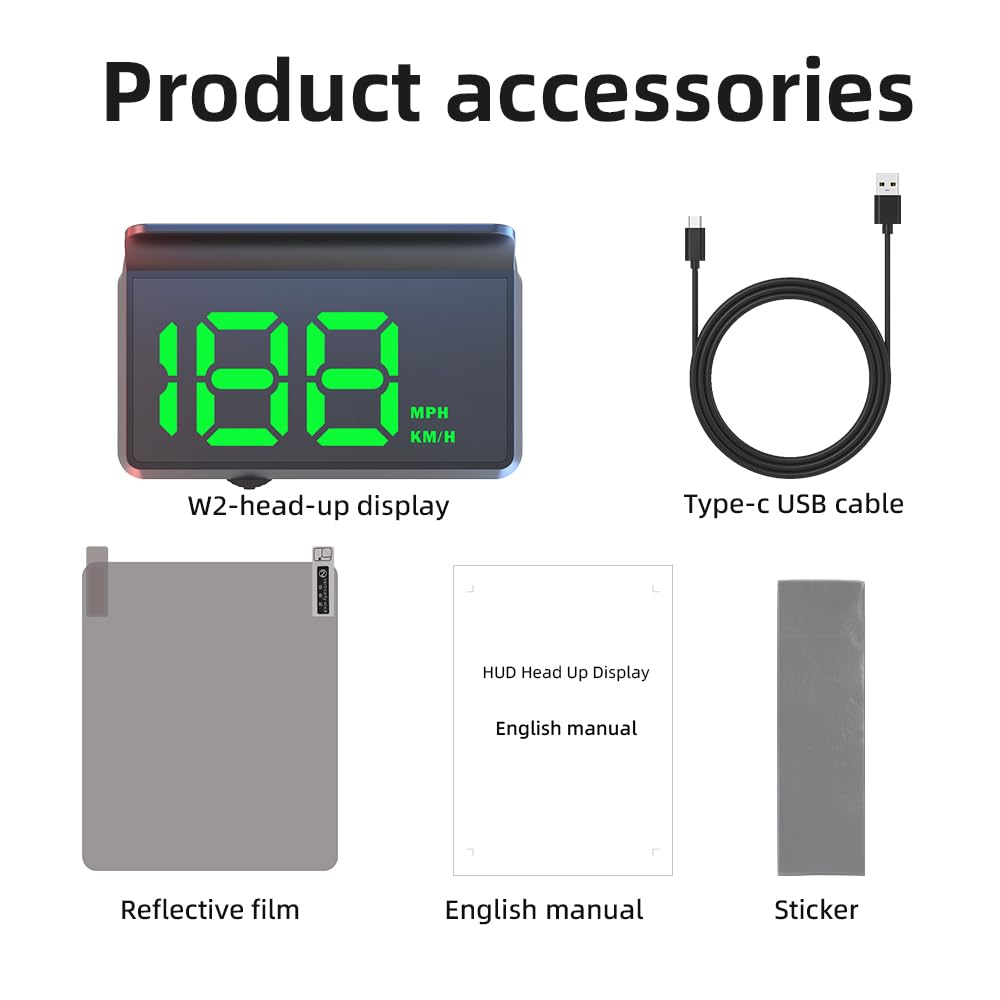
Image: Contents of the YAOUZICN W2 HUD package, including the display unit, USB cable, reflective film, manual, and sticker.
3. Installation Guide
The W2 HUD is designed for simple, plug-and-play installation. No complex wiring or technical skills are required.
- Placement: Place the W2 HUD unit on your vehicle's dashboard. Use the provided non-slip mat to secure it in a position that allows for a clear view of the projected display on your windshield without obstructing your driving view.
- Power Connection: Connect the supplied USB Type-C cable to the HUD unit. Plug the other end (USB-A) into any available car USB port or a 12V car charger adapter (not included). The device will power on automatically when the vehicle starts.
- Reflective Film Application (Optional but Recommended): To achieve the clearest display and eliminate ghosting (a double image effect), especially on certain windshield types, apply the reflective film. Clean the area of the windshield where the display will be projected. Peel off the protective layer from the film and carefully apply it to the windshield, smoothing out any air bubbles. The HUD will project onto this film.
- Cable Management: Route the USB cable discreetly to avoid interference with driving controls. You can tuck the cable into the A-pillar sealing strip or along the dashboard edges.

Image: Visual guide for installing the W2 HUD, showing USB connection, cable routing, and device placement.
4. Operation
Once installed and powered, the W2 HUD operates largely automatically.
- Automatic Power On/Off: The HUD will automatically power on when your vehicle starts and power off when the vehicle is turned off, ensuring no battery drain.
- GPS Signal Acquisition: Upon powering on, the device will acquire GPS satellite signals to determine your speed. This process typically takes 15-30 seconds, depending on your location and signal strength.
- Speed Display: Your current speed will be displayed prominently on the windshield. The display uses a large, green font for excellent readability.
- Unit Switching (MPH/KMH): The W2 HUD allows you to switch between Miles Per Hour (MPH) and Kilometers Per Hour (KMH). Refer to the physical button on the device for this function. Typically, a short press or specific sequence will toggle the units.
- Automatic Brightness Adjustment: The built-in light sensor automatically adjusts the display brightness. It will be brighter during the day for clear visibility and dim at night to prevent glare and ensure comfortable viewing.

Image: The HUD demonstrating automatic brightness adjustment for day and night driving conditions.

Image: Illustration of the HUD's automatic power on and off function with the car's ignition.
5. Features Overview
- Universal Compatibility: The W2 HUD is compatible with all vehicle types, including new energy vehicles, gas-electric hybrid vehicles, gasoline cars, buses, and trucks, as it relies on GPS for speed data and powers via a standard USB (5V) connection.
- Large, Clear Display: Features an ultra-bright OLED screen with enlarged numbers for instant readability from any angle, day or night. The large font size minimizes eye strain and allows drivers to keep their focus on the road.
- Automatic Dimming: A built-in light sensor automatically optimizes display brightness for perfect daytime visibility and comfortable nighttime viewing, effectively eliminating glare.
- Integrated Sunshield: The exclusive integrated sunshield blocks ambient light, delivering a sharp, stable, and ghost-free image on your windshield, even in direct sunlight.
- High Accuracy GPS Speedometer: Provides real-time, GPS-based speed tracking, which can be more accurate than your car's built-in speedometer. It features a 10 Hz high refresh rate dual-mode chip for fast and delay-free speed updates.
- Type-C Power Interface: Utilizes a Type-C USB interface for power, ensuring efficient power delivery and preventing electricity theft when the car is off.
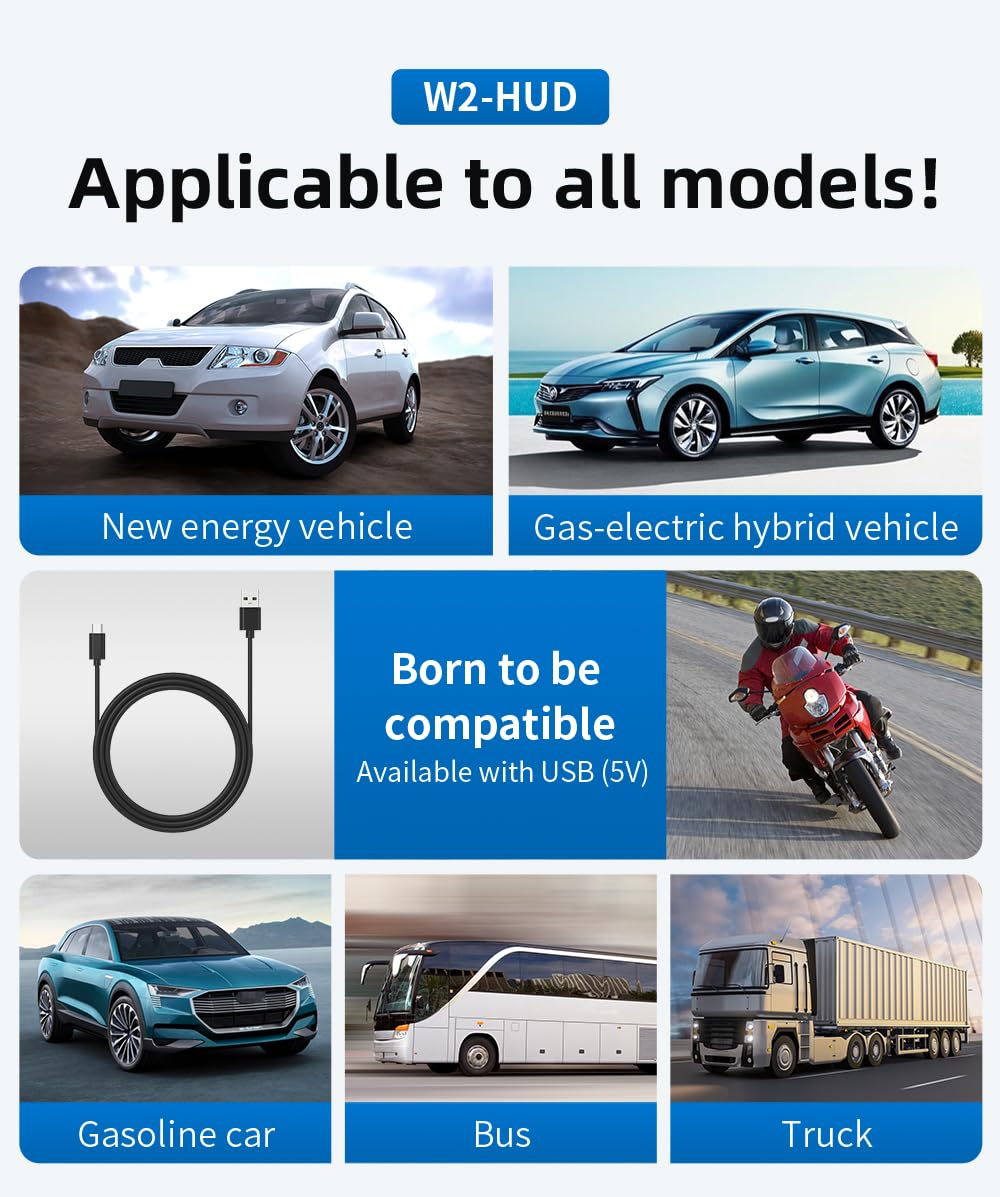
Image: The W2 HUD is shown to be compatible with various vehicle types, highlighting its universal design.
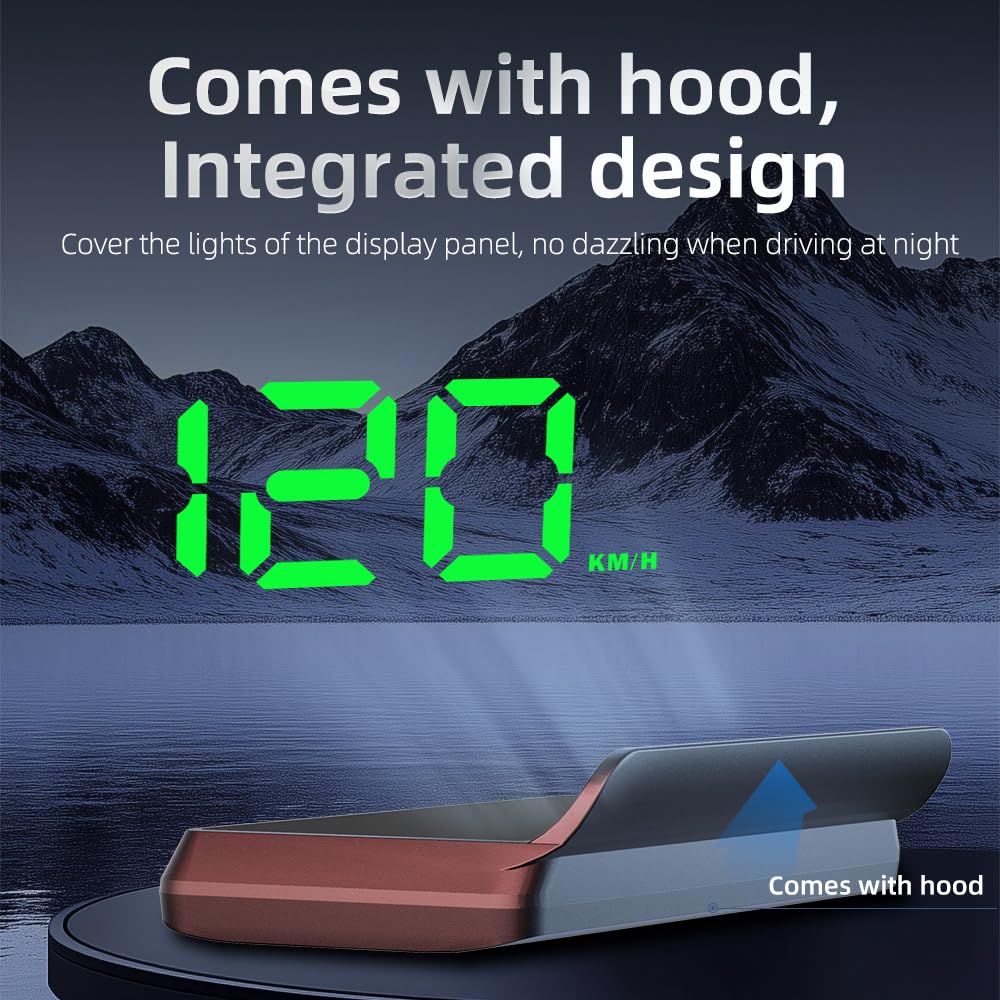
Image: The HUD with its integrated sunshield, designed to prevent dazzling and improve visibility.

Image: Real-world examples of the HUD display during both daytime and nighttime driving.
6. Troubleshooting
- No Display/Power:
- Ensure the USB cable is securely connected to both the HUD unit and the power source (car USB port or adapter).
- Verify that the car's USB port or 12V adapter is receiving power. Test with another device if possible.
- The device powers on automatically with the car; ensure the car's ignition is on.
- Inaccurate Speed Reading:
- The HUD uses GPS for speed. Ensure it has a clear view of the sky to acquire satellite signals. Driving in tunnels, parking garages, or areas with tall buildings can temporarily affect GPS accuracy.
- If the speed consistently differs from your vehicle's speedometer, the HUD may require calibration. Refer to the detailed instructions in the included English manual for specific calibration steps, which usually involve adjusting an offset value.
- Ghosting or Double Image:
- This can occur due to the double-layered structure of some windshields. Applying the provided reflective film to the windshield where the display is projected will resolve this issue.
- Slow GPS Signal Acquisition:
- Initial signal acquisition can take longer in areas with poor satellite coverage or when first used. Move the vehicle to an open area for faster acquisition.
7. Specifications
| Specification | Detail |
|---|---|
| Model Number | W2 |
| Product Dimensions (L x W x H) | 3.39 x 2.13 x 0.55 inches |
| Item Weight | 130 Grams (4.59 ounces) |
| Material | Acrylonitrile Butadiene Styrene (ABS) |
| Power Input | USB 5V |
| Display Type | OLED |
| Speed Measurement | GPS-based |
| Refresh Rate | 10 Hz |
8. Maintenance
To ensure the longevity and optimal performance of your W2 HUD, follow these simple maintenance guidelines:
- Cleaning: Use a soft, dry, or slightly damp cloth to clean the exterior of the HUD unit. Avoid using harsh chemicals, abrasive cleaners, or solvents, as these can damage the surface.
- Display Care: For the projected display area on your windshield (especially if using the reflective film), clean with a standard glass cleaner and a microfiber cloth.
- Storage: If storing the device for an extended period, disconnect it from power and keep it in a cool, dry place away from direct sunlight and extreme temperatures.
- Avoid Obstructions: Ensure no objects block the HUD's projection lens or the light sensor on the unit.
9. Warranty and Support
The YAOUZICN W2 Green USB Car HUD Heads Up Display comes with a standard manufacturer's warranty. Please refer to the warranty card included in your package or contact the seller for specific details regarding warranty coverage and duration.
For technical support, troubleshooting assistance, or inquiries about your product, please contact YAOUZICN customer service through the platform where you purchased the device. Provide your product model (W2) and purchase details for faster service.