
Introduction
This manual provides detailed instructions for the assembly, operation, maintenance, and troubleshooting of your Huuger 8002GC Nightstand. Please read this manual thoroughly before assembly and use to ensure proper function and longevity of your product. Keep this manual for future reference.
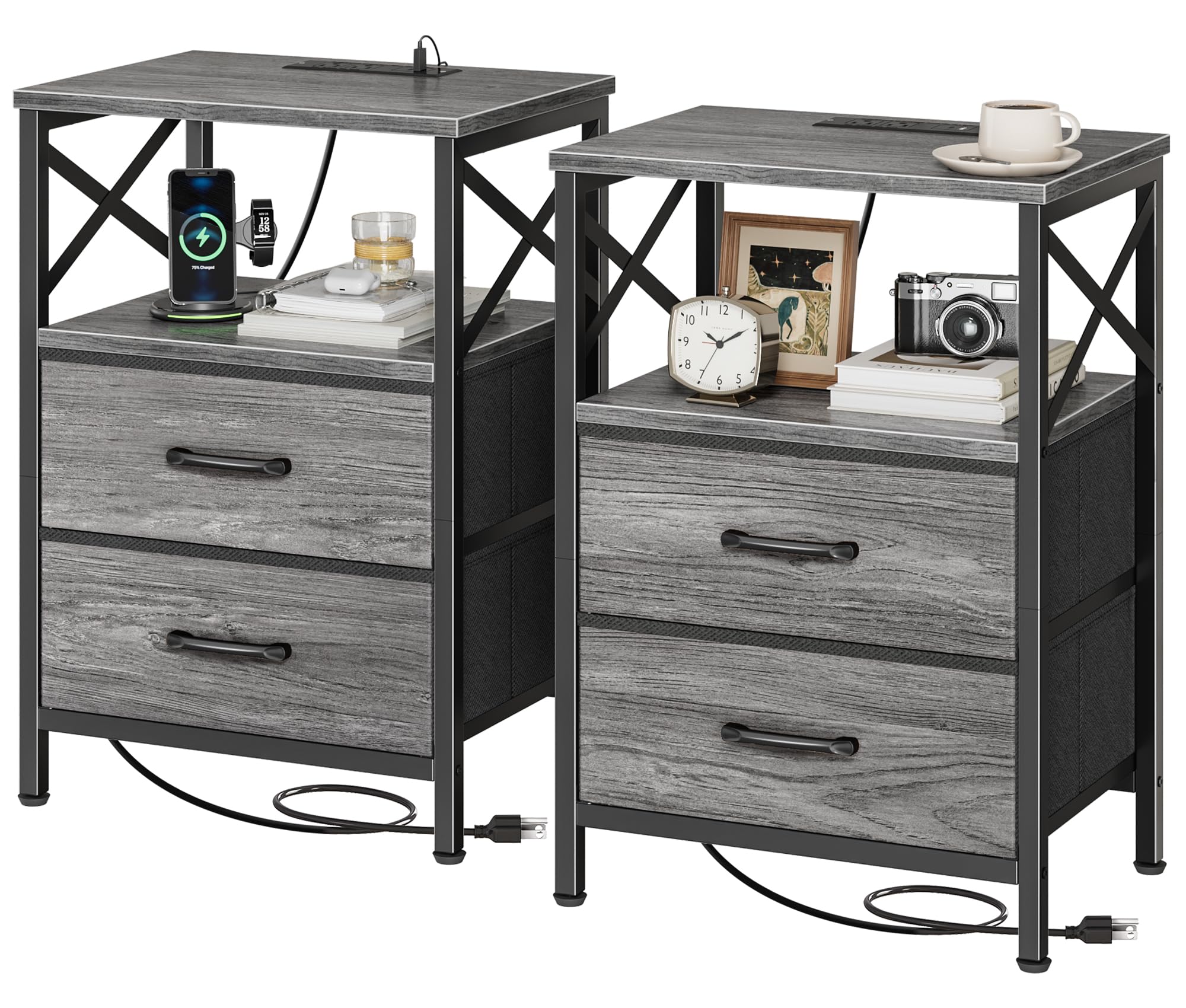
Image: The Huuger 8002GC Nightstand, featuring a grey wood grain finish and black metal frame, positioned next to a bed. It displays a charging phone, a cup, and decorative elements on its top surface.
Safety Information
- Always assemble the product on a soft, clean surface to prevent scratches.
- Ensure all screws and fasteners are securely tightened before use. Periodically check and re-tighten as necessary.
- Do not overload the nightstand or drawers. Refer to specifications for weight limits.
- Keep small parts and packaging materials away from children to prevent choking hazards.
- Use the integrated charging station only with compatible devices and ensure cables are not pinched or damaged.
- Avoid placing hot items directly on the surface without protection.
Package Contents
Before beginning assembly, verify that all components listed below are present and undamaged. If any parts are missing or damaged, please contact customer support.
- Top Panel (Engineered Wood)
- Middle Shelf (Engineered Wood)
- Bottom Frame (Metal)
- Side Frames with X-shaped rails (Metal)
- Fabric Drawers (2 units)
- Charging Station Unit (with 2 AC outlets, 1 USB, 1 USB-C port)
- Adjustable Feet (4 units)
- Assembly Hardware (Screws, Allen wrench, etc.)
- Instruction Manual (This document)
Setup and Assembly
Assembly is required for this product. Please follow the steps carefully. It is recommended to have a second person assist with assembly for easier handling.
- Unpack Components: Carefully remove all parts from the packaging and lay them out on a clean, soft surface. Check against the package contents list.
- Assemble Frame: Attach the metal side frames to the bottom frame using the provided screws. Ensure the X-shaped side rails are correctly oriented.
- Install Middle Shelf: Secure the engineered wood middle shelf to the metal frame.
- Attach Top Panel: Fasten the engineered wood top panel to the assembled frame.
- Insert Charging Station: Carefully place the charging station unit into the designated slot on the top panel. Ensure it is flush and secure.
- Attach Adjustable Feet: Screw the adjustable feet into the bottom of the metal frame. Adjust them as needed to ensure stability on uneven surfaces.
- Insert Fabric Drawers: Unfold the fabric drawers and insert the bottom panel into each. Place the assembled drawers into their respective slots in the nightstand frame.

Image: A detailed diagram illustrating the dimensions of the Huuger 8002GC Nightstand, including its height, width, depth, and the size of the fabric drawers.

Image: A close-up view highlighting the X-shaped side rail design, which provides structural support and an aesthetic element to the nightstand.
Operating Instructions
Integrated Charging Station
The Huuger 8002GC Nightstand features a built-in charging station for convenient power access.
- Power Connection: Plug the nightstand's power cord into a standard wall outlet.
- AC Outlets: Use the two standard AC outlets for devices requiring wall adapters.
- USB Ports: The nightstand includes one USB-A port and one USB-C port for charging compatible electronic devices such as smartphones, tablets, and smartwatches.
- Usage: Simply connect your device's charging cable to the appropriate port on the charging station.

Image: A detailed view of the integrated charging station on the nightstand's top surface, showing two AC power outlets, one USB-A port, and one USB-C port, with devices actively charging.
Storage Features
- Top Surface: Provides a wider desktop area for lamps, alarm clocks, and personal items.
- Open Shelf: An accessible open shelf is available for books, magazines, or decorative items.
- Fabric Drawers: Two fabric drawers offer enclosed storage for personal belongings, helping to keep your space tidy.

Image: The nightstand showcasing its spacious top surface and the two fabric drawers pulled open, revealing ample storage space for various items.
Maintenance
- Cleaning: Wipe surfaces with a soft, damp cloth. Avoid harsh chemicals or abrasive cleaners. The engineered wood surface is water-resistant, making it easy to clean spills.
- Dusting: Regularly dust the nightstand with a dry, soft cloth.
- Fasteners: Periodically check all screws and connections to ensure they remain tight. Re-tighten if necessary.
- Fabric Drawers: The fabric drawers can be spot cleaned with a mild detergent and damp cloth. Allow to air dry completely. Do not machine wash.

Image: A composite image showing water droplets on the nightstand's surface, illustrating its water-resistant property. Also featured are close-ups of the square head handle and the adjustable feet.
Troubleshooting
| Problem | Possible Cause | Solution |
|---|---|---|
| Nightstand is wobbly. | Uneven floor or loose fasteners. | Adjust the leveling feet at the bottom of the nightstand. Ensure all assembly screws are tightened. |
| Charging station not working. | Not plugged in, power outlet issue, or damaged cable. | Check if the nightstand's power cord is securely plugged into a working wall outlet. Test the outlet with another device. Ensure charging cables are not damaged. |
| Drawers do not slide smoothly. | Drawer not assembled correctly or obstruction. | Ensure the fabric drawers are fully unfolded and the bottom panel is correctly inserted. Check for any items obstructing the drawer's movement. |
| Parts missing or damaged. | Manufacturing defect or shipping damage. | Do not proceed with assembly. Contact Huuger customer support immediately for replacement parts. |
Specifications
| Brand | Huuger |
| Model | 8002GC |
| Product Dimensions (D x W x H) | 30D x 40W x 59.9H Centimeters (11.8"D x 15.7"W x 23.6"H) |
| Item Weight | 7.87 kg (17.35 lbs) |
| Colour | Grey |
| Top Material Type | Engineered Wood |
| Number of Drawers | 2 (Fabric) |
| Special Features | Integrated Charging Station (2 AC Outlets, 1 USB-A, 1 USB-C), Water-Resistant Surface, Adjustable Feet, X-Shaped Side Rails |
| Assembly Required | Yes |
Warranty and Support
Huuger products are manufactured with quality and care. For any questions, concerns, or to report missing/damaged parts, please contact Huuger customer support. Please have your model number (8002GC) and purchase information ready when contacting support.
While specific warranty details are not provided in this manual, standard manufacturer warranties typically cover defects in materials and workmanship for a limited period from the date of purchase. Please refer to your purchase documentation or the Huuger official website for detailed warranty information.