
MARLALL S800
MARLALL S800 Bone Conduction Swimming Headphones User Manual
Model: S800 | Brand: MARLALL
1. Introduction
Thank you for choosing the MARLALL S800 Bone Conduction Swimming Headphones. These headphones are designed to provide a unique audio experience for various activities, including swimming, running, cycling, and more. Featuring bone conduction technology, IP68 waterproofing, and dual MP3/Bluetooth modes, the S800 offers comfort and versatility.
This manual provides essential information on setting up, operating, and maintaining your headphones. Please read it carefully before use.
2. Product Overview
2.1 Package Contents
- MARLALL S800 Bone Conduction Headphones
- Magnetic Charging Cable
- User Manual
- (Optional: Adjustment Strap, if included)
2.2 Headphone Components
The MARLALL S800 headphones feature an open-ear design with a flexible neckband. Key components include:
- Bone Conduction Transducers: Sit on your cheekbones, delivering sound without blocking your ear canals.
- Control Buttons: Located on the side for power, volume, track control, and mode switching.
- Magnetic Charging Port: For charging and data transfer.
- Flexible Neckband: Ensures a secure and comfortable fit.

Image: MARLALL S800 Bone Conduction Headphones. These headphones feature a flexible band that wraps around the back of the head, with transducers resting near the ears.
3. Setup
3.1 Charging the Headphones
- Connect the magnetic charging cable to the charging port on the headphones.
- Connect the USB end of the cable to a power source (e.g., computer USB port, USB wall adapter).
- The LED indicator will show charging status. A full charge typically takes approximately 2 hours.

Image: The MARLALL S800 headphones connected to a magnetic charging cable, illustrating the charging process.
3.2 Powering On/Off
- Power On: Long press the multi-function button for 3 seconds.
- Power Off: Long press the multi-function button for 3 seconds.
3.3 Bluetooth Pairing
- Ensure the headphones are powered off.
- Long press the multi-function button until the LED indicator flashes blue and red, indicating pairing mode.
- On your device (smartphone, tablet, etc.), enable Bluetooth and search for "MARLALL S800".
- Select the headphones to pair. Once connected, the LED indicator will flash blue slowly.

Image: The MARLALL S800 headphones wirelessly connected to multiple devices, demonstrating Bluetooth connectivity.
3.4 MP3 Mode (Internal Storage)
The headphones have a built-in 32GB memory for storing music, ideal for use where Bluetooth signals are unreliable (e.g., underwater).
- Transferring Music: Connect the headphones to a computer using the magnetic charging cable. The headphones will appear as a removable drive. Drag and drop MP3, WAV, WMA, or FLAC files into the headphone's storage.
- Switching to MP3 Mode: Double-click the multi-function button to toggle between Bluetooth and MP3 modes.

Image: The MARLALL S800 headphones connected to a laptop, illustrating the process of transferring music files to its 32GB internal storage for MP3 mode.
4. Operating Instructions
4.1 Wearing the Headphones
Place the headphones with the transducers resting on your cheekbones, just in front of your ears. The flexible band should wrap comfortably around the back of your head. An adjustment strap may be included for a more secure fit.

Image: A diagram illustrating the correct placement of the MARLALL S800 headphones on a head, with an optional adjustment strap for a secure fit.
4.2 Button Functions
| Action | Function |
|---|---|
| Long press 3 seconds | Power On/Off |
| Click once | Music Play/Pause, Answer/Hang up calls |
| Double-click | Switch between Bluetooth / MP3 Mode |
| Triple-click | Wake voice assistant |
| Click once (Volume +/-) | Volume Up/Down |
| Long press (Volume +/-) | Next/Previous Song |
| Long press 3 seconds (during call) | Reject calls |

Image: A detailed view of the control buttons on the MARLALL S800 headphones, with labels for each function such as volume, power, and mode switching.
4.3 Special Usage Notes
- Underwater Use: When swimming or underwater, Bluetooth signals cannot transmit effectively. Always switch to MP3 Mode for uninterrupted audio.
- Microphone Care: After swimming, ensure the microphone is completely dry before making calls to ensure clear audio transmission.
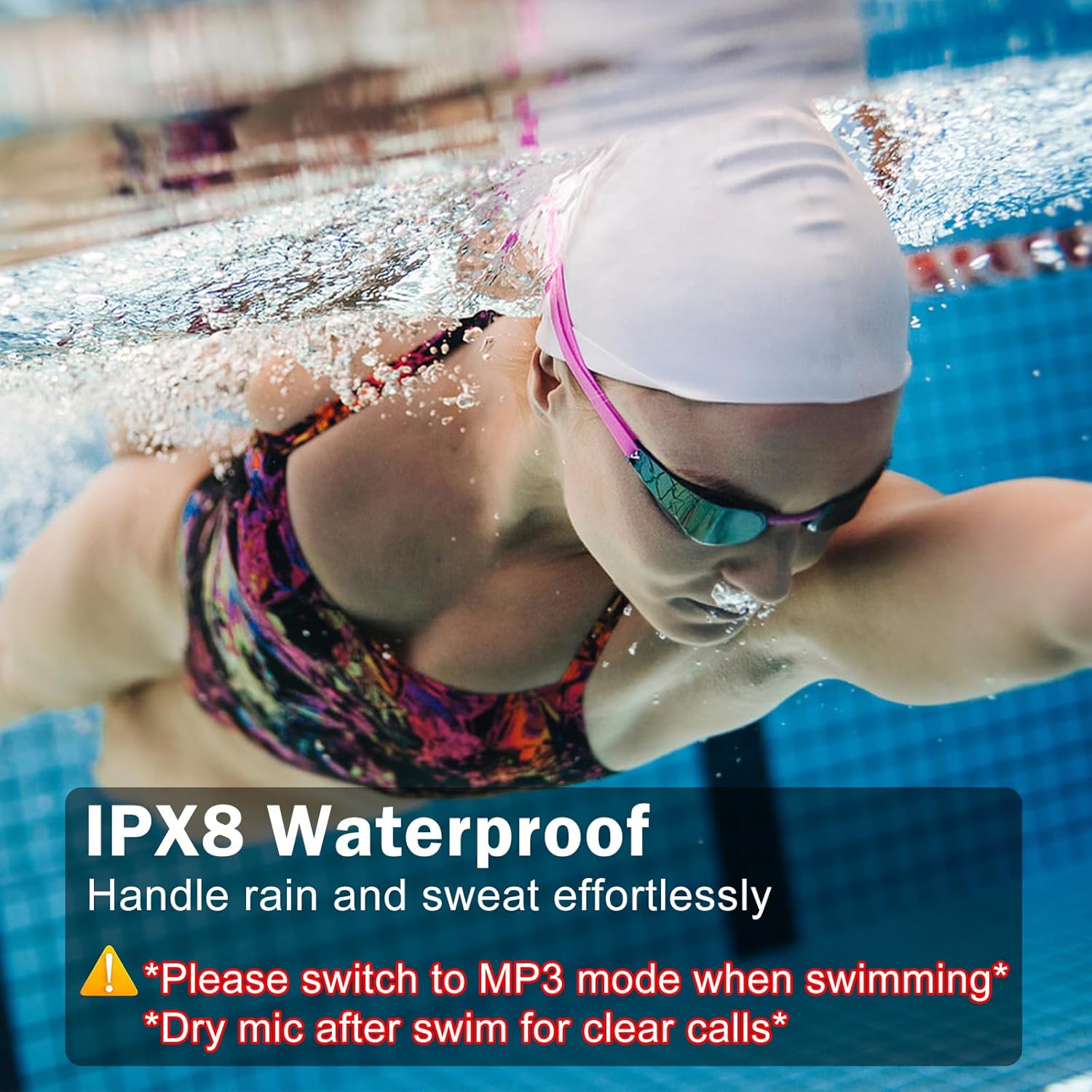
Image: A swimmer wearing the MARLALL S800 headphones underwater, highlighting their IP68 waterproof rating and the necessity of using MP3 mode for underwater listening.
Video: A short demonstration of the MARLALL S800 headphones being used for swimming, emphasizing their waterproof capabilities and suitability for aquatic activities.
5. Maintenance and Care
- Cleaning: Wipe the headphones with a soft, damp cloth. Avoid harsh chemicals or abrasive materials.
- Drying: After exposure to water, especially saltwater or chlorinated water, rinse the headphones with fresh water and dry them thoroughly before charging or storing. Pay special attention to the charging port and microphone area.
- Storage: Store in a cool, dry place away from direct sunlight and extreme temperatures.
- Battery Life: To prolong battery life, avoid fully discharging the headphones frequently. Charge them regularly.
6. Troubleshooting
| Problem | Possible Solution |
|---|---|
| Headphones won't power on | Ensure the headphones are charged. Connect to the magnetic charging cable and check the LED indicator. |
| Cannot pair via Bluetooth | Ensure headphones are in pairing mode (flashing blue/red LED). Check your device's Bluetooth settings. Try restarting both devices. |
| No sound in MP3 mode | Ensure music files are in supported formats (MP3, WAV, WMA, FLAC) and properly transferred. Confirm headphones are in MP3 mode (double-click multi-function button). |
| Poor call quality after swimming | Ensure the microphone area is completely dry. Water residue can interfere with sound transmission. |
| Headphones not recognized by computer | Try a different USB port or cable. Ensure the cable is securely connected. Restart your computer. |
7. Specifications
| Feature | Detail |
|---|---|
| Model | S800 |
| Connectivity | Bluetooth 5.4, MP3 (Internal Storage) |
| Water Resistance | IP68 (Waterproof for swimming) |
| Internal Memory | 32GB (stores approx. 5,000-8,000 songs) |
| Supported Audio Formats | MP3, WAV, WMA, FLAC |
| Battery Life (Music) | Up to 10 hours |
| Charging Time | Approx. 2 hours |
| Standby Time | Up to 360 hours |
| Bluetooth Range | Up to 10 meters (33 feet) |
| Material | Liquid Silicone |
| Weight | 0.8 ounces (approx. 22.7 grams) |
8. Warranty and Support
For warranty information or technical support, please refer to the product packaging or contact MARLALL customer service directly. Specific warranty terms may vary by region and retailer.
Related Documents - S800
 |
User Guide for S800 FY-300 Mobile Phone Comprehensive user guide for the S800 FY-300 mobile phone, covering features, basic operations, contacts, messages, settings, multimedia, organizer, safety precautions, and device care. |
 |
S800 1328E Mobile Phone User Guide Comprehensive user guide for the S800 1328E mobile phone, covering setup, features, operations, safety, and care instructions. |
 |
S800 FY-100 User Guide: Features, Operations, and Safety Comprehensive user guide for the S800 FY-100 mobile phone, detailing its features, basic operations, multimedia capabilities, organizer functions, important safety precautions, and device care instructions. |
 |
S800 FY-200 User Guide Comprehensive user guide for the S800 FY-200 mobile phone, covering setup, features, operations, safety, and maintenance. |
 |
S800-B RUNNER PRO Bone Conduction Headphones User Manual User manual and product information for the S800-B RUNNER PRO bone conduction headphones, featuring IPX8 waterproofing, 32GB storage, Bluetooth 5.3, and long standby time. Includes operation instructions, safety warnings, and specifications. |
 |
SHENZHEN GUARANTEE SCIENCE&TECHNOLOGY S800 Bone Conduction Earphone User Manual User manual for the SHENZHEN GUARANTEE SCIENCE&TECHNOLOGY S800 bone conduction earphones, detailing wearing methods, basic functions, operation, product parameters, and FCC warnings. |
Ask a question about this manual
Ask about setup, troubleshooting, compatibility, parts, safety, or missing instructions. Manuals+ will review the question and use this page’s manual context to help answer it.