
1. Introduction
Thank you for choosing the BOVUGAC Folding Stand Protective Cover. This case is specifically designed to provide comprehensive protection and enhanced functionality for your SGIN T10 Pro, SGIN T10S, or SGIN T10 10.1 Inch Android Tablet. This manual provides instructions for installation, usage, and maintenance to ensure optimal performance and longevity of your product.
2. Package Contents
- 1 x BOVUGAC Folding Stand Protective Cover (Dark Blue)
3. Installation Guide
Follow these steps to properly install your tablet into the protective cover:
- Ensure your SGIN T10 series tablet is clean and free of dust or debris.
- Align the tablet with the case, ensuring the camera and ports match the cutouts on the case.
- Gently press the tablet into the case, starting from one corner and working your way around, until all edges are securely seated within the protective frame.
- Verify that all buttons, ports, and the camera are accessible and unobstructed by the case.

Figure 3.1: Illustration of tablet installation into the protective cover.
4. Key Features and Usage
4.1. Folding Stand Function
The case features a built-in folding stand that allows for multiple viewing angles. This is ideal for watching videos, reading, or typing.
- Viewing Angle: Fold the front cover back to create a stable triangular stand for media consumption.
- Typing Angle: A lower angle can be achieved by adjusting the fold, providing a comfortable position for typing.

Figure 4.1: The folding kickstand offers versatile viewing and typing angles.

Figure 4.2: Tablet positioned in the stand for hands-free use.
4.2. Integrated Hand Strap
A built-in hand strap on the back of the case allows for secure, one-handed holding of your tablet, reducing the risk of accidental drops during use.
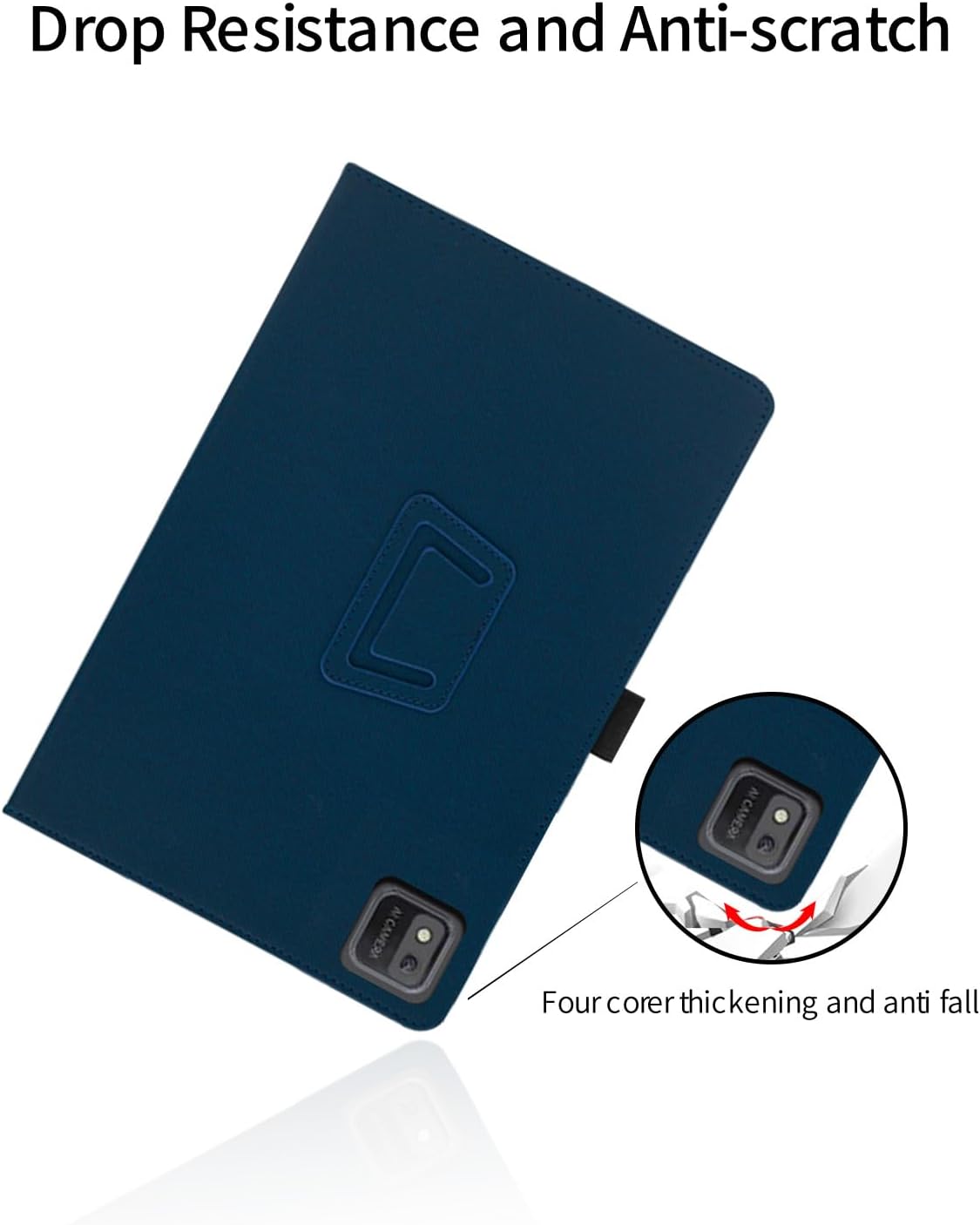
Figure 4.3: The integrated hand strap provides a secure grip for one-handed operation.
4.3. Precise Cutouts
The case is designed with precise cutouts to ensure full access to all ports, buttons, speakers, and the camera without needing to remove the tablet from the case.
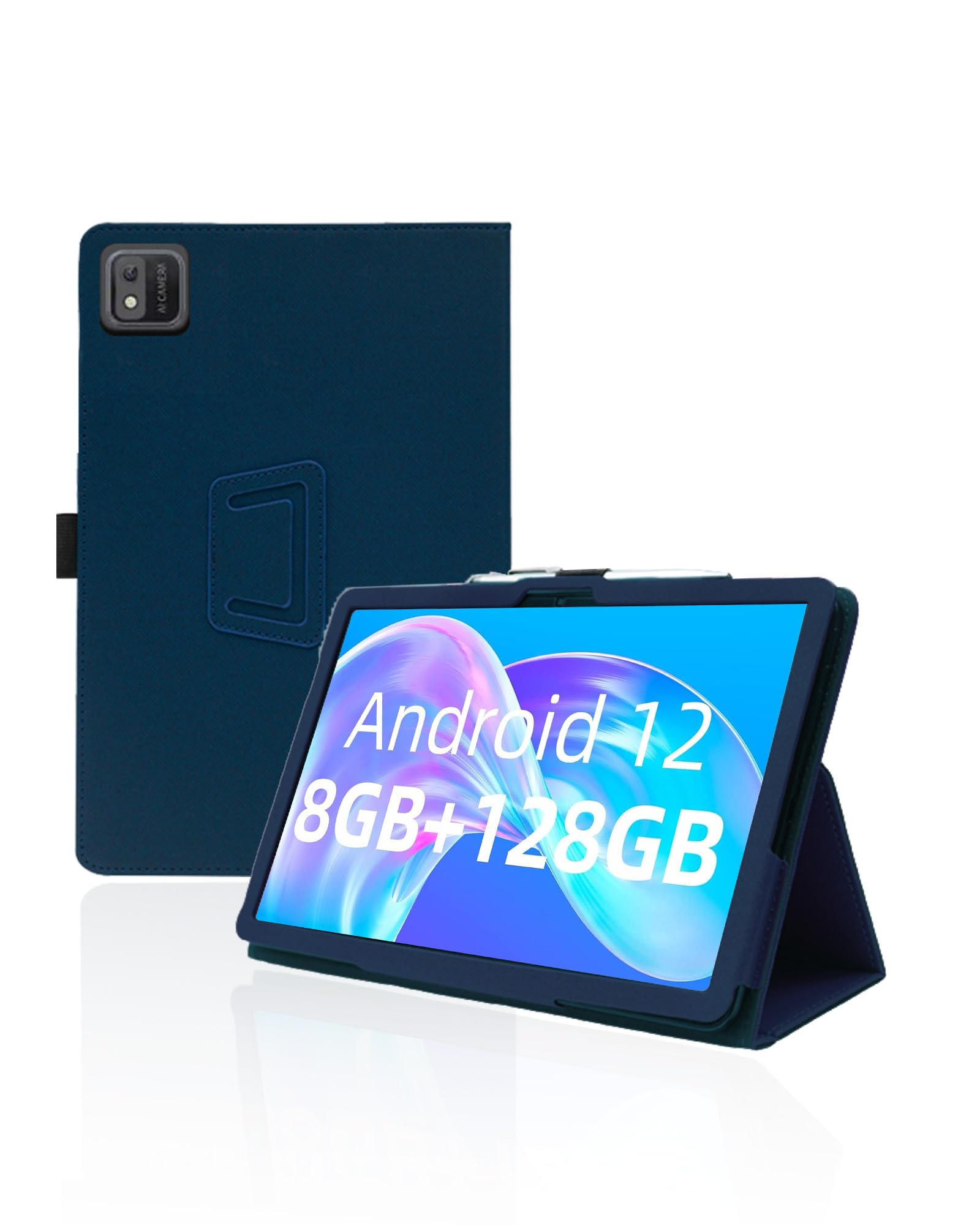
Figure 4.4: Precise cutouts ensure easy access to all tablet functions.
4.4. Pencil Holder
An integrated pencil holder provides a convenient and secure place to store your stylus or digital pen, preventing loss and ensuring it's always at hand when needed.
5. Protection and Material
5.1. Enhanced Protection
This protective cover is engineered to safeguard your tablet against daily wear and tear. It features thickened corners to absorb impact from drops and a scratch-resistant surface to keep your tablet looking new.
Figure 5.1: Reinforced corners provide enhanced drop resistance.
5.2. Premium Material
The case is constructed from high-quality PU leather, offering a soft touch and a sophisticated appearance. The material is also designed to be waterproof, lightweight, and breathable, contributing to both durability and user comfort.

Figure 5.2: Key material properties of the protective cover.
6. Maintenance
To maintain the appearance and functionality of your BOVUGAC protective cover, follow these simple care instructions:
- Cleaning: Wipe the case with a soft, damp cloth. Avoid using harsh chemicals or abrasive cleaners, as these can damage the material.
- Storage: When not in use, store the case in a cool, dry place away from direct sunlight to prevent material degradation.
- Avoid Sharp Objects: Keep the case away from sharp objects to prevent scratches or punctures.
7. Troubleshooting
If you encounter any issues with your protective cover, please refer to the following common solutions:
- Case Does Not Fit: Ensure you have the correct model of tablet (SGIN T10 Pro, T10S, or T10 10.1 Inch). This case is not compatible with other tablet models. Double-check your tablet's model number.
- Buttons / Ports Blocked: Re-seat the tablet in the case, ensuring it is properly aligned with all cutouts. Apply gentle pressure around the edges to ensure a snug fit.
- Stand Instability: Ensure the folding stand is fully extended and locked into its intended position for maximum stability.
8. Specifications
| Brand | BOVUGAC |
| Model Number | T10Pro-1 |
| Compatible Devices | SGIN T10 Pro, SGIN T10S, SGIN T10 (10.1 Inch Android Tablets) |
| Material | Premium PU Leather (Faux Leather) |
| Color | Dark Blue |
| Form Factor | Case |
| Special Features | Folding Stand, Pencil Holder, Wrist Strap, Full Protection, Scratch Resistant, Slim Fit |
9. Support Information
For further assistance, questions, or concerns regarding your BOVUGAC Folding Stand Protective Cover, please contact the manufacturer or seller through the platform where the product was purchased. Please have your order details and product model number (T10Pro-1) available when contacting support.