
Introduction
Thank you for choosing the Matast C16 Wireless Earbuds. This manual provides comprehensive instructions to help you get the most out of your new earbuds, covering setup, operation, maintenance, and troubleshooting. Please read this manual carefully before use and retain it for future reference.
What's in the Box
- Wireless Earbuds (L/R)
- Wireless Charging Case
- Type-C Charging Cable
- User Manual
- Eartips (S, M, L sizes)

Image: Contents of the Matast C16 Wireless Earbuds packaging.
Product Overview
The Matast C16 Wireless Earbuds feature an ergonomic over-ear hook design for secure fit, intuitive touch controls, and a charging case with a digital display. They are equipped with advanced audio technology for high-fidelity sound and clear calls.

Image: Internal components and key features of the Matast C16 Earbuds.
Setup
1. Charging the Case and Earbuds
Before first use, fully charge the charging case and earbuds.
- Connect the provided Type-C charging cable to the charging port on the case and a USB power source.
- The dual LED digital display on the case will show the battery percentage (1% to 100%) and flash during charging.
- The earbuds will display a red light when charging inside the case.
- A full charge for the case takes approximately 1.5 hours.
- Earbuds provide up to 8 hours of playback per charge, and the case can recharge them six times for a total of up to 60 hours.
- A 10-minute fast charge provides an additional 2 hours of playtime.

Image: Charging case displaying battery levels and USB-C charging port.
2. Pairing with a Device
The earbuds feature one-step pairing for convenience.
- Ensure your device's Bluetooth is turned on.
- Open the charging case. The earbuds will automatically power on and enter pairing mode (indicated by flashing green lights on the earbuds).
- On your device, search for "C16" in the Bluetooth settings and select it to connect.
- Once connected, the earbud lights will turn off.
- After initial pairing, the earbuds will automatically reconnect to the last paired device when the case is opened.

Image: Earbuds pairing with a mobile device.

Image: Bluetooth 5.4 technology and wide device compatibility.
3. Wearing the Earbuds
The C16 earbuds are designed with flexible ear hooks for a secure and comfortable fit, especially during physical activity.
- Place the ear hook over your ear.
- Gently insert the earbud tip into your ear canal.
- Rotate the earbud for a comfortable and secure angle.
- Choose the appropriate ear tip size (S, M, L) for optimal comfort and sound isolation.

Image: Ergonomic design for sport and comfortable fit, showing ear tips.

Image: Steps for achieving a secure and comfortable fit.
Operation
1. Touch Controls
The earbuds feature intuitive touch controls for various functions.
| Action | Function |
|---|---|
| Single Tap (L/R) | Play/Pause music, Answer Call |
| Double Tap (L/R) | Switch Song (Next/Previous) |
| Triple Tap (L/R) | Activate Voice Assistant |
| Press and Hold for 2S (L/R) | Volume +/- (Left for Volume -, Right for Volume +), Reject/Hang up Call |

Image: Smart touch control functions.
2. Single and Dual Mode
The earbuds support both binaural (dual) and mono (single) modes.
- Binaural Mode: Use both earbuds for immersive stereo sound.
- Mono Mode: Use a single earbud to listen to music or take calls, allowing you to stay aware of your surroundings or share an earpiece.

Image: Single and Dual Mode usage scenario.
3. Sound Quality and Call Features
- Equipped with 14.2mm graphene drivers for transparent highs and immersive deep bass (18Hz-25kHz frequency range).
- Features ENC (Environmental Noise Cancelling) technology with four high-definition microphones to boost vocal clarity by 75% and reduce external noise by 80% during calls.
Maintenance
1. Water Resistance
The Matast C16 earbuds feature an IP7 waterproof nano-coating on internal components. This makes them resistant to sweat, rain, and accidental water exposure, making them suitable for gym sessions, workouts, and running.
Note: While IP7 rated, the earbuds are not designed for swimming or prolonged submersion. The charging case is not waterproof.
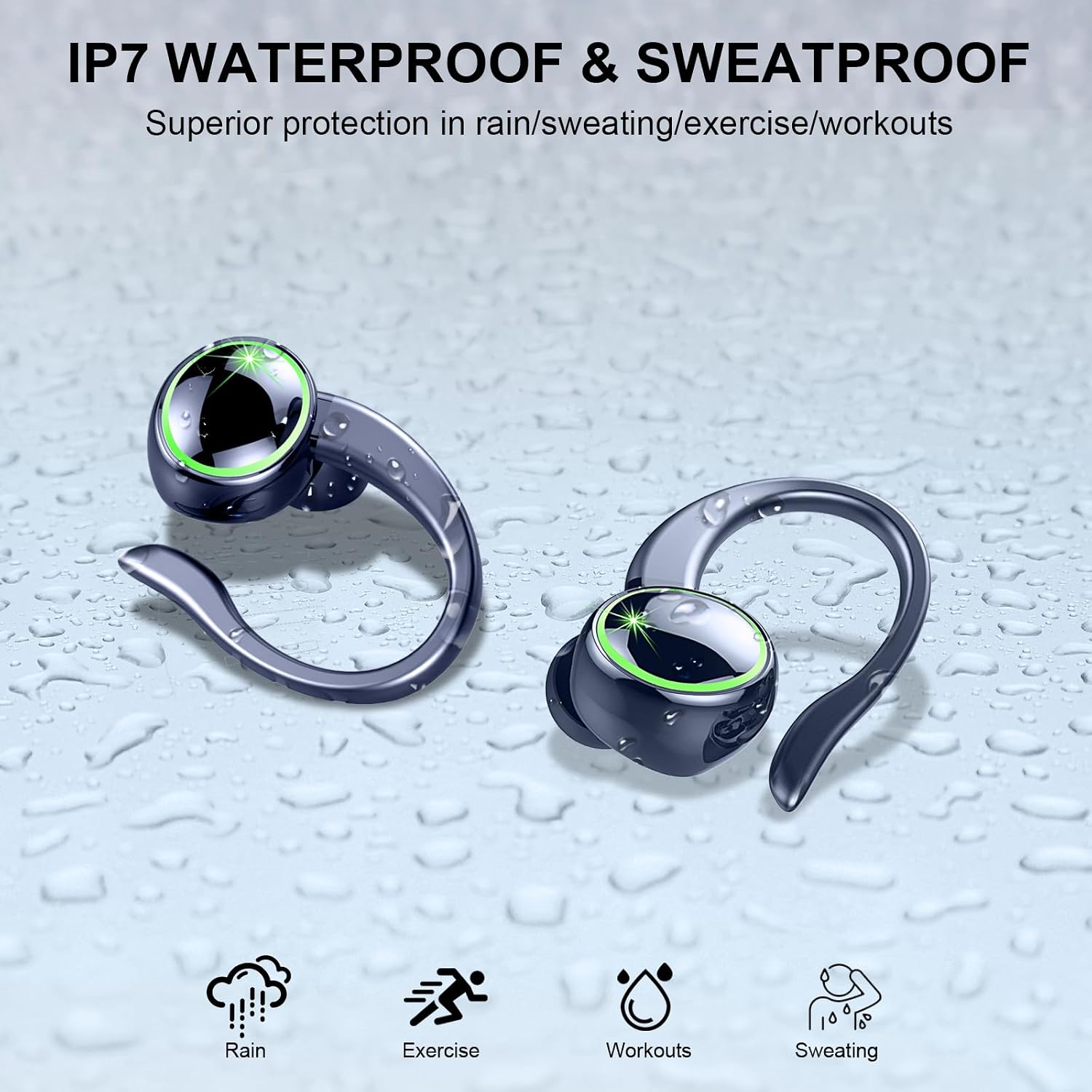
Image: IP7 Waterproof and Sweatproof feature.
2. Cleaning and Storage
- Regularly clean the ear tips and earbud surfaces with a soft, dry cloth to remove earwax or debris.
- Ensure the charging contacts on both the earbuds and the case are clean and dry for proper charging.
- Store the earbuds in their charging case when not in use to protect them and keep them charged.
- Avoid exposing the earbuds to extreme temperatures or direct sunlight for extended periods.
Troubleshooting
If you encounter any issues with your Matast C16 Wireless Earbuds, please refer to the following common solutions:
- Earbuds not pairing: Ensure both earbuds are charged. Place them back in the case, close the lid, then open it again to re-enter pairing mode. Forget "C16" from your device's Bluetooth list and try pairing again.
- Only one earbud working: Place both earbuds back in the charging case, close the lid, then open it. This should reset the connection and allow both to connect.
- No sound: Check the volume level on your connected device and on the earbuds. Ensure the earbuds are properly paired and selected as the audio output device.
- Charging issues: Ensure the charging cable is securely connected to both the case and the power source. Clean the charging contacts on the earbuds and inside the case.
- Uncomfortable fit: Try different sizes of ear tips (S, M, L) to find the most comfortable and secure fit for your ears.
Specifications
| Feature | Detail |
|---|---|
| Brand | Matast |
| Model Number | C16 |
| Connectivity Technology | Wireless (Bluetooth) |
| Bluetooth Version | 5.4 |
| Bluetooth Range | Up to 15 meters (50 feet) |
| Ear Placement | In Ear with Earhook |
| Control Type | Touch Control |
| Noise Control | Sound Isolation, ENC Noise Cancelling Mic |
| Audio Driver Size | 14.2mm Graphene Drivers |
| Frequency Range | 18Hz-25kHz |
| Water Resistance Level | IP7 Waterproof |
| Earbud Battery Life | Up to 8 hours per charge |
| Total Playtime (with case) | Up to 60 hours |
| Case Charging Time | Approx. 1.5 hours (USB-C) |
| Item Weight | 1 Grams (per earbud) |
| Material | Plastic |
Warranty and Support
The Matast C16 Wireless Earbuds come with a 2-year warranty. For specific warranty details and to register your product, please refer to the product packaging or the official Matast website.
If you require further assistance, technical support, or have any questions not covered in this manual, please contact Matast customer service through the retailer's platform or the contact information provided on the official Matast website.