
1. Introduction
The Garmin GPSMAP H1i Plus is a rugged GPS handheld navigator designed for outdoor adventures. It integrates inReach Plus technology, allowing communication beyond cellular service. This device features a hybrid design with a bright 3.5-inch color touchscreen and physical buttons, ensuring versatility in various conditions. Preloaded maps, multi-band GPS, and multi-GNSS support provide precise navigation and positional accuracy. This manual provides essential information for setting up, operating, and maintaining your device.

Figure 1: Garmin GPSMAP H1i Plus handheld navigator. This image displays the device from a slight angle, highlighting its screen and physical buttons.
2. What's in the Box
- GPSMAP® H1i Plus Device
- Loop Carabiner
- Charging/Data Cable
- Documentation (Quick Start Manual, Safety Information)
3. Setup
3.1 Initial Device Charging
Before first use, fully charge your GPSMAP H1i Plus device using the provided charging/data cable. Connect the cable to the device and a USB power source (not included). The device uses a Lithium Ion battery.
3.2 Power On/Off
- To power on: Press and hold the power button located on the side of the device.
- To power off: Press and hold the power button, then select 'Power Off' on the screen.
3.3 inReach Subscription Activation
To utilize inReach features such as messaging, SOS, and tracking, an active satellite subscription is required. Activate your subscription via the Garmin website or through the Garmin Explore app. Note that some jurisdictions may regulate or prohibit the use of satellite communication devices.
4. Operating the Device
4.1 Navigation and Mapping
The device comes with preloaded TopoActive maps for the U.S., Mexico, and Canada. You can also download high-resolution satellite imagery via Wi-Fi technology. Optional Outdoor Maps+ subscriptions provide ongoing access to premium map content. Multi-band GPS and multi-GNSS support ensure optimal positional accuracy.
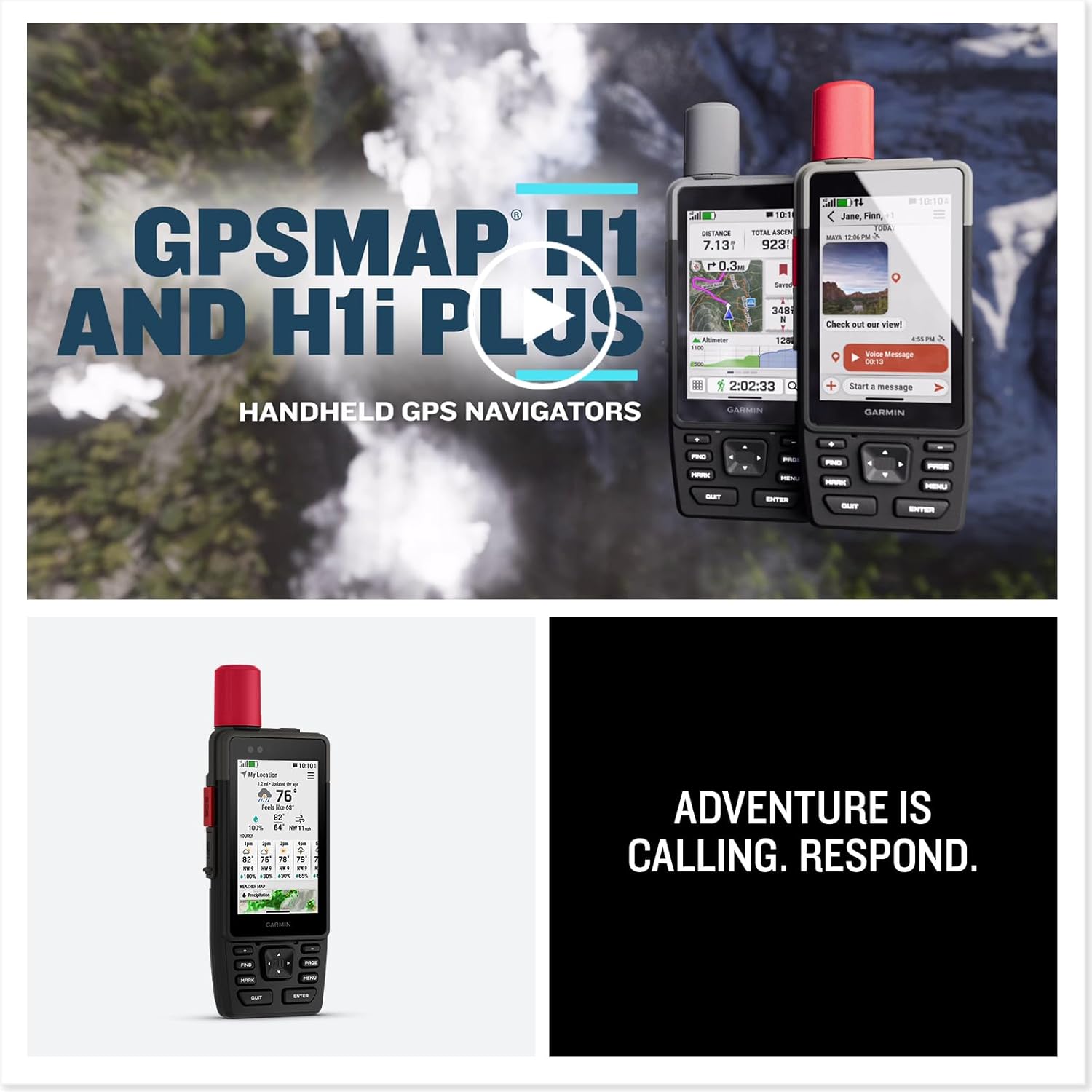
Figure 2: The GPSMAP H1i Plus screen showing detailed map data with trails, elevation, and landmarks. This illustrates the device's mapping capabilities.
4.2 inReach Communication
With an active inReach satellite subscription, you can exchange texts, photos, and voice messages with loved ones even beyond cellular service. Two-way group messaging supports up to 1,600 characters.

Figure 3: A user interacting with the device's messaging interface, showing a conversation with text and a voice message option. This highlights the inReach communication features.
4.3 SOS Functionality
In an emergency, you can trigger an interactive SOS message to the 24/7-staffed Garmin ResponseSM international coordination center. This feature requires an active inReach satellite subscription.

Figure 4: A hand pressing the red SOS button on the side of the Garmin GPSMAP H1i Plus, indicating emergency functionality.
4.4 Built-in Cameras
Integrated front and back cameras allow you to snap selfies and photos of your trip. With an active satellite subscription, you can share your photos in real-time even without a cellular network.
4.5 Voice Control
Utilize voice commands to conveniently handle many tasks, including check-ins, starting tracking, taking a photo, and more. Available in English, German, Italian, Spanish, French, Swedish, Dutch, and Danish.
4.6 Garmin Weather
Get real-time forecast information to stay aware of changing conditions. This feature requires an active Wi-Fi connection or cellular connection with the Garmin Explore app on your compatible smartphone. When traveling beyond cellular range, access weather updates via satellite for your current location, route destination, and more.
4.7 LiveTrack Sharing
When you venture off-grid, friends can follow along via satellite technology to view your progress, ping your device to see your GPS location, and exchange messages. For trips within cellular range, loved ones can follow your location in real-time and see data such as distance, time, and elevation.
4.8 Helpful Tools
Use the built-in bright LED flashlight as a beacon to signal for help, or as a torch to light your way when the path goes dark. A loud built-in siren can help draw attention if you are in need.
5. Satellite Systems and Accuracy
The GPSMAP H1i Plus supports multi-band GPS and multi-GNSS, which means it can connect to multiple Global Navigation Satellite Systems (GNSS) simultaneously. This includes GPS (American), Galileo (European), GLONASS (Russian), and BeiDou (Asian) systems. By utilizing multiple systems and frequencies (L1 and L5, E1 and E5), the device can reject signals reflected off buildings or cliffs, significantly improving positional accuracy.
The device also supports WAAS (Wide Area Augmentation System) for North America and EGNOS (European Geostationary Navigation Overlay Service) for Europe. Activating these land-based geostationary satellite options can further enhance accuracy in their respective regions.
Video 1: Garmin GPSMAP H1 & GPSMAP H1i Plus. This video provides an overview of the GPSMAP H1 and H1i Plus models, highlighting their features and capabilities.
6. Battery Life
The GPSMAP H1i Plus offers long-lasting battery life:
- Up to 145 hours in all Satellite Systems + Multi-Band mode (assuming typical use with SatIQ technology).
- Up to 845 hours in Expedition mode.
The device uses 1 Lithium Ion battery (included), which is user-replaceable.
7. Durability and Design
The GPSMAP H1i Plus is built to meet MIL-STD 810 standards for thermal, shock, water (IP67), and vibration, ensuring it withstands weather and extreme temperatures. Its hybrid design features a bright 3.5-inch color touchscreen display that is sunlight-readable, glove-friendly, and made with chemically strengthened glass to resist scratches. Physical buttons provide additional versatility.

Figure 5: Two Garmin GPSMAP H1i Plus devices resting on rocks next to flowing water, illustrating their rugged and waterproof design.
8. Memory and Connectivity
The device supports Bluetooth for wireless communication and connectivity. It has an integrated Spine Mount 2 and includes a removable loop with a carabiner clip for versatile attachment. It is also compatible with additional Spine Mount 2 accessories (sold separately).
9. Accessories
Enhance your device's functionality with various accessories:
- inReach Subscription: Required for satellite communication features.
- Bike Mount: For attaching the device to a bicycle.
- Backpack Tether: For securing the device to a backpack.
- Spine Mount 2 Accessories: Additional mounting options for various activities.
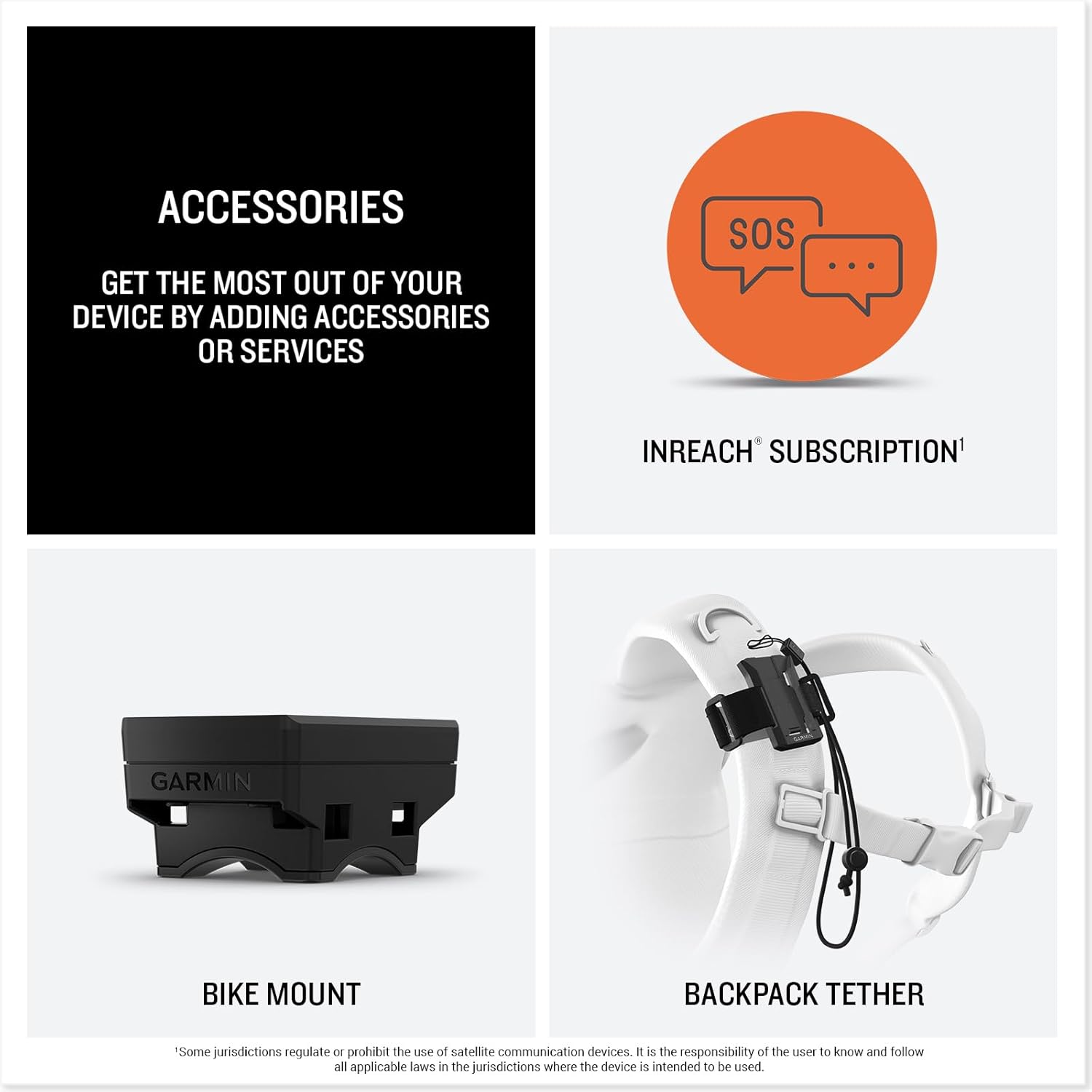
Figure 6: An overview of available accessories for the GPSMAP H1i Plus, including the inReach subscription, a bike mount, and a backpack tether.
10. Maintenance
10.1 Cleaning the Device
Regularly clean the device with a soft, lint-free cloth. For stubborn dirt, use a mild soap solution and rinse thoroughly. Ensure all ports are closed before cleaning.
10.2 Storage
Store the device in a cool, dry place away from direct sunlight and extreme temperatures. If storing for an extended period, ensure the battery is partially charged (around 50%) to maintain battery health.
10.3 Software Updates
Periodically check for software updates via Garmin Express on your computer or through the Garmin Explore app. Updates can provide new features, performance improvements, and bug fixes.
11. Troubleshooting
11.1 Device Not Powering On
Ensure the battery is sufficiently charged. Connect the device to a power source and allow it to charge for at least 30 minutes before attempting to power it on again.
11.2 GPS Signal Issues
Ensure you have a clear view of the sky. Avoid dense tree cover, deep canyons, or tall buildings that can obstruct satellite signals. Allow the device a few minutes to acquire a signal.
11.3 inReach Messaging Failure
Verify that your inReach satellite subscription is active and current. Ensure the device has a clear view of the sky for satellite communication. Check for any service outages in your region.
11.4 Touchscreen Unresponsive
If the touchscreen becomes unresponsive, try restarting the device. Ensure the screen is clean and dry. If wearing gloves, adjust the touchscreen sensitivity setting in the device's accessibility options.
12. Specifications
| Product Dimensions | 1.3 x 2.6 x 7 inches |
| Item Weight | 10.2 ounces |
| Item Model Number | 010-02921-00 |
| Batteries | 1 Lithium Ion batteries required (included) |
| OS | Garmin OS |
| Wireless Communication Technologies | Bluetooth |
| Connectivity Technologies | Bluetooth |
| Special Features | Touchscreen |
| Other Display Features | Wireless |
| Human Interface Input | Touchscreen |
| Color | Black |
| Manufacturer | Garmin |
| Model Name | GPSMAP H1i Plus |
| Screen Size | 3.5 Inches |
| Map Type | North America |
| Battery Life | 145 Hours |
| Mounting Type | Handheld |
13. Warranty and Support
Your Garmin GPSMAP H1i Plus device comes with a limited warranty. Please refer to the included documentation for detailed warranty terms and conditions. For technical support, product registration, or additional information, visit the official Garmin website or contact Garmin customer service.