
1. Important Safety Information
Please read and understand all safety instructions before assembling or using this product. Failure to follow these instructions may result in injury or damage to the product.
- Always ensure the cabinet is stable and securely placed on a level surface before use.
- Keep the glass doors closed when not in use to prevent accidents and protect contents.
- Do not place heavy items on the top shelf to avoid tipping. Distribute weight evenly across all shelves.
- Always unplug the LED lights from the power source before cleaning the cabinet or performing any maintenance.
- This cabinet is designed for indoor use only. Avoid exposure to direct sunlight, moisture, or extreme temperature changes.
- Keep small parts and assembly hardware away from children to prevent choking hazards.
2. Product Overview
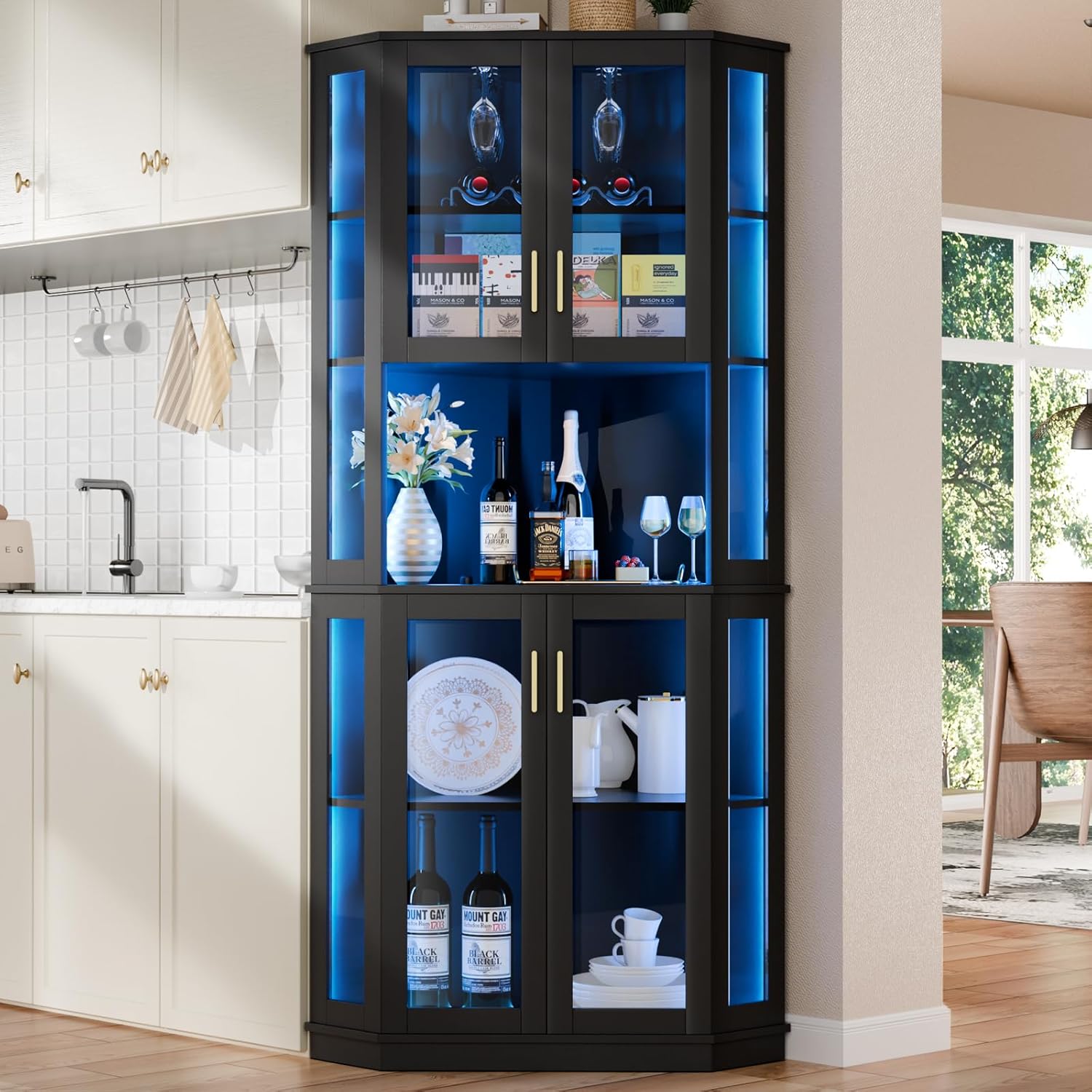
The Loomie 71-inch Corner Wine Bar Cabinet is a versatile storage solution designed to fit neatly into corner spaces. It features five tiers of storage, tempered glass doors, and integrated RGB LED lighting to enhance your home bar or display area. The cabinet includes dedicated racks for wine glasses and bottles, offering organized storage for your collection.
3. Setup and Assembly
This cabinet requires assembly. All necessary parts and hardware are included, along with detailed installation instructions. For a visual guide, please refer to the official installation video provided below. It is recommended to have two people for assembly to ensure stability and ease of construction.
Video 3.1: Official installation guide for the Loomie Corner Wine Bar Cabinet. This video demonstrates the step-by-step assembly process, including attaching panels, installing shelves, and securing the doors.
Ensure all parts are accounted for before beginning assembly. Follow the numbered steps in the video and accompanying written instructions carefully. Use the provided tools or appropriate household tools for tightening fasteners.
4. Operating Instructions (LED Lights)
The cabinet is equipped with an RGB LED light strip to create various ambiance settings. The LED lights are typically controlled via a remote control or a smartphone application, allowing you to adjust colors and brightness.
4.1 Powering On/Off
- Connect the LED light strip's power adapter to a standard electrical outlet.
- Use the provided remote control or the dedicated app to turn the lights on or off.
4.2 Changing Colors and Brightness
- Refer to the LED light kit's specific instructions for pairing the remote or app.
- Select desired colors from the color palette on the remote or app.
- Adjust brightness levels using the designated controls.
- Some kits may offer pre-set modes or custom lighting effects.

5. Maintenance
5.1 Cleaning
- For general cleaning, wipe surfaces with a soft, damp cloth. Avoid abrasive cleaners or harsh chemicals that may damage the finish.
- For glass surfaces, use a glass cleaner and a lint-free cloth.
- Ensure the LED lights are unplugged before cleaning.
5.2 Hardware Check
- Periodically check all screws and fasteners to ensure they are tight. Retighten if necessary to maintain stability.
- Inspect door hinges and magnetic catches for proper function.
6. Troubleshooting
6.1 LED Lights Not Working
- Check if the power adapter is securely plugged into both the light strip and the wall outlet.
- Ensure the wall outlet is functional by testing it with another device.
- Verify that the remote control has working batteries and is properly paired with the LED strip.
6.2 Doors Not Closing Properly
- Inspect hinges for any loose screws and tighten them.
- Ensure the magnetic catches are aligned and functioning correctly.
- Check if the cabinet is on a level surface. Uneven surfaces can cause door misalignment.
6.3 Instability
- Ensure all assembly screws are fully tightened.
- Place the cabinet on a flat, stable surface. Use shims if necessary to level the cabinet.
- Avoid placing excessively heavy items on upper shelves.
7. Specifications
| Brand | Loomie |
|---|---|
| Model Number | 86VUS101032A1 |
| Color | Black |
| Material | Engineered Wood |
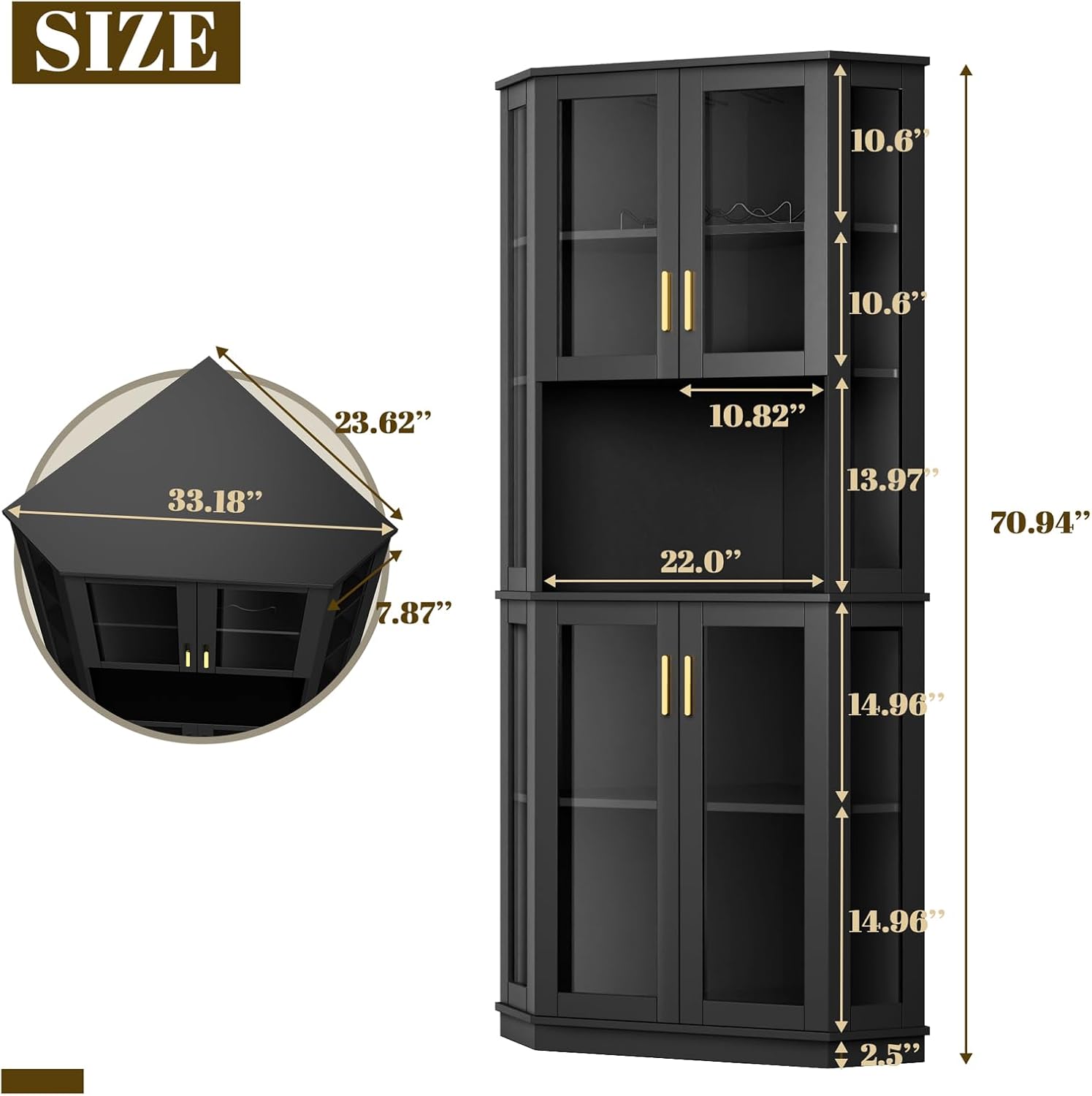
| Product Dimensions (D x W x H) | 21.3"D x 33.18"W x 70.94"H |
| Item Weight | 127.4 Pounds |
| Number of Shelves | 5 |
| Number of Doors | 2 (Tempered Glass) |
| Additional Features | Adjustable Shelf, RGB LED Light Strip, Wine Glass Holders, Wine Rack |
| Assembly Required | Yes |

8. Warranty and Support
For warranty information or technical support, please contact Loomie customer service through the retailer where the product was purchased. Keep your purchase receipt and model number (86VUS101032A1) handy for faster service.