
1. Product Overview
This manual provides essential information for the safe and effective use of your Cameron Sino CS-FLE200SL 2600mAh replacement battery. This battery is designed for compatibility with various FLIR thermal camera models.

Image 1.1: Angled view of the Cameron Sino CS-FLE200SL battery. The label displays model number CS-FLE200SL, part numbers T198258 and 1195106, rating 7.4VDC 2600mAh / 19.24Wh, and battery type Lithium-ion. Cautionary text and safety symbols are also visible.
Compatible Models: FLIR B2, E2, E25, E320, E45, E65, ThermaCam B2, ThermaCam E2, ThermaCam E25, ThermaCAM E320, ThermaCam E45, ThermaCam E65, ThermaCAM EX320.
Part Numbers: 1195106, 1195106-05, T198258.
Product Specifications:
- Model: CS-FLE200SL
- Voltage: 7.4V
- Capacity: 2600mAh / 19.24Wh
- Type: Li-ion (Lithium-ion)
- Weight: Approximately 181g
- Dimensions: 91.25 x 41.60 x 20.20mm
2. Safety Instructions
Read all safety warnings and instructions before using this battery.
- First Use: New battery packs must be fully charged before use.
- Charging: Use only the charger designed for your FLIR device. Do not use third-party adapter chargers, as this may shorten battery life or cause damage.
- Handling: Do not attempt to disassemble, open, or service the battery pack.
- Replacement: Replace only with the battery pack designated for this product.
- Physical Damage: Do not crush, puncture, short external contacts, or dispose of in fire or water.
- Temperature: Do not store above 60°C (140°F).
- Disposal: Dispose of used batteries according to local regulations. Do not dispose of with household waste.

Image 2.1: Top-down view of the battery, highlighting the label with safety warnings and certifications. The label includes a QR code for more information and states "Made in China".
3. Setup and Installation
- Unpacking: Carefully remove the battery from its packaging. Inspect for any visible damage.
- Initial Charge: Before first use, fully charge the battery using your FLIR thermal camera's original charger. Refer to your camera's manual for specific charging instructions.
- Installation:
- Ensure your FLIR thermal camera is powered off.
- Locate the battery compartment on your camera.
- Align the battery with the compartment, ensuring the contacts match correctly.
- Gently insert the battery until it clicks into place or is securely seated.
- Close the battery compartment cover.
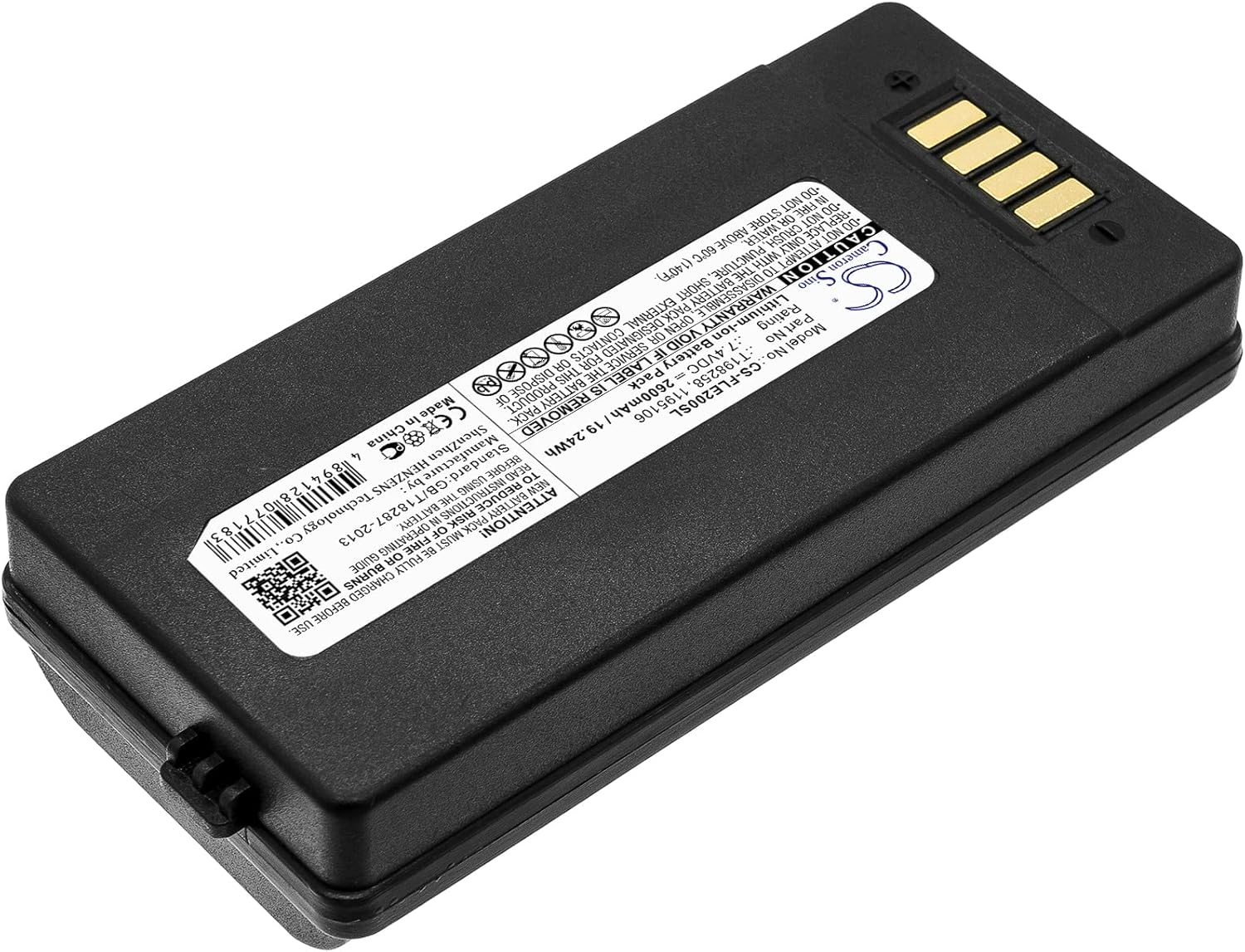
Image 3.1: Angled view of the battery, emphasizing the gold-plated contact pins for proper connection to the device.
4. Operating Instructions
Once the battery is installed and fully charged, your FLIR thermal camera is ready for operation.
- Powering On: Press and hold the power button on your FLIR camera as per its specific instructions.
- Monitoring Battery Level: Most FLIR cameras display the current battery level on their screen. Monitor this indicator to avoid unexpected power loss during use.
- Recharging: When the battery level is low, remove the battery from the camera and place it in the appropriate charger. Ensure the battery is fully charged before its next use to maximize runtime.
- Extended Runtime: This battery offers extended run time with no memory effect, allowing for flexible charging without degrading overall capacity.
5. Maintenance and Storage
- Cleaning: Keep the battery contacts clean and free from dust or debris. Use a dry, soft cloth to wipe the contacts if necessary.
- Storage: If storing the battery for an extended period, charge it to approximately 50-70% capacity. Store in a cool, dry place away from direct sunlight and extreme temperatures.
- Avoid Deep Discharge: While Li-ion batteries have no memory effect, avoiding complete deep discharge can help prolong overall battery life.
- Regular Use: For optimal performance, use and recharge the battery regularly.
6. Troubleshooting
Battery Not Charging:
- Ensure the battery is correctly inserted into the charger.
- Verify that the charger is properly connected to a power source.
- Check the battery contacts and charger contacts for any dirt or obstruction. Clean if necessary.
- Confirm that you are using the original FLIR charger compatible with your camera model.
Camera Not Powering On:
- Ensure the battery is fully charged.
- Verify the battery is correctly installed in the camera compartment.
- Check for any damage to the battery or camera contacts.
- If possible, test with another known-good battery to rule out camera issues.
Shortened Battery Life:
- Ensure the battery is being fully charged each time.
- Avoid operating the camera in extremely cold or hot environments, as this can affect battery performance.
- Confirm that you are not using a non-compatible or third-party charger.
- Over time, all rechargeable batteries experience a natural degradation in capacity.
7. Warranty and Support
Cameron Sino provides a product guarantee for this battery.
- Guarantee: 30 days Refund and 24 hours response service.
- Contact: For any questions or support, please contact Cameron Sino customer service. Refer to the official Cameron Sino website for contact details: www.cameronsino.com.
- Certifications: All replacement batteries comply with FCC and ROHS certified standards. Built-in protections include over-charge, over-discharge, over-voltage, over-current, and over-heating protection.