
1. Introduction
This manual provides detailed instructions for the installation, operation, and maintenance of your Lian Li SP1000P Platinum 1000W SFX Power Supply. Please read this manual thoroughly before using the product to ensure proper functionality and safety.
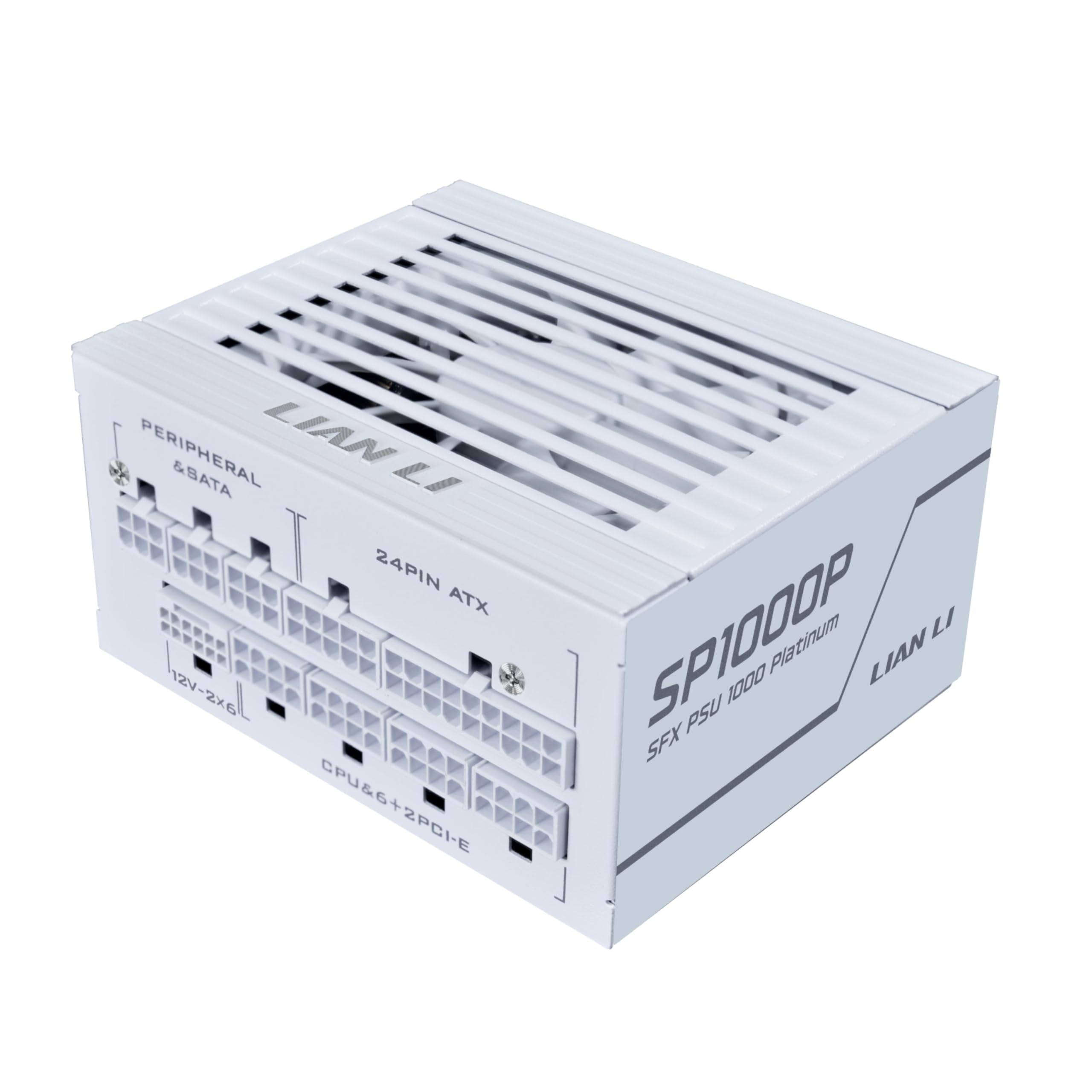
Image 1.1: The Lian Li SP1000P Platinum 1000W SFX Power Supply.
2. Safety Information
Always observe the following safety precautions:
- Ensure the power supply is disconnected from the main power outlet before installation or maintenance.
- Do not open the power supply unit. There are no user-serviceable parts inside. Opening the unit will void the warranty.
- Install the power supply in a well-ventilated area to prevent overheating.
- Use only the modular cables provided with the power supply. Using incompatible cables may cause damage to the PSU or connected components.
- Ensure all cable connections are secure before powering on the system.
3. Package Contents
Verify that all items are present in your package:
- Lian Li SP1000P Platinum 1000W SFX Power Supply
- Modular Cable Set (including 12V-2x6, 24-pin ATX, CPU/ATX 12V, PCI-E, SATA, SATA-PATA connectors)
- SFX-to-ATX Mounting Bracket
- AC Power Cord with In-line Switch
- Cable Ties
- User Manual
Video 3.1: Unboxing the Lian Li SP Platinum PSU. This video demonstrates the contents of the product package, including the power supply unit, modular cables, and accessories.
4. Setup and Installation
4.1. Physical Installation
The Lian Li SP1000P features a compact SFX form factor, making it suitable for small-form-factor cases. An included SFX-to-ATX bracket allows for installation in standard mid-tower and full-tower ATX cases.

Image 4.1: Dimensions of the SFX Power Supply (125mm W x 63.5mm H x 100mm D).

Image 4.2: The included SFX-to-ATX bracket for versatile case compatibility.
Video 4.1: SFX ATX Bracket Installation Guide. This video demonstrates how to install the SFX power supply using the ATX bracket in a PC case.
4.2. Cable Connections
Connect the necessary modular cables to your components. The SP1000P comes with flexible, braided cables for easier routing and a clean build.
- 12V-2x6 Connector: For next-generation GPUs, ensure the blue-marked 12V-2x6 connector is fully inserted until the colored part disappears into the socket. This provides visual confirmation of a secure connection.
- 24-pin ATX: Connect to your motherboard.
- CPU/ATX 12V: Connect to your CPU power input on the motherboard. Two full sets are provided for high-end motherboards.
- PCI-E: Connect to your graphics card(s).
- SATA/SATA-PATA: Connect to storage drives and other peripherals.

Image 4.3: Proper insertion of the 12V-2x6 connector for secure power delivery to GPUs.

Image 4.4: The flexible braided modular cables designed for easy cable management.
4.3. Internal Power Switch Cable
The included AC power cord with an integrated on/off switch is useful for systems where the PSU's main switch is difficult to access. Ensure the switch on this cable is in the ON position when connecting or disconnecting the main power cable to the PSU.

Image 4.5: The convenient internal power switch cable for easy power control.
5. Operating Instructions
5.1. Smart Cooling Feature
The SP1000P features a smart cooling system with a zero-RPM mode. The fan remains off for silent operation when the power load is at or below 40%. As the system load increases above 40%, the fan will gradually ramp up to maintain optimal temperatures and ensure long-term reliability.

Image 5.1: Illustration of the Smart Cooling feature with fan speed and noise level graphs relative to power output.
5.2. Powering On/Off
After all connections are made and secured, ensure the main power switch on the PSU (or the in-line switch if used) is in the 'ON' position. Then, power on your computer system as usual.
6. Maintenance
To ensure the longevity and optimal performance of your power supply, follow these maintenance guidelines:
- Dust Removal: Periodically clean the exterior of the power supply and the fan grille to prevent dust buildup, which can impede airflow and lead to overheating. Use compressed air or a soft brush.
- Cable Inspection: Regularly check all modular cable connections to ensure they remain secure and free from damage.
- Environment: Operate the power supply in a clean, dry, and well-ventilated environment. Avoid extreme temperatures and humidity.
7. Troubleshooting
If you encounter issues with your power supply, refer to the following common troubleshooting steps:
- No Power:
- Ensure the main power cable is securely connected to both the PSU and the wall outlet.
- Verify that the power switch on the PSU (and the in-line switch if used) is in the 'ON' position.
- Check all modular cable connections, especially the 24-pin ATX and CPU power cables, to ensure they are fully seated.
- System Instability/Crashes:
- Ensure the 12V-2x6 connector for your GPU is fully inserted, as indicated by the disappearance of the blue colored part.
- Confirm that your system's power requirements do not exceed the PSU's 1000W capacity.
- Unusual Noise (e.g., Coil Whine):
- While some electronic components can exhibit minor coil whine under certain loads, persistent or loud noise may indicate an issue. Ensure the PSU is properly mounted and not vibrating against the case.
- If the noise is excessive or concerning, contact Lian Li support.
If problems persist after following these steps, please contact Lian Li customer support for further assistance.
8. Specifications
The following table details the technical specifications of the Lian Li SP1000P Platinum 1000W SFX Power Supply:
| Feature | Detail |
|---|---|
| Model Name | SP1000P.W |
| Brand | Lian Li |
| Compatible Devices | Desktop Computer, Gaming PC |
| Connector Type | ATX |
| Output Wattage | 1000 Watts |
| Form Factor | SFX |
| Cooling Method | Air |
| Item Dimensions (L x W x H) | 4.92 x 2.5 x 3.94 inches |
| Fan Count | 1 |
| Maximum Input Voltage | 120 Volts (AC) |
| Minimum Input Voltage | 120 Volts (AC) |
| Manufacturer | LIAN LI |
| UPC | 840353051003 |
| Mfr Part Number | SP1000P.W |

Image 8.1: Detailed specifications for the SP1000P and SP850P models.
9. Warranty
The Lian Li SP1000P Platinum 1000W SFX Power Supply comes with a 10-year warranty from the date of purchase. This warranty covers defects in materials and workmanship under normal use. For warranty claims or further details, please refer to the official Lian Li website or contact their customer support.
10. Support
For technical support, product inquiries, or assistance with troubleshooting, please visit the official Lian Li website or contact their customer service department. Keep your purchase receipt and product serial number handy when seeking support.


