1. Product Overview
The Panasonic AG-AC160 is a professional-grade, high-definition handheld camcorder designed for broadcast and professional video production. It features a 1/3-type 3MOS sensor and an integrated 22x optical zoom lens, providing versatile focal lengths from wide-angle to telephoto. The camcorder supports various AVCHD recording formats, including 1080p30, 1080i60, 1080p24, and 720p60, with variable frame rate capabilities for creative effects. Dual SD/SDHC/SDXC card slots allow for flexible recording options such as relay and simultaneous recording. Professional audio inputs, time-code generation, and extensive manual controls ensure high-quality production.
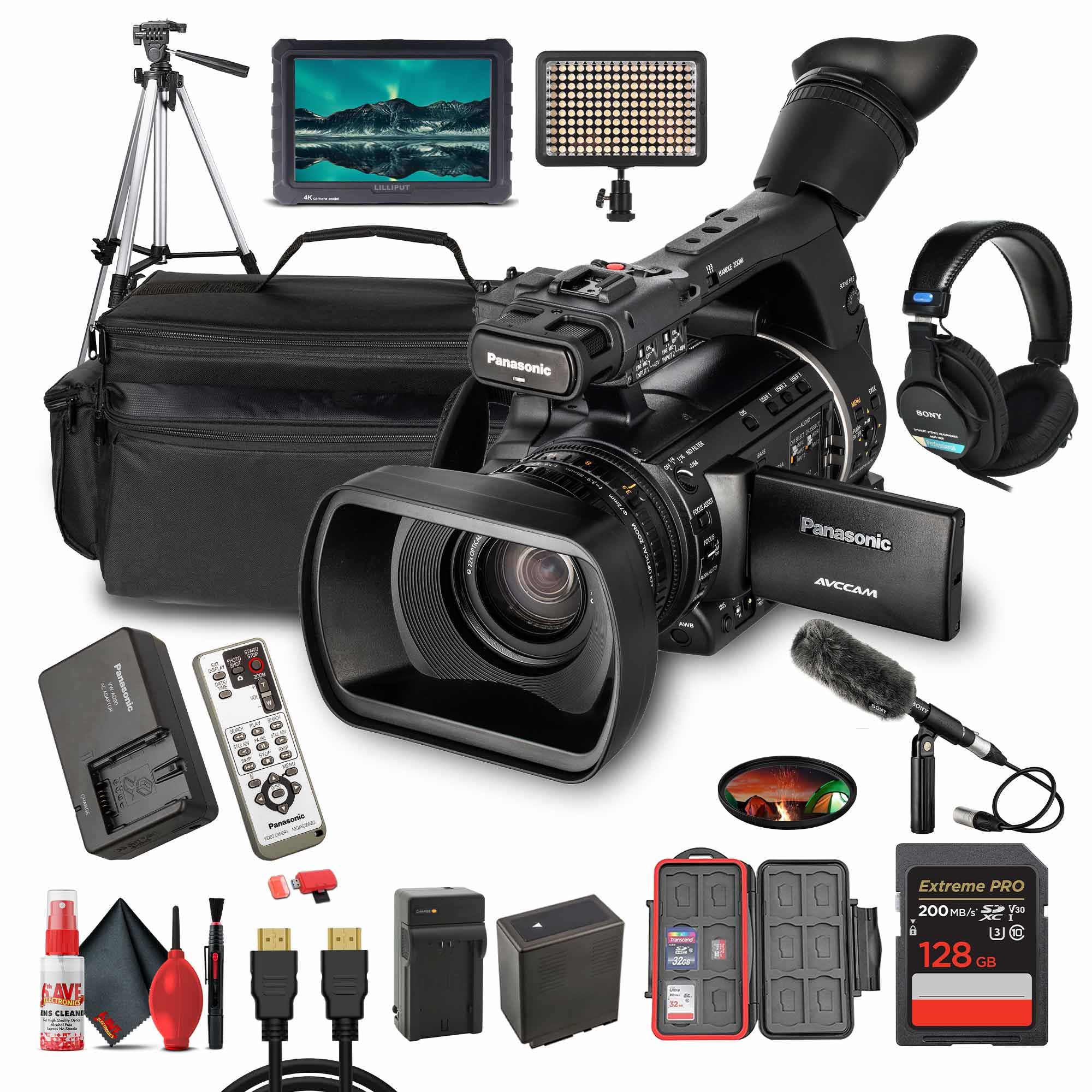
Figure 1.1: Front-side view of the Panasonic AG-AC160 camcorder, showing the lens, handle, and main controls.
2. Setup and Initial Preparation
2.1 Unpacking and Checking Contents
Carefully unpack all items from the packaging. Ensure the following components are present:
- Panasonic AG-AC160 Camcorder
- Power Adapter/Charger
- Rechargeable Battery (typically 2 included in bundle)
- Lens Hood
- Shoulder Strap
- USB Cable
- Video Cable
- External Microphone (if part of bundle)
- Memory Cards (typically 2x 128GB SD cards in bundle)
- External 7" 4K Monitor (if part of bundle)
- Professional Stereo Headphones (if part of bundle)
- LED Light (if part of bundle)
- 72" Tripod (if part of bundle)
- Protective Memory Card Case (if part of bundle)
- USB Card Reader (if part of bundle)
- 72mm UV Filter (if part of bundle)
- Camera Bag (if part of bundle)
- Cleaning Kit (if part of bundle)
2.2 Attaching the Battery
Insert the fully charged battery pack into the battery slot at the rear of the camcorder until it clicks into place. Ensure the battery is securely fastened to prevent accidental disconnection during operation.

Figure 2.1: Rear view of the camcorder, illustrating the battery compartment and various input/output ports.
2.3 Inserting Memory Cards
The AG-AC160 features dual SD/SDHC/SDXC card slots. Open the memory card slot cover, insert the memory cards into the designated slots (Slot 1 and Slot 2) until they click. Close the cover securely. Format new memory cards before first use via the camcorder's menu system to ensure optimal performance and compatibility.
2.4 Attaching External Accessories
- Microphone: Connect the external microphone to one of the XLR audio inputs on the camcorder's handle. Ensure phantom power is enabled via the switch if required by the microphone.
- Monitor: Connect the external 7" 4K monitor to the HDMI or HD-SDI output port for enhanced monitoring.
- Tripod: Mount the camcorder onto the 72" tripod using the standard tripod screw mount at the bottom of the unit.
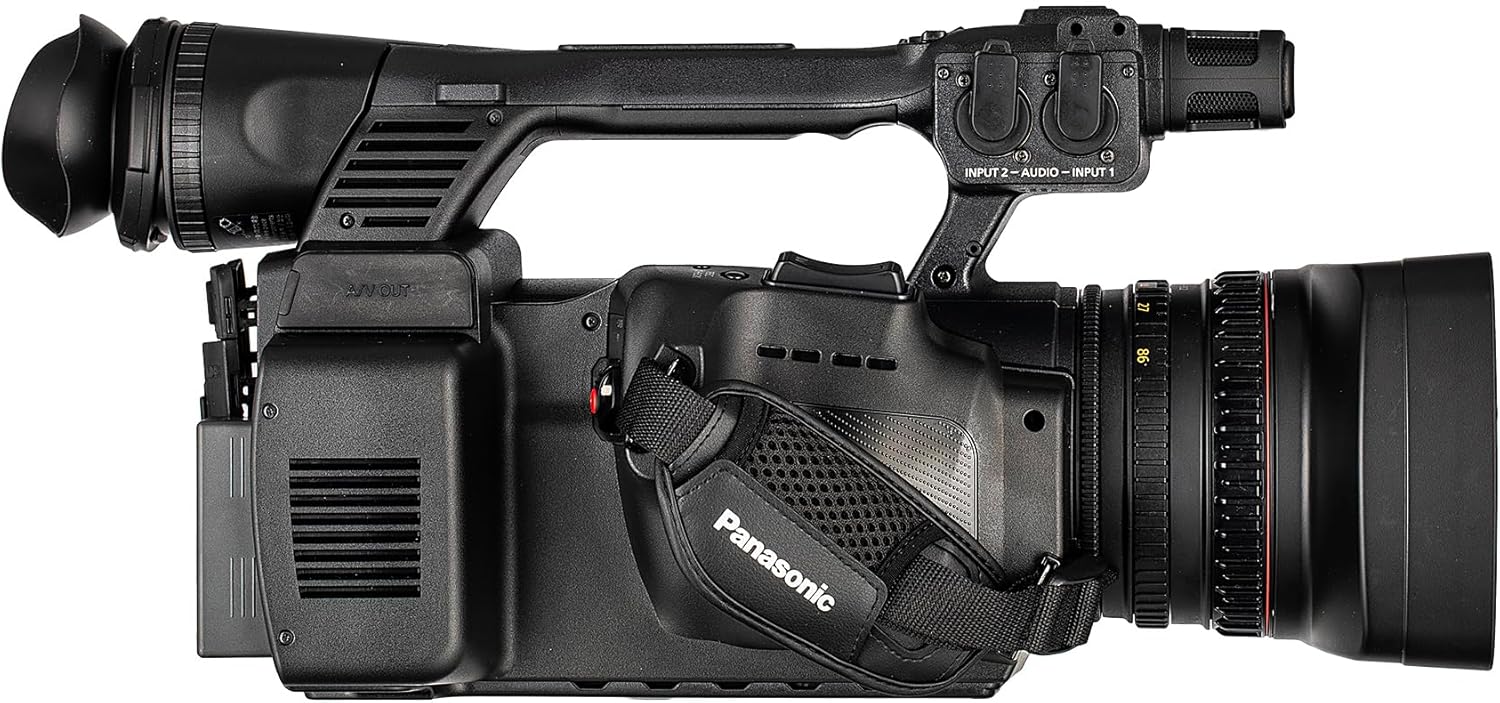
Figure 2.2: Side view of the camcorder, highlighting the handle with XLR audio inputs and controls.
3. Operating the Camcorder
3.1 Powering On/Off
To power on the camcorder, slide the POWER switch to the ON position. To power off, slide the switch to OFF. Always ensure recording has stopped and data is saved before powering off.
3.2 Basic Recording
Select your desired recording format (e.g., 1080p30, 1080i60) via the camcorder's menu. Press the REC START/STOP button to begin and end recording. The camcorder supports AVCHD recording at up to 24 Mb/s in PH mode for high image quality.
3.3 Lens Operation (Zoom, Focus, Iris)
The AG-AC160 features three manual rings for precise control:
- Zoom Ring: Adjusts the focal length from wide-angle to telephoto.
- Focus Ring: Manually adjusts the focus. Use the FOCUS ASSIST function for critical focusing.
- Iris Ring: Controls the aperture for exposure adjustment.
An optical image stabilization system helps maintain stable images during handheld shooting.
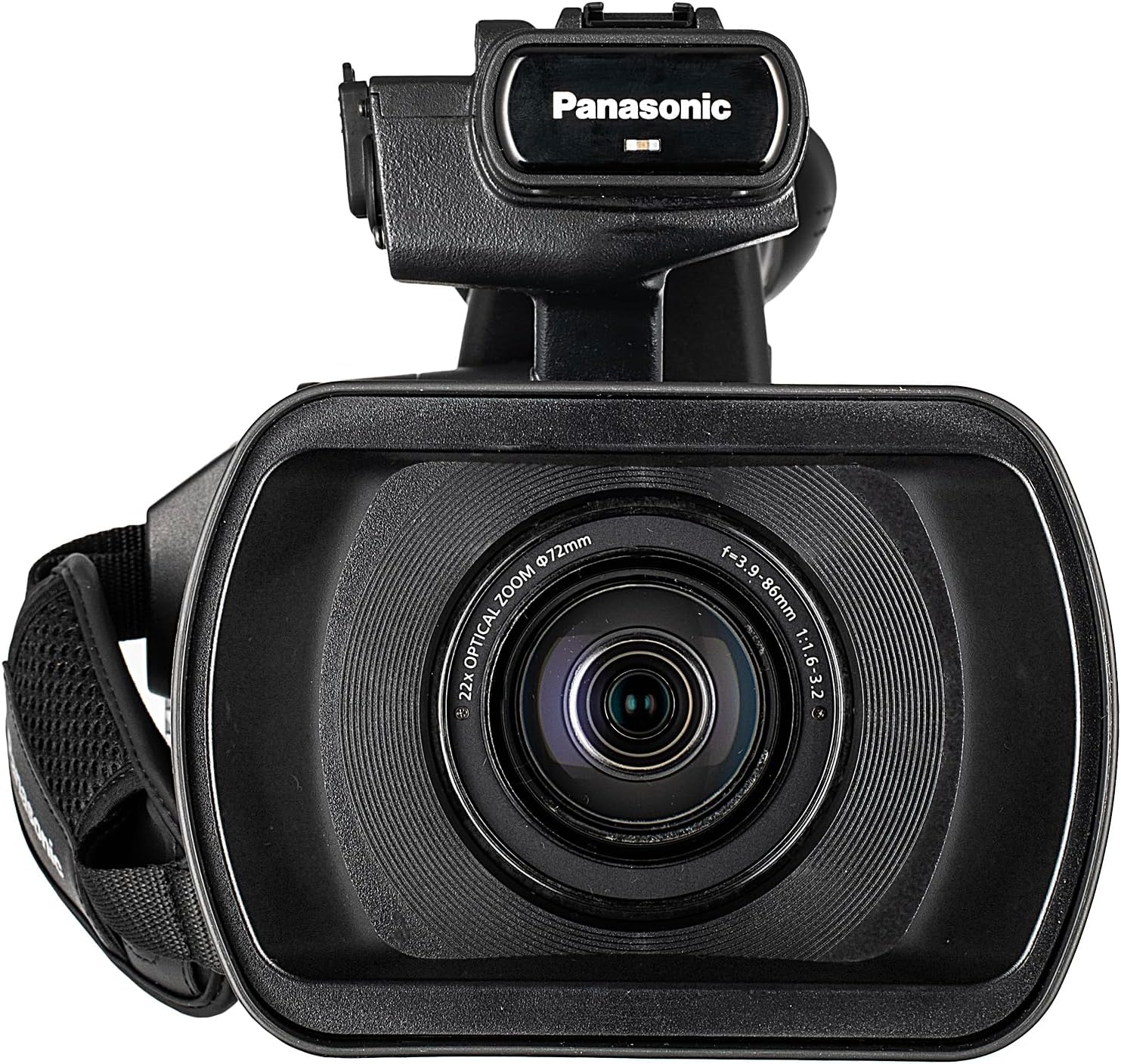
Figure 3.1: Front view of the camcorder, showing the 22x optical zoom lens and its rings.
3.4 Audio Input and Control
The camcorder includes dual XLR audio inputs with phantom power capability. Adjust audio levels using the dedicated audio level dials for Channel 1 and Channel 2. Monitor audio through the professional stereo headphones connected to the headphone jack.
3.5 Monitoring and Viewfinder
Utilize the high-resolution 3.45" LCD monitor or the 0.45" LCoS viewfinder for framing and monitoring. Both feature focus assist and face detection functions to aid in precise focusing. Customizable display markers are available for various shooting needs.
3.6 ND Filters and Exposure Control
The built-in ND filter wheel allows for exposure control in bright lighting conditions. Select appropriate ND filter settings (OFF, 1/4, 1/16, 1/64) to achieve desired exposure without altering aperture or shutter speed significantly. The 18-bit DSP with Dynamic Range Stretch optimizes tonal reproduction, and adjustable gain up to +30 dB provides flexibility in low-light environments.
3.7 Recording Modes and Special Functions
- Relay Recording: Automatically switches recording to the second SD card when the first becomes full.
- Simultaneous Recording: Records to both SD cards simultaneously, providing an instant backup.
- Pre-Rec: Buffers a short amount of video before the record button is pressed, ensuring no critical moments are missed.
- Interval Recording: Records frames at set intervals for time-lapse effects.
- Variable Frame Rate (VFR): Allows recording at frame rates from 2 to 60 fps in Full HD for cinematic slow-motion or fast-motion effects.
- Gamma Controls: Seven scene-based gamma settings are available for enhanced tonal range and creative flexibility.
4. Maintenance
4.1 Cleaning the Camcorder
- Body: Use a soft, dry cloth to wipe the camcorder body. For stubborn dirt, slightly dampen the cloth with water or a mild, non-abrasive cleaning solution.
- Lens: Use a lens brush or blower to remove dust. For smudges, use a specialized lens cleaning solution and a microfiber cloth. Avoid touching the lens surface directly with fingers.
- LCD Screen/Viewfinder: Gently wipe with a clean, soft cloth. Do not apply excessive pressure.
Always power off the camcorder and remove the battery before cleaning.
4.2 Battery Care
- Charge batteries fully before use.
- Store batteries in a cool, dry place when not in use.
- Avoid exposing batteries to extreme temperatures.
- If storing for extended periods, charge batteries to approximately 50% capacity.
4.3 Memory Card Handling
- Always format new memory cards in the camcorder before first use.
- Do not remove memory cards while the camcorder is recording or accessing data.
- Store memory cards in a protective case to prevent damage.
- Regularly back up your footage to an external storage device.
5. Troubleshooting
This section addresses common issues you might encounter. For more complex problems, please refer to the official Panasonic support website or contact customer service.
5.1 Camcorder Does Not Power On
- Ensure the battery is fully charged and correctly inserted.
- Verify the power adapter is securely connected if operating on AC power.
- Check that the POWER switch is in the ON position.
5.2 Recording Errors or Footage Loss
- Ensure memory cards are properly inserted and formatted.
- Check if the memory cards have sufficient free space.
- Use high-speed, compatible SDHC/SDXC cards recommended for video recording.
- Avoid removing cards during recording or data access.
5.3 No Audio Recording
- Verify the external microphone is correctly connected to the XLR input.
- Check if phantom power is enabled for condenser microphones.
- Ensure audio input levels are properly set and not muted.
- Confirm the audio input source is selected correctly in the menu.
6. Specifications
| Feature | Specification |
|---|---|
| Brand | Panasonic |
| Model | AG-AC160 |
| Sensor Type | 1/3-type 3MOS Sensor |
| Lens | Integrated 22x Optical Zoom (28–616mm 35mm equivalent) |
| Recording Media | Dual SD/SDHC/SDXC Card Slots |
| Recording Formats | AVCHD (1080p30, 1080i60, 1080p24, 720p60), DV |
| Variable Frame Rate | 2–60 fps (Full HD) |
| Audio Inputs | Dual XLR with Phantom Power |
| Outputs | HD-SDI, HDMI, DV (FireWire), USB 2.0 |
| LCD Monitor | 3.45" High-Resolution LCD |
| Viewfinder | 0.45" LCoS Viewfinder |
| Dimensions (Product) | 7.69 x 17.25 x 7 inches |
| Weight (Item) | 22.8 pounds |
| UPC | 197684007644 |
7. Warranty and Support
For detailed warranty information, please refer to the warranty card included with your product or visit the official Panasonic website. Panasonic provides customer support and service for its products. For technical assistance, repairs, or further inquiries, please visit the Panasonic support portal or contact their customer service department directly.
Official Panasonic Website: www.panasonic.com


