Introduction
This manual provides detailed instructions for the setup, operation, and maintenance of your Tosuny Wearable MP3 Player with Bluetooth 5.4. Please read this guide thoroughly to ensure proper use and to maximize your device's functionality. This portable music player features a 2.01-inch touchscreen, integrated speaker, and supports various functions including music playback, video playback, e-book reading, voice recording, and more.
Package Contents
Verify that all items listed below are included in your package:
- 1 x Tosuny Wearable MP3 Player
- 1 x Wristband
- 1 x USB Power Cable
- 1 x User Manual
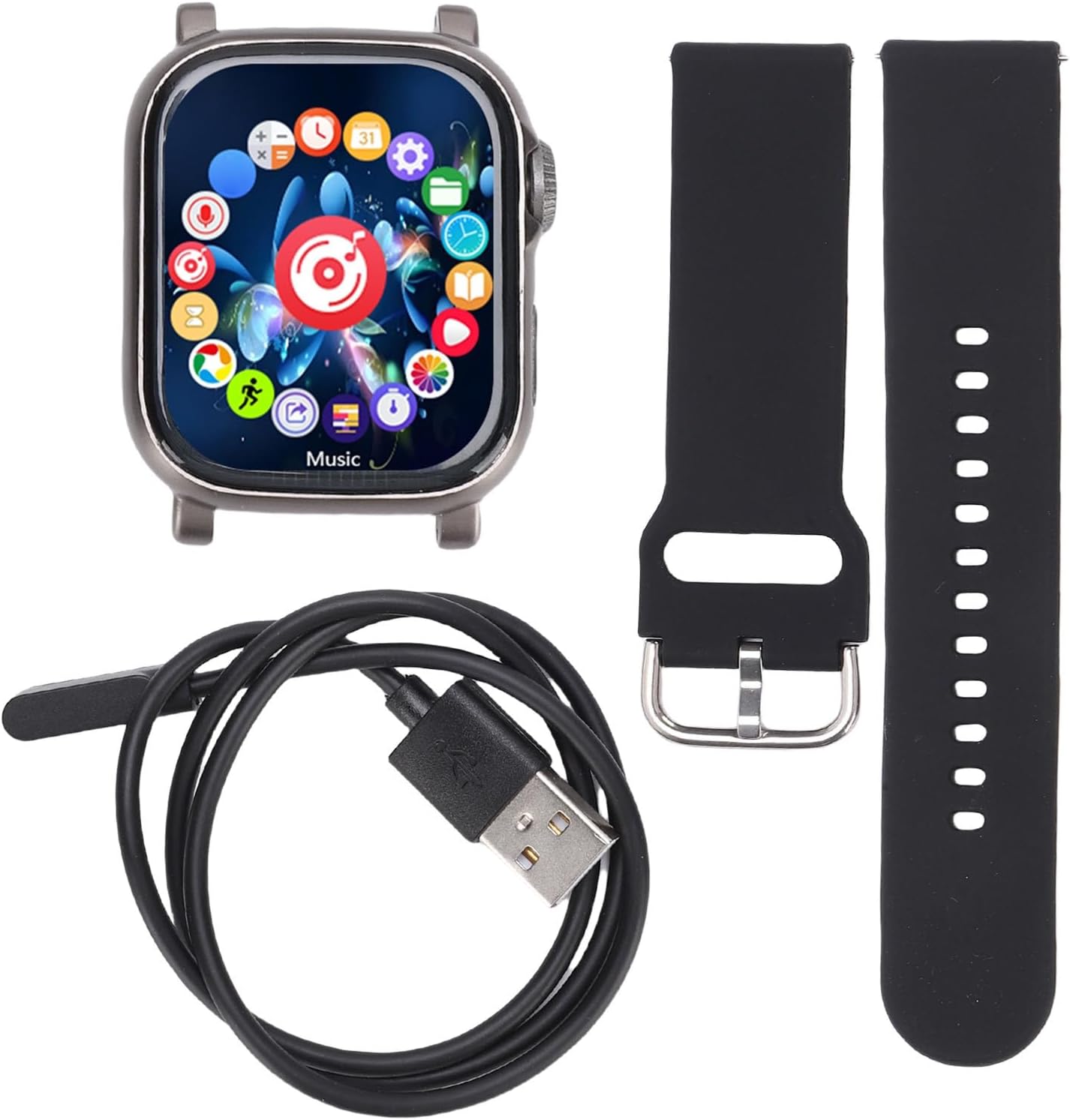
Image: The package contents, showing the MP3 player unit, a black wristband, and a USB charging cable.
Specifications
| Item Type | Wearable MP3 Player |
| Material | ABS |
| Battery Type | Polymer Lithium-ion Battery (Built-in) |
| Battery Capacity | 400 mAh |
| Color | Grey |
| Dimensions (with strap) | Approx. 260mm x 43mm x 13.5mm (10.23 x 1.69 x 0.53 inches) |
| Connectivity | Bluetooth 5.4 |
| Speaker | Integrated Speaker |
| Display | 2.01 inches, 240x296 resolution |
| Video Format/Resolution | AVI, 240x288 resolution |
| E-book Format | TXT |
| Supported OS | Windows, Vista, Windows 8, OS X 10.12 and above |
Setup
1. Initial Charging
Before first use, fully charge the device using the provided USB power cable. Connect the cable to the player and a standard USB power adapter (not included) or a computer USB port. The charging indicator will show the charging status.
2. Attaching the Wristband
Align the MP3 player with the wristband and securely attach it. Ensure it is firmly in place for comfortable and secure wearing during activities.
3. Powering On/Off
- To Power On: Press and hold the power button for 3 seconds.
- To Power Off: Press and hold the power button for 3 seconds until the power-off prompt appears, then confirm.
- Automatic Shutdown: The device will automatically shut down after 3 minutes of inactivity to conserve battery.
Operating Instructions
The device features a highly sensitive 2.01-inch touchscreen for navigation. Tap icons to open applications and swipe to navigate menus.

Image: Overview of the MP3 player's interface and key features, including various applications and functions.
1. Display and Interface
The device features a 2.01-inch AMOLED display with a resolution of 240x296 pixels, providing a clear and vibrant visual experience. The full-screen touch interface allows for smooth operation and quick navigation between functions.
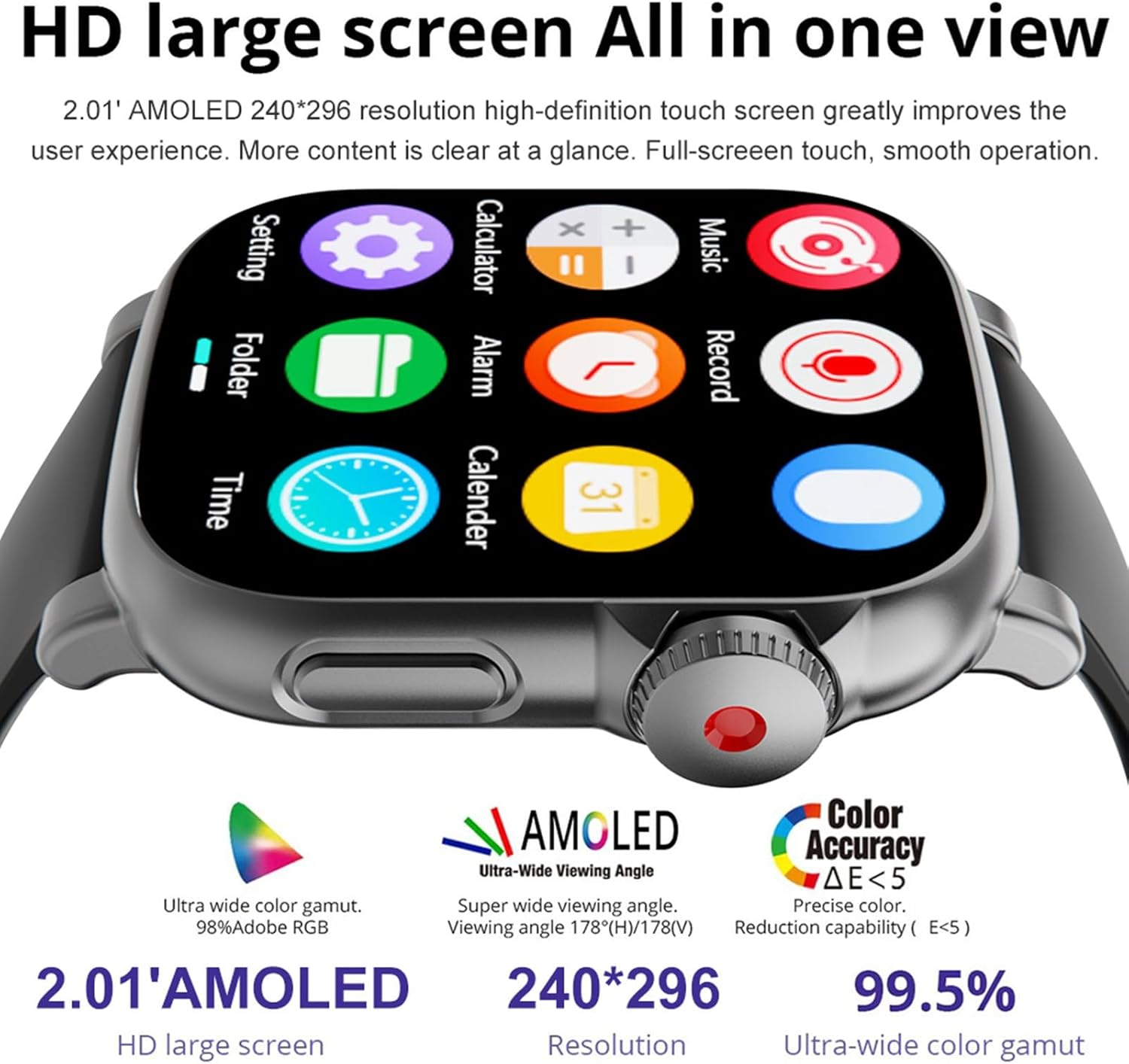
Image: Detailed view of the MP3 player's high-definition AMOLED touchscreen and its various application icons.
2. Music Playback
- Supported Formats: MP3, FLAC, AAC, WAV, APE, WMA.
- Playing Music: Tap the "Music" icon on the home screen. Browse your music library and select a track to play.
- Volume Control: Adjust volume using the on-screen controls or physical buttons if available.
- Using Headphones: Connect your Bluetooth 5.4 headphones or wired headphones (if a jack is present, refer to device for port location). The device offers high-performance lossless audio quality.
- Built-in Speaker: Enjoy music directly through the integrated speaker without headphones.

Image: Demonstrates music playback with headphones and lists supported audio formats.
3. Bluetooth Connection
- Pairing: Go to "Settings" and select "Bluetooth". Turn on Bluetooth and search for available devices. Select your headphones or speaker from the list to pair.
- Automatic Noise Reduction: Bluetooth 5.4 connectivity includes automatic noise reduction for an enhanced listening experience.
4. Video Playback
- Supported Format: AVI (240x288 resolution).
- Playing Videos: Tap the "Video" icon (or similar) on the home screen. Browse and select your video file to play.
5. E-book Reader
- Supported Format: TXT.
- Reading E-books: Tap the "E-book" icon. Browse and open your TXT files.
6. Voice Recorder
- Recording: Tap the "Record" icon. Start and stop recordings as needed. The device supports dual format recording.
7. Other Functions
The Tosuny MP3 Player includes several utility applications:
- Calculator: For basic arithmetic operations.
- Alarm: Set alarms for reminders or wake-up calls.
- Calendar: View dates and manage schedules.
- Stopwatch: For timing activities.
- Pedometer: Track your steps and activity levels.

Image: Highlights the device's multi-functional capabilities, including music, video, recording, and wireless connectivity.
Maintenance
- Cleaning: Use a soft, dry cloth to clean the device. Avoid using harsh chemicals or abrasive materials.
- Storage: Store the device in a cool, dry place away from direct sunlight and extreme temperatures.
- Battery Care: To prolong battery life, avoid fully discharging the battery frequently. Charge the device regularly, even if not in use for extended periods.
- Water Resistance: The device is not specified as waterproof. Avoid exposure to water or excessive moisture.
Troubleshooting
- Device will not power on:
- Ensure the battery is charged. Connect the device to a power source and try again.
- Press and hold the power button for at least 5 seconds to perform a hard reset.
- Bluetooth connection issues:
- Ensure Bluetooth is enabled on both the MP3 player and the target device (headphones/speaker).
- Make sure the devices are within range (typically 10 meters or 33 feet).
- Unpair and re-pair the devices.
- Restart both devices.
- Music/Video files not playing:
- Verify that the files are in a supported format (MP3, FLAC, AAC, WAV, APE, WMA for audio; AVI for video).
- Check if the files are corrupted. Try playing other files.
- Ensure the files are stored in the correct directory on the device.
- Touchscreen unresponsive:
- Restart the device.
- Ensure the screen is clean and dry.
Warranty and Support
For warranty information, please refer to the documentation included with your purchase or contact Tosuny customer support. Details regarding warranty periods and service procedures are typically provided by the retailer or manufacturer.


