1. Introduction
This manual provides detailed instructions for the SWOFY M503Pro MP3 Player. Please read this guide thoroughly before using your device to ensure proper operation and to maximize its features. The M503Pro is a versatile multimedia player equipped with a 4-inch HD full touch screen, Bluetooth, and Wi-Fi connectivity, designed for music, video, and app usage.
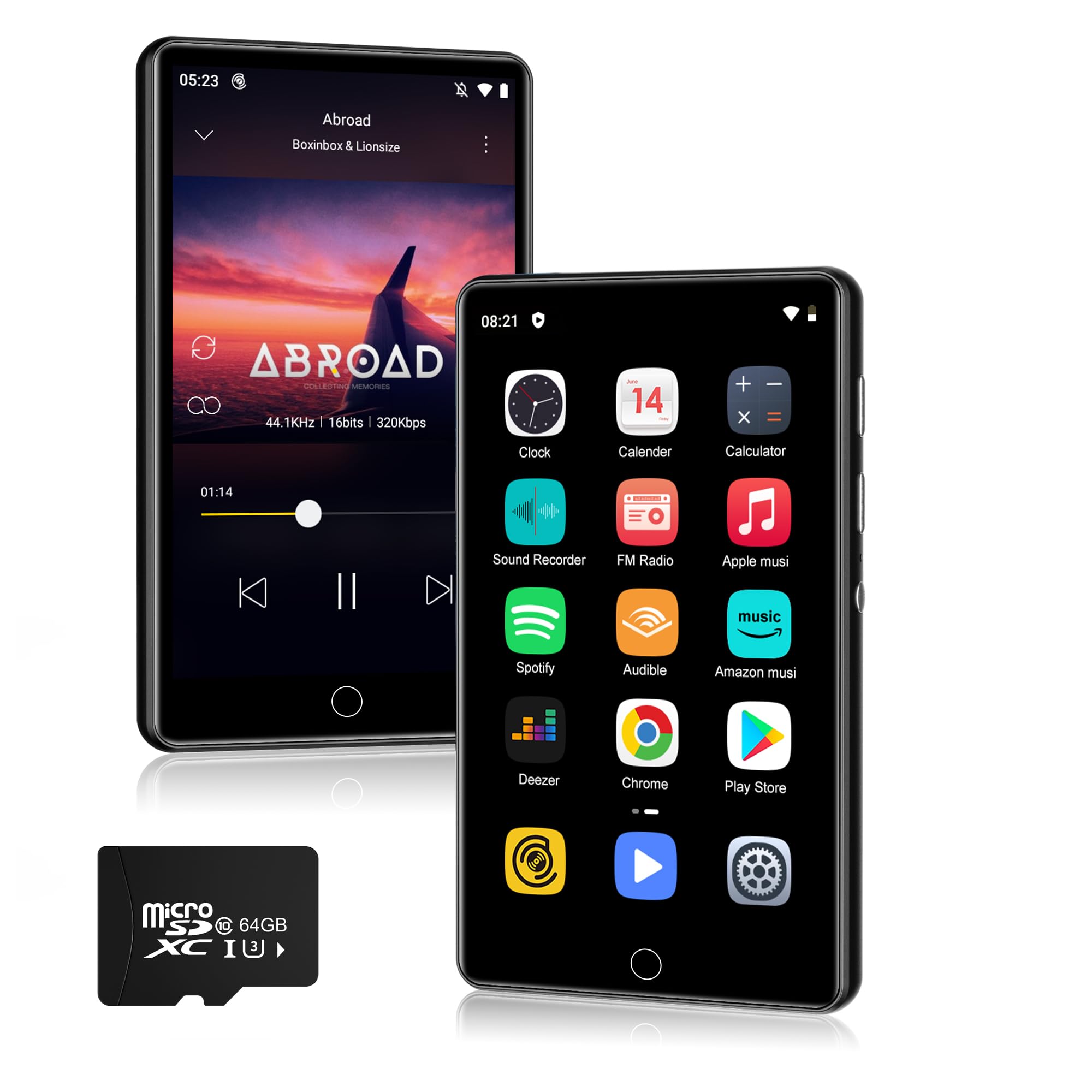
Image 1.1: Front view of the SWOFY M503Pro MP3 Player.
2. What's in the Box
Verify that all the following items are included in your package:
- 1 x SWOFY M503Pro MP3 Player
- 1 x USB Type-C Cable
- 1 x Wired Earbuds
- 1 x User Manual
3. Setup Guide
3.1. Charging the Device
Before first use, fully charge the M503Pro. Connect the provided USB Type-C cable to the player's charging port and the other end to a USB power adapter (not included) or a computer's USB port. The battery indicator on the screen will show charging status.

Image 3.1: The M503Pro features a 2000mAh battery for extended use.
3.2. Powering On/Off
- To Power On: Press and hold the Power button on the side of the device until the screen lights up.
- To Power Off: Press and hold the Power button, then select 'Power Off' from the options that appear on the screen.
- To Lock/Unlock Screen: Briefly press the Power button.
3.3. Initial Configuration
Upon first power-on, you may be prompted to select your preferred language and connect to a Wi-Fi network. Follow the on-screen instructions.
3.4. Connecting to Wi-Fi
- Go to Settings > Network & Internet > Wi-Fi.
- Toggle Wi-Fi On.
- Select your desired network from the list and enter the password if prompted.

Image 3.2: The M503Pro supports Wi-Fi for internet access and app downloads.
3.5. Connecting to Bluetooth Devices
- Ensure the Bluetooth device (headphones, speaker, car stereo) is in pairing mode.
- On the M503Pro, go to Settings > Connected devices > Bluetooth.
- Toggle Bluetooth On.
- Tap Pair new device and select your device from the list.
- Confirm pairing on both devices if prompted.

Image 3.3: Stable Bluetooth connectivity for audio accessories.
4. Operating Instructions
4.1. Music Playback
The M503Pro supports various music formats including MP3, OGG, FLAC, AAC, WAV, WMA, APE. You can play music offline using the built-in Larkplayer app or stream from pre-installed apps like Spotify and Amazon Music.
- Offline Playback: Transfer music files from your PC to the player's internal storage or a microSD card. Open the Larkplayer app to browse and play your music library.
- Online Streaming: Connect to Wi-Fi and open your preferred streaming app (e.g., Spotify, Amazon Music). Log in to your account to access online music.
- Features: The player supports synchronized lyrics display, custom equalizer settings, and playlist creation.

Image 4.1: Hi-Fi MP3 player with speaker and wide format compatibility.
4.2. Video Playback
The 4-inch 1080P HD screen supports direct playback of 720P and 1080P videos without format conversion. Supported video formats include RM, RMVB, FLV, MP4, DAT, MKV, MPG, MOV, TS.
- Transfer video files to the device.
- Open the Video Player app to browse and play your videos.

Image 4.2: The 4-inch 1080P HD screen provides a clear video experience.
4.3. App Management
The M503Pro runs on Android 9.0 and comes with pre-installed apps. You can download additional apps from the Google Play Store.
- Install Apps: Connect to Wi-Fi, open the Play Store app, search for your desired app, and tap 'Install'.
- Uninstall Apps: Go to Settings > Apps & notifications, select the app, and tap 'Uninstall'.

Image 4.3: Access to Google Play Store for app installation.
4.4. File Transfer
To transfer files (music, videos, photos) from your computer to the M503Pro:
- Connect the M503Pro to your computer using the provided USB Type-C cable.
- On the player, swipe down from the top of the screen to open the notification panel.
- Tap the USB notification (e.g., "Charging this device via USB").
- Select File transfer (MTP) from the options.
- Your computer will recognize the M503Pro as a removable storage device. You can now drag and drop files to and from the device.
4.5. Other Functions
- One-key Lock Screen: Briefly press the Power button to lock the screen and prevent accidental touches.
- One-key Screenshot: Press and hold the Power button to capture a screenshot.
- FM Radio: Access the FM Radio app. Wired earbuds must be connected to act as an antenna.
- Voice Recorder: Use the built-in recorder for audio notes.
5. Maintenance
- Cleaning: Use a soft, dry cloth to clean the device. For the screen, a microfiber cloth is recommended. Avoid using harsh chemicals or abrasive materials.
- Storage: Store the device in a cool, dry place away from direct sunlight and extreme temperatures.
- Battery Care: To prolong battery life, avoid fully discharging the battery frequently. Charge the device regularly, even if not in use for extended periods.
- Software Updates: Periodically check for system updates in Settings > System > System update to ensure optimal performance and security.
6. Troubleshooting
6.1. Device Does Not Power On
- Ensure the battery is charged. Connect the device to a power source and allow it to charge for at least 30 minutes before attempting to power on again.
- If the device is unresponsive, try a forced restart by pressing and holding the Power button for 10-15 seconds.
6.2. Bluetooth Connection Issues
- Ensure both the M503Pro and the target Bluetooth device are in pairing mode and within range.
- Turn Bluetooth off and then on again on the M503Pro.
- Forget the device in Bluetooth settings and attempt to pair again.
- Restart both the M503Pro and the Bluetooth accessory.
6.3. Wi-Fi Connection Problems
- Verify that Wi-Fi is enabled on the M503Pro and that you are within range of a known network.
- Check if the Wi-Fi password entered is correct.
- Restart your Wi-Fi router and the M503Pro.
6.4. Apps Freezing or Not Responding
- Close the problematic app and reopen it.
- Clear the app's cache: Go to Settings > Apps & notifications, select the app, then Storage & cache > Clear cache.
- If the issue persists, consider uninstalling and reinstalling the app.
- Ensure the device's software is up to date.
6.5. Poor Performance / Lag
- Close unnecessary background applications.
- Clear cached data from apps regularly.
- Ensure sufficient free storage space. Delete old files or transfer them to a computer.
- Restart the device periodically.
7. Specifications
| Feature | Detail |
|---|---|
| Model Name | M503Pro |
| Brand | SWOFY |
| Memory Storage Capacity | 80 GB (2GB RAM + 16GB ROM + 64GB card) |
| Screen Size | 4 Inches |
| Connectivity Technology | Bluetooth, USB2.0, Wi-Fi |
| Special Features | Built-In Speaker, Equalizer, FM Radio, Touch Screen, Video Playback, Voice Recorder |
| Battery | 2000mAh Lithium Polymer (included) |
| Music Playback Time | Up to 40 hours |
| Standby Time | 3-5 months |
| Supported Music Formats | MP3, OGG, FLAC, AAC, WAV, WMA, APE |
| Supported Video Formats | RM, RMVB, FLV, MP4, DAT, MKV, MPG, MOV, TS |
| Operating System | Android 9.0 |
| Item Weight | 8.3 ounces |
| Package Dimensions | 5.83 x 5.83 x 0.74 inches |
8. Warranty & Support
For warranty information and technical support, please refer to the official SWOFY website or contact their customer service directly. Details are typically provided in the packaging or on the manufacturer's product page.
If you encounter any issues not covered in this manual, please reach out to SWOFY customer support for assistance.


