
Instruction Manual
Generic Replacement Vacuum Filter Kit for Shark Apex Upright Vacuums
Models: XFFLZ600 & XHFFC600
Introduction
This manual provides essential information for the installation, maintenance, and care of your Generic Replacement Vacuum Filter Kit. This kit is designed to maintain the optimal performance of compatible Shark Apex Upright Vacuum models by replacing worn or dirty filters. Regular filter replacement is crucial for effective vacuum operation and air filtration.
Package Contents
Your replacement filter kit includes the following components:
- 4 x Foam Filters
- 1 x Pre-Motor Filter
- 1 x Post-Motor Filter

Image: All components included in the filter kit, showing the pre-motor filter, post-motor filter, and four foam filters.
Compatibility
This filter kit is compatible with the following Shark Apex Upright Vacuum models:
- LZ600, LZ601, LZ601B1, LZ601NP, LZ601NP2
- LZ602, LZ602B1, LZ602C
- LZ61BR101, LZ61BR102, LZ61BR103, LZ61BR201, LZ61BR202, LZ61BR203, LZ61BRAD1, LZ61BRAD2
- QU601QBK, QU601QBL, QU601QPR
- QU602QBK, QU602QBL, QU602QBX, QU602QML, QU602QPK, QU602QPL
- QU603QBK, QU603QBL, QU603QPK, QU603QRW
The replacement filter parts are equivalent to Shark part numbers XFFLZ600 and XHFFC600.

Image: Visual representation of compatible Shark vacuum models for this filter kit.
Installation Instructions
Always ensure your vacuum cleaner is unplugged from the power outlet before performing any maintenance or filter replacement.
1. Pre-Motor Filter and Foam Filters
- Locate the pre-motor filter housing on your Shark vacuum. This is typically found beneath the dust cup.
- Remove the dust cup to access the filter compartment.
- Carefully remove the old foam and felt filters. Note their orientation for correct reinstallation.
- Insert the new foam filters into the designated slots.
- Place the new pre-motor filter on top of the foam filters, ensuring it sits securely.

Image: The pre-motor filter component.

Image: The pre-motor filter and a single foam filter, illustrating their appearance.
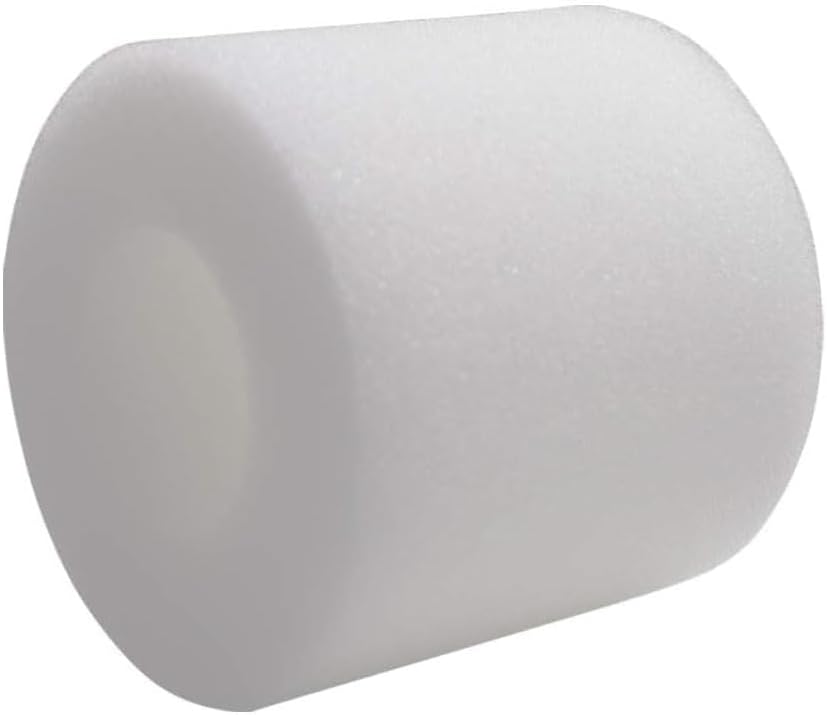
Image: A single foam filter, part of the pre-motor filtration system.
2. Post-Motor Filter
- Locate the post-motor filter cover, usually at the front or side of the vacuum's main body.
- Open the filter cover.
- Remove the old post-motor filter.
- Insert the new post-motor filter, ensuring it is seated correctly.
- Close the filter cover until it clicks into place.

Image: Front and back views of the post-motor filter, showing its pleated design.
Maintenance and Care
To ensure optimal performance and longevity of your vacuum and filters, follow these maintenance guidelines:
- Cleaning: The foam and pre-motor filters are washable. Rinse them with clean water until the water runs clear. Do not use soap or detergents.
- Drying: Allow all filters to air dry completely for at least 24 hours before reinstalling them. Do not use a hairdryer or other heating methods, as this can damage the filter material.
- Replacement Frequency: It is recommended to replace your filters every 3 to 6 months, or more frequently depending on usage, to maintain optimal vacuum performance and air quality.

Image: Illustration demonstrating the washability of the filters and the importance of air drying.
Finding Your Vacuum Model Number
To ensure you have the correct replacement filters, it is important to verify your vacuum's model number. You can typically find this information in one of the following locations:
- Original Packaging: Check the bottom of your vacuum's original box, usually near the barcode.
- Vacuum Unit: Look for a rating label on the main body or back of your vacuum unit.
- Instruction Manual: The model number is often listed on the front cover of your vacuum's instruction booklet.
Specifications
| Feature | Detail |
|---|---|
| Brand | Generic |
| Model Numbers | XFFLZ600 & XHFFC600 |
| Material Type | Foam |
| Included Components | 4 Foam Filters, 1 Pre-Motor Filter, 1 Post-Motor Filter |
| Reusability | Reusable (Foam and Pre-Motor Filters) |
| Number of Pieces | 6 (4 Foam, 1 Pre-Motor, 1 Post-Motor) |

Image: Dimensional measurements for the various filter components.
Troubleshooting
If you experience reduced suction or unusual odors after replacing your filters, consider the following:
- Filter Seating: Ensure all filters are correctly and securely seated in their compartments.
- Drying: Confirm that washable filters were completely dry before reinstallation. Damp filters can cause odors or impede airflow.
- Other Blockages: Check the vacuum's hose, brush roll, and dust cup for any blockages that might be affecting performance.
Support
If you have questions regarding the compatibility or installation of these replacement filters, please refer to your vacuum's original instruction manual or contact the seller for assistance. Providing your specific vacuum model number will help expedite support.