
1. Introduction
Thank you for choosing the 1STPLAYER NDGP 750W 80 Plus Gold Full Modular Power Supply. This power supply unit (PSU) is designed to provide stable and efficient power to your computer system, featuring ATX 3.1 and PCIe 5.1 compatibility, Japanese electrolytic capacitors, and a quiet 120mm FDB fan with Zero RPM mode. This manual will guide you through the installation, operation, and maintenance of your new PSU to ensure optimal performance and longevity.
2. Safety Information
- High Voltage: The PSU contains high voltage components. Do not open the PSU casing. There are no user-serviceable parts inside. Opening the casing will void the warranty and poses a risk of electric shock.
- Professional Installation: Installation should be performed by a qualified technician or experienced user. Incorrect installation can damage your system.
- Ventilation: Ensure adequate ventilation around the PSU. Do not block the fan or ventilation openings.
- Environment: Operate the PSU in a dry, well-ventilated environment, away from moisture, extreme temperatures, and direct sunlight.
- Power Off: Always disconnect the AC power cord from the wall outlet before installing, removing, or cleaning the PSU or any other system components.
3. Package Contents
Verify that all items are present in your package:
- 1STPLAYER NDGP 750W Power Supply Unit
- Modular Cable Set (including 12V-2x6 pin PCIe 5.1 cable)
- AC Power Cord
- Mounting Screws
- Cable Ties
- User Manual (this document)
4. Setup and Installation
The NDGP 750W features a fully modular design for simplified installation and improved cable management.
- Prepare Your System: Ensure your computer is completely powered off and the AC power cord is disconnected from the wall outlet.
- Remove Old PSU (if applicable): Unscrew and remove your old power supply from the PC case. Disconnect all cables from your components.
- Mount the New PSU: Place the 1STPLAYER NDGP 750W PSU into the designated PSU bay in your PC case. Secure it with the provided mounting screws.
- Connect Essential Cables:
- 24-pin ATX Motherboard Cable: Connect this to the main power connector on your motherboard.
- 8-pin (4+4) EPS/CPU Cable: Connect this to the CPU power connector(s) on your motherboard.
- 12V-2x6 pin PCIe 5.1 Cable: For modern graphics cards requiring this connector. Ensure it is fully seated. This cable provides up to 600W.
- 6+2 pin PCIe Cables: For graphics cards that use traditional PCIe power connectors.
- SATA Power Cables: Connect to SSDs, HDDs, and optical drives.
- Molex Cables: For older peripherals or case fans.
- Cable Management: Utilize the fully modular design to connect only the necessary cables. Route cables neatly to enhance airflow and maintain a clean build.
- Final Check: Double-check all connections to ensure they are secure and correctly oriented.
- Connect AC Power: Plug the AC power cord into the PSU and then into a grounded wall outlet.
Image: 1STPLAYER NDGP 750W Power Supply Unit
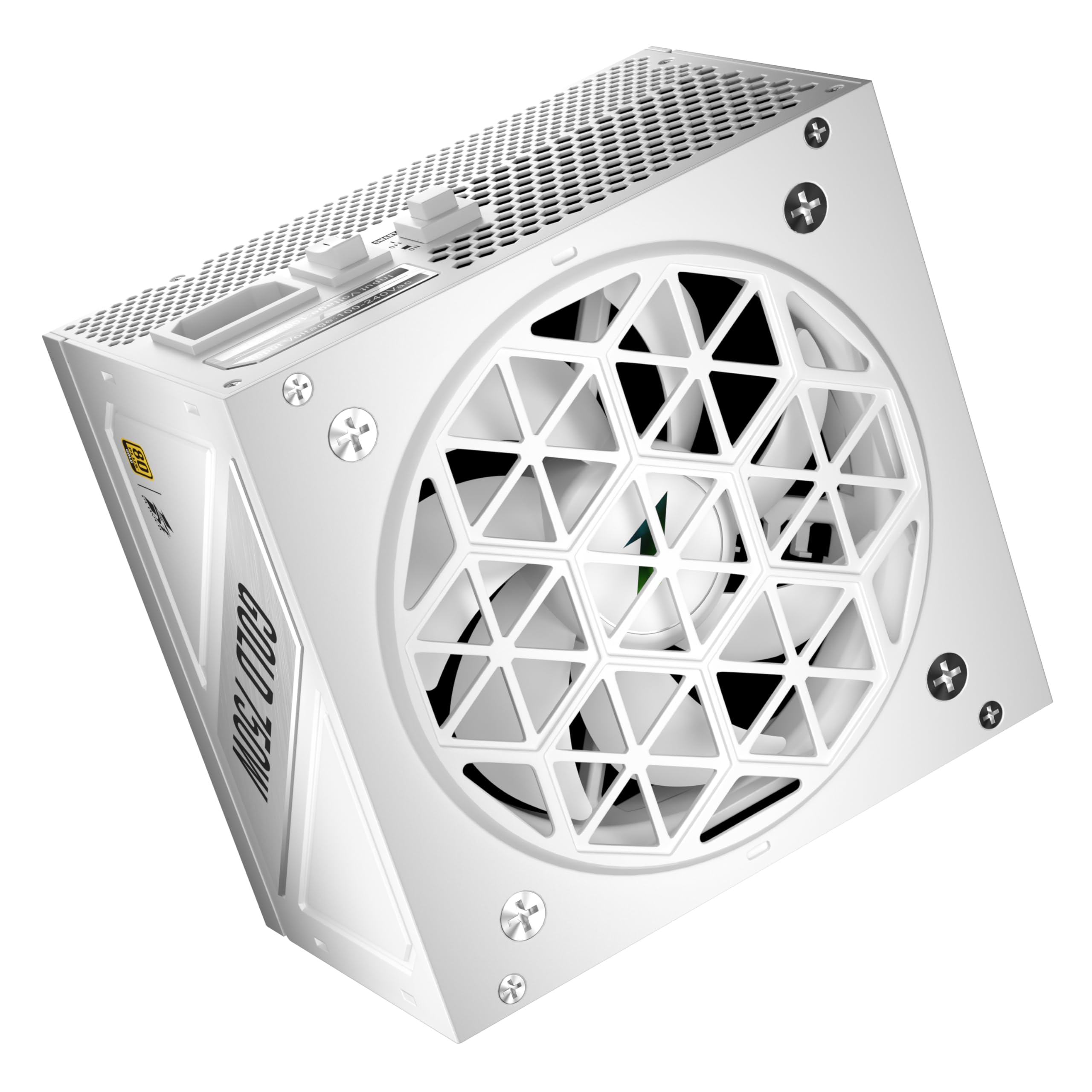
The 1STPLAYER NDGP 750W power supply unit, showcasing its white finish, modular cable ports, and the fan grille.
Image: NDGP Gold Series Power Supplies

A visual representation of the NDGP Gold series power supplies, highlighting both black and white color options.
5. Operating Instructions
Once installed, your 1STPLAYER NDGP 750W PSU is ready for operation.
- Power On: Press the power button on your computer case. The PSU will initiate and provide power to your components.
- Zero RPM Mode: The integrated 120mm Fluid Dynamic Bearing (FDB) fan operates in Zero RPM mode. This means the fan will remain off under low to moderate loads, ensuring silent operation. The fan will automatically activate when the load increases to maintain optimal temperatures.
- Efficiency: The 80 PLUS Gold, Cybenetics Gold, and PPLP Gold certifications ensure high power efficiency (over 88.72% average efficiency). This reduces energy consumption and heat generation, contributing to a cooler and more stable system.
- Power Off: Always shut down your computer through the operating system. Only disconnect the AC power cord after the system has fully powered down.
6. Maintenance
Proper maintenance ensures the longevity and stable performance of your PSU.
- Dust Cleaning: Periodically clean dust from the PSU's fan grille and ventilation openings using compressed air. Ensure the system is powered off and unplugged before cleaning.
- Cable Management: Regularly check that all modular cables are securely connected and not obstructing airflow within the PC case.
- Environmental Check: Ensure the operating environment remains within recommended temperature and humidity ranges.
7. Troubleshooting
If you encounter issues with your 1STPLAYER NDGP 750W PSU, refer to the following common troubleshooting steps:
- No Power:
- Ensure the AC power cord is securely plugged into both the PSU and the wall outlet.
- Check the power switch on the back of the PSU; it should be in the 'ON' position.
- Verify all modular cables (24-pin ATX, EPS/CPU, PCIe) are firmly connected to both the PSU and the respective components.
- Test the wall outlet with another device to confirm it has power.
- System Instability/Crashes:
- Ensure your system's power requirements do not exceed the PSU's 750W capacity.
- Check for loose cable connections.
- Monitor system temperatures to ensure proper cooling.
- Fan Not Spinning:
- Remember the Zero RPM mode. The fan will only spin under higher loads. If your system is under load and the fan is still not spinning, ensure there are no obstructions.
If problems persist after following these steps, consult a qualified computer technician or contact 1STPLAYER customer support.
8. Specifications
| Feature | Detail |
|---|---|
| Model Name | NDGP 750W |
| Brand | 1ST PLAYER |
| Output Wattage | 750 Watts |
| Form Factor | ATX |
| Efficiency Certification | 80 PLUS Gold, Cybenetics Gold, PPLP Gold |
| ATX Standard | ATX 3.1 |
| PCIe Standard | PCIe 5.1 (with 12V-2x6 pin connector) |
| Capacitors | Japanese Electrolytic 105°C |
| Fan Type | 120mm Fluid Dynamic Bearing (FDB) |
| Cooling Method | Air (with Zero RPM Mode) |
| Product Dimensions (L x W x H) | 5.9 x 3.4 x 5.5 inches |
| Item Weight | 6.42 pounds |
9. Warranty and Support
The 1STPLAYER NDGP 750W Power Supply comes with a 10-year full replacement warranty, reflecting the manufacturer's confidence in its superior reliability and stability, backed by 105°C-rated Japanese electrolytic capacitors.
For technical support, warranty claims, or further assistance, please contact your retailer or visit the official 1STPLAYER website. Keep your proof of purchase for warranty validation.
10. Official Product Videos
No official product videos from the seller were found to be relevant for inclusion in this manual.