
1. Introduction
This manual provides detailed instructions for the installation, operation, and maintenance of your CAMECHO Double Din Car Stereo Radio 7 Inch MP5 Player. Please read this manual thoroughly before using the product to ensure proper function and to prevent damage.
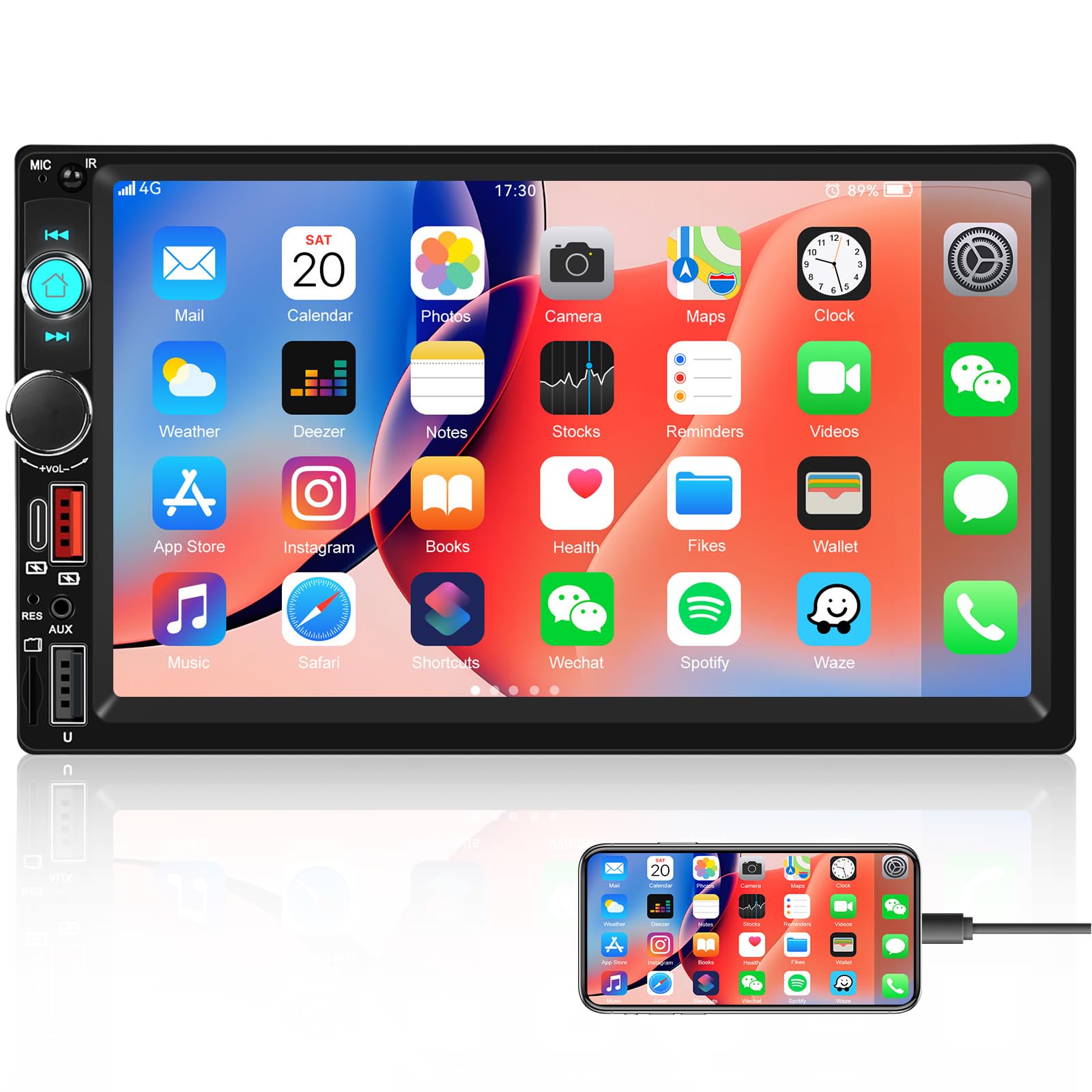
Image: Front view of the CAMECHO Double Din Car Stereo Radio with its 7-inch HD touch screen.
2. Safety Information
- Professional Installation Recommended: Due to the complexity of car electrical systems, professional installation is highly recommended to avoid damage to the unit or your vehicle.
- Power Supply: Ensure the unit is connected to a 12V DC power supply with negative grounding. Incorrect voltage can cause damage.
- Wiring: Do not short-circuit any wires. Insulate all unused wires.
- Operating Temperature: Avoid exposing the unit to extreme temperatures or direct sunlight for prolonged periods.
- Moisture: Keep the unit away from water and excessive humidity.
- Driving Safety: Do not operate the unit in a way that distracts you from driving. Always prioritize road safety.
3. Package Contents
Upon opening the package, please verify that all the following items are included:
- CAMECHO Double Din Car Stereo Unit
- Power Cable
- Horn Cable (Speaker Wire Harness)
- Mounting Brackets (2 pieces)
- User Manual (this document)
4. Setup & Installation
4.1 Wiring Diagram
Refer to the wiring diagram provided with your unit for specific connections. General connections include:
- Yellow Wire: Constant 12V (Battery Positive)
- Red Wire: ACC (Ignition Switch 12V)
- Black Wire: Ground (Chassis Ground)
- Orange Wire: Illumination (Connect to vehicle's headlight switch for dimming)
- Blue Wire: Antenna/Amplifier Remote (12V output when unit is on)
- Brown Wire: Reverse Input (Connect to reverse light positive for automatic camera display)
- Speaker Wires: Connect to vehicle speakers (ensure correct polarity).
Note: Incorrect wiring can damage the unit or vehicle. If unsure, consult a professional installer.
4.2 Mounting the Unit
- Remove the existing car stereo from your vehicle's dashboard.
- Attach the provided mounting brackets to the sides of the CAMECHO unit using screws.
- Connect all necessary wiring harnesses (power, speakers, antenna, etc.) to the unit.
- Slide the unit into the double din opening in your dashboard until it clicks into place or can be secured with screws.
- Reassemble the dashboard trim.
5. Operating Instructions
5.1 Basic Controls
The unit features a 7-inch HD touch screen and physical buttons/knobs for essential functions.
- Power Button: Press to turn on/off. Long press for standby.
- Volume Knob: Rotate to adjust volume. Press to mute/unmute.
- Home Button: Returns to the main menu.
- Back Button: Returns to the previous screen.
5.2 Bluetooth Function
The built-in Bluetooth allows for hands-free calling and audio streaming.
- On the main menu, select the "Bluetooth" icon.
- Enable Bluetooth on your mobile device and search for available devices.
- Select "CAMECHO" (or similar name) from the list on your phone to pair.
- Once paired, you can make/receive calls and stream music through the car stereo.

Image: Screen display showing the Bluetooth hands-free calling interface with a dial pad and call controls.
5.3 Mirror Link Function (for Navigation)
Connect your Android or iPhone via USB cable to mirror your phone's screen, including navigation apps, onto the stereo display.
- Connect your smartphone to the stereo's USB port using a high-quality USB cable.
- Follow the on-screen prompts on both your phone and the stereo to establish the Mirror Link connection.
- Once connected, your phone's display will appear on the stereo screen, allowing you to use navigation apps.
Note: This unit does not have built-in GPS. Navigation relies on your smartphone's GPS and data connection.

Image: Display showing the Mirror Link function with a smartphone connected, alongside icons for phone charging, USB, AUX IN, and TF Card playback options.
5.4 FM Radio Operation
Access FM radio for news, traffic, and music.
- From the main menu, select the "Radio" icon.
- Use the touch screen to scan for stations or manually tune to a frequency.
- Press and hold a preset button (P1-P6) to save your favorite stations.
- The built-in EQ allows for sound adjustments to enhance your listening experience.

Image: Screen display showing the FM radio interface with frequency display, preset buttons, and an equalizer visualizer.
5.5 Multiple Playback Options
The stereo supports various media inputs:
- USB: Insert a USB drive into the USB port to play audio and video files.
- TF Card (Micro SD): Insert a TF card into the designated slot for media playback.
- AUX-in (3.5mm Jack): Connect external audio devices using an AUX cable.
- Type C: Use the Type C port for compatible device connections and charging.
5.6 Steering Wheel Control (SWC)
If your vehicle supports it, you can program your steering wheel buttons to control the stereo.
- Access the "Steering Wheel Control" settings in the system menu.
- Follow the on-screen instructions to assign functions to your vehicle's steering wheel buttons.
- This allows for convenient control of volume, track changes, and calls without taking your hands off the wheel.

Image: Screen display showing the interface for setting up steering wheel controls, with various function icons.
5.7 UI Display and Color Key Lights
- UI Display: The unit offers multiple user interface themes. Navigate to "Settings" to customize the UI display.
- 7 Color Key Lights: Personalize the physical button backlighting. In "Settings," select "Color Lights" to cycle through red, green, blue, yellow, cyan, purple, and white options.

Image: The car stereo unit with its physical buttons illuminated in various colors, demonstrating the 7-color key light feature.
5.8 HD Reversing (Backup Camera Support)
The unit supports an optional backup camera (not included) for safe reversing.
- Connect a compatible backup camera to the dedicated video input.
- Ensure the reverse trigger wire (Brown wire) is correctly connected to your vehicle's reverse light positive.
- When the vehicle is shifted into reverse, the stereo will automatically display the camera feed.
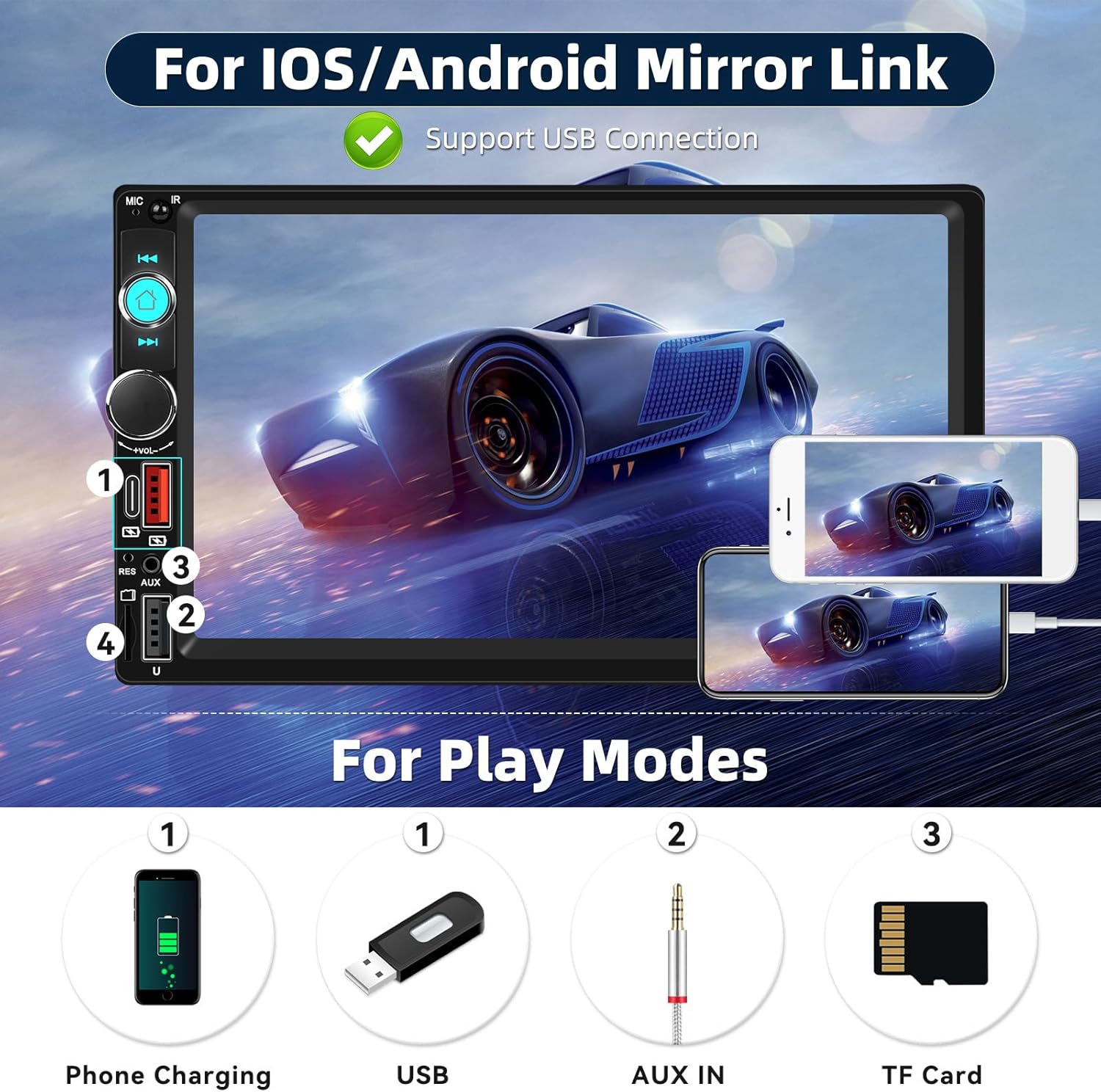
Image: Screen display showing a simulated reversing camera view with parking guidelines, and icons indicating HD, waterproof, 170-degree viewing angle, and night vision features for an optional camera.
6. Maintenance
- Cleaning the Screen: Use a soft, lint-free cloth to gently wipe the touch screen. Do not use abrasive cleaners or solvents.
- General Cleaning: Wipe the unit's exterior with a slightly damp cloth. Avoid getting moisture into openings.
- Temperature: Do not leave the unit in direct sunlight or extreme temperatures for extended periods, as this can affect its lifespan.
7. Troubleshooting
| Problem | Possible Cause | Solution |
|---|---|---|
| No power | Incorrect wiring; Blown fuse; Vehicle battery issue. | Check power and ground connections. Verify fuse. Check vehicle battery. |
| No sound | Speaker wires disconnected; Volume too low; Mute function active. | Check speaker connections. Increase volume. Disable mute. |
| Bluetooth not connecting | Bluetooth not enabled on phone/stereo; Device not in pairing mode. | Ensure Bluetooth is active on both devices. Put stereo in pairing mode. Delete previous pairings and try again. |
| Mirror Link not working | Faulty USB cable; Phone settings not configured; Incompatible phone. | Use a high-quality USB cable. Check phone's developer options (USB debugging for Android). Ensure phone is compatible. |
| Backup camera not displaying | Camera not connected; Reverse trigger wire incorrect; Faulty camera. | Verify camera video input and power connections. Check reverse trigger wire connection. Test camera if possible. |
8. Specifications
- Brand: CAMECHO
- Model Number: B0FN39XH97
- Screen Size: 7 Inch HD Touch Screen
- Connectivity Technology: Bluetooth
- Wireless Technology: Bluetooth, FM
- Audio Output Mode: Stereo
- Surround Sound Channel Configuration: 5.1
- Compatible Devices: Smartphone
- Input Ports: USB, TF Card, AUX-in (3.5mm), Type C
- Special Features: Volume Control, 7 Color Key Lights, Steering Wheel Control Support, Fast Charging, Mirror Link, HD Reversing Input
- Product Dimensions (D x W x H): 5" x 5" x 7" (Approximate)
9. Warranty Information
The product comes with a manufacturer's warranty. Please refer to the warranty card included in your package or contact CAMECHO customer support for detailed warranty terms and conditions. The warranty typically covers manufacturing defects for a specified period from the date of purchase.
Warranty Description: 1 (This usually refers to 1 year, but please confirm with the manufacturer).
10. Customer Support
For technical assistance, troubleshooting, or warranty inquiries, please contact CAMECHO customer support:
- Email: camechovip@126.com
- Online Help: Visit the official CAMECHO store on Amazon or their website for FAQs and additional resources.
Please have your model number (B0FN39XH97) and purchase date ready when contacting support.