
Introduction
This manual provides comprehensive instructions for the safe and efficient operation, maintenance, and troubleshooting of your uninell UR1 Robot Vacuum and Mop Combo. Please read this manual thoroughly before using the product and retain it for future reference.
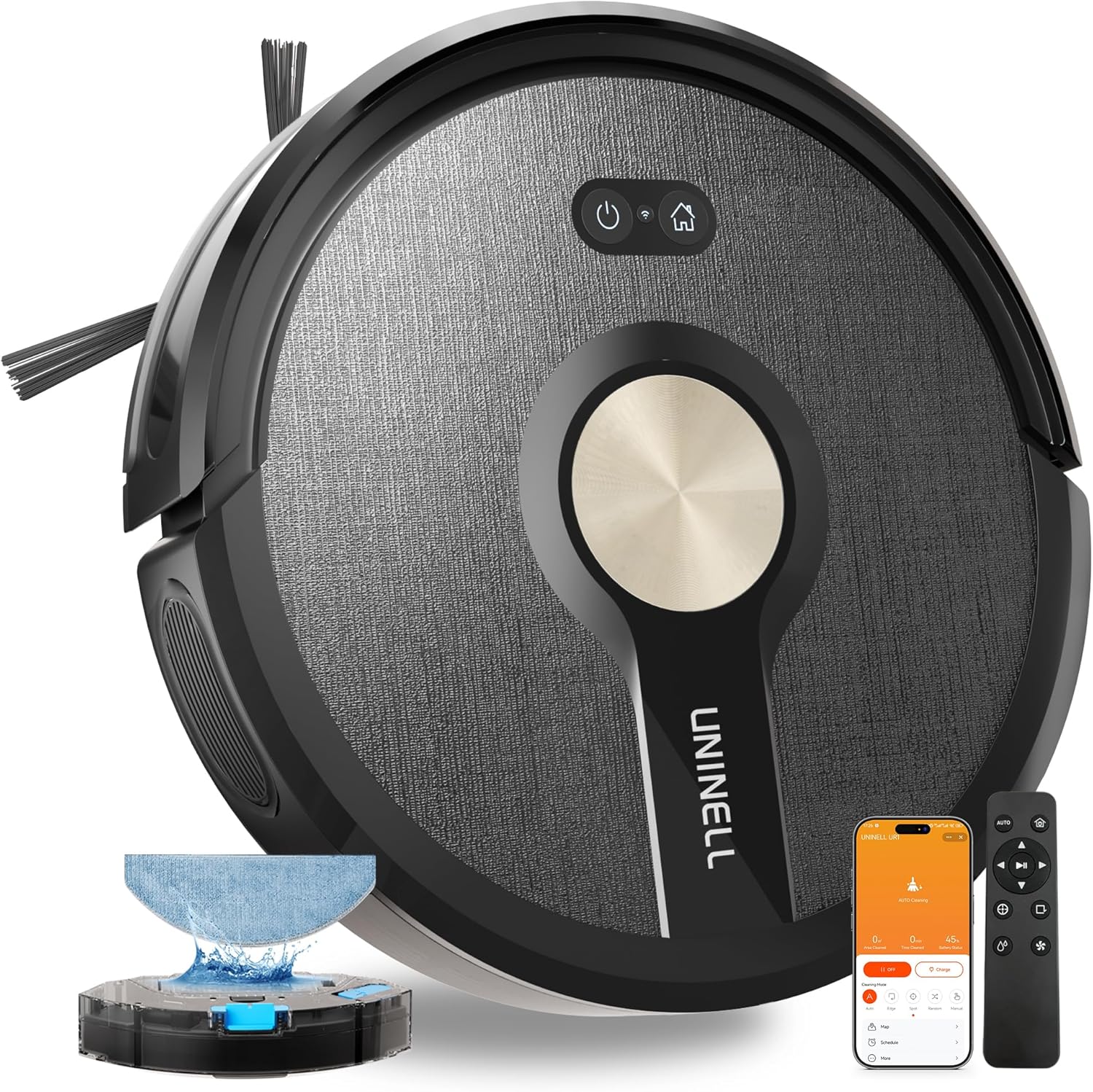
Image: The uninell UR1 Robot Vacuum and Mop Combo, a black circular device with gold accents, shown with its charging dock, remote control, and smartphone app interface.
Package Contents
Verify that all components are present and in good condition upon unboxing.
- Robot Vacuum Cleaner (UR1)
- Charging Dock
- Power Adapter
- Remote Control (requires 2x AAA Batteries, included)
- 2-in-1 Water Tank and Dustbin
- HEPA Filter (x2)
- Side Brush (x2 pairs: 1 installed, 1 spare)
- Cleaning Tool
- Mopping Plate
- Mopping Pad (x2)
- Quick Start Guide
- User Manual

Image: An exploded view showing all components included in the uninell UR1 Robot Vacuum and Mop Combo package, neatly arranged around the main unit.
Setup
1. Unpacking and Initial Preparation
- Remove all packaging materials and protective films from the robot and its accessories.
- Install the side brushes: Match the 'L' and 'R' brushes to their corresponding slots on the bottom of the robot and press firmly until they click into place.
- Ensure the 2-in-1 water tank and dustbin is correctly inserted into the robot.
2. Charging Dock Placement
Place the charging dock against a wall in an open area, ensuring there is at least 0.5 meters (1.6 feet) of clear space on both sides and 1.5 meters (4.9 feet) in front of the dock. Connect the power adapter to the charging dock and plug it into a power outlet. Ensure the power cord is neatly tucked away to prevent entanglement.

Image: The uninell UR1 Robot Vacuum automatically returning to its charging dock, illustrating proper placement against a wall with clear surrounding space.
3. Initial Charge
Place the robot onto the charging dock. The indicator lights on the robot will illuminate to show it is charging. For optimal battery life, fully charge the robot before its first use (approximately 4-5 hours).
Operating Instructions
Control Methods
The UR1 offers multiple ways to control your cleaning experience:
- Physical Buttons: Use the buttons on the robot for basic functions like starting/stopping cleaning or returning to the dock.
- Remote Control: The included remote provides convenient control over cleaning modes, direction, and suction levels without needing Wi-Fi.
- Smartphone App: Download the "Smartlife" or "Tuya" app (supports 2.4GHz Wi-Fi only) for advanced features including scheduling, cleaning mode selection, suction/water flow adjustment, real-time cleaning map, and maintenance alerts.
- Voice Control: Integrate with Amazon Alexa or Google Assistant for hands-free operation using voice commands.

Image: A collage illustrating the various control methods for the uninell UR1 Robot Vacuum: Voice Assistant (Alexa, Google Home), Smartphone App (Smart Life, Tuya), Physical Buttons (On/Off, Back to Charge), and Remote Control.
Cleaning Modes
The UR1 features 4 distinct cleaning modes:
- Auto Mode: The robot intelligently navigates to clean the entire home systematically.
- Edge Mode: Cleans along walls and furniture edges to ensure thorough coverage.
- Spot Mode: Focuses on a specific area for intensive cleaning of concentrated dirt.
- Random Mode: Cleans in a random path, suitable for smaller areas or quick clean-ups.

Image: A visual representation of the four cleaning modes: Auto (systematic path), Edge (along perimeter), Spot (circular intensive cleaning), and Random (unstructured path).
Vacuuming and Mopping
The UR1 is a 3-in-1 device capable of sweeping, vacuuming, and mopping. It features 5000Pa suction power with auto-carpet boost, automatically increasing suction on carpets to remove embedded dirt and pet hair. The V-shaped anti-tangle roller prevents hair wrap.
To use the mopping function, fill the 250ml water tank (integrated with the 450ml dustbin) with clean water. Attach the mopping plate with a clean mopping pad to the bottom of the robot. The app allows for 3 levels of water flow adjustment (Low/Middle/High).

Image: The 2-in-1 dustbin (450ml) and water tank (250ml) of the uninell UR1, highlighting the three suction power levels and three water flow levels for combined vacuuming and mopping.
Video: A demonstration of the uninell UR1 Robot Vacuum and Mop Combo in action, showcasing its 5000Pa suction, auto-carpet boost, anti-tangle design, edge cleaning, planned cleaning paths, mopping function with water flow adjustment, smart anti-drop sensors, and app control for customization.
Navigation and Safety
Equipped with Gyro-Navigation, the UR1 ensures methodical full-home coverage. It features obstacle avoidance, anti-drop, and anti-collision sensors to navigate smoothly around furniture, avoid falling down stairs, and prevent damage. The robot can smoothly climb over obstacles up to 20mm (0.78 inches) high.

Image: The uninell UR1 Robot Vacuum demonstrating its anti-drop sensors on a ledge, its slim profile for reaching tight spaces, anti-collision protection, and low-profile cleaning capability under furniture.
Maintenance
Regular maintenance ensures optimal performance and extends the lifespan of your UR1 Robot Vacuum.
1. Emptying the Dustbin and Water Tank
After each cleaning cycle, press the blue button on the side of the robot to remove the 2-in-1 dustbin and water tank. Open the dustbin compartment and empty its contents. If mopping was performed, empty any remaining water from the tank.
Video: A user demonstrating how to remove and empty the 2-in-1 dustbin and water tank from the uninell UR1 Robot Vacuum, showing the collected debris and the ease of access for cleaning.
2. Cleaning Filters
Remove the HEPA filter and sponge from the dustbin. Tap them gently to remove dust. The filters are washable; rinse them under running water and allow them to air dry completely before reinserting. Replace filters every 3-6 months depending on usage.
3. Cleaning Brushes
- Main Brush: Remove the main brush cover and lift out the main brush. Use the provided cleaning tool to remove any tangled hair or debris.
- Side Brushes: Periodically check side brushes for wear or entanglement. Remove any hair or debris. Replace worn brushes with the spare set provided.

Image: A comparison showing the uninell UR1's anti-tangle roller brush (left) versus a standard brush (right) with tangled hair, emphasizing the UR1's design to prevent hair wrap.
4. Cleaning Sensors and Charging Contacts
Wipe the anti-drop sensors, anti-collision sensors, and charging contacts on both the robot and the charging dock with a clean, dry cloth to ensure proper function.

Image: The smartphone app displaying smart maintenance alerts for the uninell UR1, showing the status of the brush roller, HEPA filter, and side brushes, indicating when replacement is needed.
Troubleshooting
If you encounter issues with your uninell UR1, refer to the following common problems and solutions:
| Problem | Possible Cause | Solution |
|---|---|---|
| Robot does not turn on. | Low battery; power switch off. | Charge the robot; ensure power switch is on. |
| Robot cannot charge. | Charging contacts dirty; charging dock not powered. | Clean charging contacts; ensure dock is plugged in. |
| Suction power is weak. | Dustbin full; filter clogged; main brush tangled. | Empty dustbin; clean/replace filter; clean main brush. |
| Robot gets stuck frequently. | Obstacles on floor; sensors dirty. | Clear obstacles; clean sensors. |
| Mopping function is ineffective. | Water tank empty; mopping pad dirty/dry. | Refill water tank; wet/clean mopping pad. |
Specifications
- Brand: uninell
- Model Name: UR1
- Suction Power: 5000Pa
- Battery: 2600mAh
- Battery Life: Up to 180 minutes
- Cleaning Area: Up to 2100 sq.ft.
- Dustbin Capacity: 450ml
- Water Tank Capacity: 250ml
- Product Dimensions: 12.6"L x 12.6"W x 3.8"H
- Item Weight: 5.73 pounds
- Filter Type: HEPA Filter, Sponge
- Noise Level: Sub-50dB
- Navigation: Gyro-Navigation
- Control Methods: App (Smartlife/Tuya), Remote Control, Physical Buttons, Voice (Alexa, Google Assistant)
- Special Features: 3-in-1 Sweeping, Vacuuming, Mopping; Auto Carpet Boost; Anti-Tangle Roller Brush; Ultra-Thin Body; Obstacle Avoidance; Anti-Drop & Anti-Collision; Auto-Recharge; 4 Cleaning Modes.
Warranty & Support
The uninell UR1 Robot Vacuum and Mop Combo comes with a 2-year warranty. To activate your warranty and for further support, please refer to the Quick Start Guide or scan the QR code provided in the packaging with your phone camera. For technical assistance or customer service, please contact uninell support.