
4ever2buy FISH TANK STAND
4ever2buy 75 Gallon Fish Tank Stand User Manual
Model: FISH TANK STAND
1. Introduction
Thank you for choosing the 4ever2buy Fish Tank Stand. This heavy-duty metal and wood aquarium stand is designed to securely support 75-100 gallon fish tanks, offering integrated power solutions and ample storage. Please read this manual thoroughly before assembly and operation to ensure safe and proper use of your new fish tank stand.

Figure 1: Fully assembled 4ever2buy Fish Tank Stand supporting two aquariums.
2. Safety Information
Always adhere to the following safety precautions to prevent injury or damage to the product and your aquarium setup:
- Ensure the stand is placed on a flat, level, and stable surface capable of supporting the combined weight of the stand, aquarium(s), water, gravel, and all accessories.
- Do not exceed the maximum weight capacities: 900 pounds for the top surface and 280 pounds for the bottom shelf.
- Keep all electrical connections dry and away from water. Use drip loops for all power cords connected to the integrated outlets.
- Do not attempt to move the stand while an aquarium is filled with water.
- Regularly inspect the stand for any signs of wear, damage, or instability.
- This product is intended for indoor use only.
3. Package Contents
Before beginning assembly, verify that all components are present and undamaged. If any parts are missing or damaged, please contact customer support.
- Fish Tank Stand Components (panels, metal frames, drawers, barn doors)
- Assembly Hardware (screws, dowels, etc.)
- Assembly Tools (basic tools may be included)
- RGB LED Light Strip with Remote Control
- Integrated Power Outlet and USB Charging Module
- Instruction Manual
4. Setup and Assembly
Assembly of the 4ever2buy Fish Tank Stand is designed to be straightforward. Please follow the included detailed installation instructions provided in the package for step-by-step guidance. Ensure you have adequate space and assistance if needed.
- Unpack and Organize: Carefully remove all components from the packaging. Lay them out on a clean, soft surface to prevent scratches. Identify each part using the provided parts list in your separate assembly guide.
- Assemble Frame: Begin by assembling the main metal frame structure according to the diagrams. Ensure all connections are secure.
- Attach Panels: Secure the wood panels to the frame. Pay attention to the orientation of each panel, especially those with pre-drilled holes for drawers or doors.
- Install Drawers and Doors: Assemble and install the two drawers and the barn doors. Ensure they operate smoothly. The barn doors feature an X-shaped design.
- Integrate Power Module: Install the power outlet and USB charging module into its designated slot. Ensure it is firmly seated.
- Install LED Lighting: Affix the RGB LED light strip within the central compartment as indicated in the assembly guide.
- Final Placement: Once fully assembled, carefully move the stand to its final desired location. Ensure the surface is level and stable before placing any aquariums on it.

Figure 2: The central compartment features a removable shelf for flexible storage or a second aquarium.

Figure 3: The X-shaped barn door design contributes to the stand's stable structure.
5. Operating Instructions and Features
5.1 Power Outlets and USB Charging Ports
The stand is equipped with 2 standard power outlets and 2 USB charging ports, conveniently located for powering aquarium equipment and charging personal devices. This feature helps in wire organization and simplifies aquarium management.
- Connect aquarium lights, heaters, filters, and air pumps to the power outlets.
- Use the USB ports to charge compatible devices.
- Always ensure power cords are routed safely to prevent tripping hazards and are protected from water splashes.
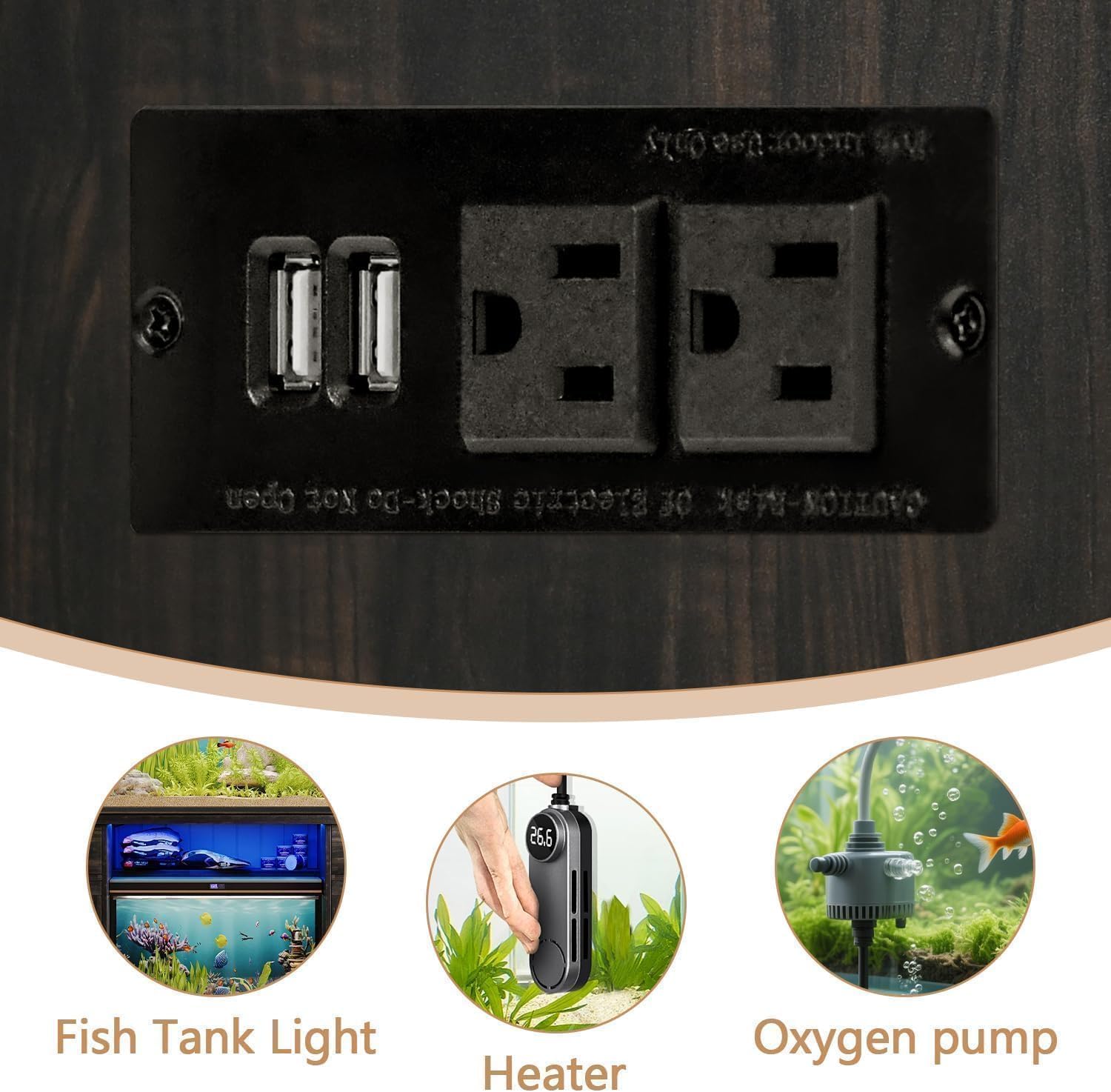
Figure 4: Integrated power outlets and USB charging ports for convenient device connection.
5.2 RGB LED Lighting System
The integrated RGB LED light strip adds visual appeal and creates a unique ambiance. Control the light color and flashing mode using the provided remote control.
- Ensure the LED light strip is securely installed in the central compartment.
- Use the remote control to cycle through various colors and lighting effects.
- Refer to the separate LED light remote control instructions for specific button functions.

Figure 5: The RGB LED light strip offers customizable lighting options via remote control.
5.3 Storage Compartments
The stand features multiple storage options to keep your aquarium area tidy:
- Spacious Cabinets: Located behind the barn doors, these cabinets are ideal for storing fish food, cleaning tools, and larger accessories.
- Two Drawers: Conveniently located at the top, these drawers are perfect for smaller items like fish nets or testing kits.
- Metal Rack: An integrated metal rack provides easy access for hanging fish nets or gravel cleaners.
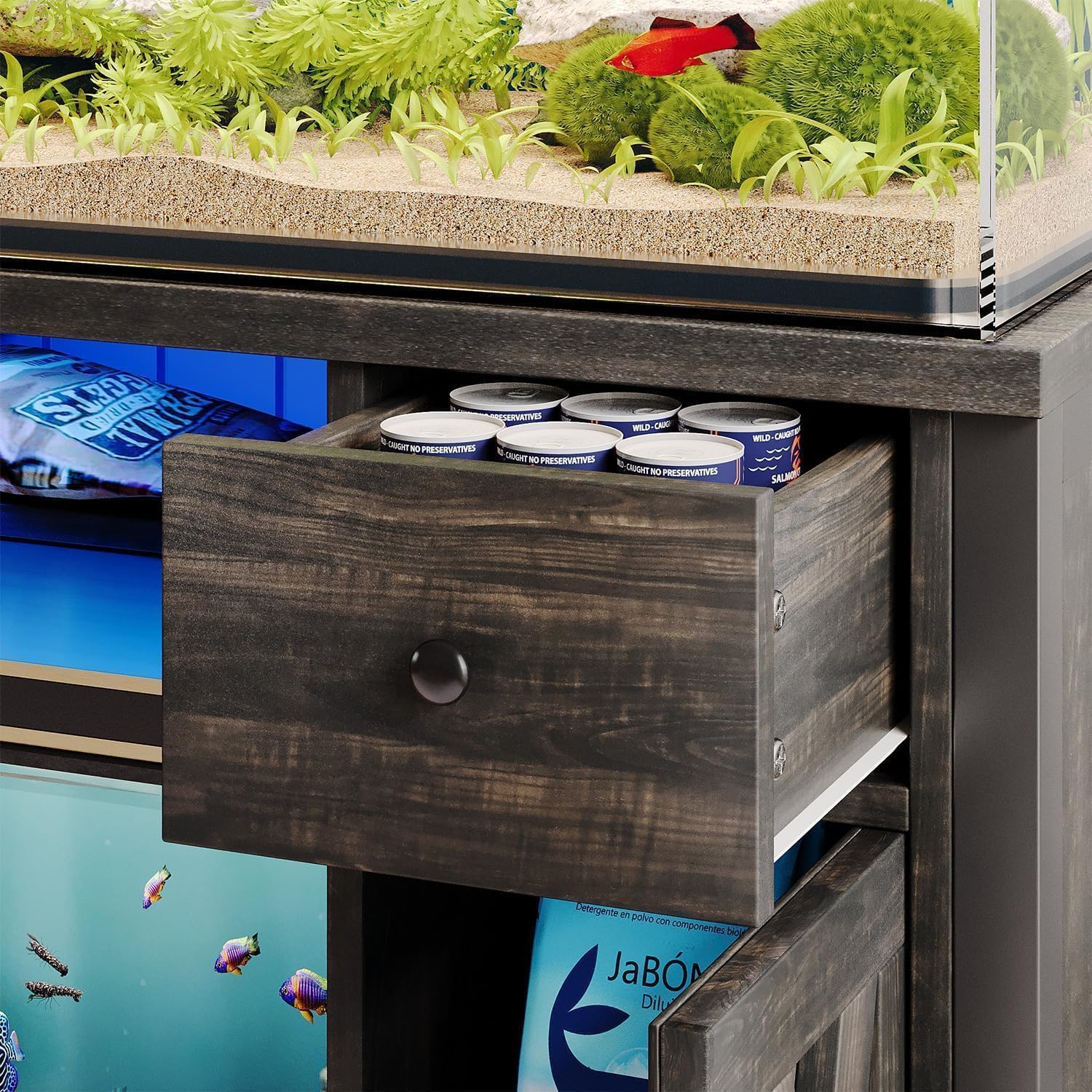
Figure 6: The integrated drawers provide convenient storage for smaller items.

Figure 7: The stand offers versatile storage with removable shelves and drawers.
6. Care and Maintenance
Proper care and maintenance will extend the life and appearance of your fish tank stand:
- Cleaning: Wipe surfaces with a soft, damp cloth. Avoid harsh chemicals or abrasive cleaners that could damage the finish.
- Spills: Immediately wipe up any water spills to prevent water damage to the wood components.
- Inspection: Periodically check all screws and connections to ensure they remain tight. Retighten if necessary.
- Electrical Components: Ensure the power outlets and USB ports remain dry and free of debris.
7. Troubleshooting
This section addresses common issues you might encounter:
| Problem | Possible Cause | Solution |
|---|---|---|
| Stand feels unstable or wobbly. | Uneven floor; loose connections. | Ensure the stand is on a level surface. Check and tighten all assembly screws. |
| LED lights are not working. | Power connection issue; remote control battery dead; light strip damage. | Check if the light strip is properly plugged into the power source. Replace remote control battery. Inspect the light strip for visible damage. |
| Power outlets/USB ports not functioning. | Not plugged in; circuit breaker tripped; internal wiring issue. | Ensure the stand's main power cord is plugged into a working wall outlet. Check your household circuit breaker. If issues persist, contact customer support. |
| Drawers or doors stick/don't close properly. | Misalignment during assembly; obstruction. | Recheck assembly of drawers/doors and their tracks. Ensure no items are obstructing their movement. |
8. Specifications
| Feature | Detail |
|---|---|
| Model Name | FISH TANK STAND |
| Brand | 4ever2buy |
| Dimensions (L x W x H) | 52" x 20" x 31.5" (132.08 cm x 50.8 cm x 80.01 cm) |
| Material | High-quality panels (Wood), Metal frames |
| Top Weight Capacity | Up to 900 lbs (408 kg) |
| Bottom Shelf Weight Capacity | Up to 280 lbs (127 kg) |
| Recommended Aquarium Size | 75-100 Gallon (top), space for 20 Gallon (bottom) |
| Power Outlets | 2 AC outlets |
| USB Ports | 2 USB ports |
| Lighting | RGB LED Light Strip with Remote Control |
| Storage | Spacious cabinets with barn doors, 2 drawers, metal rack |

Figure 8: Detailed product dimensions and maximum weight capacity.
9. Warranty and Support
Specific warranty details are typically provided with your purchase documentation or on the manufacturer's official website. For any questions, missing parts, or assistance with assembly and operation, please contact 4ever2buy customer support through the retailer where you purchased the product or visit the official 4ever2buy store page on Amazon:
Visit the 4ever2buy Store on Amazon
Please have your model number (FISH TANK STAND) and purchase information ready when contacting support.
Ask a question about this manual
Ask about setup, troubleshooting, compatibility, parts, safety, or missing instructions. Manuals+ will review the question and use this page’s manual context to help answer it.