
Introduction
Thank you for choosing the IDEALHOUSE 70 Inch Fireplace TV Stand. This manual provides essential information for the safe assembly, operation, and maintenance of your new furniture piece. Please read all instructions carefully before beginning assembly or use to ensure proper function and longevity of the product.
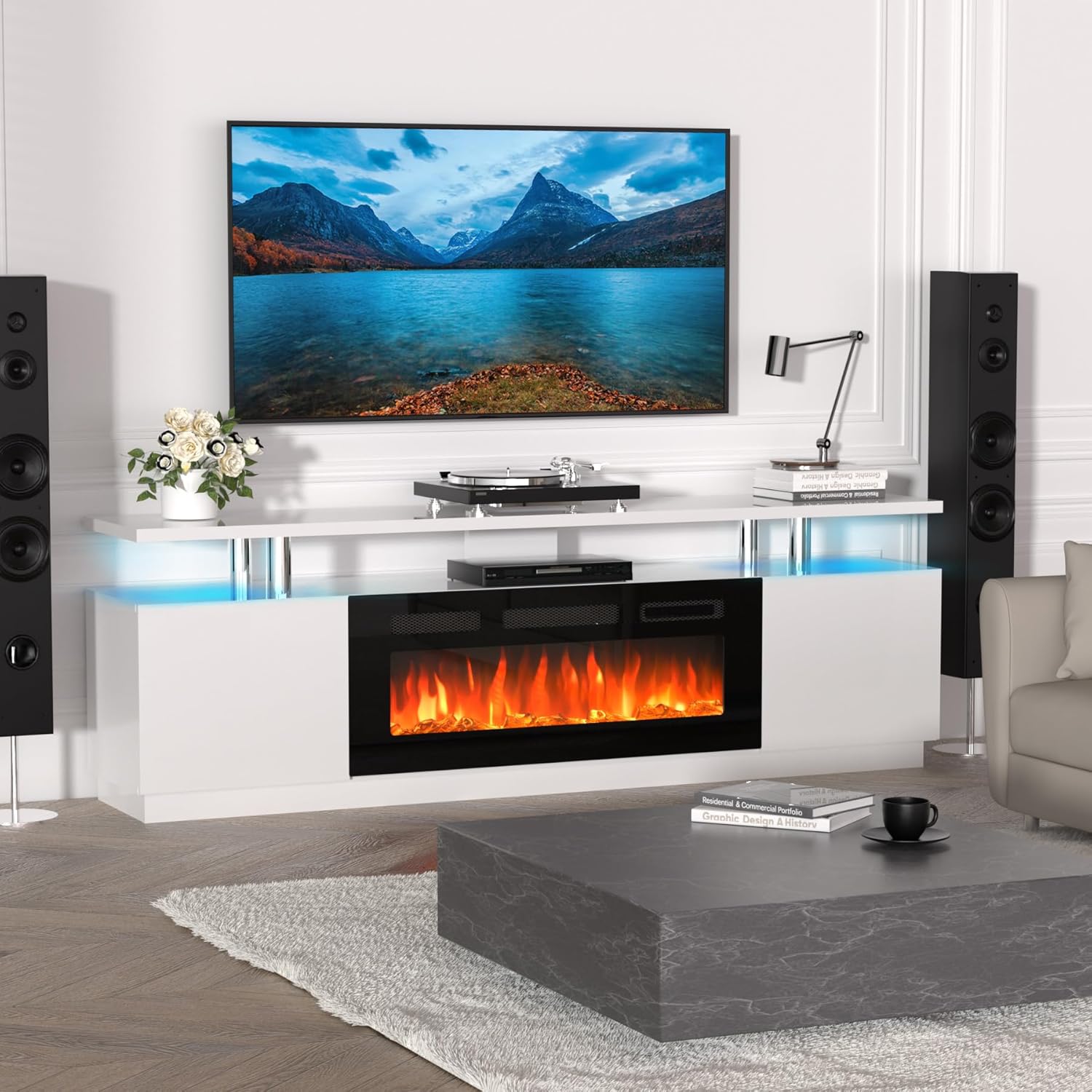
Image: The IDEALHOUSE 70 Inch Fireplace TV Stand, showcasing its design with a television mounted above and an electric fireplace insert.
Safety Information
Please observe the following safety precautions to prevent injury or damage to the product:
- Ensure all parts are present and undamaged before assembly. Do not proceed with assembly if any parts are missing or broken.
- Assemble the unit on a soft, clean surface to prevent scratches.
- Do not overtighten screws during assembly, as this may cause damage to the wood.
- Keep children and pets away from the assembly area.
- The electric fireplace is an electrical appliance. Do not expose it to water or excessive moisture.
- Ensure the power outlet used for the fireplace is properly grounded and rated for the appliance's wattage (750W/1500W).
- Do not block the air vents of the electric fireplace. Maintain adequate clearance around the unit for proper ventilation.
- Always unplug the electric fireplace before cleaning or performing any maintenance.
- Do not use abrasive cleaners or solvents on any part of the TV stand or fireplace.
Package Contents
Verify that all components listed below are included in your package. If any items are missing or damaged, please contact customer support.
- TV Stand Panels (Top, Bottom, Side, Back, Shelves, Doors)
- 36 Inch Electric Fireplace Insert
- Remote Control for Electric Fireplace
- LED Lighting Kit
- Assembly Hardware (Screws, dowels, cam locks, hinges, etc.)
- Instruction Manual (This document)
Assembly Instructions (Setup)
Assembly typically takes less than an hour with two people. Follow the clear, illustrated instructions provided in the separate assembly guide included with your product. Below are general steps and important considerations.

Image: Dimensional diagram of the TV stand, indicating its overall size and the internal space for the fireplace and storage.
- Unpack and Identify Parts: Carefully unpack all components and lay them out on a protected surface. Refer to the parts list in your assembly guide to identify each piece.
- Assemble the Base Structure: Begin by connecting the base panels and side panels according to the diagrams. Ensure all connections are secure.
- Install Internal Shelves and Dividers: Insert the internal shelves and dividers that form the compartments for media devices and the fireplace.
- Integrate the Electric Fireplace: Carefully slide the 36-inch electric fireplace insert into its designated opening. Ensure it is flush and secure.
- Attach the Top Panel: Secure the top panel to the assembled structure.
- Install Doors and Hinges: Attach the hinges to the cabinet doors and then mount the doors to the main unit. Adjust hinges for proper alignment.
- Install LED Lighting Kit: Follow the instructions provided with the LED lighting kit to install it along the open shelves or desired areas.
- Cable Management: Utilize the pre-drilled cable management holes to organize wires from your TV and media devices, reducing clutter.

Image: Detailed view of the TV stand's storage, featuring open shelves for media devices and two large cabinets with hinged doors, alongside a cable management solution.
Operating Instructions
Electric Fireplace Operation
The electric fireplace can be operated using the control panel on the unit or the included remote control.

Image: Control panel and remote for the electric fireplace, illustrating functions such as timer, temperature, heater power, on/off switch, flame color selection, and brightness dimmer.
- Power On/Off: Press the power button on the control panel or remote to turn the fireplace on or off.
- Flame Colors: Cycle through 12 available flame colors using the flame color button.
- Brightness (Dimmer): Adjust the flame brightness (L1-L5) using the dimmer button.
- Heater Settings: Select between 750W or 1500W heat output. The fireplace can operate with or without heat.
- Temperature Control: Adjust the desired room temperature (62°F-82°F). The heater will cycle on and off to maintain this setting.
- Timer: Set a timer for automatic shutdown (0-8 hours).

Image: Visual representation of the 12 ember bed and LED light color options available for the electric fireplace, demonstrating the range of ambiance settings.
LED Lighting Operation
The integrated LED lighting kit offers additional ambiance.
- Refer to the separate instructions included with the LED lighting kit for specific operation details, as controls may vary.
- Typically, a remote control or inline switch will allow you to change colors (7 base colors) and dynamic combinations (56 options).
Maintenance
Regular maintenance ensures the longevity and appearance of your TV stand and electric fireplace.
- Cleaning the TV Stand: Wipe surfaces with a soft, damp cloth. Avoid harsh chemicals or abrasive cleaners that can damage the high-gloss finish.
- Cleaning the Electric Fireplace: Ensure the fireplace is unplugged and cool before cleaning. Wipe the glass and exterior surfaces with a soft, lint-free cloth. Do not spray cleaners directly onto the unit.
- Dusting: Regularly dust all surfaces to prevent buildup.
- Ventilation: Periodically check that the air vents on the electric fireplace are clear of dust and obstructions.
Troubleshooting
If you encounter issues, refer to the following common problems and solutions:
| Problem | Possible Cause | Solution |
|---|---|---|
| Electric fireplace does not turn on. | No power, power cord not fully plugged in, circuit breaker tripped. | Check power connection, ensure outlet is functional, reset circuit breaker. |
| No heat output from fireplace. | Heater function not activated, temperature setting too low, overheat protection activated. | Activate heater function, increase temperature setting, ensure vents are clear and allow unit to cool. |
| Flame effect not working. | Flame effect not activated, internal component issue. | Ensure flame effect is turned on. If issue persists, contact support. |
| LED lights not working. | Power connection issue, remote control battery dead. | Check power supply to LED kit, replace remote battery. |
If these solutions do not resolve the issue, please contact customer support for further assistance.
Specifications
| Feature | Detail |
|---|---|
| Model Name | PHK_34HWP8RS |
| Brand | IDEALHOUSE |
| Material | Wood |
| Color | White |
| Product Dimensions (Overall) | 70.2"W x 14.4"D x 22.6"H (Approx. 178.3 cm W x 36.6 cm D x 57.4 cm H) |
| Fireplace Insert Dimensions | 36"W x 5"D x 14"H (Approx. 91.4 cm W x 12.7 cm D x 35.6 cm H) |
| Max TV Size Compatibility | Up to 80 inches |
| Electric Fireplace Power | 750W / 1500W (4800 BTU output) |
| Flame Colors | 12 options |
| Flame Brightness | 3 levels (L1-L5 dimmer) |
| Temperature Control | Adjustable (62°F-82°F) |
| Timer Function | 0-8 hours |
| LED Lighting Kit | 7 base colors, 56 dynamic combinations |
| Storage | 4 open shelves, 2 door cabinets |
| Item Weight | 126.6 Pounds (Approx. 57.4 kg) |
Warranty and Support
IDEALHOUSE is committed to providing quality products and customer satisfaction.
- Customer Support: For any questions, concerns, or assistance with assembly or operation, our dedicated support team is available to assist you. Please contact us via the retailer's platform or the contact information provided with your purchase. We aim to respond within 24 hours.
- Returns: This product is eligible for 30-day easy returns through the retailer. Please refer to the retailer's return policy for detailed information.