
1. Introduction
This manual provides comprehensive instructions for the installation, operation, and maintenance of the Generic GL20-RTU-ECT Analog Output Module. Designed for industrial applications, this module offers reliable and high-performance analog output capabilities. Please read this manual thoroughly before installation and operation to ensure proper use and to prevent damage to the device or associated equipment.
2. Product Overview
The GL20-RTU-ECT is a compact and robust analog output module engineered for industrial environments. Its design prioritizes space efficiency within electrical cabinets and features high stability and reliability for continuous operation. The module supports various protocols and I/O types, making it versatile for diverse automation systems.
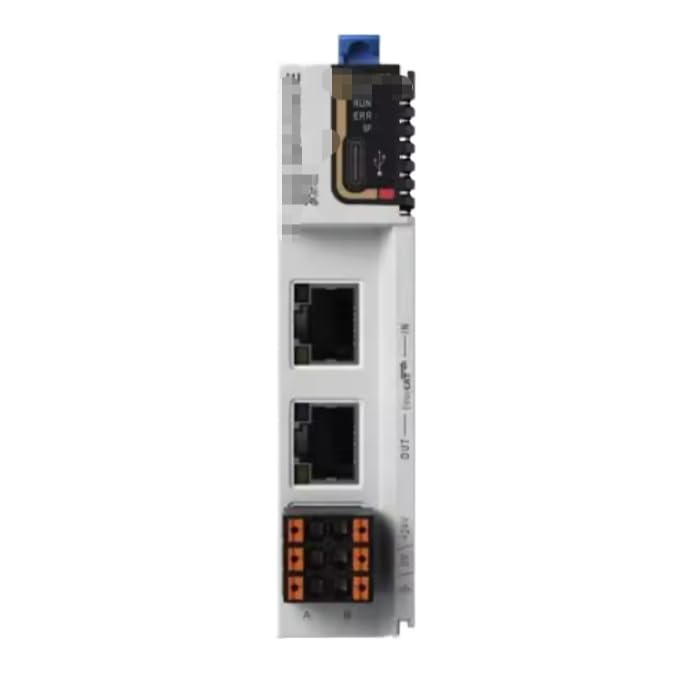
Figure 2.1: Front view of the GL20-RTU-ECT Analog Output Module. This image displays the module's front panel, highlighting the communication ports, power input terminals, and status indicators (RUN, ERR, UP) essential for monitoring its operational status.
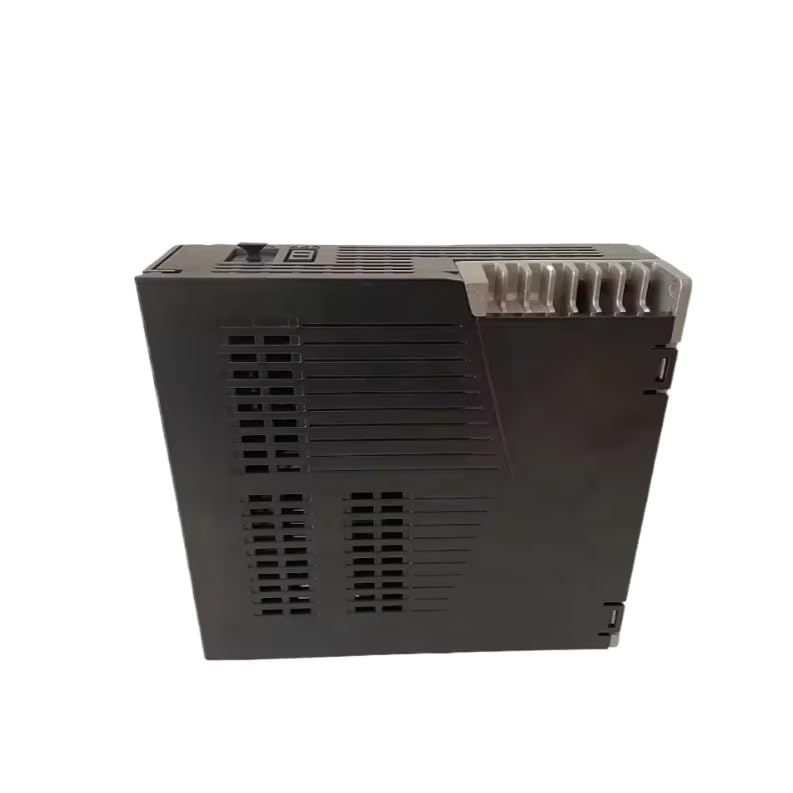
Figure 2.2: Side view of the GL20-RTU-ECT Analog Output Module. This perspective illustrates the module's compact form factor and features such as ventilation fins, which are crucial for heat dissipation and maintaining optimal operating temperatures in industrial settings.
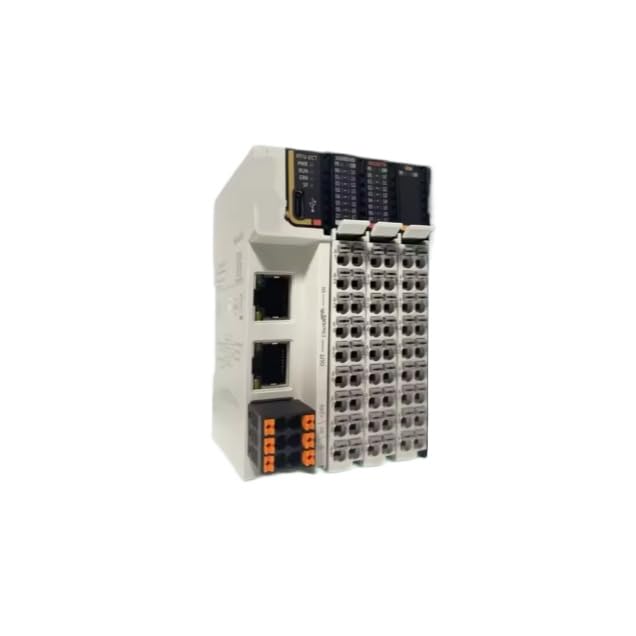
Figure 2.3: Angled view of GL20-RTU-ECT modules integrated into a system. This image demonstrates how multiple modules can be connected, showcasing their modularity and potential for expansion within an industrial control system.
3. Features
- Excellent Performance: Provides microsecond response times for critical applications.
- Fast Internal Bus Speed: Features an internal bus speed of 100Mbps for rapid data processing.
- Compact Design: Optimized for space-saving installation within electrical cabinets.
- High Stability and Reliability: Engineered for consistent and dependable operation in demanding industrial environments.
- Multiple Protocol Support: Compatible with various industrial communication protocols.
- Diverse I/O Types: Supports multiple input/output configurations for broad applicability.
4. Specifications
| Specification | Detail |
|---|---|
| Model Number | GL20-RTU-ECT |
| Function | Analog Output Module |
| Manufacturer | Mingxing |
| Package Dimensions | 3.94 x 3.15 x 1.97 inches |
| Weight | 1.94 ounces |
| ASIN | B0FMRHDCWY |
5. Setup
5.1 Safety Precautions
- Ensure power is disconnected from the system before installation or wiring.
- Only qualified personnel should perform installation and wiring.
- Follow all local electrical codes and safety regulations.
- Avoid touching live components.
5.2 Mounting
The GL20-RTU-ECT module is designed for DIN rail mounting within an industrial control cabinet. Securely attach the module to the DIN rail, ensuring it clicks into place. Verify that there is adequate space for ventilation around the module, especially if multiple modules are installed side-by-side.
5.3 Wiring
Connect the module according to your system's wiring diagram. Pay close attention to:
- Power Supply: Connect the appropriate DC power supply to the designated power terminals. Ensure correct polarity.
- Analog Outputs: Connect your analog output devices (e.g., actuators, valves) to the analog output terminals. Refer to the module's pinout diagram for specific connections.
- Communication: Connect the module to your industrial network (e.g., Ethernet) using standard cables to the communication ports.
- Grounding: Ensure proper grounding of the module and the system to prevent electrical interference and ensure safety.
6. Operating Instructions
6.1 Powering On
After completing all wiring and mounting, apply power to the module. Observe the status indicators on the front panel:
- RUN Indicator: Should illuminate steadily, indicating normal operation.
- ERR Indicator: If illuminated, indicates an error condition. Refer to the Troubleshooting section.
- UP Indicator: May indicate network activity or communication status.
6.2 Configuration
The GL20-RTU-ECT module typically requires configuration via a compatible software tool provided by the system integrator or manufacturer. This configuration involves setting output ranges, scaling, and communication parameters. Consult your system documentation for specific software and configuration procedures.
6.3 Monitoring
Regularly monitor the status indicators on the module and the corresponding status within your control system software to ensure continuous and correct operation of the analog outputs.
7. Maintenance
The GL20-RTU-ECT module is designed for minimal maintenance. However, periodic checks can help ensure long-term reliability:
- Cleaning: Keep the module free from dust and debris. Use a soft, dry cloth for cleaning. Do not use liquid cleaners or solvents.
- Connection Inspection: Periodically check all wiring connections for tightness and signs of corrosion or damage.
- Environmental Conditions: Ensure the operating environment remains within the specified temperature and humidity ranges.
- Firmware Updates: If firmware updates are available, follow the manufacturer's instructions carefully. Incorrect updates can damage the module.
8. Troubleshooting
This section addresses common issues you might encounter with the GL20-RTU-ECT module.
8.1 No Power / Module Not Responding
- Check Power Supply: Verify that the power supply is connected correctly and providing the specified voltage.
- Wiring: Inspect power wiring for loose connections or damage.
- Fuses: Check any external fuses in the power circuit.
8.2 ERR Indicator On
- Internal Error: Power cycle the module. If the error persists, contact technical support.
- Configuration Error: Verify the module's configuration settings using the appropriate software.
- Wiring Fault: Check output wiring for short circuits or open circuits.
8.3 Incorrect or No Analog Output
- Configuration: Ensure the output range and scaling are correctly configured in the control system.
- Wiring: Verify connections to the analog output device.
- Device Compatibility: Confirm that the connected device is compatible with the module's output specifications.
- Calibration: If applicable, check the calibration of the module or the receiving device.
8.4 Communication Issues
- Network Cable: Check the integrity of the network cable and connections.
- Network Configuration: Verify IP addresses, subnet masks, and gateway settings if applicable.
- Network Status: Check the status of other devices on the network.
9. Warranty Information
The Generic GL20-RTU-ECT Analog Output Module comes with a One Year Warranty from the date of purchase. This warranty covers defects in materials and workmanship under normal use. It does not cover damage caused by improper installation, misuse, unauthorized modification, or external factors such as power surges or environmental conditions outside specifications. For warranty claims, please retain your proof of purchase and contact your supplier.
10. Support
For technical assistance, further troubleshooting, or inquiries regarding the GL20-RTU-ECT Analog Output Module, please contact your product supplier or the manufacturer, Mingxing. When contacting support, please have your module's model number (GL20-RTU-ECT) and any relevant system information ready to facilitate a quicker resolution.