Introduction
Thank you for choosing the Psadhi J500 Plus Open Ear Clip Wireless Earbuds. These earbuds feature an open-ear design for situational awareness, Bluetooth 5.4 connectivity, IPX5 water resistance, and a charging case with an LED display. This manual provides detailed instructions to help you set up, operate, and maintain your earbuds for optimal performance.
Package Contents
Please check the package for the following items:
- Psadhi J500 Plus Open Ear Clip Wireless Earbuds (Left and Right)
- Wireless Charging Case
- USB-C Charging Cable
- User Manual
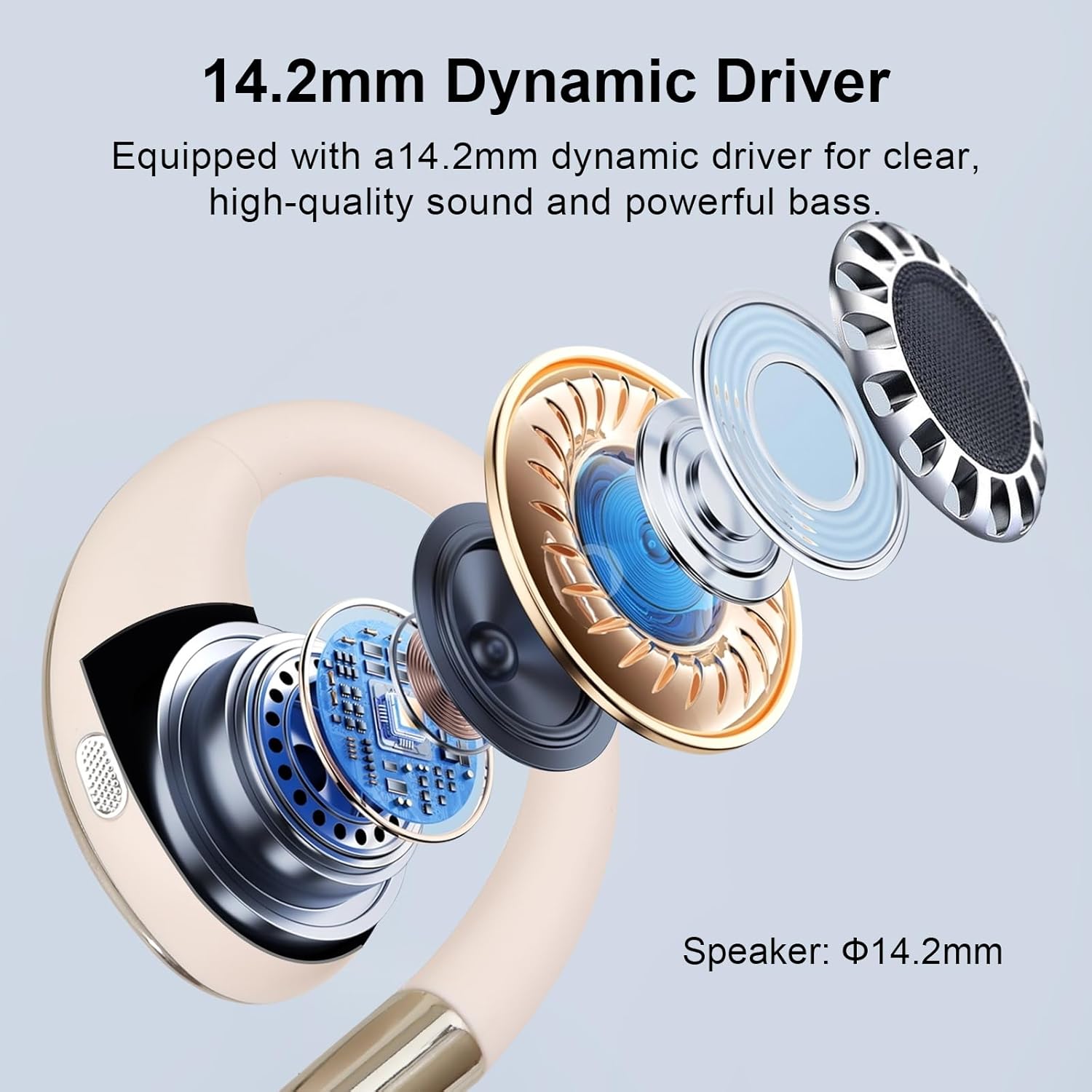
Image: The Psadhi J500 Plus Open Ear Clip Wireless Earbuds, showing both earbuds and the charging case.
Product Overview
Earbud Components
- Open-Ear Clip Design: Sits comfortably on the ear without entering the ear canal.
- Touch Control Area: Located on the outer surface of each earbud for various functions.
- Microphone: Built-in for calls.
- Charging Contacts: On the stem of each earbud.

Image: A detailed view of a single Psadhi J500 Plus earbud, highlighting its open-ear clip design and internal components.
Charging Case Components
- Earbud Slots: Securely hold and charge the earbuds.
- LED Digital Display: Shows the charging status and battery level of the case and individual earbuds.
- USB-C Charging Port: For charging the case.
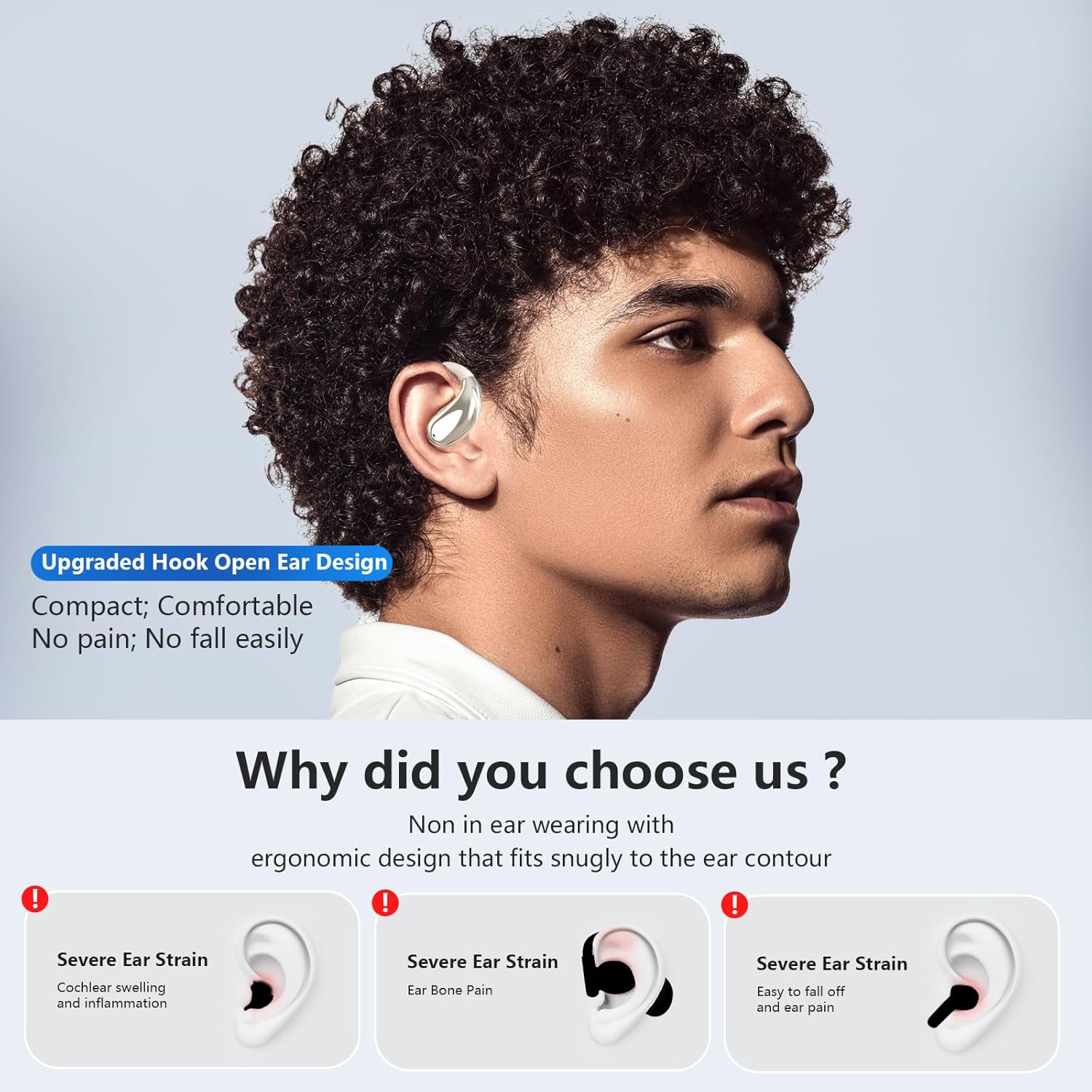
Image: The Psadhi J500 Plus charging case with both earbuds inserted, showing the LED display.
Setup
1. Initial Charging
Before first use, fully charge the earbuds and the charging case.
- Place both earbuds into the charging case. Ensure the charging contacts align.
- Connect the USB-C charging cable to the charging port on the case and plug the other end into a USB power adapter (not included).
- The LED digital display on the case will show the battery percentage. Allow approximately 1 hour for a full charge of the case.
- Once fully charged, the display will indicate 100%.

Image: The Psadhi J500 Plus charging case displaying its battery level on the LED screen.
2. Bluetooth Pairing
Pair your earbuds with your device for the first time.
- Open the charging case. The earbuds will automatically enter pairing mode, indicated by a flashing light (if applicable, specific light indicator not detailed in product info).
- On your smartphone or Bluetooth-enabled device, go to the Bluetooth settings.
- Search for available devices and select "J500 Plus" from the list.
- Once connected, you will hear a confirmation tone, and the earbuds will be ready for use.
- The earbuds will automatically reconnect to the last paired device when taken out of the case, if Bluetooth is enabled on the device.
Video: A general overview of the Psadhi J500 Plus earbuds, demonstrating their features and potentially the pairing process.
Operating Instructions
The Psadhi J500 Plus earbuds feature flexible touch controls for easy management of audio playback and calls.
Wearing the Earbuds
The open-ear clip design ensures a comfortable and secure fit.
- Identify the Left (L) and Right (R) earbuds.
- Gently clip the earbud onto your ear, positioning the speaker part near your ear canal without inserting it.
- Adjust the ear hook for a snug and comfortable fit that stays secure during activity.

Image: A person wearing the Psadhi J500 Plus earbuds, demonstrating the open-ear clip design and how they sit on the ear.
Touch Controls
| Function | Action |
|---|---|
| Play/Pause Music | Single tap on either earbud. |
| Next Track | Double tap on the Right earbud. |
| Previous Track | Double tap on the Left earbud. |
| Answer/End Call | Single tap on either earbud during an incoming call. |
| Reject Call | Press and hold either earbud for 2 seconds during an incoming call. |
| Activate Voice Assistant | Triple tap on either earbud. |
| Volume Up | Press and hold the Right earbud. |
| Volume Down | Press and hold the Left earbud. |

Image: A user interacting with the touch control area of the Psadhi J500 Plus earbud.
Maintenance
Cleaning
- Wipe the earbuds and charging case with a soft, dry, lint-free cloth.
- Do not use abrasive cleaners, solvents, or aerosol sprays.
- Ensure charging contacts are clean and dry to prevent charging issues.
Water Resistance (IPX5)
The earbuds are IPX5 water-resistant, meaning they can withstand splashes and sweat. They are not designed for submersion in water.
- Do not expose the charging case to water, as it is not water-resistant.
- If earbuds get wet, dry them thoroughly before placing them back in the charging case.

Image: A Psadhi J500 Plus earbud shown with water droplets, illustrating its IPX5 water resistance.
Storage
- Store the earbuds in their charging case when not in use to protect them and keep them charged.
- Avoid storing in extreme temperatures or high humidity.
Troubleshooting
| Problem | Possible Solution |
|---|---|
| Earbuds not charging |
|
| Cannot pair with device |
|
| No sound or low volume |
|
| One earbud not working |
|
Specifications
| Feature | Detail |
|---|---|
| Model Name | J500 Plus |
| Connectivity Technology | Bluetooth 5.4 |
| Ear Placement | Open Ear |
| Control Method | Touch |
| Water Resistance Rating | IPX5 |
| Battery Life (Earbuds) | Up to 12 hours (single charge) |
| Total Playtime (with Case) | Up to 48 hours |
| Charging Time (Case) | Approximately 1 hour |
| Compatible Devices | Smartphones, Tablets, Laptops, Desktops |
| Material | Silicone |
| Special Features | Open Ear Design, Bluetooth 5.4, IPX5 Waterproof, LED Display, Powerful Stereo Sound |
Warranty and Support
Warranty Information
Specific warranty details are not provided in the product information. Please refer to the warranty card included in your package or contact the retailer/manufacturer for warranty terms and conditions.
Customer Support
If you encounter any issues or have questions regarding your Psadhi J500 Plus earbuds, please contact Psadhi customer support through the retailer's platform or the contact information provided with your purchase.