
OUNIN KXW240-160A
OUNIN 24L Steam and Air Fryer Combo Countertop Oven
Instruction Manual
Introduction
Thank you for choosing the OUNIN 24L Steam and Air Fryer Combo Countertop Oven. This versatile appliance combines 11 cooking functions to enhance your culinary experience. Please read this manual thoroughly before use to ensure safe and optimal operation.
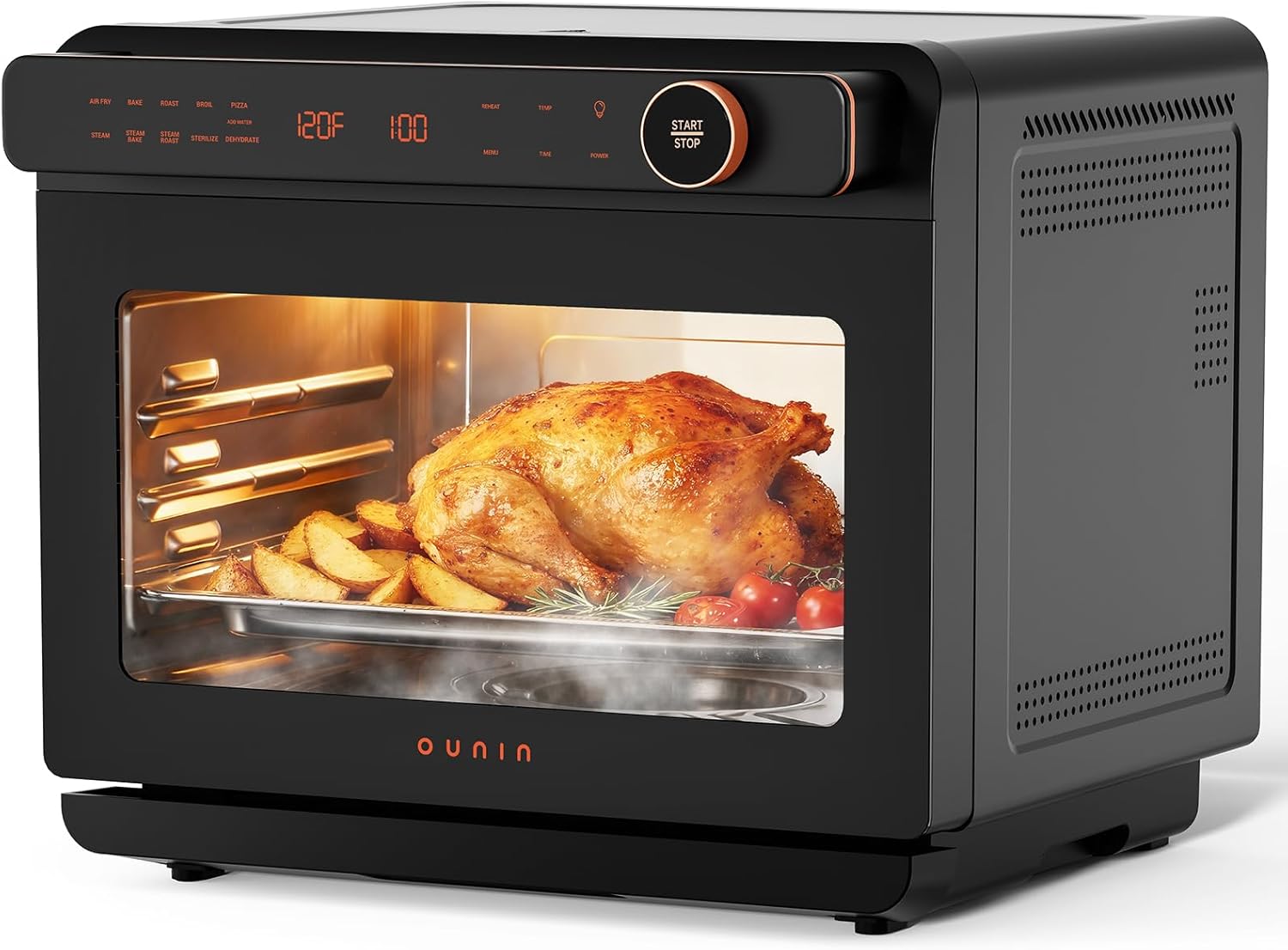
Figure 1: OUNIN 24L Steam and Air Fryer Combo Countertop Oven with food inside.
Important Safety Instructions
- Always place the oven on a stable, heat-resistant surface.
- Ensure adequate ventilation around the appliance.
- Do not touch hot surfaces. Use oven mitts or gloves when handling hot items.
- Unplug the appliance from the outlet when not in use and before cleaning.
- Do not immerse the cord, plug, or appliance in water or other liquids.
- Close supervision is necessary when any appliance is used by or near children.
- Do not operate any appliance with a damaged cord or plug, or after the appliance malfunctions or has been damaged in any manner.
- For steam functions, use only distilled or filtered water in the water tank.
Product Overview
Components
The OUNIN 24L Steam and Air Fryer Combo Countertop Oven includes the following accessories:
- Air Fry Basket
- Baking/Grill Pan
- Oven Rack
- Oven Mitt

Figure 2: Included accessories for the OUNIN 24L Oven.
Control Panel
The digital control panel provides intuitive access to all cooking functions, temperature, and time settings.

Figure 3: Intuitive Display and Control Panel.
- Cooking Programs: Select from 11 preset functions.
- Add Water Indicator: Illuminates when the water tank needs refilling for steam functions.
- Display: Shows current temperature, time, and selected program.
- Menu Button: Cycles through available cooking programs.
- Time Button: Adjusts cooking time.
- Power Button: Turns the appliance on/off.
- Light Button: Activates the interior oven light.
- Start/Stop Knob: Rotates to adjust settings and presses to start or stop cooking.
Setup and First-Time Use
Unpacking
Carefully remove all packaging materials, including any protective films or stickers. Retain packaging for future storage or shipping.
Placement
Place the oven on a flat, stable, heat-resistant countertop. Ensure there is at least 4 inches (10 cm) of clear space on all sides and above the oven for proper ventilation.
Initial Cleaning
Before first use, wipe the interior and exterior of the oven with a damp cloth. Wash all accessories (air fry basket, baking pan, oven rack) with warm, soapy water, rinse thoroughly, and dry completely.
Water Tank (for Steam Functions)
The oven features a removable 1L water tank located at the bottom. For steam functions, pull out the water tank, fill it with distilled or filtered water, and reinsert it securely.

Figure 4: Removable 1L Water Tank.
Operating Modes (11-in-1 Functions)
This appliance offers 11 versatile cooking functions:

Figure 5: Overview of 11 cooking modes.
- Air Fry: Utilizes 360° hot air circulation for crispy results with minimal oil. Ideal for fries, chicken wings, and other fried foods.
- Steam: Perfect for delicate foods like fish and vegetables, preserving moisture and nutrients.
- Steam Bake/Roast: Combines steam and convection for a crispy exterior and juicy interior, suitable for poultry, bread, and pastries.
- Bake: Standard convection baking for cakes, cookies, and casseroles.
- Roast: For roasting meats and vegetables.
- Broil: High heat from above for quick browning and searing.
- Dehydrate: Low heat for drying fruits, vegetables, and jerky.
- Reheat: Gently warms food without drying it out.
- Sterilize: Uses steam to sanitize baby bottles and utensils.
- Toast: For toasting bread, bagels, and waffles.
- Pizza: Optimized setting for cooking pizzas evenly.
Key Technologies
The oven features a 360° hot air system and Steam-Injection Technology for efficient and precise cooking.

Figure 6: High-Power Convection System.

Figure 7: Steam-Injection Technology.
Official Product Video
Video 1: Official overview of the OUNIN 24L Steam Air Fry Oven, demonstrating its features and cooking capabilities.
General Operation
- Power On: Press the Power button to turn on the oven. The display will illuminate.
- Select Function: Use the Menu button to cycle through the 11 cooking programs. The selected program will blink on the display.
- Adjust Temperature/Time: Rotate the Start/Stop knob to adjust the temperature and time for your chosen program. Press the Time or Temp button to switch between adjusting time and temperature.
- Start Cooking: Once settings are confirmed, press the Start/Stop knob to begin cooking.
- Use Interior Light: Press the Light button to illuminate the oven interior for monitoring food progress.
- Stop Cooking: Press the Start/Stop knob again to pause or stop the cooking cycle.
Care and Maintenance
Cleaning the Interior
The oven features a durable stainless steel interior and an advanced non-stick coating for easy cleanup. After each use, allow the oven to cool completely. Wipe the interior with a damp cloth and mild detergent. Avoid abrasive cleaners or scouring pads that could damage the surface.

Figure 8: Effortless interior cleanup.
Cleaning Accessories
All included accessories (air fry basket, baking pan, oven rack) are dishwasher-safe or can be hand-washed with warm, soapy water. Ensure they are completely dry before storing or re-using.
Water Tank Maintenance
Regularly empty and clean the water tank to prevent mineral buildup. Use a soft brush and mild soap if necessary. Rinse thoroughly and allow to air dry.
Troubleshooting
- Oven not turning on: Check if the power cord is securely plugged into a working outlet.
- Uneven cooking: Ensure food is spread evenly in the basket/pan and not overcrowded. Consider rotating food halfway through cooking.
- Steam function not working: Check if the water tank is filled and properly inserted. Ensure the selected program requires steam.
- Food not crispy enough (Air Fry): Ensure the air fry basket is used and not overloaded. Increase cooking time or temperature slightly if needed.
For further assistance, please refer to the Warranty & Support section.
Specifications
| Brand | OUNIN |
| Model Name | Steam Bake Oven |
| Item Model Number | KXW240-160A |
| Capacity | 24L (25.4QT) |
| Product Dimensions | 18"D x 18"W x 14"H |
| Control Type | Knob Control |
| Material | 304 Stainless Steel Interior |
| Special Feature | Portable, 11-in-1 Functions, Steam Infusion, 360° Hot Air Circulation |
| Item Weight | 30 pounds |
Warranty and Support
OUNIN is committed to providing high-quality products and customer satisfaction.
- 1-Year After-Sales Service: Your product is covered by a 1-year after-sales service period.
- 24/7 Customer Support: For any questions or issues, our customer support team is available 24/7 to assist you.
- 30-Day No-Questions-Asked Refund: If you are not completely satisfied with your purchase, you may be eligible for a refund within 30 days.
Please refer to your purchase documentation for specific warranty terms and contact information for customer support.
Ask a question about this manual
Ask about setup, troubleshooting, compatibility, parts, safety, or missing instructions. Manuals+ will review the question and use this page’s manual context to help answer it.