
Introduction
Thank you for choosing the NEWPET NP6286 Pet Camera Robot. This intelligent interactive robot is designed to help you monitor and interact with your pets from anywhere. It features 2K 1080P video, two-way audio, night vision, and remote control capabilities. This manual provides essential information for setting up, operating, and maintaining your device. Please read it thoroughly before use.
Product Overview
The NEWPET NP6286 is a versatile pet companion robot equipped with advanced features for pet monitoring and interaction.

Image: Overview of the NEWPET NP6286 multifunctional pet robot, highlighting its various features such as photo, video, microphone, SD card support, settings, and automatic charging.
Key Features:
- Dual 1080P Camera: Provides comprehensive environmental views, eliminating blind spots, suitable for home, shops, and garage gates.
- Remote App Control: Monitor your home from anywhere, ensuring 24-hour surveillance and companionship.
- Long-Lasting Battery: Integrated 5200 mAh rechargeable battery for extended use on a single charge.
- Mobile Camera: Equipped with track wheels for stable movement. Remotely control direction and speed via the app. Compact design allows flexible movement to all corners of your home.
- Two-Way Communication: Interact with family or pets at any time through the app.
- Infrared Laser Interaction: Engage and entertain your pet with an infrared laser.
Product Dimensions:

Image: Detailed dimensions of the NEWPET NP6286 pet robot (top view: 10cm width, 13cm depth) and its charging dock (front view: 12cm width, 8.2cm height).
Setup
- Download the App:
- For Android devices: Scan the QR code provided in the product packaging or search for "meijia+" in the Google Play Store.
- For Apple iOS devices: Search for "meijia+" (ensure the "+" is included) in the App Store.
- Account Registration:
There are two methods to register an account through the application. It is recommended to use email registration initially.
- Initial Charging:
Before first use, ensure the robot is fully charged. Place the robot within the charging base's field of view (a reliable charging area is a 200x200cm rectangle, 50cm in front of the base). Click the automatic recharge button in the app interface. The robot will independently recharge.

Image: The NEWPET NP6286 pet robot automatically returning to its charging dock. The image illustrates the recommended placement for automatic charging, showing a 200cm x 200cm detection range.
Operating Instructions
Remote Control via App:
Once connected, use the "meijia+" app to control your NEWPET NP6286. You can view live video feeds, control the robot's movement, and access various features from anywhere.
Two-Way Communication:
The mobile security camera offers two-way interaction. Open the app to speak to your pets or family members and listen to their responses in real-time.
Mobile Camera Control:
Control the robot's direction and speed remotely through the app. Its compact design and track wheels allow it to move flexibly to various areas of your home, enabling you to check on your home situation anytime, anywhere.
Photography Function:
Utilize the app to capture photos and record videos of your pets. The 1080P camera provides clear images.

Image: The NEWPET NP6286 pet robot demonstrating its photography function, capturing moments of a cat and a dog playing. The app interface for taking photos is also shown.
Microphone Interaction and Laser Play:
Engage with your pet using the built-in microphone for voice interaction. The robot also features an infrared laser for interactive play, keeping your pet entertained.
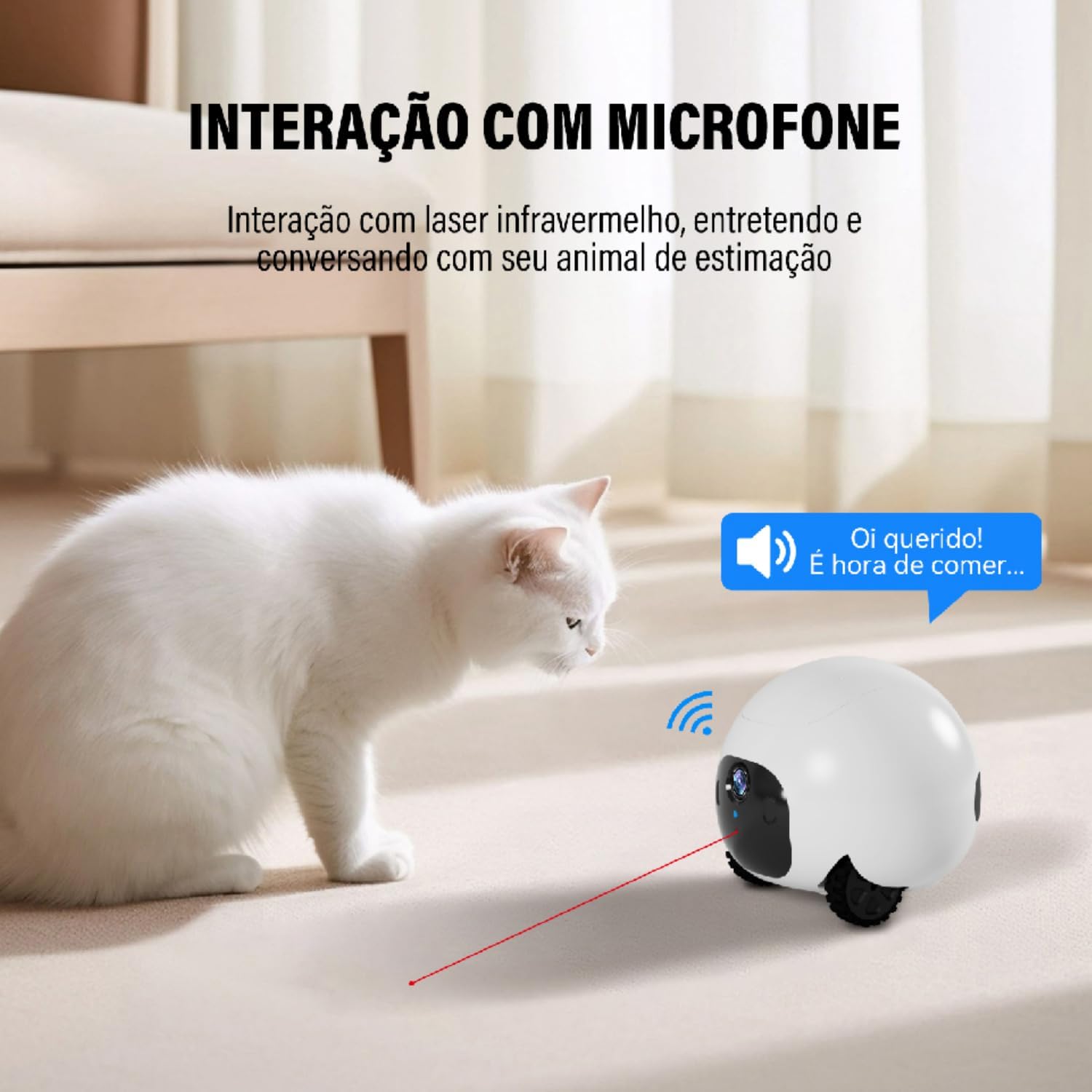
Image: The NEWPET NP6286 pet robot interacting with a white cat, showing a laser beam emanating from the robot and a speech bubble indicating voice interaction ("Hi dear! It's time to eat...").
Maintenance
- Cleaning: Regularly wipe the robot's exterior with a soft, dry cloth. Avoid using abrasive cleaners or solvents.
- Camera Lens: Gently clean the camera lens with a microfiber cloth to ensure clear image quality.
- Charging Contacts: Periodically check and clean the charging contacts on both the robot and the charging base to ensure efficient charging.
- Software Updates: Keep the "meijia+" app updated to the latest version to ensure optimal performance and access to new features.
Troubleshooting
- Robot not connecting to Wi-Fi:
- Ensure your Wi-Fi network is 2.4GHz. The robot does not support 5GHz networks.
- Check that the Wi-Fi password is entered correctly in the app.
- Move the robot closer to your Wi-Fi router during setup.
- Restart your router and the robot.
- App not detecting the robot:
- Ensure Bluetooth is enabled on your mobile device during the initial pairing process.
- Verify that the robot is powered on and fully charged.
- Try restarting the app and your mobile device.
- Poor video quality:
- Check your internet connection speed. A stable and fast connection is required for optimal video streaming.
- Clean the camera lens for any smudges or dust.
- Robot not charging automatically:
- Ensure the charging base is plugged in and receiving power.
- Verify that there are no obstacles between the robot and the charging base.
- Clean the charging contacts on both the robot and the base.
- Ensure the robot is placed within the specified 200x200cm detection range, 50cm in front of the base.
- Two-way audio issues:
- Check the microphone and speaker settings within the "meijia+" app.
- Ensure your phone's volume is up and the app has microphone permissions.
- Verify there are no obstructions blocking the robot's microphone or speaker.
Specifications
| Product Name | Pet Companion Robot |
| Model Number | NP6286 |
| Weight | 400g (Robot), 800g (Product total) |
| Dimensions (Robot) | 110 x 103 x 110mm (approx.) |
| Dimensions (Item C x L x A) | 21 x 18 x 15 cm |
| Charging | Auto Docking DC5V/2A MAX |
| Wireless Connection | WIFI 2.4G |
| Camera Video Resolution | 1080P@25FPS |
| Photo Resolution | 1920*1080px |
| CPU | 1.4GHz XBurst |
| App Compatibility | iOS & Android ("meijia+") |
| Frontal Detection Range | 50MM-1500MM |
| Power Source | AC (for charging base) |
| Voltage | 110.0, 220.0 (compatible) |
| Mounting Type | Table Mount |
| Indoor/Outdoor Use | Outdoor (as per spec, typically used indoors for pets) |
| Battery Operated | No (has internal rechargeable battery) |
Note: Some specifications may vary slightly. The "Outdoor" classification in the provided data might be a miscategorization, as the product description focuses on indoor pet monitoring.
Warranty and Support
This product may be eligible for extended warranty plans. Please refer to your purchase documentation or retailer for details on available protection plans.
- Extended Warranty Options:
- 12-month extended warranty against failures and defects.
- 24-month extended warranty against failures and defects.
For technical support or further assistance, please contact your retailer or visit the official NEWPET website.