
1. Introduction
Welcome to the user manual for your ZYHKON Z9pro Wireless Earbuds. This guide provides detailed instructions on how to set up, operate, and maintain your earbuds to ensure optimal performance and longevity. Please read this manual thoroughly before using the product.
2. Package Contents
Verify that all items listed below are present in your package:
- Wireless Earbuds (L/R) x 2
- Portable Charging Case x 1
- USB-C Charging Cable x 1
- User Manual x 1
- Eartips (S/M/L) x 3 pairs

Figure 2.1: Contents of the ZYHKON Z9pro package. Includes earbuds, charging case, USB-C cable, user manual, and various eartip sizes.
3. Product Overview
The ZYHKON Z9pro Wireless Earbuds feature advanced audio technology and a multi-function touchscreen charging case.
3.1 Earbuds

Figure 3.1: ZYHKON Z9pro Earbuds and Charging Case.
- Ergonomic Design: Designed for comfortable, long-term wear.
- IPX7 Waterproof: Resistant to sweat and light rain, suitable for workouts.
- Touch Control Area: Located on the outer surface of each earbud for various functions.
3.2 Charging Case

Figure 3.2: ZYHKON Z9pro Charging Case Touchscreen.
- Multifunction Touch Screen: Allows control over volume, tracks, calls, alarms, and earbud location.
- Battery Display: Shows battery levels for both earbuds and the case.
- USB-C Charging Port: For recharging the case.
4. Setup
4.1 Charging the Earbuds and Case
Before first use, fully charge the earbuds and the charging case.
- Place the earbuds into the charging case. Ensure they are seated correctly.
- Connect the USB-C charging cable to the charging port on the case and to a power source.
- The touchscreen display on the case will indicate charging status and battery levels.
- A full charge takes approximately 1.5 hours.

Figure 4.1: Charging the ZYHKON Z9pro Earbuds and Case.
4.2 Pairing with a Bluetooth Device
The earbuds support one-step auto pairing.
- Open the charging case. The earbuds will automatically enter pairing mode.
- On your device (smartphone, tablet, laptop), enable Bluetooth.
- Search for available Bluetooth devices and select "Z9 Pro" from the list.
- Once connected, the earbuds will indicate successful pairing, and the case display will show a connected icon.
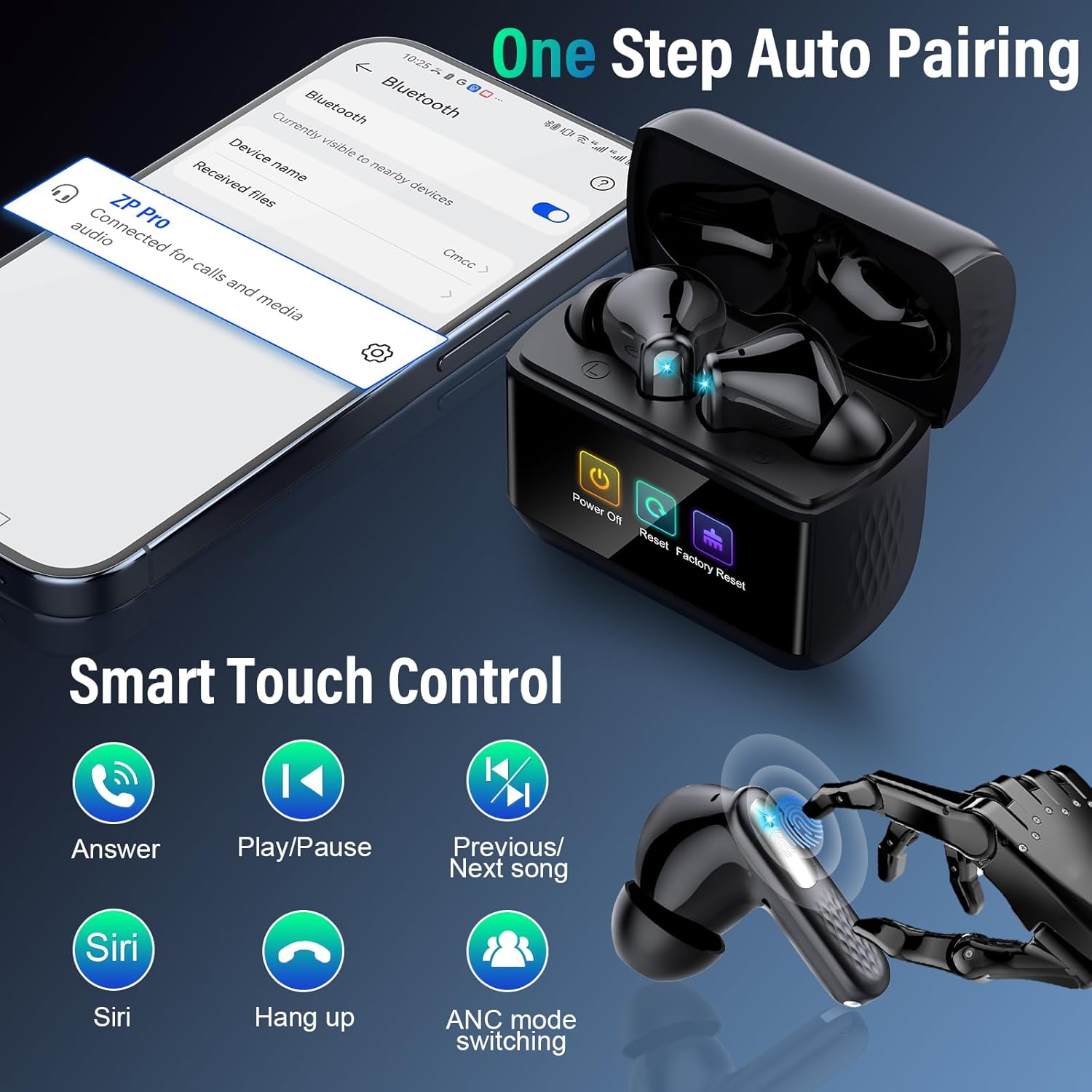
Figure 4.2: One-Step Auto Pairing Process.
Note: The earbuds are designed to automatically reconnect to the last paired device when removed from the case.
5. Operating Instructions
5.1 Earbud Touch Controls
Each earbud has a touch-sensitive area for controlling various functions.
| Action | Function |
|---|---|
| Click 1 time (Left/Right) | Play/Pause music, Answer/End call |
| Click 2 times (Left) | Previous song |
| Click 2 times (Right) | Next song |
| Click 3 times (Left/Right) | Switch ANC/Transparency Mode |
| Click 4 times (Left/Right) | Hang up call |
| Long press 2 seconds (Left/Right) | Activate Voice Assistant (Siri) |

Figure 5.1: Earbud Touch Control Functions.
5.2 Multifunction Touch Screen Case
The charging case features a full-color LED touch screen for advanced controls. Swipe left or right to navigate through interfaces.
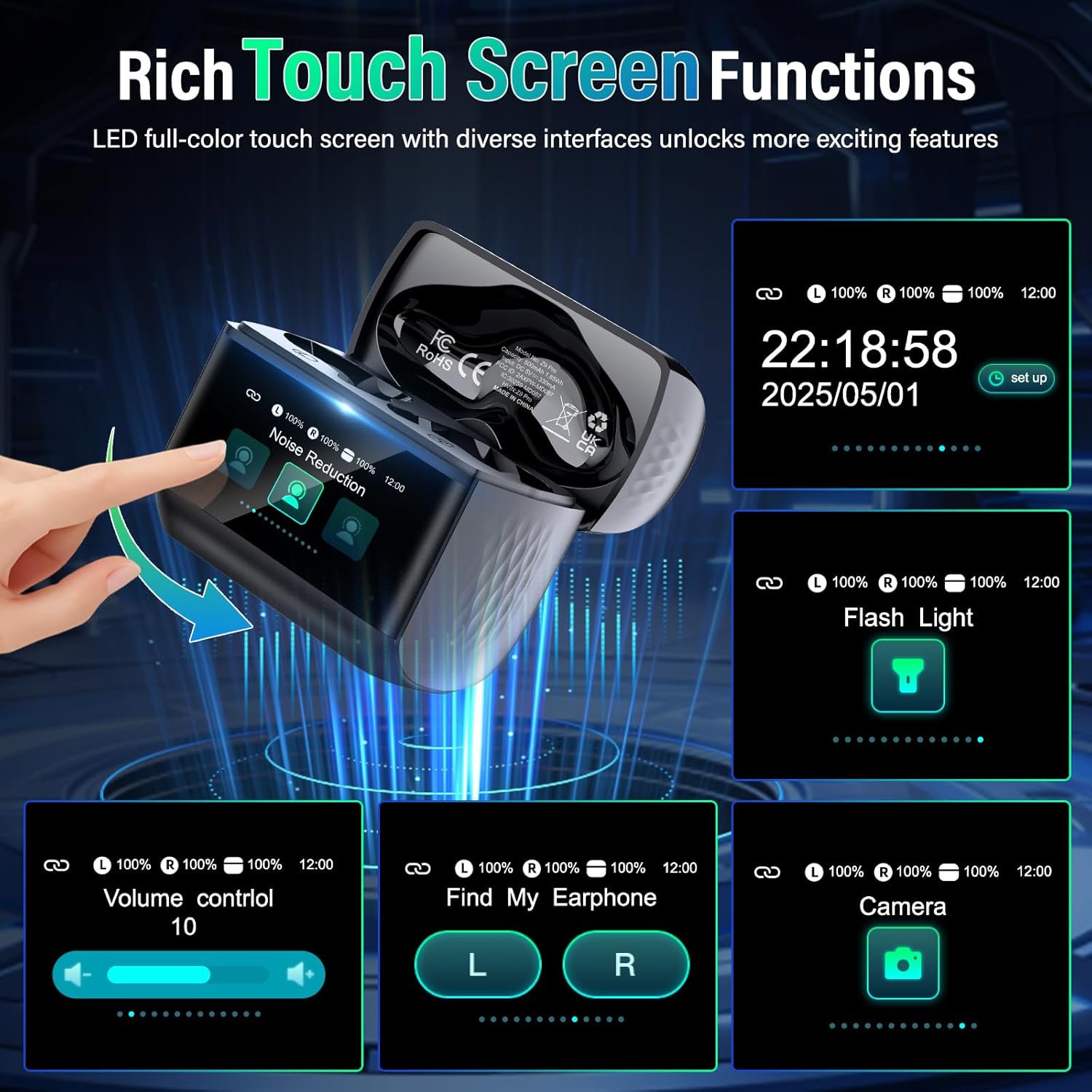
Figure 5.2: Touch Screen Case Functions.
- Noise Reduction Modes: Switch between Normal, Noise Cancellation, and Transparency modes.
- Volume Control: Adjust playback volume directly from the case.
- Find My Earphone: Activate a sound on the earbuds to locate them if misplaced.
- Flashlight Function: Utilize the case's built-in light.
- Alarm/Time Setting: Set alarms or view the current time.
- EQ Modes: Select from 5 equalizer presets (Normal, Jazz, Rock, Pop, Classics).
5.3 Noise Cancellation and Transparency Modes
The Z9pro earbuds feature Hybrid Active Noise Cancelling (ANC) and Environmental Noise Cancellation (ENC) for calls.

Figure 5.3: ANC and Transparency Mode Selection.
- Noise Cancellation Mode: Blocks up to 38dB of ambient noise for an immersive audio experience.
- Transparency Mode: Allows you to hear your surroundings while listening to audio, enhancing awareness.
- Normal Mode: Standard audio playback without active noise cancellation or transparency.
Switch between these modes using the earbud touch controls (triple tap) or via the charging case touchscreen.
5.4 EQ Modes
Customize your audio experience with 5 distinct equalizer modes.
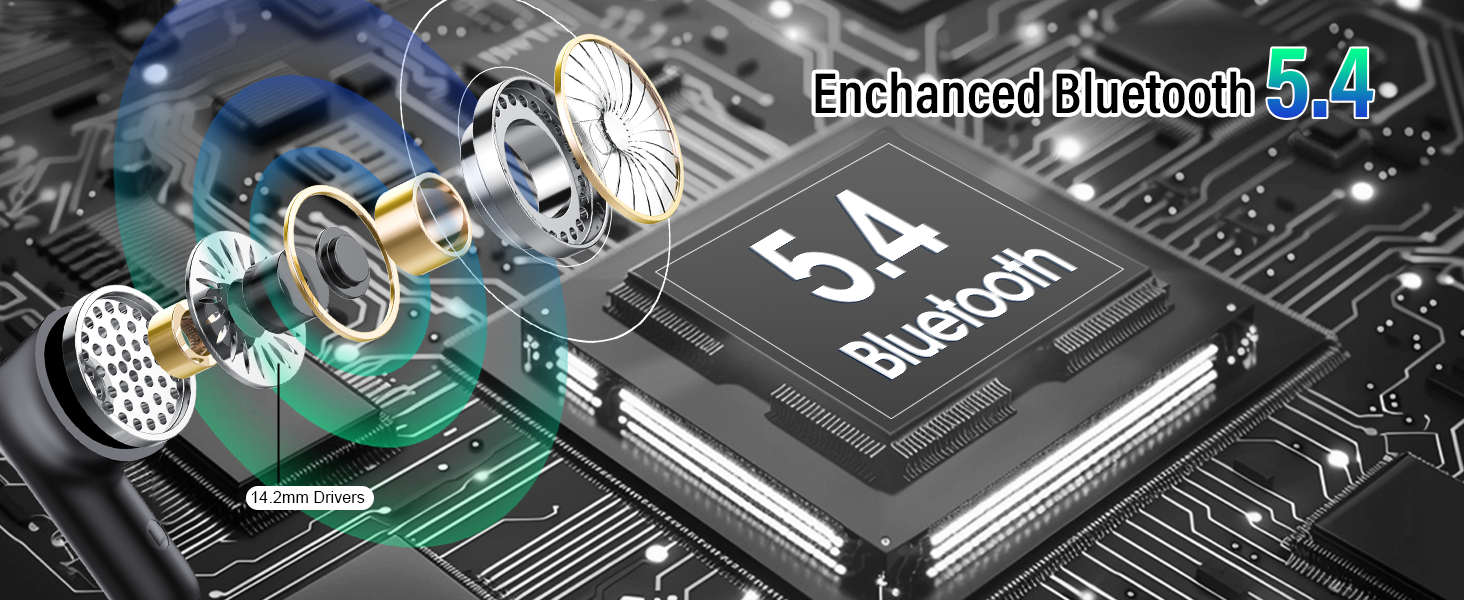
Figure 5.4: Selecting EQ Modes.
Access and select EQ modes through the multifunction touchscreen on the charging case.
6. Maintenance
- Cleaning: Regularly clean the earbuds and charging case with a soft, dry, lint-free cloth. Do not use harsh chemicals or abrasive materials.
- Eartips: Remove and clean the silicone eartips with mild soap and water. Ensure they are completely dry before reattaching.
- Storage: When not in use, store the earbuds in their charging case to protect them and keep them charged. Store in a cool, dry place away from extreme temperatures.
- Water Resistance: While IPX7 rated, avoid submerging the earbuds in water. Dry them thoroughly if they get wet from sweat or light rain.
7. Troubleshooting
| Problem | Possible Solution |
|---|---|
| Earbuds not pairing |
|
| Only one earbud playing sound |
|
| Low volume |
|
| Charging case not charging |
|
8. Specifications
| Feature | Detail |
|---|---|
| Model Name | Z9pro |
| Connectivity Technology | Wireless (Bluetooth 5.4) |
| Noise Cancellation | ANC (up to 38dB), ENC for calls |
| Playtime (Single Charge) | 6-8 hours |
| Total Playtime (with Case) | Up to 48 hours |
| Charging Time | Approx. 1.5 hours |
| Water Resistance Rating | IPX7 |
| Material | ABS, Silicone |
| Weight | 3.2 ounces (total item weight) |
| Compatible Devices | Smartphones, Tablets, Laptops, Telephones |
9. Warranty and Support
For warranty information and customer support, please refer to the contact details provided on the product packaging or the official ZYHKON website. Keep your purchase receipt for warranty claims.
