
1. Introduction
Thank you for choosing the OJW OJW001 Open-Ear Headphones. These headphones are designed to provide a comfortable listening experience while keeping you aware of your surroundings. Featuring replaceable batteries, Bluetooth 5.4 connectivity, IPX7 waterproofing, and intuitive touch controls, they are suitable for various activities from daily commutes to intense workouts.
2. What's in the Box
Ensure all items are present upon unboxing:
- OJW Open-Ear Headphones (Left and Right)
- Charging Case
- Replaceable Batteries (4 AAAA batteries included)
- USB Type-C Charging Cable
- User Manual

Image: Contents of the OJW Open-Ear Headphones package.
3. Setup
3.1 Initial Charging
Before first use, fully charge both the charging case and all batteries. Connect the charging case to a power source using the provided USB Type-C cable. The LED indicators on the case will show charging status.

Image: Charging the OJW headphone case with a USB-C cable.
Charging Time: Approximately 1.5 hours for the batteries, and 2 hours for the charging compartment.
3.2 Bluetooth Pairing
- Open the charging case. The headphones will automatically enter pairing mode.
- On your device (smartphone, tablet, PC), go to Bluetooth settings.
- Select "OJW001" from the list of available devices to connect.
- Once connected, a voice prompt will confirm successful pairing.

Image: Bluetooth pairing process with a smartphone.
Video: A user demonstrates the unboxing, charging, and Bluetooth pairing process for the OJW Open-Ear Headphones. The video shows how to open the charging case, connect the charging cable, and pair the headphones with a smartphone via Bluetooth settings. It also highlights the magnetic battery attachment and how to wear the headphones.
3.3 Wearing the Headphones
The OJW Open-Ear Headphones feature an ear-hook design for secure and comfortable wear. The speaker portion rests outside your ear canal, allowing you to hear your surroundings.
- Take out the earbuds from the charging case.
- Place the ear hook over the top of your ear.
- Rotate the earbud backward along the auricle to position the speaker correctly outside your ear canal.
- Adjust for a snug and comfortable fit.

Image: Step-by-step guide on how to wear the OJW Open-Ear Headphones.

Image: User wearing OJW Open-Ear Headphones during an outdoor activity.
4. Operating Instructions
4.1 Touch Controls
The headphones feature touch-sensitive panels on both sides for easy control of music, calls, and voice assistants.
| Action | Function |
|---|---|
| Single Tap (L or R) | Answer/End Call, Play/Pause Music |
| Double Tap (L) | Previous Track |
| Double Tap (R) | Next Track |
| Long Press (2s, L or R) | Activate Voice Assistant (Siri, Google Assistant) |
| Long Press (5s, L or R) | Power On/Off |
| Action | Function |
|---|---|
| Single Tap (L) | Volume Down |
| Single Tap (R) | Volume Up |
| Long Press (2s, L) | Previous Track |
| Long Press (2s, R) | Next Track |

Image: Overview of touch controls and battery status display.
4.2 Swappable Battery System
The OJW001 headphones feature a unique swappable battery design. Each headphone has a magnetic battery module that can be easily replaced. The charging case holds spare batteries, allowing for continuous listening.
- When a battery is depleted, gently pull the magnetic battery module from the headphone.
- Take a fully charged spare battery from the charging case.
- Attach the charged battery to the headphone; it will snap into place magnetically.
- Place the depleted battery into the charging case to recharge.

Image: Magnetic battery swapping in action.
Video: A short demonstration of the 1-second battery swap feature of the OJW Open-Ear Headphones. The video shows a hand detaching and reattaching the magnetic battery module to the headphone.
4.3 Multi-Device Connectivity
The OJW001 headphones support simultaneous connection to two Bluetooth devices. This allows you to seamlessly switch between audio sources, for example, from your laptop to your smartphone, without re-pairing.

Image: OJW headphones connected to multiple devices simultaneously.
5. Maintenance
5.1 Cleaning and Care
To ensure longevity and optimal performance, regularly clean your headphones. Wipe off any sweat or dirt with a soft, dry cloth after each use. Avoid using harsh chemicals or abrasive materials.

Image: Headphone maintenance tips for cleaning.
5.2 Battery Maintenance
The replaceable batteries are designed for durability. If a battery wears out or gets lost, contact customer support for a replacement. Store unused batteries in the charging case to keep them charged and protected.
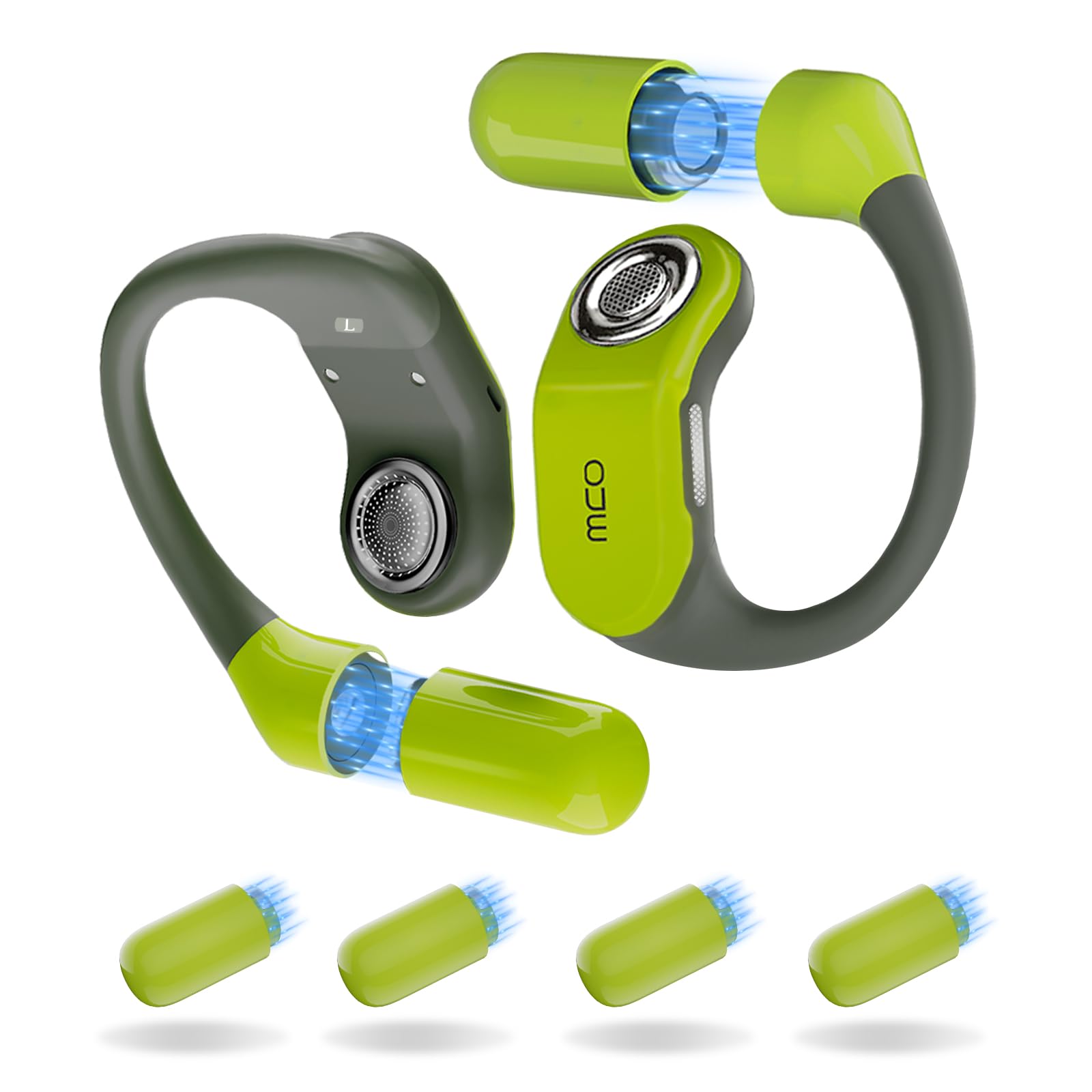
Image: Replaceable battery feature of OJW headphones.
6. Troubleshooting
- No Power: Ensure the charging case and batteries are fully charged. Check the charging cable connection.
- Cannot Pair: Make sure Bluetooth is enabled on your device and the headphones are in pairing mode (open the case). Try forgetting the device on your phone and re-pairing.
- Sound Issues: Check volume levels on both the headphones and your connected device. Ensure headphones are worn correctly.
- Intermittent Disconnection: Ensure your device is within the Bluetooth range (approximately 32 feet). Avoid obstacles between the headphones and your device.
7. Specifications
| Feature | Detail |
|---|---|
| Model Name | OJW001 |
| Connectivity Technology | Wireless (Bluetooth 5.4) |
| Bluetooth Range | 32.79 Feet |
| Ear Placement | Open Ear |
| Water Resistance Level | IPX7 Waterproof |
| Control Type | Touch Control |
| Audio Driver Type | Dynamic Driver |
| Audio Driver Size | 13 Millimeters |
| Noise Control | Environmental Noise Cancellation |
| Battery Life (Total with case) | Up to 96 Hours |
| Charging Time | 1.5 Hours (earbuds), 2 Hours (case) |
| Item Weight | 0.663 ounces (18.8 Grams) |
| Material | Metal, Plastic, Silicone |
| Compatible Devices | Android, Mac, PC, Smart Watch, iPhone |
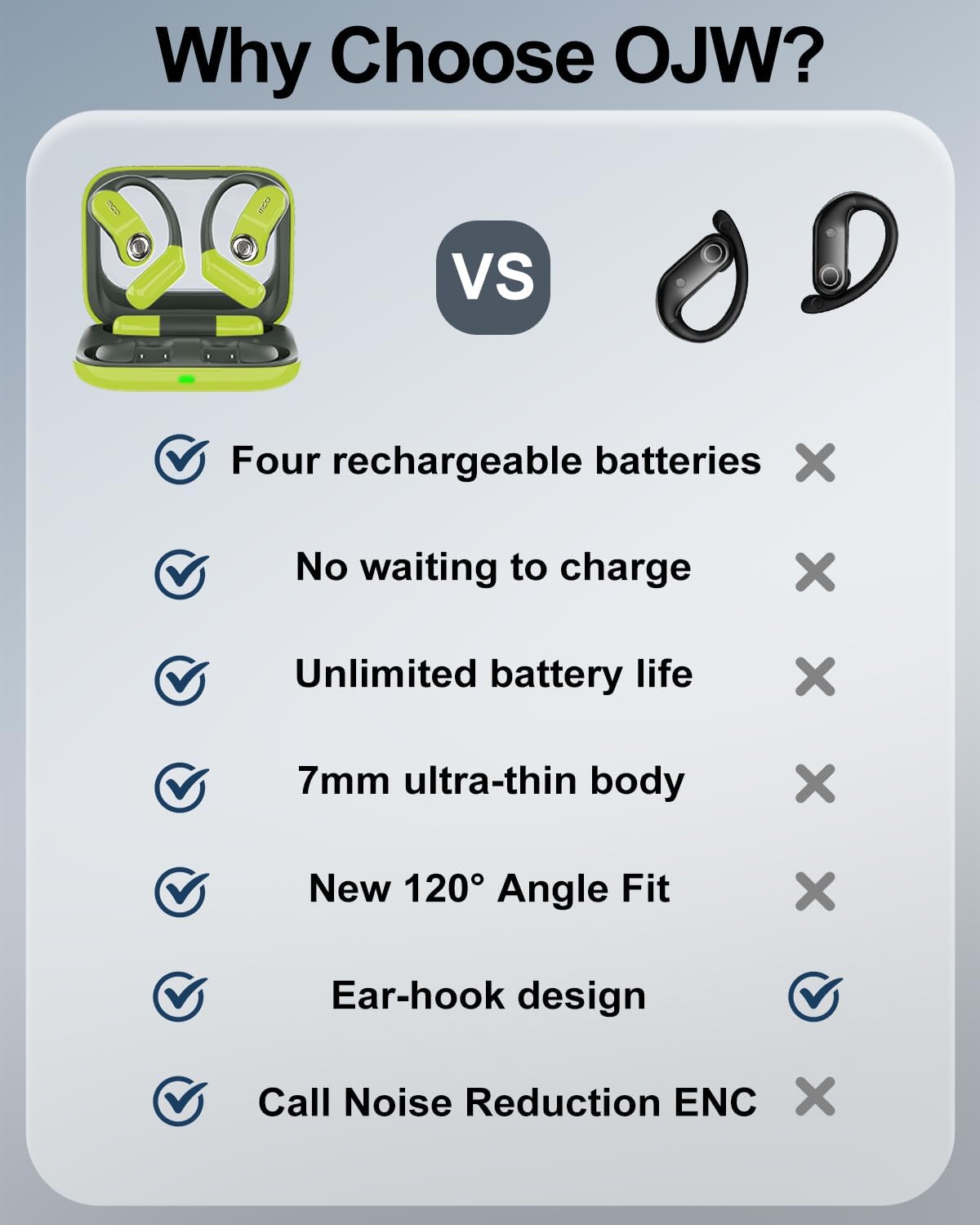
Image: Detailed view of the 13.2mm dynamic driver.

Image: IPX7 waterproof feature of the headphones.
8. Warranty and Support
OJW products come with a standard manufacturer's warranty. For detailed warranty information, product support, or to purchase replacement parts (such as batteries), please visit the official OJW website or contact their customer service directly. Keep your purchase receipt for warranty claims.