
1. Product Overview
The ECOHOME MFR01 is a versatile 3-in-1 robot vacuum and mop combo designed for efficient cleaning of various floor types. It features powerful suction, intelligent navigation, and multiple control options to simplify your cleaning routine.
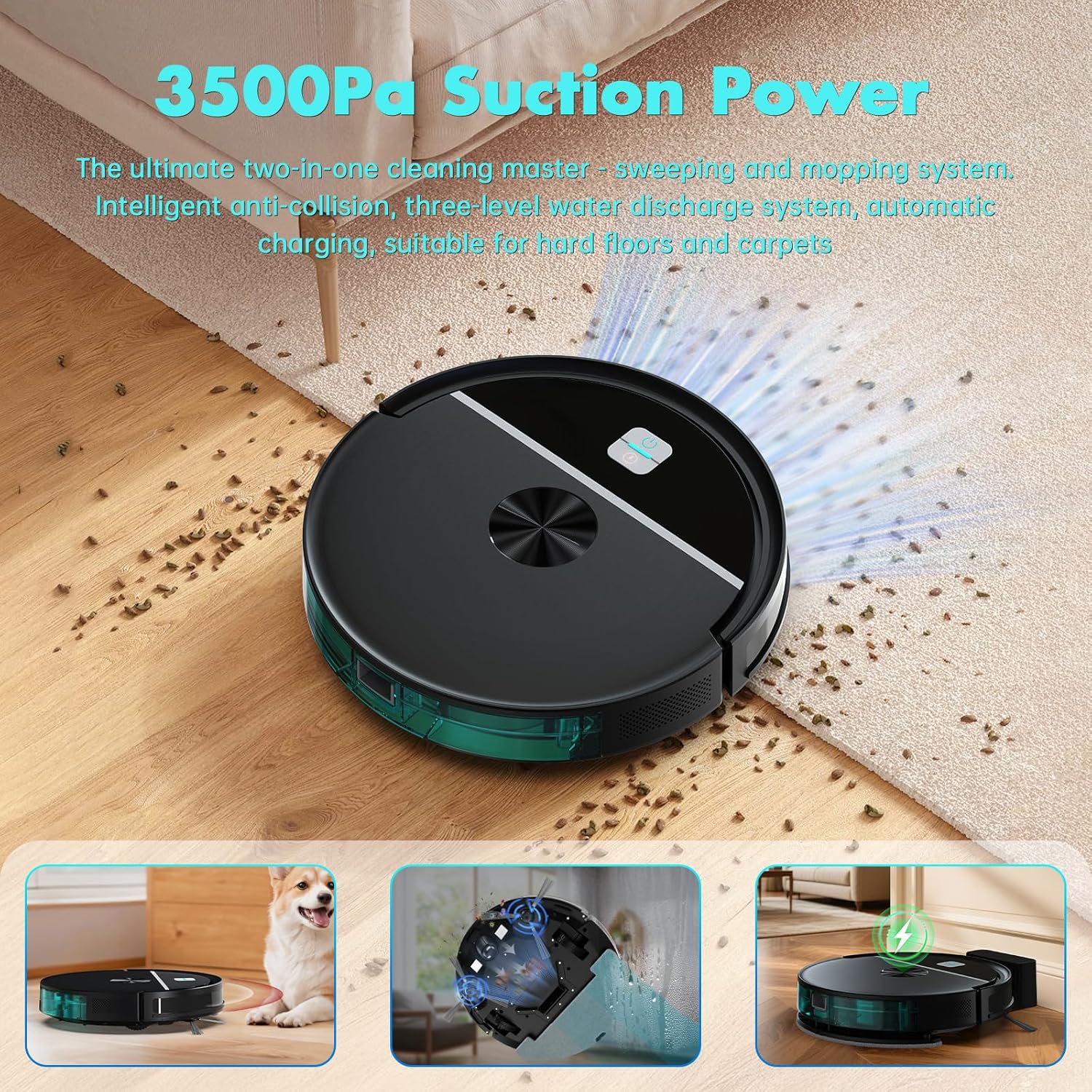
Figure 1: ECOHOME MFR01 Robot Vacuum demonstrating 3500Pa suction power on a hard floor.

Figure 2: Key features of the ECOHOME MFR01 Robot Vacuum and Mop Combo.
2. Setup and Initial Use
2.1 Unboxing and Components
Upon opening the package, ensure all components are present:
- ECOHOME MFR01 Robot Vacuum Cleaner
- Charging Base
- Power Adapter
- Remote Control (with batteries)
- 4 Side Brushes (2 pre-installed, 2 extra)
- 2 Mop Pads (1 pre-installed, 1 extra)
- Cleaning Tool
- Extra Filter
- User Manual
Video 1: ECOHOME Robot Vacuum Cleaning introduction video. This video provides an overview of the product and its components.
2.2 Installing Side Brushes
Attach the side brushes to the bottom of the robot. Align the brush with the corresponding slot and press firmly until it clicks into place. Use a screwdriver to secure them if necessary.
2.3 Preparing the Water Tank and Mop Pad
The MFR01 features a 2-in-1 dustbin and water tank. To prepare for mopping:
- Press the release button to remove the 2-in-1 water tank from the robot.
- Open the water tank sealing plug and fill the tank with clean water. Compatible cleaning solutions may also be used following manufacturer guidelines.
- Close the water tank sealing plug securely.
- Attach a clean mop pad to the mop holder on the bottom of the water tank.
- Slide the water tank back into the robot until it clicks into place.

Figure 3: Detailed view of the water tank and its electronic control for water output.
2.4 Charging the Robot
Place the charging base against a wall in an open area. Connect the power adapter to the charging base and a power outlet. Place the robot vacuum onto the charging base, ensuring the metallic electrodes on the robot align with those on the base. The robot will power on automatically and begin charging.
3. Operating Instructions
3.1 Control Methods
The ECOHOME MFR01 can be controlled via:
- Remote Control: Use the included remote to start/pause cleaning, change modes, manually steer the vacuum, or send it back to the charging base.
- Tuya Smart App: Download the Tuya Smart App to create cleaning schedules, change cleaning modes, adjust suction power and water flow, and control the robot remotely. The app supports 2.4GHz Wi-Fi.
- Voice Control: The robot is compatible with Google Assistant, allowing voice commands for starting and stopping cleaning.

Figure 4: Controlling the ECOHOME MFR01 via the Tuya Smart App, remote, and voice commands.
3.2 Cleaning Modes
The robot offers 6 high-efficiency cleaning modes:
- Auto Clean: The robot intelligently navigates to clean the entire area.
- Edge Clean: Focuses on cleaning along walls and furniture edges.
- Spot Clean: Concentrates on a specific dirty area for intensive cleaning.
- Manual Control: Allows you to steer the robot manually using the remote or app.
- Scheduled Cleaning: Set specific times for the robot to clean automatically.
- Zigzag Path: Covers the largest area for cleaning, reducing missed spots and increasing efficiency.

Figure 5: Visual representation of the 6 cleaning modes.
3.3 Suction Power and Water Flow Adjustment
Both vacuuming and mopping functions offer three levels of intensity adjustment. Adjust these settings via the remote or app to suit different floor types and cleaning needs.
3.4 Intelligent Navigation and Safety Features
- Obstacle Avoidance: The robot detects and avoids objects on the floor, minimizing collisions.
- Anti-Drop Technology: Equipped with multi-dimensional sensors, it monitors the environment in real-time to prevent accidental falls down stairs.
- Brushless Suction Port: Designed to prevent pet hair entanglement, making it ideal for homes with pets.

Figure 6: Robot vacuum avoiding obstacles.

Figure 7: Robot vacuum utilizing anti-drop sensors near a staircase.
3.5 Automatic Recharging
The robot vacuum cleaner will automatically return to its charging base and recharge when its battery is low or when it has finished a cleaning cycle.
4. Maintenance
4.1 Emptying the Dustbin and Water Tank
Regularly empty the 2-in-1 dustbin and water tank to maintain optimal cleaning performance. Simply press the release button, pull out the unit, and dispose of collected debris. The water tank can be easily refilled.
4.2 Cleaning/Replacing Filters
Remove the filter from the 2-in-1 tank. Clean any debris from the filter using the provided cleaning tool. Replace the filter with a new one when necessary (an extra filter is included in the package).
4.3 Cleaning Side Brushes and Mop Pads
Remove the side brushes and clean any tangled hair or debris. The mop pads are washable and can be reused. Replace them with the extra pads when they show signs of wear.
5. Troubleshooting
If you encounter any issues with your ECOHOME MFR01, please refer to the following common troubleshooting steps:
- Robot not charging: Ensure the charging base is properly plugged in and the robot's charging contacts are aligned with the base.
- Reduced suction power: Check if the dustbin is full, the filter is clogged, or the suction port is blocked. Clean or replace as needed.
- Robot getting stuck frequently: Clear any obstacles from the cleaning path. Ensure the robot's sensors are clean.
- Mopping function not working: Check if the water tank is filled and the mop pad is correctly attached. Ensure the water flow setting is appropriate.
- App connectivity issues: Verify your Wi-Fi network is 2.4GHz and the robot is within range. Restart the app and the robot if necessary.
For further assistance, please contact ECOHOME customer support.
6. Specifications
| Brand | ECOHOME |
| Model Name | MFR01 |
| Special Feature | Anti-Collision, Anti-Fall, Scheduling, Vacuums |
| Color | Black |
| Product Dimensions | 12.59"L x 12.59"W x 2.87"H |
| Included Components | 1x Charging Stand, 1x Cleaning Knife, 1x Robot Vacuum Cleaner, 4x Side Brush, Battery |
| Filter Type | HEPA |
| Battery Life | 130 minutes |
| Power Source | Battery Powered |
| Manufacture Year | 2025 |
| Smart Home Compatibility | Smart Home Compatible |
| Item Weight | 7.63 pounds |
| Surface Recommendation | Hard Floor, Low Pile Carpet |
7. Warranty and Support
For warranty information and customer support, please refer to the contact details provided in your product packaging or visit the official ECOHOME website. Keep your purchase receipt for warranty claims.