
Product Overview
The Faryuan Bladeless Fan Model FY-020LH is a versatile 3-in-1 device designed to enhance your indoor comfort. It integrates heating, cooling, and air filtration functionalities into a single, sleek unit. This fan is suitable for various indoor environments, including bedrooms, kids' rooms, and living rooms, covering areas up to 400 square feet.
Key features include an 80° oscillating design for wide air distribution, a 30° vertical adjustment for targeted airflow, and a bladeless design for enhanced safety and easy cleaning. The fan operates quietly, especially in sleep mode, and offers convenient control options via an intelligent LED display, touch controls, and a remote control. An integrated 9-hour timer and automatic power-off protection in heating mode further enhance its user-friendliness and safety.
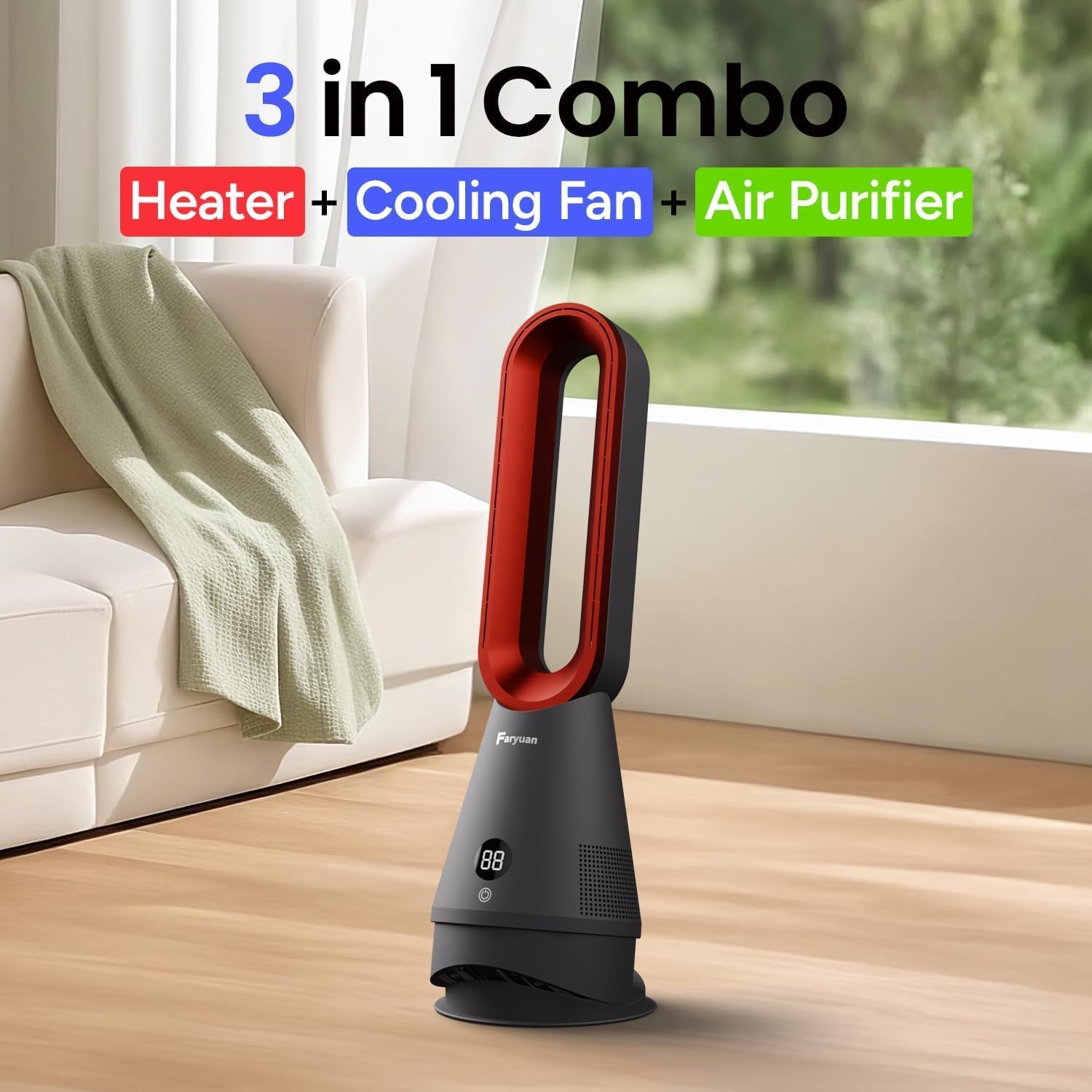
Image: The Faryuan Bladeless Fan showcasing its 3-in-1 functionality as a heater, cooling fan, and air purifier.
Setup Instructions
- Unpacking: Carefully remove the fan and all accessories from the packaging. Retain packaging for future storage or transport.
- Placement: Place the fan on a firm, level surface. Ensure there are no obstructions within 1 meter (3 feet) of the fan's air intake or outlet. Do not place the fan near curtains or other materials that could block airflow.
- Power Connection: Plug the power cord into a standard 110V AC electrical outlet. Ensure the power cord is not pinched or damaged.
Operating Instructions
Your Faryuan Bladeless Fan offers multiple modes and settings for personalized comfort. All functions can be controlled via the touch panel on the unit or the included remote control.

Image: Detailed view of the fan's touch control panel and the remote control for convenient operation.
Power On/Off
- Press the power button (U) on the unit's touch panel or the remote control to turn the fan on or off.
- The fan will typically start in cooling mode at a low speed.
Cooling Mode
- To activate cooling mode, press the mode button (often indicated by a snowflake or fan icon) until the cooling indicator is lit on the LED display.
- Adjust the fan speed from 1 to 8 using the '+' and '-' buttons on the unit or remote.

Image: The fan's LED display indicating various cooling and heating speed settings.
Heating Mode
- To activate heating mode, press the mode button until the heating indicator (often a flame icon) is lit.
- Adjust the heating level from H1 to H3. The temperature can be set between 20°C-35°C (68°F-95°F) using the '+' and '-' buttons.
- The fan features an automatic power-off protection if it is accidentally tipped over while in heating mode.
Oscillation
- Press the oscillation button (often indicated by a rotating arrow icon) to activate the 80° horizontal oscillation feature.
- The fan head can also be manually adjusted vertically by 30° to direct airflow.

Image: The fan oscillating to distribute air across a wide area in a living room setting.
Timer Function
- Press the timer button (often a clock icon) to set an automatic shut-off time. The timer can be set for up to 9 hours.
Sleep Mode
- Activate sleep mode for ultra-quiet operation, ideal for nighttime use. In this mode, the LED display will automatically turn off after 5 seconds to minimize light disturbance.

Image: The fan in a bedroom setting, highlighting its quiet operation in sleep mode.
Air Filtration
- The integrated filter helps to remove soot, pollen, and dander from the air, improving indoor air quality.
Maintenance
- Cleaning: The bladeless design makes the fan easy to clean. Use a soft, dry cloth to wipe the exterior surfaces. For stubborn dirt, a slightly damp cloth can be used, ensuring the fan is unplugged before cleaning.
- Filter Maintenance: Regularly check and clean or replace the air filter to maintain optimal air purification performance. Refer to the detailed instructions in the full user manual for specific filter maintenance procedures.
Troubleshooting
- Fan not turning on: Ensure the power cord is securely plugged into a working electrical outlet. Check if the power button has been pressed.
- Weak airflow: Check if the air intake or outlet is obstructed. Clean the filter if it appears dirty or clogged.
- Unusual noise: Ensure the fan is placed on a stable, level surface. Check for any foreign objects that may have entered the fan.
- Heating/Cooling not effective: Ensure the correct mode is selected and the desired temperature/speed is set. For heating, ensure the room size is within the recommended coverage (up to 400 sq ft).
Specifications
| Brand | Faryuan |
| Model Name | FY-020LH |
| Product Dimensions | 7.7"D x 7.7"W x 25"H |
| Item Weight | 5.2 Pounds |
| Power Source | AC (110 Volts) |
| Wattage | 1300 watts |
| Noise Level | 45 Decibels (32dB in Sleep Mode) |
| Control Method | Remote, Touch |
| Special Features | Bladeless, Heating, Lightweight, Remote Controlled, Timer, Air Filtration |
Official Product Videos
Faryuan Bladeless Heater Fan Overview
Video: A detailed overview of the Faryuan Bladeless Heater Fan, demonstrating its features and design.
Bladeless Heater Fan Functionality
Video: Demonstrates the various functions and modes of the bladeless heater and fan combo.
Bladeless Fan Heater Features
Video: Highlights the key features of the bladeless fan heater, including its design and operational aspects.
Warranty & Support
For warranty information, technical support, or any inquiries regarding your Faryuan Bladeless Fan, please refer to the documentation included with your product or contact Faryuan customer service directly. Extended protection plans may also be available for purchase.
