
WEGROWER WM-02
WEGROWER WM-02 Vibrating Metronome Watch User Manual
Model: WM-02
1. Introduction
This manual provides instructions for the WEGROWER WM-02 Vibrating Metronome Watch. This device is designed to assist musicians and athletes in maintaining rhythm and tempo through silent vibration. It can be used for various instruments like guitar, violin, piano, and drums, as well as for workout tempo training.
Note: The device is not waterproof.
2. What's in the Box
- WEGROWER WM-02 Metronome Watch
- Magnetic Charging Cable
- User Manual (this document)

Image Description: A flat lay showing the contents of the product box: the black metronome watch, a magnetic USB charging cable, and a small user manual booklet.
3. Setup
3.1 Initial Charge
Before first use, fully charge your WEGROWER WM-02 Metronome Watch using the provided magnetic charging cable. Connect the magnetic end to the charging port on the watch and the USB end to a compatible power source (e.g., computer USB port, USB wall adapter).
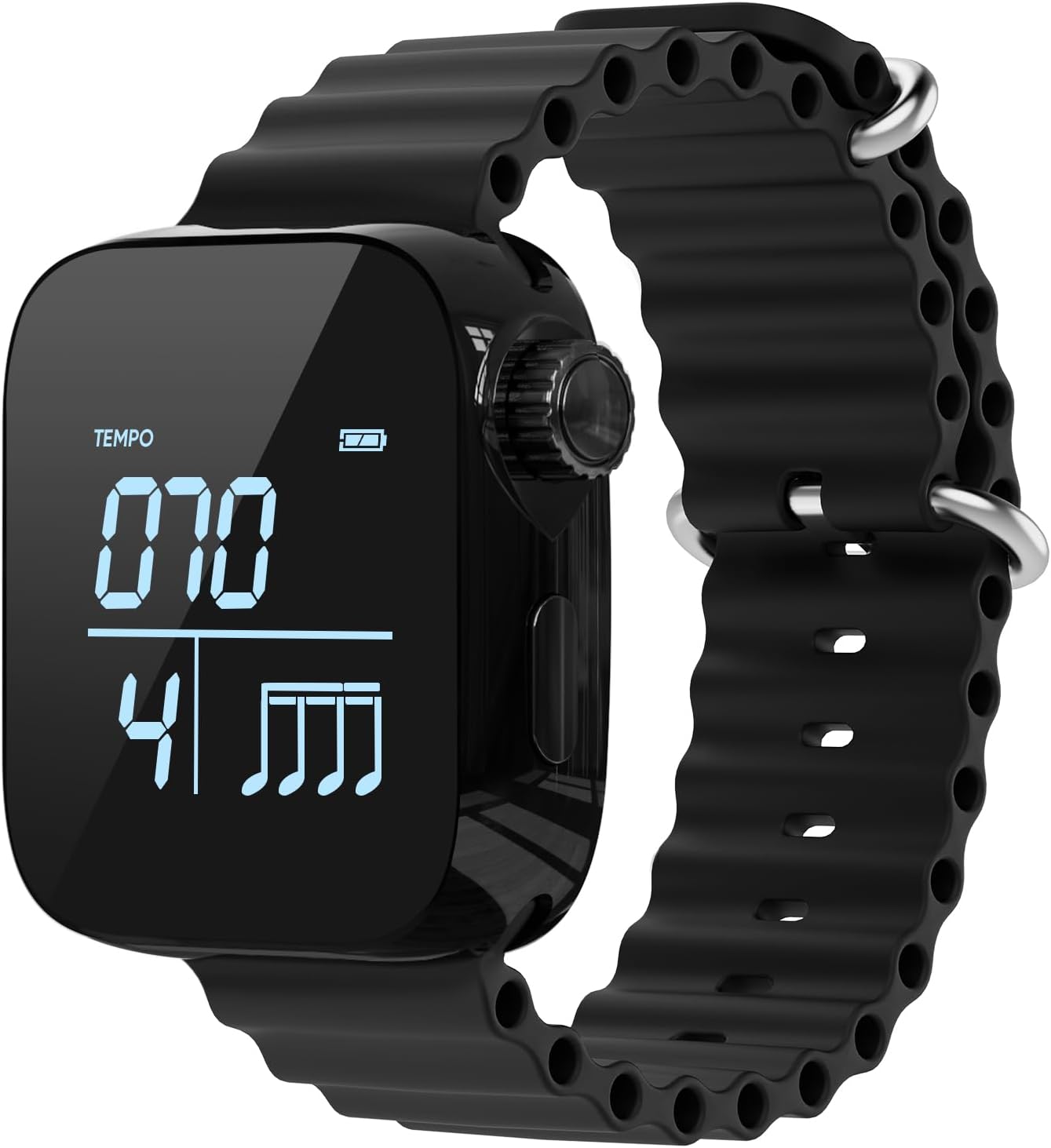
Image Description: A close-up of the black WEGROWER WM-02 metronome watch showing a digital display with "TEMPO 070" and a full battery indicator. The watch has a black corrugated strap.
3.2 App Installation (Optional)
For advanced control and synchronization features, download the companion application named "FEEL THE RHYTHM" to your smartphone. The app allows for comprehensive adjustments of time, tempo, beats, rhythm types, vibration intensity, and screen lighting.
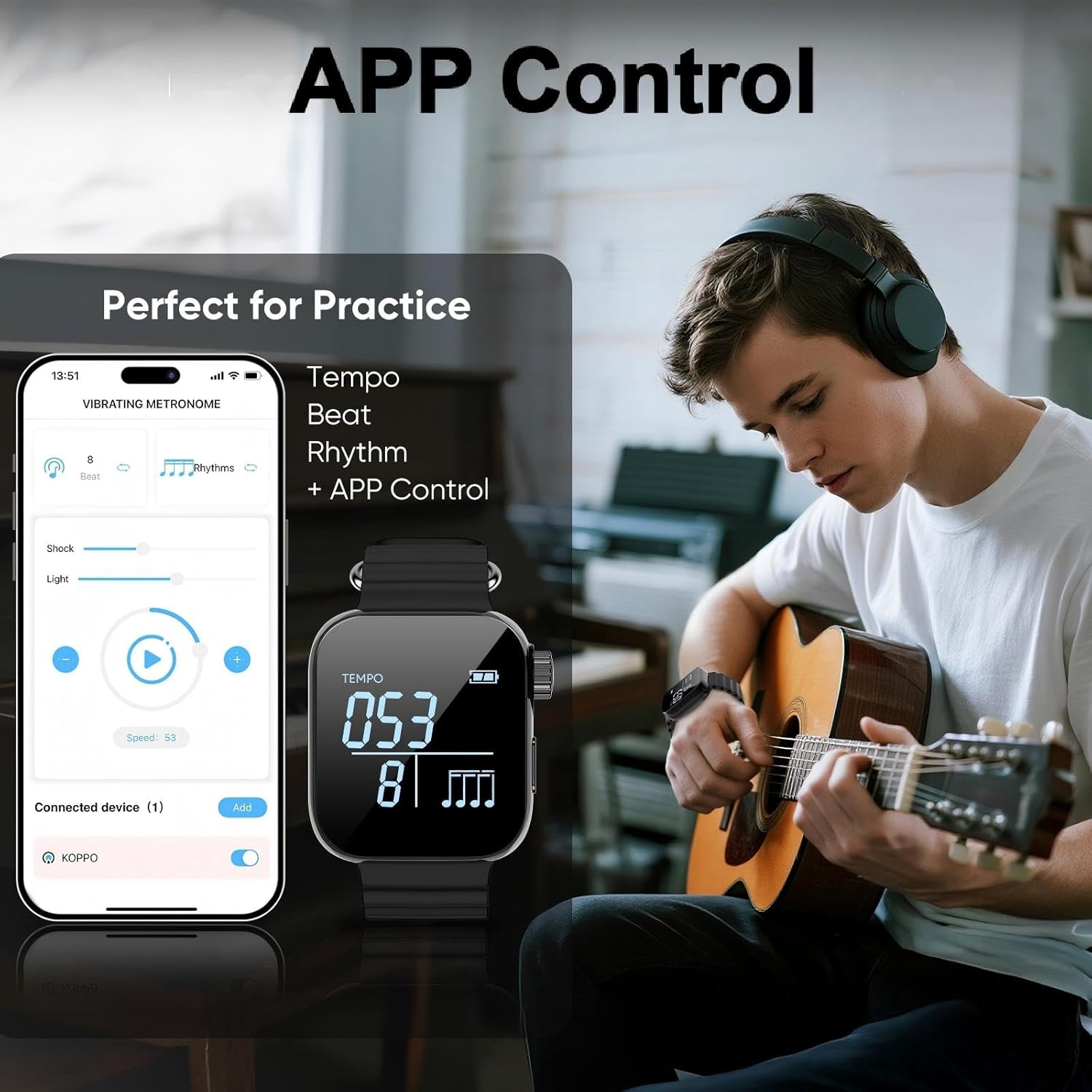
Image Description: An image showing a smartphone with the "Vibrating Metronome" app open, displaying controls for tempo, beat, rhythm, shock (vibration), and light. Next to it is the WEGROWER metronome watch, and in the background, a person is playing an acoustic guitar, suggesting app control for practice.
3.3 Syncing Metronomes for Band Practice
To synchronize multiple metronome watches for group practice, connect each watch to the companion app on your phone. The app allows for group mode control, enabling consistent tempo and rhythm across all connected devices.
Video Description: This video demonstrates how to connect multiple WEGROWER metronome watches to a smartphone app for synchronized band practice. It shows the process of connecting devices and adjusting tempo, beat, and rhythm settings via the app, which then reflects on the watches.
4. Operating Instructions
4.1 Power On/Off
To power the device on or off, press and hold the dial located on the side of the watch.
4.2 Adjusting Time
- On the time display screen, press the dial three times to enter time adjustment mode.
- Press and hold the dial to switch between setting minutes and seconds.
- Rotate the dial to change the numerical value for minutes or seconds.
Video Description: This video demonstrates how to adjust the time on the WEGROWER metronome watch. It shows the user pressing the dial three times to enter adjustment mode, then pressing and holding to select minutes or seconds, and finally rotating the dial to change the values.
4.3 Adjusting Tempo, Beat, and Rhythm
From the metronome screen, rotate the dial to adjust the tempo (BPM), beat, and rhythm patterns. Press the dial to cycle through these settings. For more precise control and a wider range of rhythm types, use the companion app.

Image Description: A close-up view of the WEGROWER metronome watch displaying "TEMPO 080" and a beat pattern. Text overlays indicate that pressing the dial returns to the watch face, turning it adjusts tempo, beat, and rhythm, and pressing and holding powers it on/off.
4.4 Using for Practice and Workouts
Wear the metronome watch on your wrist. The silent vibration will provide a tactile cue for maintaining your desired tempo during musical practice or physical workouts. Ensure the strap is adjusted for a comfortable yet secure fit to optimize vibration feedback.

Image Description: A person is shown running outdoors, wearing the black WEGROWER metronome watch on their left wrist. The watch display shows "TEMPO 080". Text on the image highlights "Train with Rhythm" and "Vibration Alerts Keep Your Pace (Note: No Waterproof)".
5. Maintenance
- Cleaning: Wipe the watch and strap with a soft, dry cloth. Avoid using harsh chemicals or abrasive materials.
- Charging: Recharge the device when the battery indicator is low. Avoid overcharging for extended periods.
- Storage: Store the watch in a cool, dry place away from direct sunlight and extreme temperatures.
- Water Exposure: This device is not waterproof. Avoid exposure to water, including rain, showers, and submersion.
6. Troubleshooting
| Problem | Possible Cause | Solution |
|---|---|---|
| Device does not power on. | Low battery. | Charge the device using the magnetic charging cable. |
| No vibration feedback. | Vibration intensity set too low in the app or on the watch. Device not in metronome mode. | Adjust vibration intensity via the app or watch controls. Ensure the watch is in metronome mode. |
| App connection issues. | Bluetooth is off on the phone. Watch is out of range. App requires update. | Ensure Bluetooth is enabled. Keep watch close to the phone. Update the app to the latest version. |
| Time display is incorrect. | Time needs adjustment. | Follow instructions in Section 4.2 to adjust the time manually or sync with the app. |
7. Specifications
- Model: WM-02
- Brand: WEGROWER
- Item Weight: 3.2 ounces
- Package Dimensions: 3.98 x 3.54 x 2.13 inches
- Battery Type: 1 Lithium Polymer battery (included)
- Material: Plastic, Rubber, Silicone
- Tempo Range: 40-240 BPM (Beats Per Minute)
- Beat Settings: 0-9 beats
- Rhythm Types: 6 types
- Continuous Use: Up to 5 hours on a single charge
8. Warranty and Support
For warranty information or technical support, please refer to the contact details provided with your purchase documentation or visit the official WEGROWER website. Keep your proof of purchase for warranty claims.
Ask a question about this manual
Ask about setup, troubleshooting, compatibility, parts, safety, or missing instructions. Manuals+ will review the question and use this page’s manual context to help answer it.