1. Introduction
This manual provides comprehensive instructions for the assembly, operation, and maintenance of your SEDETA Farmhouse Electric Standing Desk. Designed for a multifunctional workstation, this desk combines ample storage with ergonomic height adjustability to enhance your work or study environment.
Key features include:
- 63"L x 27.6"W spacious desktop.
- Integrated storage: 3 wood drawers, open storage shelves, and a CPU stand.
- Electric height adjustment from 31" to 47" with 3 customizable presets.
- Built-in power strip with 4 AC outlets and 2 USB ports.
- Quiet motor operation (less than 30 DB).
- Durable wood tabletop and industrial-grade steel frame supporting up to 200 lbs.

Figure 1.1: Overview of the SEDETA Farmhouse Electric Standing Desk, showcasing its spacious design and integrated storage solutions.
2. Assembly Instructions
Assembly is required for this product. Please follow the detailed instructions provided in the separate assembly guide included with your package. Ensure all components are present before beginning assembly. It is recommended to assemble the desk with at least two people.
2.1. Component Identification
Before starting, identify all parts using the provided parts list in your assembly guide. Key components include the desktop, electric lifting columns, storage cabinets (with drawers and shelves), and the power unit.

Figure 2.1: Desk dimensions and maximum load capacity (200 lbs). This image helps in understanding the scale and structural integrity.

Figure 2.2: Breakdown of the large storage space, highlighting the three wood drawers, open storage cabinet, and dedicated CPU stand.
2.2. Assembly Tips
- Lay out all parts on a clean, soft surface to prevent scratches.
- Do not overtighten screws during initial assembly; tighten fully once all components are aligned.
- Ensure all electrical connections are secure before plugging the desk into a power source.
3. Operating Instructions
3.1. Height Adjustment
The SEDETA Electric Standing Desk features an intuitive control panel for height adjustment.
- Up/Down Arrows: Use the Up and Down arrows on the control panel to precisely adjust the desk height between 31 inches and 47 inches.
- Programmable Presets: The desk offers 3 customizable height presets (buttons 1, 2, 3).
- Adjust the desk to your desired height using the Up/Down arrows.
- Press and hold one of the preset buttons (1, 2, or 3) until the LED display confirms the setting is saved.
- To recall a saved height, simply press the corresponding preset button.
- LED Display: The LED screen displays the current desk height in inches.
- RST Button: Use the RST button to reset the desk's height calibration if needed. Refer to the full assembly guide for detailed reset procedures.

Figure 3.1: Visual representation of the desk's adjustable height range, illustrating the smooth transition between sitting and standing positions.
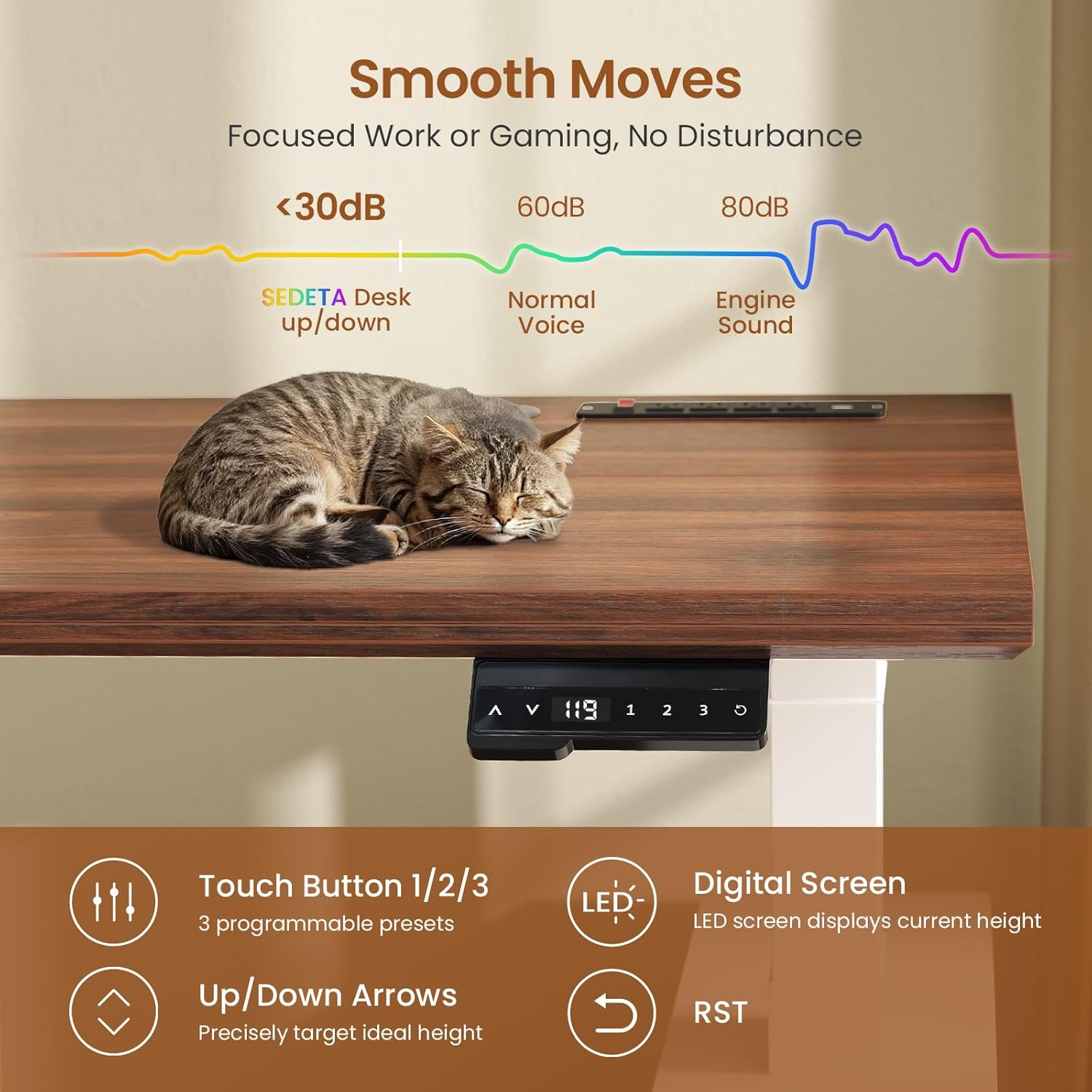
Figure 3.2: The control panel for height adjustment, featuring programmable presets and an LED display. The graphic also indicates the quiet operation of the lifting mechanism (below 30dB).
3.2. Power Outlets and USB Ports
The desk is equipped with a built-in power strip for convenient device charging and power access.
- 4 AC Outlets (120V/12A): For powering laptops, monitors, and other AC-powered devices.
- 2 USB Ports (5V/2A): For charging smartphones, tablets, and other USB-powered devices.
- On/Off Switch: A dedicated switch allows you to power off all integrated outlets and USB ports for safety and energy saving.
- Power Cord: The desk includes a 5.3-foot power cord to connect to a wall outlet.
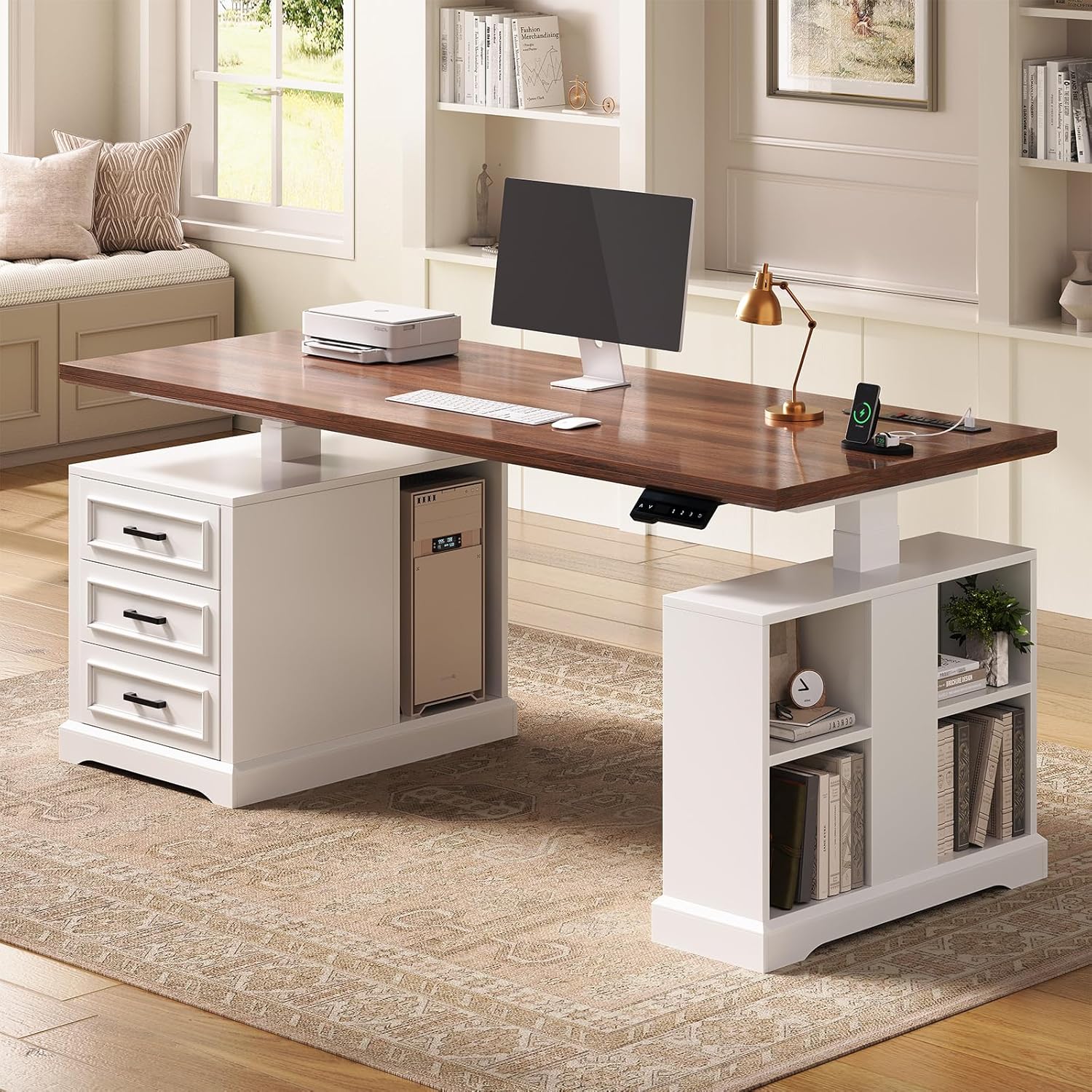
Figure 3.3: Detailed view of the recessed power strip, showing the AC outlets, USB ports, and the safety on/off switch for convenient power management.
4. Maintenance
Proper maintenance will ensure the longevity and optimal performance of your SEDETA Electric Standing Desk.
- Cleaning: Wipe the desktop and frame with a soft, damp cloth. Avoid harsh chemicals or abrasive cleaners that may damage the finish. For the wood surface, use wood-safe cleaning products.
- Electrical Components: Keep the control panel and power outlets dry. Do not spray liquids directly onto electrical parts.
- Cable Management: Regularly check and organize cables to prevent tangling and damage, especially those connected to the moving parts of the desk.
- Weight Capacity: Do not exceed the maximum load capacity of 200 lbs to prevent damage to the lifting mechanism and frame.
5. Troubleshooting
If you encounter issues with your SEDETA Electric Standing Desk, refer to the following common troubleshooting tips:
- Desk Not Moving:
- Ensure the power cord is securely plugged into both the desk and a working wall outlet.
- Check if the main power switch on the integrated power strip is turned ON.
- Perform a reset by pressing the RST button on the control panel (refer to the assembly guide for specific reset procedures).
- Uneven Movement:
- Ensure the desk is placed on a level surface.
- Check for any obstructions under the desk or near the lifting columns.
- Perform a reset to re-calibrate the lifting mechanism.
- Noise During Operation:
- A slight hum is normal during operation (less than 30 DB).
- If you hear unusual grinding or loud noises, discontinue use and contact customer support.
- Power Outlets Not Working:
- Verify the main power switch on the power strip is ON.
- Check if the desk itself is receiving power and the lifting function works.
If these steps do not resolve the issue, please contact SEDETA customer support for further assistance.
6. Specifications
| Feature | Specification |
|---|---|
| Brand | SEDETA |
| Model | B0FMFF46W7 |
| Product Dimensions (D x W x H) | 27.6"D x 63"W x 31.1"H (minimum height) |
| Adjustable Height Range | 31" to 47" |
| Color | White (Base), Wood (Top) |
| Style | Farmhouse |
| Base Material | Wood |
| Top Material Type | Wood |
| Special Features | 3 Drawers, Storage Shelves, Power Outlets, CPU Stand, Electric Height Adjustment |
| Power Outlets | 4 AC Outlets (120V/12A), 2 USB Ports (5V/2A) |
| Max Load Capacity | 200 lbs |
| Motor Noise Level | Less than 30 DB |
| Assembly Required | Yes |

Figure 6.1: Details on the desk's robust construction, including 30mm thicker panel, 75mm x 45mm sturdy frame, and 9mm thicker storage cabinet for enhanced durability and stability.
7. Warranty and Support
SEDETA is committed to providing high-quality products. While specific warranty details are typically provided with your purchase documentation, general support is available for product-related concerns.
If your item arrives damaged, scratched, or with missing parts, please contact SEDETA customer support immediately. We are dedicated to ensuring your satisfaction and will assist with free replacements or partial refunds as applicable.
For support inquiries, please refer to the contact information provided on the SEDETA official website or through your purchase platform.