
Introduction
This manual provides detailed instructions for the setup, operation, and maintenance of your BANLVS AK90 Military Smart Watch. Please read this guide thoroughly to ensure optimal performance and a complete understanding of all features.
The BANLVS AK90 is a rugged smartwatch designed for durability and extensive functionality, featuring a long-lasting battery, comprehensive health monitoring, and various sports modes.
Package Contents
Upon unboxing your BANLVS AK90 Military Smart Watch, verify that all the following items are included:
- BANLVS AK90 Smart Watch (with pre-installed watch band)
- Charging Cable
- User Manual
- Additional Watch Band (Orange)
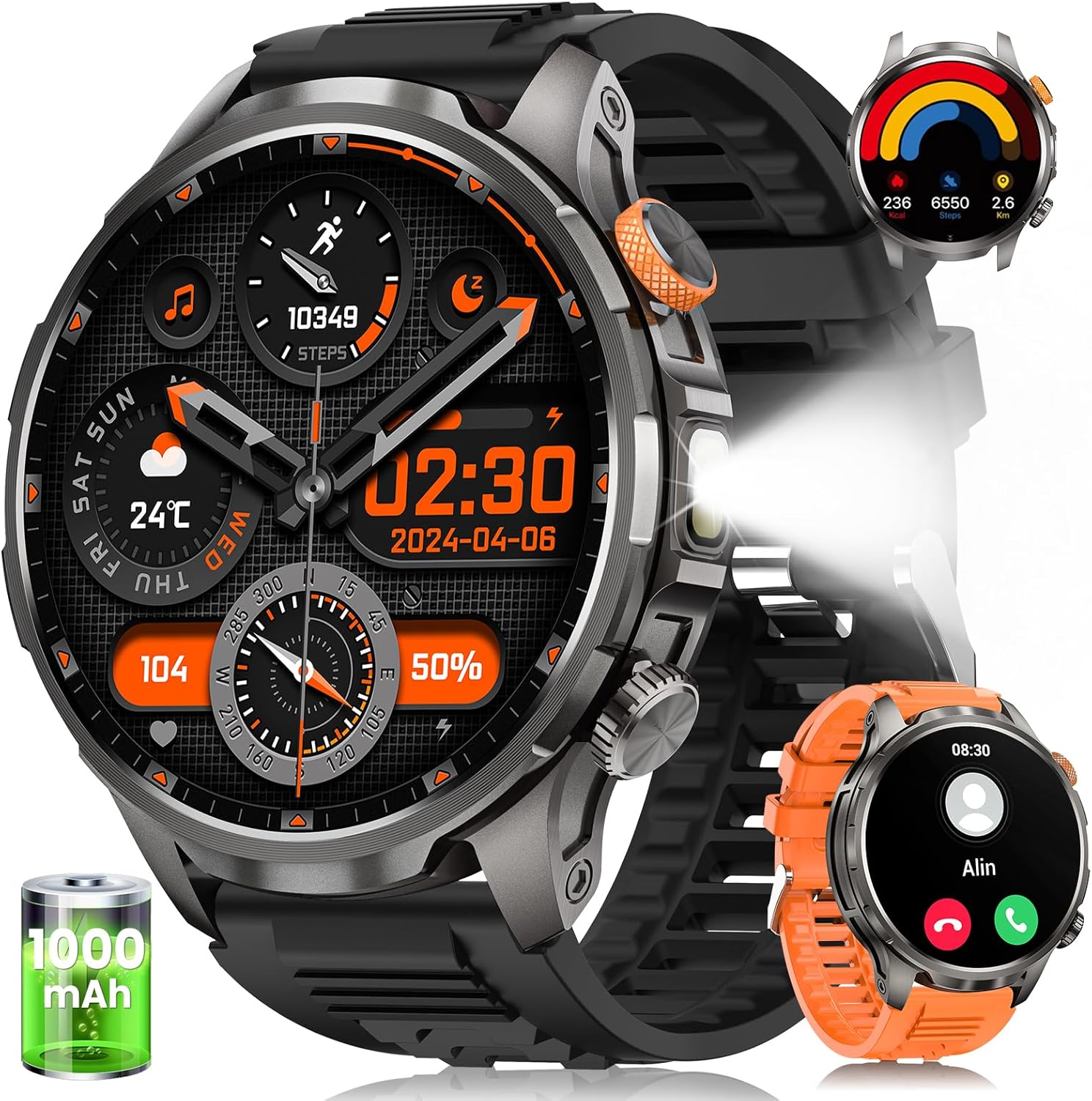
Image: The BANLVS AK90 Smart Watch, showing the main watch unit, charging cable, user manual, and an additional orange watch band.
Setup
1. Initial Charging
Before first use, fully charge your smartwatch. Connect the magnetic charging cable to the charging points on the back of the watch and plug the USB end into a power source. A full charge typically takes approximately 3 hours.

Image: The BANLVS AK90 Smart Watch connected to its magnetic charging cable, indicating the charging process.
2. App Installation and Pairing
To unlock the full potential of your BANLVS AK90, download and install the FitCloudPro app on your smartphone (compatible with iOS 9.0+ and Android 5.1+).
- Scan the QR code provided in the user manual or on the watch screen to download the FitCloudPro app.
- Open the app and create an account or log in.
- Ensure Bluetooth is enabled on your smartphone.
- In the FitCloudPro app, navigate to the device section and search for your AK90 smartwatch.
- Select your watch from the list to initiate pairing. Confirm the pairing request on both your phone and the watch.
For visual guidance on app installation and pairing, refer to the official product videos.
Video: A seller-provided video demonstrating the unboxing and initial setup process, including app pairing for the BANLVS AK90 Smart Watch.
Operating Instructions
Basic Navigation
- Power On/Off: Press and hold the orange side button for 3 seconds.
- Screen Wake: Raise your wrist or press any button.
- Swipe Gestures:
- Swipe up/down: Navigate through menus and notifications.
- Swipe left/right: Access quick functions or widgets.
Making and Answering Calls
Once paired via Bluetooth, you can manage calls directly from your watch:
- Make a Call: Access the dialer from the watch menu or a quick access widget. Enter the number or select from synced contacts.
- Answer/Reject: When a call comes in, tap the green icon to answer or the red icon to reject.
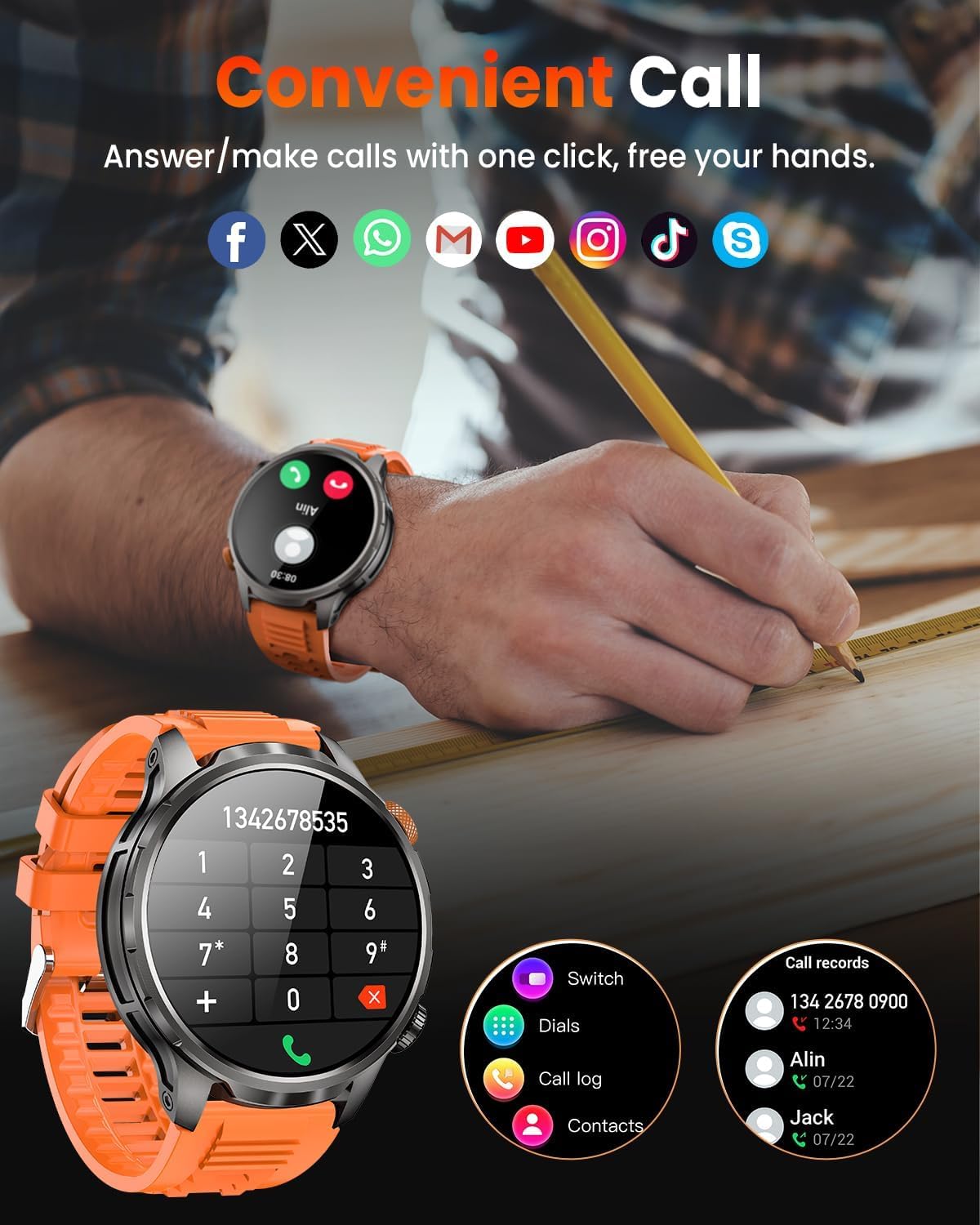
Image: The BANLVS AK90 Smart Watch screen showing a dial pad and call records, illustrating its Bluetooth calling capability.
Health Monitoring
The watch continuously monitors various health metrics:
- Heart Rate: Provides 24/7 heart rate monitoring. View real-time data and historical trends in the FitCloudPro app.
- Sleep Monitoring: Tracks sleep patterns, including light, deep, and REM sleep stages. Access detailed analysis in the app.
- SpO2 Monitor: Measures blood oxygen saturation levels.
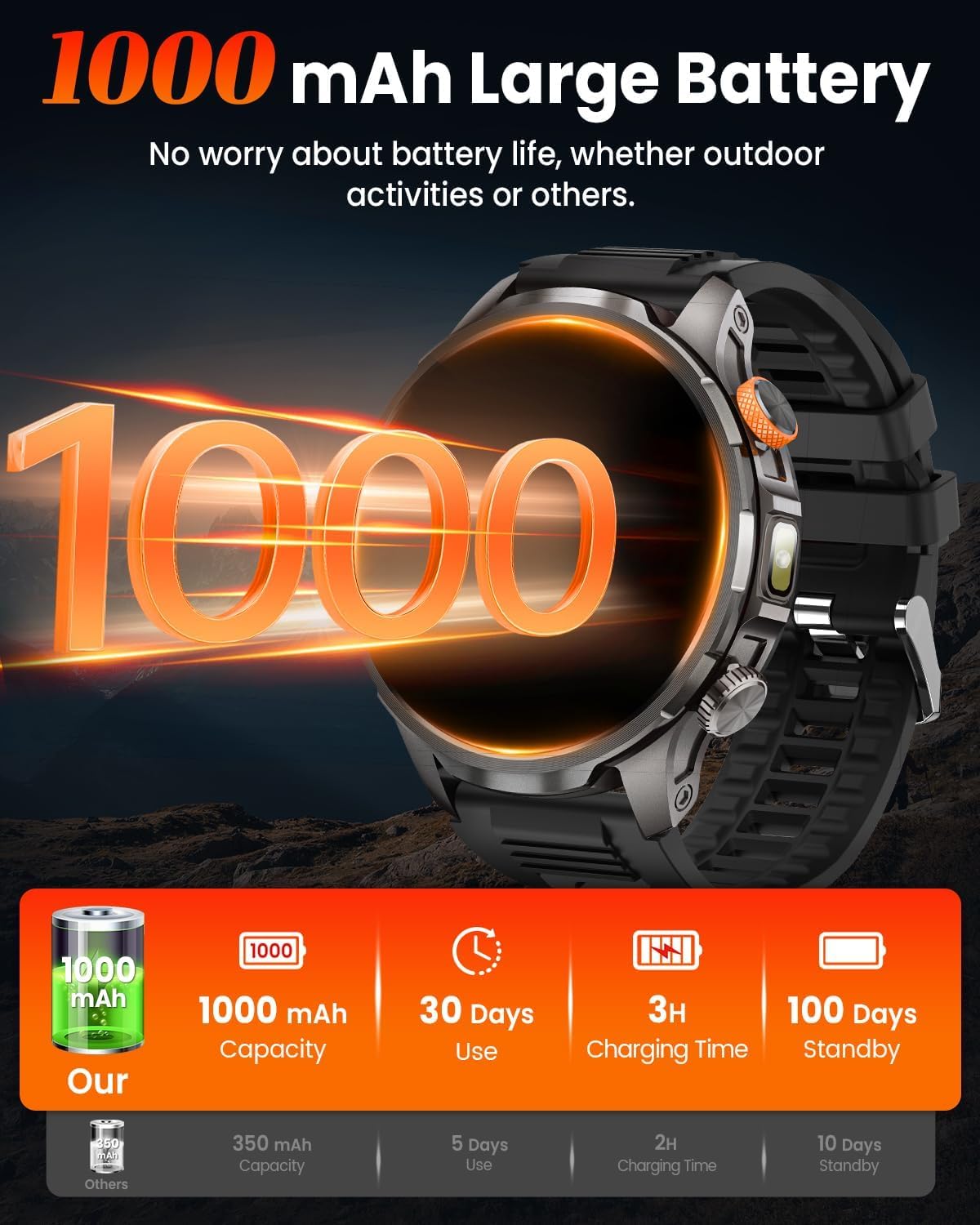
Image: The BANLVS AK90 Smart Watch displaying various health monitoring screens, including heart rate, stress, blood oxygen, and sleep data.
Sports Modes
The watch supports over 110 sports modes. Access them via the dedicated button (default setting) or through the menu:
- Select your desired activity (e.g., Walking, Running, Cycling).
- The watch will track steps, distance, calories burned, and heart rate during your workout.
- Connect to the FitCloudPro app to utilize your smartphone's GPS for route tracking.

Image: The BANLVS AK90 Smart Watch screen showing a selection of sports modes like walking, cycling, and running, with activity tracking metrics.
Built-in LED Flashlight
The watch features a triple-mode LED flashlight:
- Activate by long-pressing the bottom side button (default setting).
- Modes include High-beam, Strobe, and SOS for various lighting needs.

Image: The BANLVS AK90 Smart Watch with its powerful LED flashlight illuminated, demonstrating its utility in various low-light scenarios.
Other Features
Explore additional functionalities available on your smartwatch:
- Weather Forecast
- Music Control
- Camera Control
- Calendar, Timer, Alarm Clock
- Sedentary Reminder
- Breathing Training
- Customizable Watch Faces (110+ available in the app)
Maintenance
- Cleaning: Wipe the watch and bands regularly with a soft, dry cloth. For stubborn dirt, use a slightly damp cloth and mild soap, then rinse and dry thoroughly.
- Water Resistance: The watch is 5 ATM waterproof, suitable for swimming and showering. Avoid hot water, steam, or prolonged submersion in deep water.
- Durability: Designed to withstand extreme conditions, including heat, cold, drops, and shocks. However, avoid intentional abuse to prolong its lifespan.
- Battery Care: To maintain battery health, avoid fully discharging the watch frequently. Charge it when the battery level is low.
Troubleshooting
Watch Won't Turn On?
- Check if the watch has power. Charge it for 30-60 minutes to activate charging.
- Verify if the charging icon appears during charging.
- Press and hold the power button for 15 seconds to force restart.
- Restart the device in the app.
- If issues persist, contact customer support.
GPS Tracking
This smartwatch does NOT have built-in GPS. To track your route during workouts, connect to the FitCloudPro app and enable location permissions in your phone settings for the app to record your workout path using your smartphone's GPS.
Specifications
| Feature | Detail |
|---|---|
| Brand | BANLVS |
| Model Number | AK90 |
| Screen Size | 1.91 Inches |
| Display Type | AMOLED (3000-nit peak brightness) |
| Battery Capacity | 1000 mAh |
| Battery Life (Normal Use) | Up to 30 days |
| Standby Time | Up to 100 days |
| Water Resistance | 5 ATM |
| Durability | Heat resistance (187.96°F), Cold resistance (-82°F), 50m drop/shock resistance, 150 hours salt spray, Anti-magnetic |
| Connectivity | Bluetooth 5.2 |
| Operating System Compatibility | iOS 9.0 or later, Android 5.1 or later |
| Health Monitoring | Heart Rate, Sleep, SpO2 Monitor |
| Sports Modes | 110+ modes |
| Special Features | LED Flashlight (High-beam/Strobe/SOS), Bluetooth Calls, Text/App Notifications, 100+ Watch Faces, Customizable Watch Faces, Stopwatch, Timer, Camera Control, Music Control, Voice Assistant, Alarm Clock, Sedentary Reminder, Weather, Find Phone |
| GPS | Via Smartphone (FitCloudPro app) |
| Item Weight | 8.4 ounces |
Warranty and Support
Your BANLVS AK90 Military Smart Watch comes with a standard manufacturer's warranty. For specific warranty details, please refer to the warranty card included in your package or contact BANLVS customer support.
For technical assistance, troubleshooting, or any product-related inquiries, please visit the official BANLVS website or contact their customer service team directly. Contact information can typically be found in the product packaging or on the brand's official online store.