
1. Introduction
The ecoco T9 Rechargeable Pocket Wi-Fi is a portable internet device designed for flexible and convenient connectivity. It operates on a prepaid data model, eliminating the need for long-term contracts or recurring monthly fees. This device allows you to access the internet as needed, making it ideal for travel, business trips, car use, telework, online meetings, video streaming, and educational purposes.
Key features include immediate usability upon purchase, a built-in battery for use without an electrical outlet, and a 365-day data validity period. The T9 utilizes vSIM technology to automatically select the optimal signal from Japan's three major carriers (Docomo, au, SoftBank), ensuring stable communication across various locations.
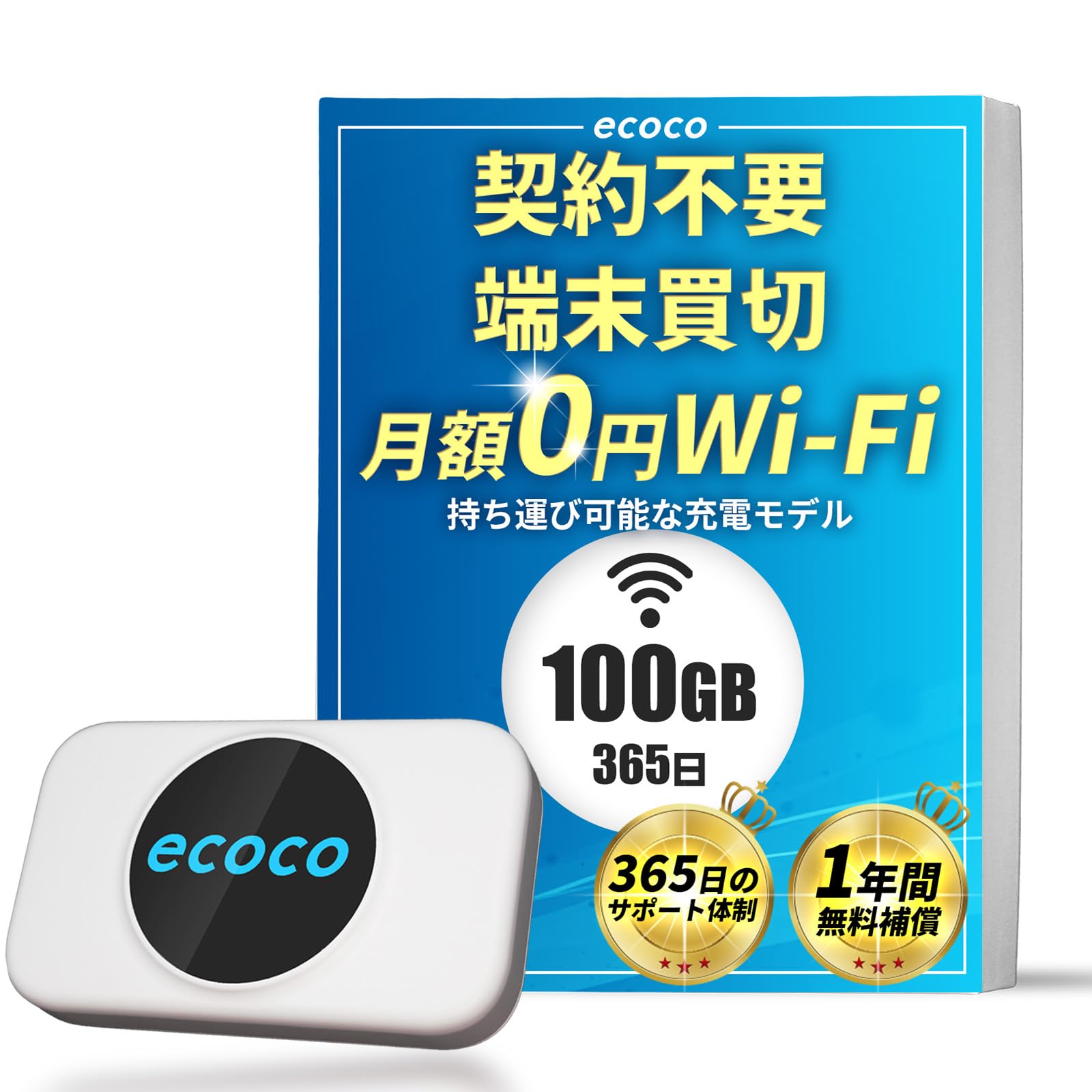
Image: The ecoco T9 Rechargeable Pocket Wi-Fi device, a compact and portable internet solution.
2. Setup Guide
The ecoco T9 Pocket Wi-Fi is designed for quick and easy setup, allowing you to connect to the internet within minutes. No complex contracts or construction work is required.
- Step 1: Device Arrival
Upon receiving your ecoco T9 device, ensure all components are present. The device is ready for use immediately after purchase. - Step 2: Initial Setup (Approx. 3 minutes)
Power on the device. Access the dedicated ecoco portal (ecoco.cloud) via your smartphone or PC. Enter the required information, including the Serial Number (SN) found on the accompanying user guide. No special application download is necessary. - Step 3: Connect to the Internet
On your connecting device (smartphone, tablet, laptop), search for available Wi-Fi networks. Select the SSID (network name) displayed on your ecoco T9 device's screen. Enter the Wi-Fi password (also shown on the device screen) to establish a connection. - Step 4: Add Data (Optional)
If you need to add more data, you can easily purchase additional gigabytes through the dedicated ecoco app or website. This allows you to top up data as needed.

Image: Visual guide illustrating the four simple steps to set up your ecoco T9 device and connect to the internet.
3. Operating Instructions
Understanding the basic operations of your ecoco T9 will ensure a smooth and reliable internet experience.
- Power On/Off: To turn the device on, press and hold the power button located on the side or front until the display illuminates. To turn it off, press and hold the power button again until the display shuts down.
- Connecting Other Devices: Once the ecoco T9 is powered on, its Wi-Fi network (SSID) will be broadcast. On your smartphone, tablet, or laptop, navigate to the Wi-Fi settings, select the ecoco T9's SSID, and enter the password displayed on the T9's screen. The device supports simultaneous connection for up to 16 devices.
- Checking Device Status: The integrated display provides real-time information. You can view the remaining data balance, current battery level, the Wi-Fi network name (SSID), and the password. Regularly checking this display helps manage your data usage and ensures the device is adequately charged.
- Data Top-Up: If your data balance is low, you can easily purchase additional data through the ecoco official website or the dedicated mobile application. This allows for flexible data management based on your needs.
4. Maintenance
Proper maintenance ensures the longevity and optimal performance of your ecoco T9 Pocket Wi-Fi.
- Charging the Device: Connect the ecoco T9 to a power source using the included Type-C charging cable. A full charge typically takes approximately 3 hours and provides up to 9 hours of continuous usage. It is recommended to fully charge the device before extended periods of use.
- Cleaning: Use a soft, dry, lint-free cloth to gently wipe the exterior of the device. Avoid using liquid cleaners, solvents, or abrasive materials, as these can damage the device's surface or internal components.
- Storage: When not in use for prolonged periods, store the ecoco T9 in a cool, dry environment. Keep it away from direct sunlight, extreme temperatures, and high humidity to prevent damage to the battery and electronics.
- Battery Care: To maintain battery health, avoid completely draining the battery frequently. If storing for a long time, charge the device to about 50% capacity.
5. Troubleshooting
If you encounter issues with your ecoco T9, refer to the following common problems and their solutions:
- No Internet Connection:
- Ensure the ecoco T9 device is powered on and has sufficient battery charge.
- Verify that your connected device (smartphone, laptop) has the correct Wi-Fi password entered.
- Check the ecoco T9's display for your remaining data balance. If data is depleted, purchase additional gigabytes via the official ecoco website or app.
- Try restarting both the ecoco T9 and the device you are trying to connect.
- Slow Connection Speed:
- Move closer to the ecoco T9 device to improve signal strength. Obstacles like walls can weaken the signal.
- Reduce the number of devices connected to the ecoco T9. While it supports up to 16 connections, performance may decrease with many active devices.
- Check if you are in an area with poor network coverage. The T9 automatically selects the best carrier, but some remote areas may still have limited service.
- Device Not Turning On:
- Ensure the device is fully charged. Connect it to a power source using the Type-C cable and allow it to charge for at least 30 minutes before attempting to power it on again.
- If the device still does not turn on after charging, contact customer support.
- Difficulty with Initial Setup:
- Double-check that you are accessing the correct dedicated portal (ecoco.cloud) and accurately entering the Serial Number (SN) from your user guide.
- Ensure your smartphone or PC is connected to a temporary network or has internet access to complete the initial registration.

Image: Common questions and answers regarding the ecoco T9's setup, data usage, battery life, and communication stability.
6. Specifications
| Brand | ecoco |
| Model Name | T9 |
| Color | White |
| Item Dimensions (L x W x H) | 9.8 cm x 6 cm x 2 cm |
| Product Weight | 100 grams |
| Battery Capacity | 3000 mAh |
| Charging Time | Approx. 3 hours |
| Continuous Usage Time | Approx. 9 hours |
| Charging Port | Type-C |
| Communication Interface | Wi-Fi |
| Network Connection | vSIM technology, automatically selects optimal signal from Japan's 3 major carriers (Docomo, au, SoftBank) |
| Max Communication Speed | Up to 50 Mbps (Upload) / 150 Mbps (Download) |
| Max Simultaneous Connections | 16 devices |
| Compatible Devices | Android, Nintendo Switch, iPhone, other communication-enabled electronic devices, laptops |
| Included Items | User Guide |
| Country of Origin | China |
Note: Communication speed is a best-effort value. Actual speed may vary depending on usage environment and time of day.

Image: Detailed specifications of the ecoco T9 Pocket Wi-Fi, including dimensions, battery, and connectivity features.
7. Warranty & Support
Warranty Information
The ecoco T9 Pocket Wi-Fi comes with a 1-year manufacturer's warranty. This warranty covers free device replacement within one year for all causes, including theft, damage, water damage, or loss. This policy applies to purchases made on or after September 1, 2025.
Customer Support
ecoco is committed to providing reliable communication services and excellent customer satisfaction. We offer dedicated Japanese customer support to assist you with any inquiries or issues regarding your product.
- Support Availability: 365 days a year
- Support Hours: 10:00 AM to 5:00 PM (Japan Standard Time)
- For inquiries, please refer to the contact information provided in your user guide or on the official ecoco website.

Image: Information on ecoco's comprehensive care program and dedicated Japanese customer support.