
1. Introduction
This manual provides detailed instructions for the installation, operation, and maintenance of your Raycue Mac mini M4 Dock & Stand. This versatile accessory enhances your Mac mini's capabilities by adding extensive connectivity options and expandable storage.
2. Key Features
- 8TB M.2 NVMe SSD Expansion: Expand your Mac Mini M4 capabilities with up to 8TB internal storage. Compatible with M.2 NVMe SSDs (2230/2242/2260/2280 sizes) for instant storage expansion. Enjoy blazing 10Gbps transfer speeds for large-file transfer. (SSD not included.)
- 10-in-1 Connectivity Hub: Equipped with 2×USB-A 3.2 (10Gbps), 2×USB-A 2.0 (5Gbps), 1× USB-C 3.2 (10Gbps), 1×USB-C Charge, M.2 SSD slot, a UHS-II SD/TF card reader (170MB/s), and 3.5mm audio jack, this Mac Mini Dock can easily expand your device connection options.
- Lightning-Fast 10Gbps Data Transfer: The Mac Mini Dock with 10Gbps 2×USB-A and 10Gbps 1×USB-C data ports. Their super-speed data transfer is ideal for drive and HDD devices. The Mac Mini Stand also offers 5Gbps 2×USB A ports to connect your wireless keyboard and mouse.
- Flawless Wi-Fi Without Interference: Conductive paint shielding blocks 5G Wi-Fi interference, ensuring stable, high-speed wireless performance.
- Enhanced Self-Cooling Technology: Features an optimized thermal design with bottom ventilation ports and a recessed top area for proper heat dissipation.
- Sleek, Space-Saving Design: Compact hub with an ultra-neat 20cm short cable, designed to complement the Mac mini.
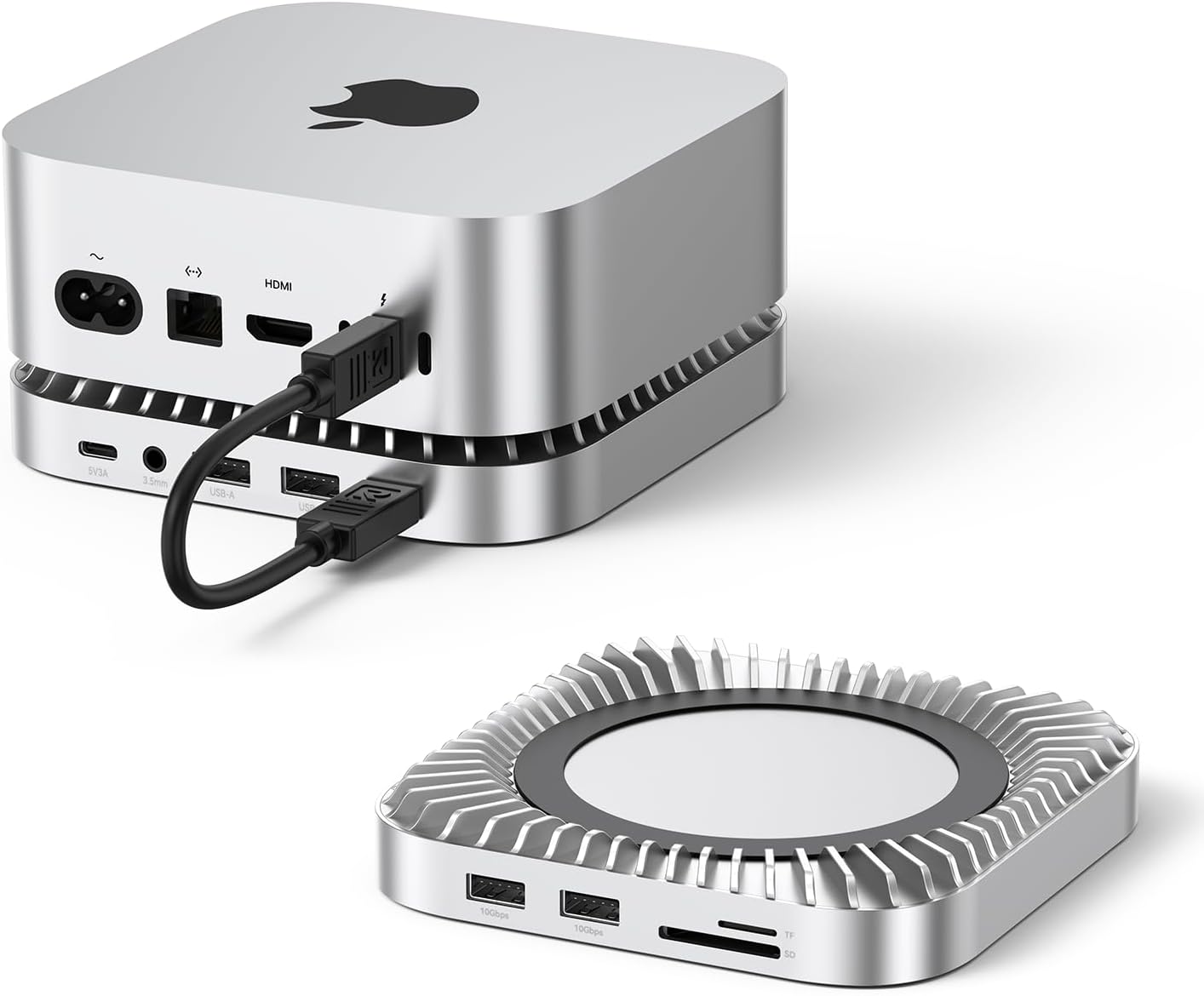
Image: The Raycue Mac mini M4 Dock & Stand, showcasing its compact design and how it integrates with a Mac mini.
3. What's in the Box

Image: A visual representation of the items included in the product packaging.
- RayCue Mac Mini M4 Dock
- Full-featured USB-C to C Cable (20cm, for connecting to Mac Mini)
- Screwdriver
- Fixed Screws
- Heat Dissipation Silicone Pad
- User Manual
4. Setup and Installation
4.1. M.2 NVMe SSD Installation
Follow these steps to install an M.2 NVMe SSD into your dock for expanded storage. (SSD not included).
- Remove the bottom cover using the screwdriver provided.
- Loosen the M.2 interface screw.
- Install the M.2 SSD into the M.2 slot. Secure the end of the SSD with screws. Check that it is not loose.
- Remove the protective film from the included heat dissipation silicone pad and attach it to the SSD.
- Replace the cover on top of the SSD. Secure it firmly with the screws to complete the process.

Image: Visual instructions for installing an M.2 NVMe SSD into the dock.
4.2. Connecting to Mac Mini
Place your Mac mini directly on top of the Raycue Dock. Connect the dock to your Mac mini using the provided full-featured USB-C to C cable. Ensure all connections are secure.
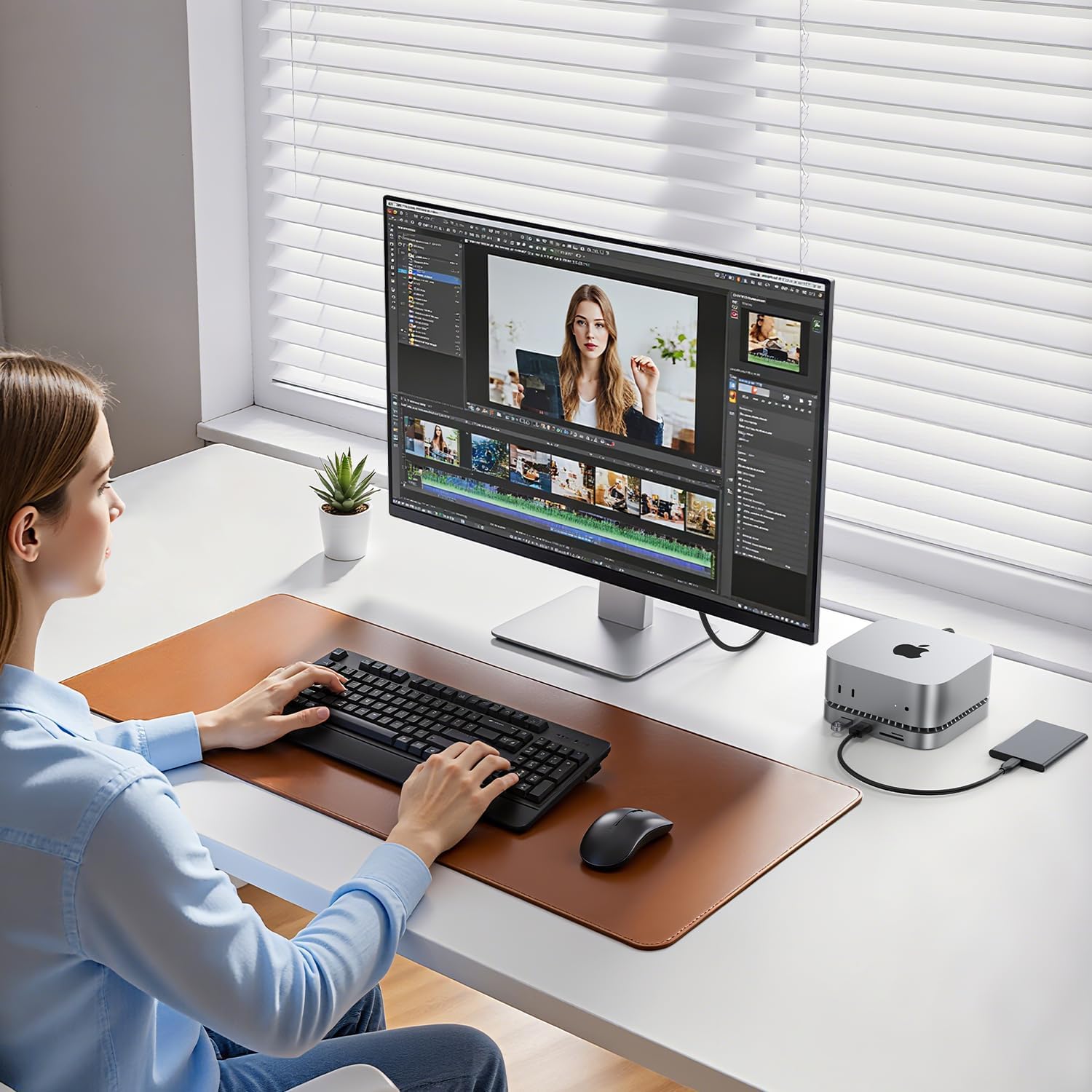
Image: A Mac mini resting on the Raycue Dock, with cables connected.
5. Operating Instructions
5.1. Using the Ports
The Raycue Dock provides a variety of ports for your peripherals:
- USB-A 3.2 (10Gbps) Ports (x2): For high-speed data transfer with compatible devices.
- USB-A 2.0 (5Gbps) Ports (x2): Ideal for connecting wireless keyboards, mice, and other standard USB devices.
- USB-C 3.2 (10Gbps) Data Port (x1): For high-speed USB-C data transfer.
- USB-C Charge Port (5V): For charging compatible devices.
- UHS-II SD/TF Card Reader (170MB/s): Insert SD or TF cards for quick data access.
- 3.5mm Audio Jack: Connect headphones or speakers.

Image: A detailed view of the Raycue Dock's front and rear ports.
5.2. Data Transfer
Leverage the 10Gbps USB-A and USB-C ports for rapid file transfers. The integrated M.2 NVMe SSD also supports 10Gbps speeds, significantly reducing transfer times for large files.
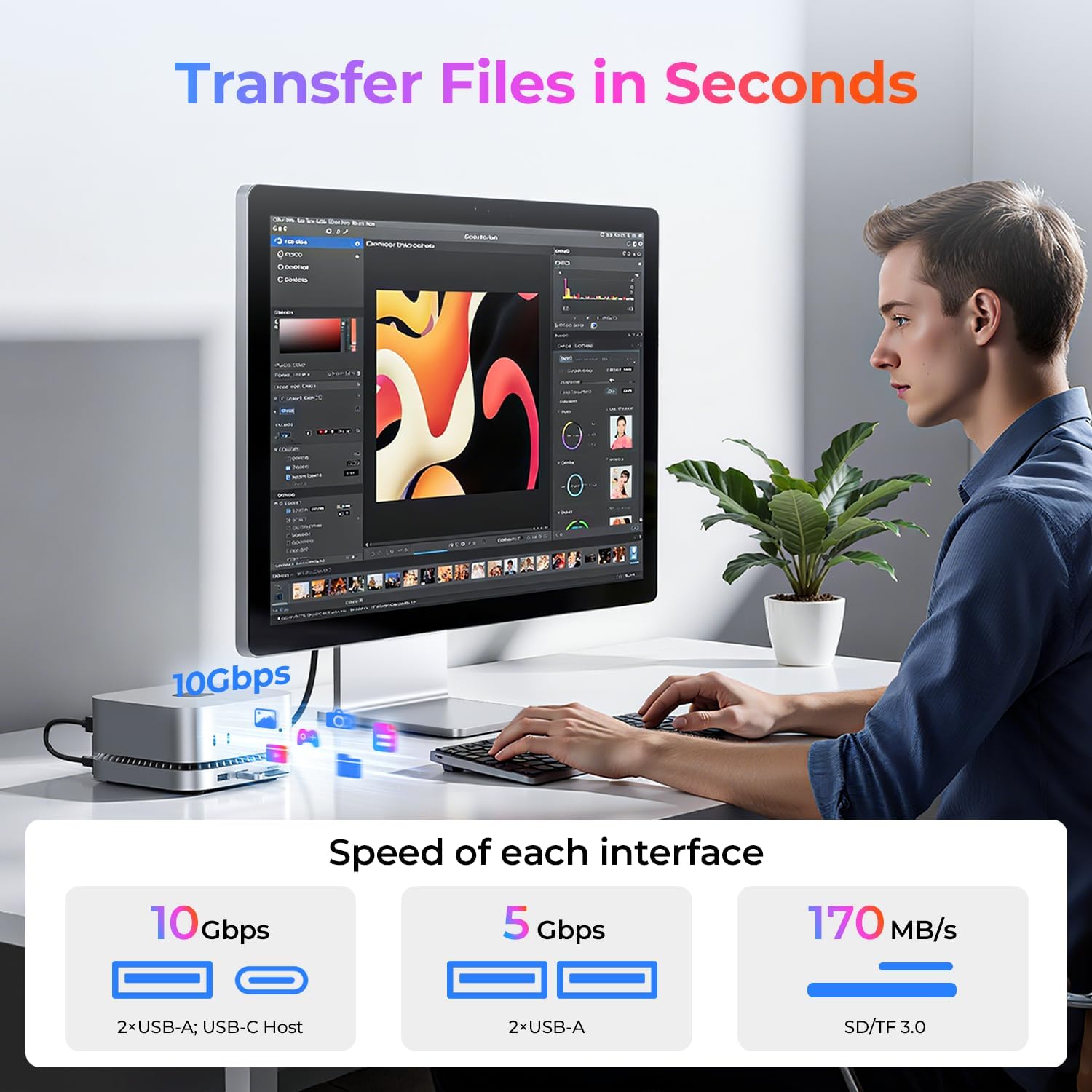
Image: A user demonstrating fast file transfer speeds with the dock.
5.3. Video Demonstration
Video: This video provides a comprehensive overview of the RayCue USB-C NVMe M.2 Mac Mini M4 Hub, including its features and how it integrates with the Mac Mini.
6. Maintenance
To ensure optimal performance and longevity of your Raycue Mac mini M4 Dock & Stand, follow these maintenance guidelines:
- Cleaning: Use a soft, dry cloth to wipe the exterior of the dock. Avoid using liquid cleaners or abrasive materials.
- Ventilation: Ensure the bottom ventilation ports are not obstructed to allow for proper heat dissipation.
- Cable Management: Keep cables organized and free from kinks or excessive tension to prevent damage.

Image: An illustration highlighting the optimized cooling solution of the dock.
7. Troubleshooting
If you encounter issues with your Raycue Mac mini M4 Dock & Stand, try the following steps:
- No Power/Connection: Ensure the USB-C to C cable is securely connected between the dock and your Mac mini. Try a different USB-C port on your Mac mini if available.
- SSD Not Recognized: Verify that the M.2 NVMe SSD is correctly installed and secured within the enclosure. Restart your Mac mini.
- Slow Data Transfer: Ensure you are using the 10Gbps USB-A or USB-C ports for high-speed devices. Check the quality of your cables.
- Wi-Fi Interference: The dock is designed to minimize interference. If issues persist, ensure your Mac mini and dock are placed away from other strong signal-emitting devices.
8. Specifications
| Feature | Detail |
|---|---|
| Brand | RayCue |
| Model | B0FMDZ63WM |
| Compatible Devices | Mac mini M4, Mac mini M4 Pro |
| M.2 NVMe SSD Support | Up to 8TB (2230/2242/2260/2280 sizes) |
| USB-A 3.2 Ports | 2 (10Gbps) |
| USB-A 2.0 Ports | 2 (5Gbps) |
| USB-C 3.2 Data Port | 1 (10Gbps) |
| USB-C Charge Port | 1 (5V) |
| SD/TF Card Reader | UHS-II (170MB/s) |
| Audio Jack | 3.5mm |
| Total USB Ports | 6 |
| Number of Ports (Total) | 10 |
| Color | Silver |
| Item Weight | 7.1 ounces (200 Grams) |
| Package Dimensions | 6.34 x 6.26 x 1.93 inches |
9. Warranty and Support
RayCue products are designed for reliability and performance. For specific warranty information, please refer to the documentation included with your purchase or visit the official RayCue website. For technical support or customer service inquiries, please contact RayCue customer support.
This product may be eligible for extended protection plans. Please check your purchase details for available options.