
1. Introduction
This instruction manual provides essential information for the proper installation, use, and maintenance of your xiwxi Waterproof Protective Case for the iPhone 17 Pro Max (6.9 inch). This case is designed to offer comprehensive protection against water, drops, dust, and scratches, ensuring the longevity of your device.

Image: The xiwxi waterproof case offering full protection for the iPhone 17 Pro Max.
2. Product Overview
The xiwxi Waterproof Protective Case features a dual-layer design for 360-degree protection, including a built-in screen protector and camera lens protector. It is IP68 certified for waterproofing and designed to withstand military-grade drops.
2.1 Key Features
- IP68 Waterproof Certification: Suitable for underwater activities.
- Full Body Protection: Dual-layer design with built-in screen and camera protectors.
- Military-Grade Drop Protection: Withstands drops up to 15 feet (4.5 meters).
- Dustproof: Protects against dust and debris.
- MagSafe Compatible: Designed for seamless magnetic connection and wireless charging.
- Clear Sound Quality: Special materials maintain audio clarity.
- Responsive Buttons: Precisely calculated cutouts and responsive button covers.

Image: The case demonstrating military-grade shockproof protection against drops.
2.2 Package Contents
- 1 x xiwxi Waterproof Case for iPhone 17 Pro Max
- (Additional accessories may vary by package)
3. Setup and Installation
3.1 Important: Pre-Installation Waterproof Test
Before installing your iPhone into the case, it is crucial to perform a waterproof test to ensure the case is sealed correctly and free from damage. Failure to do so may result in water damage to your device.
- Open the Case: Carefully separate the front and back pieces of the case.
- Insert Tissue: Place a piece of dry tissue paper inside the empty case.
- Seal the Case: Close the case securely, ensuring all edges are properly sealed and all port plugs are firmly in place.
- Submerge: Submerge the sealed case in water for at least 30 minutes. Ensure it is fully immersed.
- Inspect: Remove the case from the water, dry the exterior thoroughly, and then open it. Check the tissue paper for any signs of moisture.
- Result: If the tissue paper is completely dry, the case is waterproof and ready for use. If the tissue is wet, do not use the case with your phone. Contact customer support for assistance.
3.2 Installing Your iPhone 17 Pro Max
- Clean Your Phone: Ensure your iPhone screen and back are clean and free of dust or debris. Remove any existing screen protectors or camera lens protectors.
- Open the Case: Carefully separate the front and back pieces of the case.
- Place Phone: Gently place your iPhone 17 Pro Max into the front cover of the case, ensuring it sits snugly.
- Align Back Cover: Align the back cover with the front cover, starting from the top or bottom, and press firmly around all edges until the case is fully sealed. Ensure there are no gaps.
- Check Ports: Verify that all port plugs (charging port, mute switch) are securely closed if you intend to use the waterproof feature.
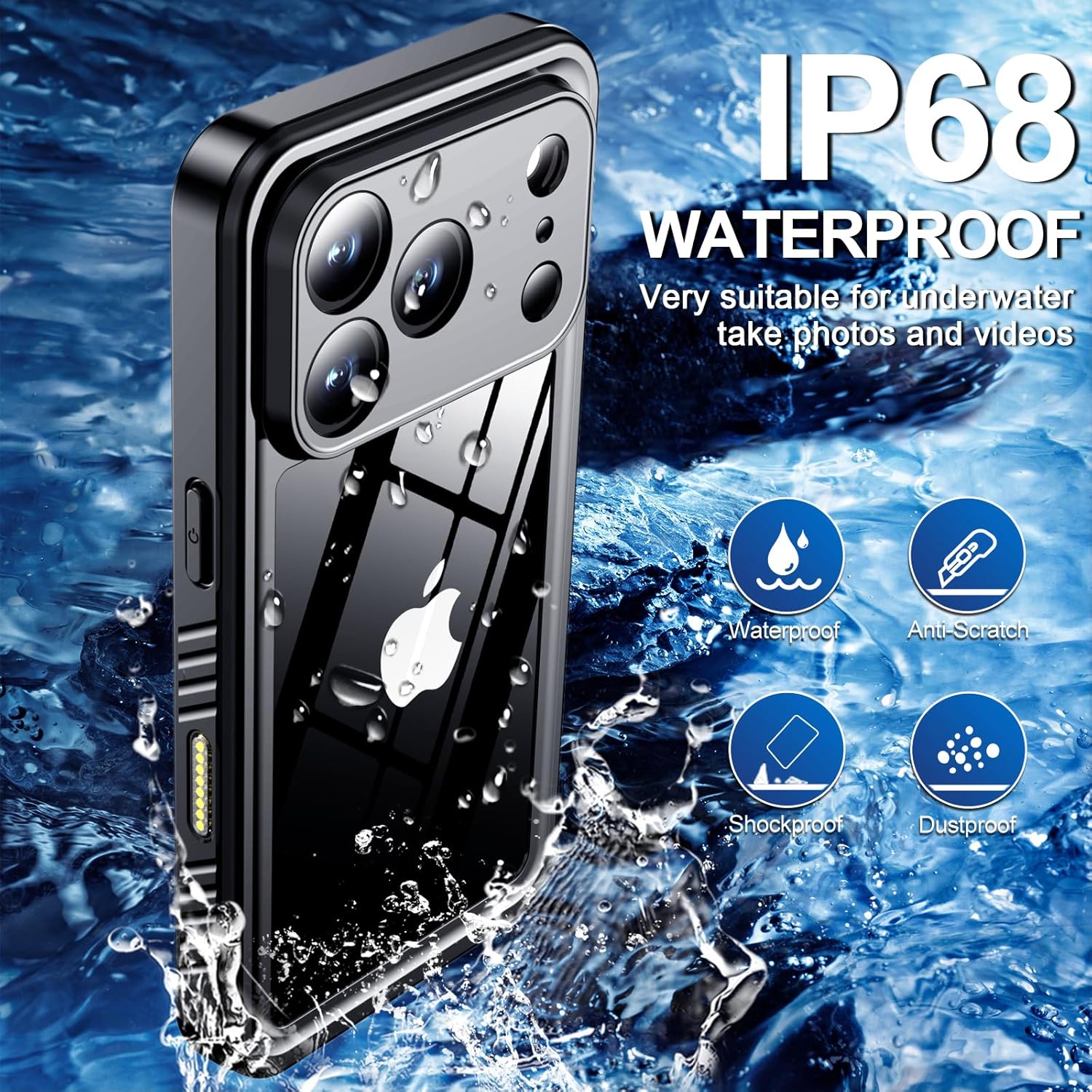
Image: Illustration of the dual-layer case assembly, highlighting the built-in screen protector, hard PC frame, and TPU soft material.

Image: The case features a built-in screen protector and camera lens protector for comprehensive device coverage.
4. Operation
4.1 General Use
The case is designed for daily use and provides protection against accidental drops, dust, and water splashes. The built-in screen protector maintains touch sensitivity for normal phone operation.
4.2 Waterproof Use
For underwater activities such as swimming, snorkeling, or taking photos/videos, ensure all port plugs are securely sealed. The case is IP68 certified, allowing submersion up to a certain depth and duration (refer to specifications for details).

Image: The case demonstrating its IP68 waterproof capability, suitable for underwater photography.
4.3 Wireless Charging
The case supports wireless charging. Simply place your cased iPhone on a compatible wireless charging pad. The integrated MagSafe design ensures efficient and secure magnetic alignment for charging.

Image: The case supports wireless charging and features sensitive buttons, a silicone plug for the charging port, and precise cutouts.
4.4 Sound Quality
The case is designed with special materials to maintain clear sound quality during calls and media playback. Ensure the speaker and microphone areas are free from obstructions for optimal audio performance.

Image: The case maintains lossless sound quality for calls and media.
5. Maintenance
- Cleaning: Clean the case regularly with a soft, damp cloth. For stubborn dirt, a mild soap solution can be used. Rinse thoroughly and dry completely before re-installing your phone.
- Inspection: Periodically inspect the case for any signs of wear, tear, or damage, especially around the seals and port plugs. Replace the case if any damage is found to ensure continued protection.
- Avoid Harsh Chemicals: Do not use abrasive cleaners, solvents, or harsh chemicals, as these can damage the case material and compromise its protective properties.
6. Troubleshooting
6.1 Screen Unresponsiveness
If you experience reduced screen touch sensitivity:
- Ensure your phone screen and the case's built-in screen protector are clean and free of dust, smudges, or air bubbles.
- Remove and re-install the case, ensuring proper alignment and a snug fit without any trapped air.
- Verify that no other screen protector is installed on your iPhone, as this can interfere with touch sensitivity.
6.2 Muffled Sound
If sound appears muffled during calls or media playback:
- Check if the speaker and microphone ports on the case are clean and free from debris.
- Ensure the case is properly sealed, but also that the sound membranes are not obstructed.
- Test the phone's sound without the case to determine if the issue is related to the case or the phone itself.
6.3 Difficulty with Buttons
If the volume or power buttons are difficult to press or unresponsive:
- Ensure the phone is correctly seated within the case and the case is fully closed.
- Remove and re-install the case, paying attention to the alignment of the buttons.
7. Specifications
| Feature | Detail |
|---|---|
| Model | iPhone 17 Pro Max (6.9 inch) |
| Brand | xiwxi |
| Waterproof Rating | IP68 Certified |
| Drop Protection | Military-grade, up to 15 feet (4.5 meters) |
| Material | Polycarbonate (PC) and Thermoplastic Polyurethane (TPU) |
| Special Features | Built-in Screen Protector, Built-in Camera Lens Protector, MagSafe Compatible, Heavy Duty Protection |
| Item Weight | 3.52 ounces (approximately 100 grams) |
| Package Dimensions | 7.76 x 3.94 x 0.83 inches |
8. Warranty and Support
xiwxi provides a 12-month quality assurance for this product. For any questions, concerns, or issues regarding your xiwxi Waterproof Protective Case, please contact our customer service team. We are committed to providing lifetime friendly customer service.
Please refer to the seller's contact information on your purchase platform for direct support.