
1. Introduction
This manual provides detailed instructions for the installation, operation, and maintenance of your Rimoody 6.9 inch Single Din Car Stereo. Please read this manual thoroughly before using the product to ensure proper function and safety.
The Rimoody 6.9 inch Single Din Car Stereo features a touch screen, Wired Carplay, Android Auto, Bluetooth 5.2, FM/EQ, USB-2/Type-C ports, Steering Wheel Control (SWC) compatibility, and includes a backup camera for enhanced driving convenience.
2. Package Contents
Verify that all items are present in the package:
- Car MP5 Player
- Backup Camera
- Microphone
- SWC (Steering Wheel Control) Cable
- Power Cable
- Horn Cable
- Installation Tools
- User Manual
- Remote Control
- D-bus Cable

Image: Overview of the product dimensions and included accessories in the package.
3. Setup and Installation
3.1 Installation Overview
The Rimoody car stereo is designed for universal single DIN installation. Ensure your vehicle's dashboard opening is compatible with single DIN dimensions (approximately 17.8cm/7.0 inch width and 5.0cm/2.0 inch height for the main unit, with a 10.0cm/3.9 inch screen depth).
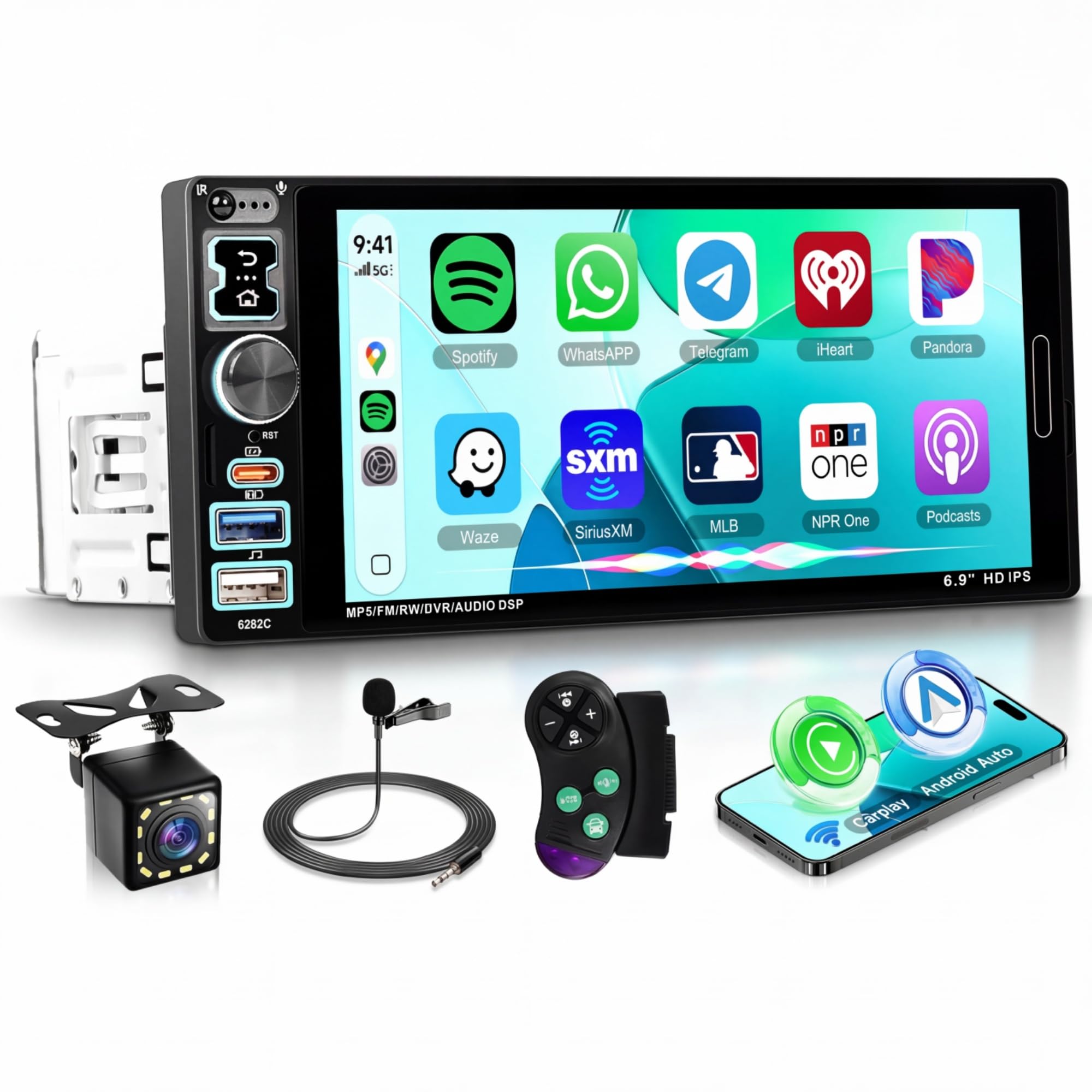
Image: Comparison of a car dashboard before and after installing the single DIN car stereo, along with key dimensions for universal fit.
3.2 Wiring Harness Definition
Carefully connect the wiring harness according to the diagram below. Incorrect wiring can damage the unit or your vehicle's electrical system. It is recommended to have professional installation if you are unsure.
- Power Connections: Yellow (+12V Constant Power Supply), Red (+12V Ignition Switch), Black (Ground Wire).
- Speaker Connections: Purple/Purple-Black (Rear Right Speaker), Gray/Gray-Black (Front Right Speaker), White/White-Black (Front Left Speaker), Green/Green-Black (Rear Left Speaker).
- Other Connections: Orange line (Parking single check), Blue (Power Antenna/Amplifier Turn-on), ACC (Accessory).
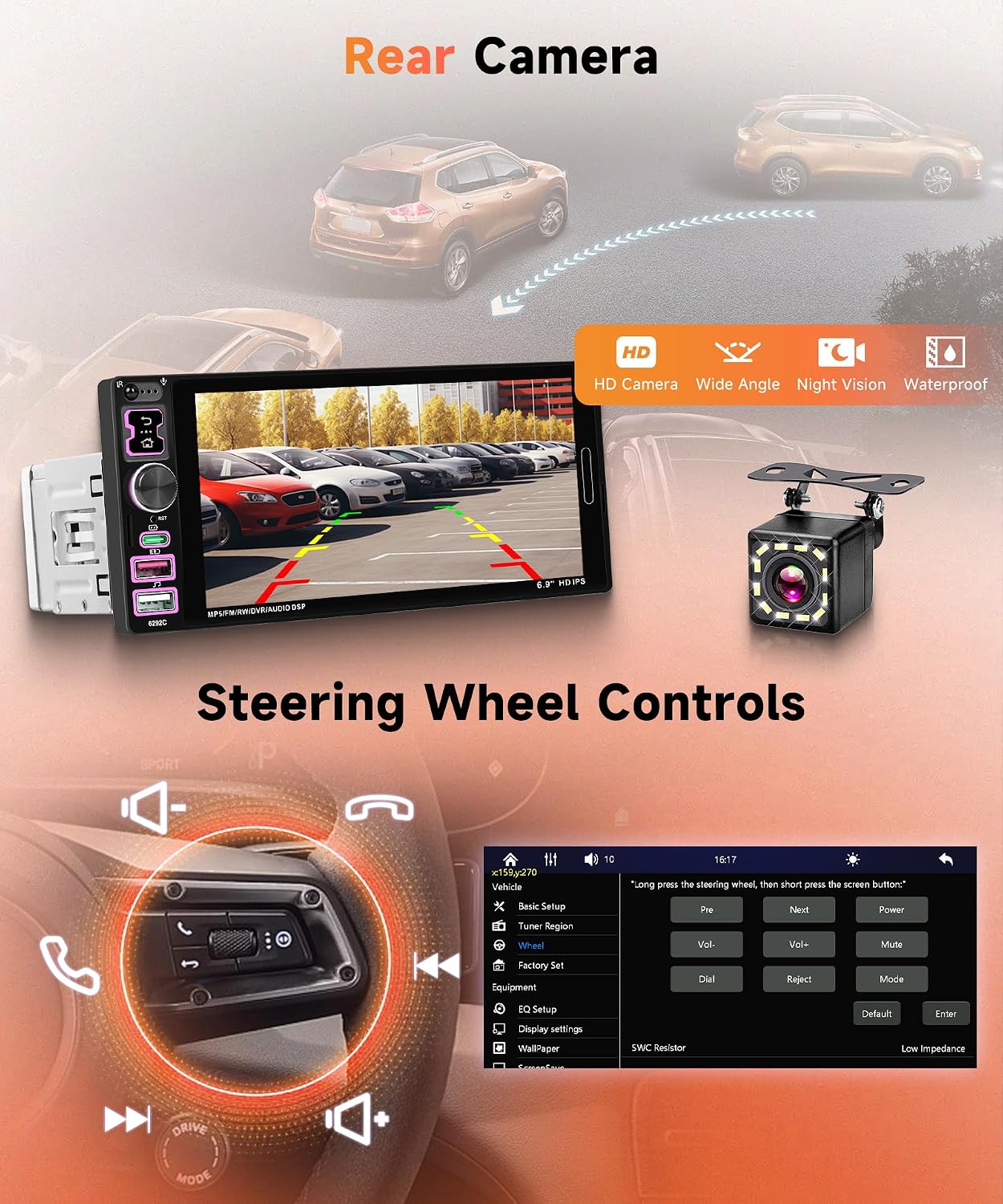
Image: Detailed diagram illustrating the connections for the power, speaker, and other auxiliary wires of the car stereo harness.
3.3 Connection Reference
The rear panel of the unit provides various input and output ports. Refer to the diagram for proper connection of external devices such as the backup camera, microphone, and other audio/video sources.
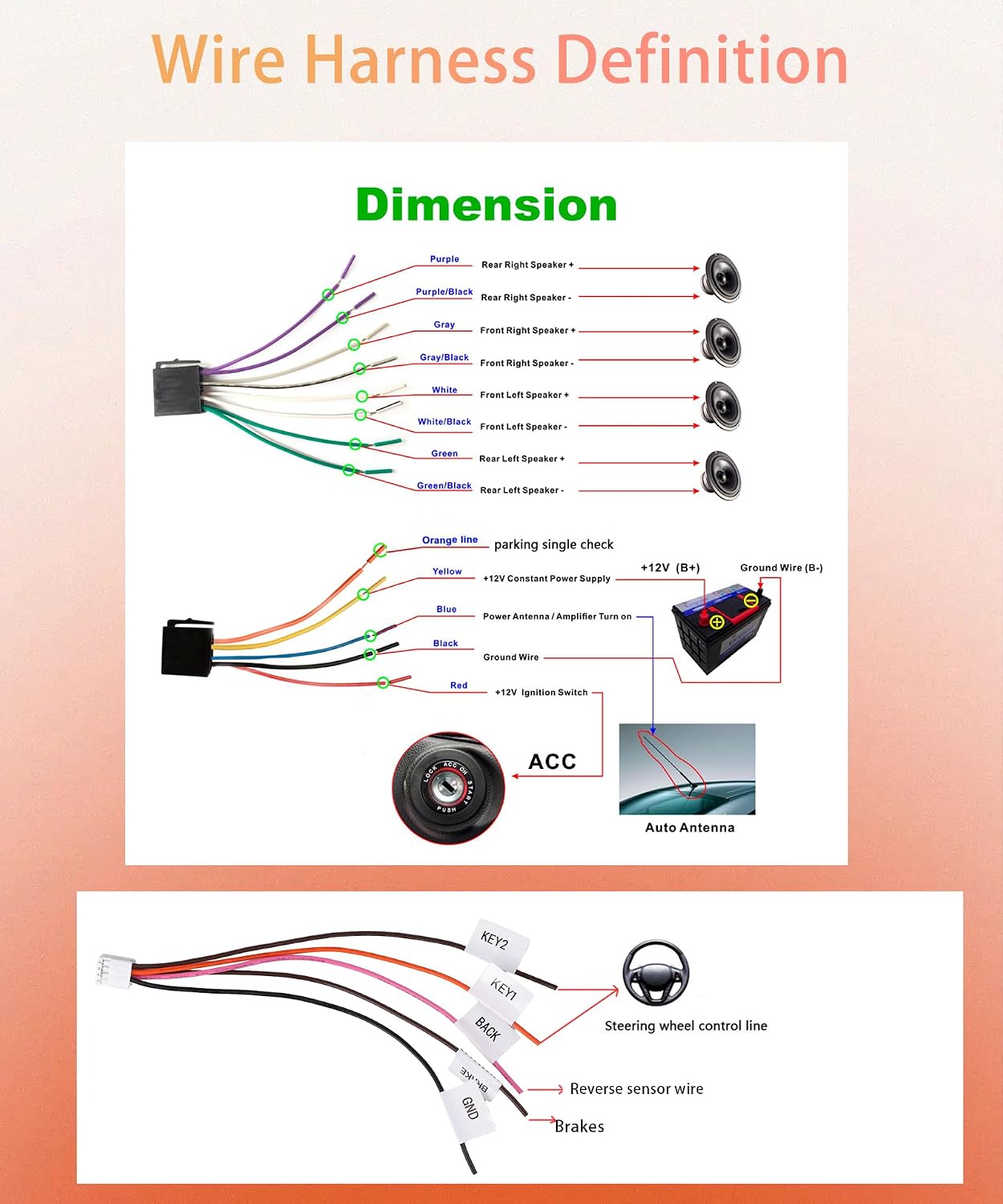
Image: Diagram showing the various ports on the back of the car stereo unit, including D-BUS, ANT, R-OUT, SW, CVBSIN, L-OUT, AV1, CAMIN, Horn Cable, Power Cable, and USB.
3.4 Installation Effect and Features Video
Watch this video for a visual guide on the installation effect, Carplay, GPS, and Voice Control features.
Video: Demonstrates the installed car stereo, showcasing Carplay functionality, GPS navigation, and voice control features.
4. Operating Instructions
4.1 Wired Carplay, Android Auto, and Mirror Link
Connect your smartphone via USB to access Carplay or Android Auto. This allows you to use navigation, make calls, send messages, and play music directly from your phone's interface on the car stereo screen. The Mirror Link function supports both iOS and Android devices, mirroring your phone's display to the stereo.
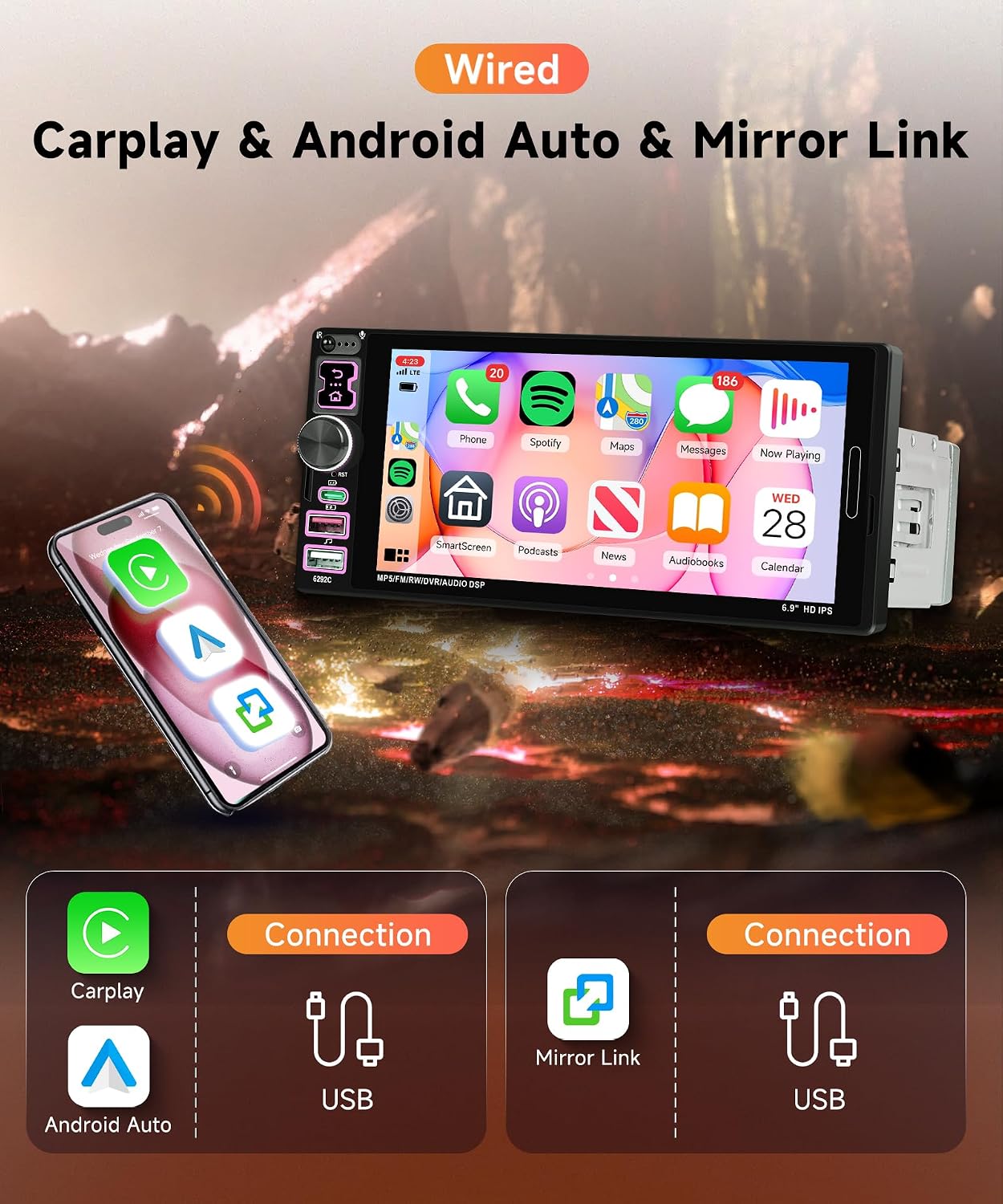
Image: Illustrates the wired connection process for Carplay, Android Auto, and Mirror Link using a USB cable, showing the phone interface on the car stereo screen.
4.2 Bluetooth 5.2 and FM Radio
The unit features Bluetooth 5.2 for hands-free calling and wireless music streaming. Pair your phone to make and receive calls safely. The integrated FM/RDS radio provides high-quality stereo sound, allowing you to search for channels automatically or manually and receive traffic information and news.
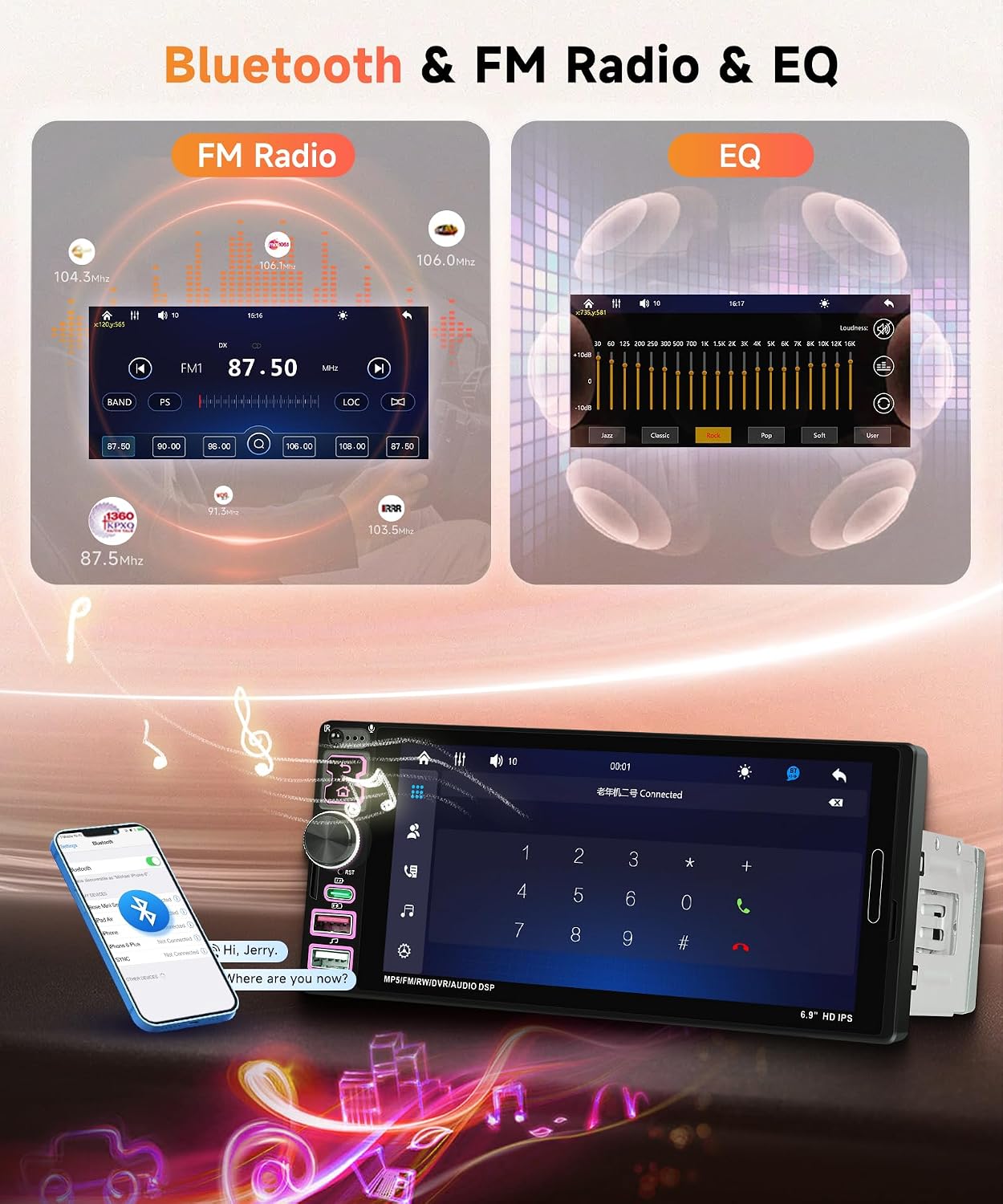
Image: Displays the Bluetooth calling interface and the FM radio tuning screen, showing frequency selection and EQ settings.
4.3 Equalizer (EQ) Settings
Adjust the audio output to your preference using the built-in equalizer. Multiple EQ modes are available, and you can fine-tune treble and bass settings for optimal sound quality.
4.4 Rear View Camera Input
When the vehicle is shifted into reverse, the car stereo screen will automatically display the image from the included backup camera. This feature assists with safe parking and maneuvering. The camera offers HD resolution, wide-angle view, night vision, and is waterproof.
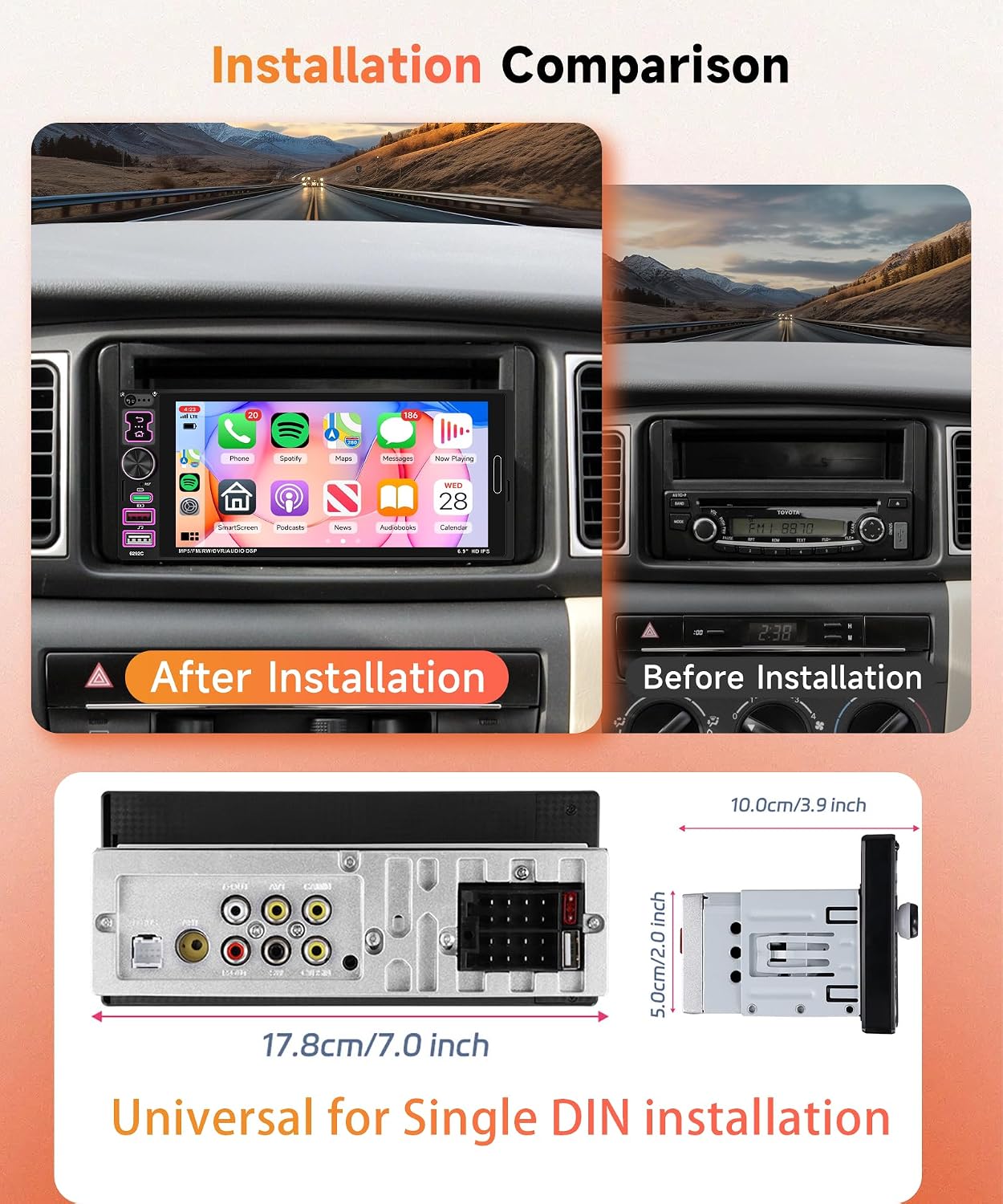
Image: Shows the car stereo displaying the rear view camera feed with parking guidelines, alongside an image of the backup camera unit and its features (HD, Wide Angle, Night Vision, Waterproof).
4.5 Steering Wheel Control (SWC)
The unit supports steering wheel button learning. You can program your vehicle's steering wheel controls to manage various functions of the stereo, such as volume, track changes, and mode selection, for convenient and safe operation while driving.
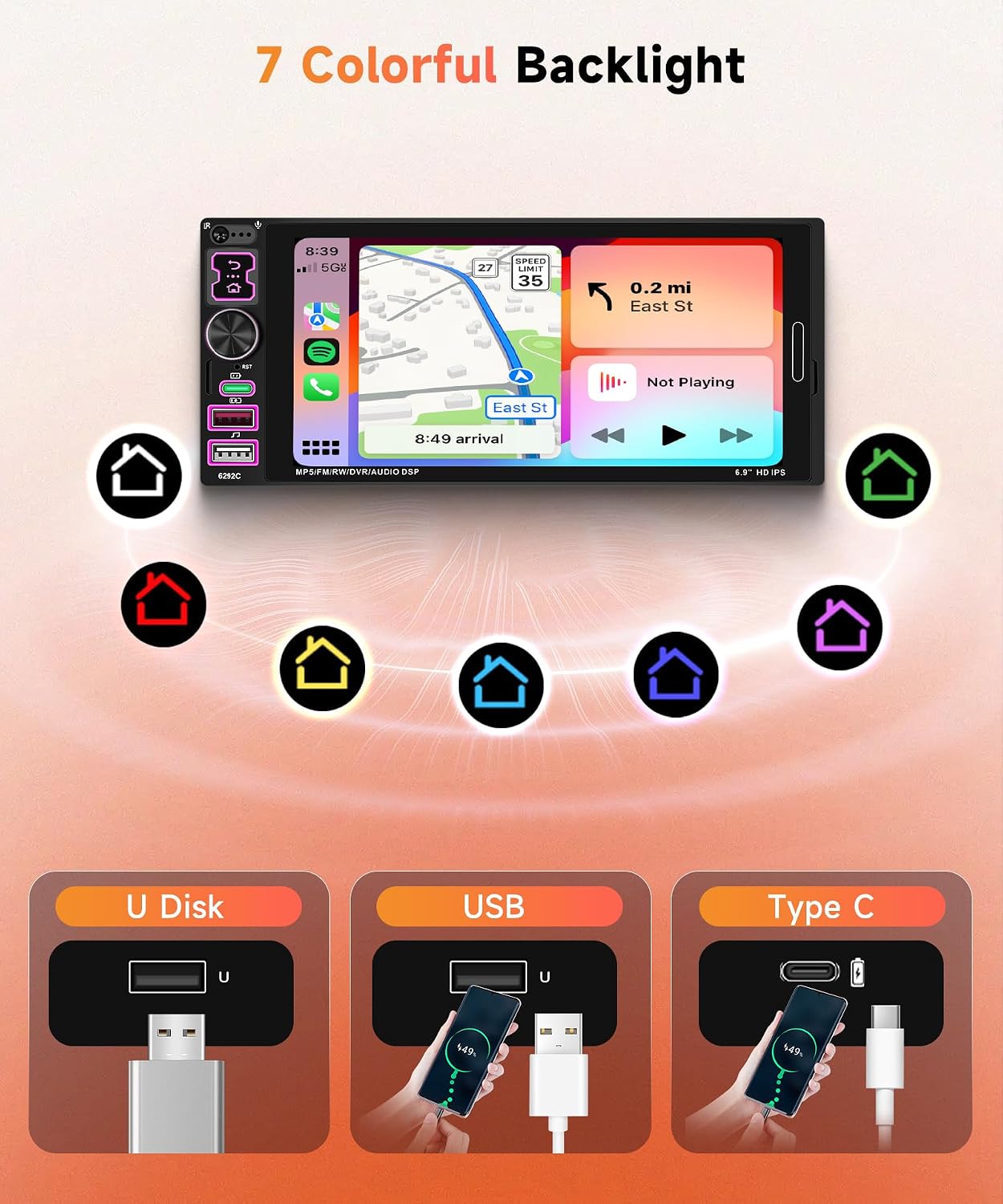
Image: Depicts the steering wheel control interface on the car stereo, showing options for programming buttons like volume up/down, next/previous track, and mute.
4.6 Color Backlight Setting and Multi-function USB
Customize the button backlighting with 7 different color options to match your vehicle's interior or your personal preference. The unit also features multiple USB ports, including a Type-C port, for playing music from a U disk or charging your mobile devices with high current output.
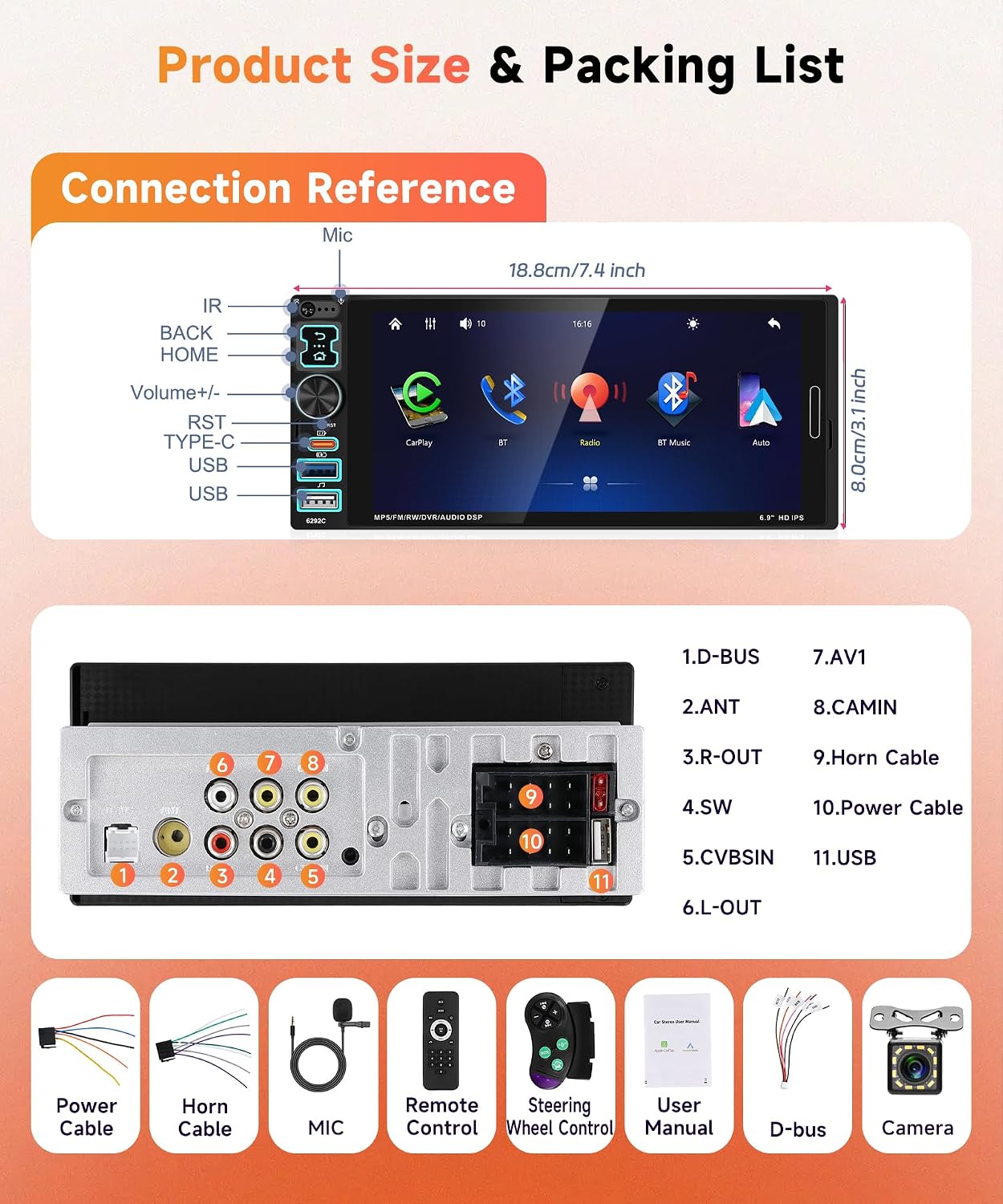
Image: Shows the car stereo display with a navigation app, surrounded by icons representing the 7 customizable backlight colors. Below, it illustrates the use of U Disk, USB, and Type-C ports for media playback and phone charging.
5. Maintenance
To ensure the longevity and optimal performance of your car stereo, follow these maintenance guidelines:
- Cleaning the Screen: Use a soft, lint-free cloth to gently wipe the touch screen. For stubborn smudges, slightly dampen the cloth with water or a screen-safe cleaner. Avoid abrasive materials or harsh chemicals.
- General Cleaning: Keep the unit free from dust and debris. Use a soft brush or compressed air to clean around buttons and ports.
- Temperature: Avoid exposing the unit to extreme temperatures, both hot and cold, for extended periods.
- Liquid Exposure: Prevent liquids from entering the unit. In case of accidental spills, power off the unit immediately and allow it to dry completely before use.
6. Troubleshooting
If you encounter issues with your Rimoody car stereo, refer to the following common troubleshooting steps:
- No Power: Check all power connections (Yellow, Red, Black wires) to ensure they are securely connected and receiving power. Verify the vehicle's fuse for the stereo.
- No Sound: Check speaker wire connections. Ensure the volume is not muted or set to zero. Verify EQ settings are not causing an issue.
- Bluetooth Connection Issues: Ensure Bluetooth is enabled on both the stereo and your phone. Delete previous pairings and try pairing again. Move closer to the unit if experiencing interference.
- Carplay/Android Auto Not Connecting: Ensure you are using a high-quality USB cable. Try a different USB port if available. Restart both your phone and the car stereo.
- Backup Camera Not Displaying: Check the camera's power and video signal connections. Ensure the reverse gear is engaged.
- Steering Wheel Controls Not Working: Ensure the SWC wires are correctly connected and the learning function has been properly configured in the stereo settings.
If problems persist after attempting these steps, please contact Rimoody customer support for further assistance.
7. Specifications
| Feature | Detail |
|---|---|
| Brand | Rimoody |
| Connectivity Technology | Bluetooth |
| Controller Type | Google Assistant (via connected phone) |
| Special Feature | Touchscreen |
| Compatible Devices | Smartphone |
| Connector Type | USB Type A, Type C |
| Audio Output Mode | Stereo |
| Video Encoding | AVI |
| Item Weight | 790 Grams |
| Number of Channels | 4 |
| Output Wattage | 180 Watts |
| Manufacturer | Rimoody |
| ASIN | B0FM8C9SX3 |
8. Warranty and Support
Your Rimoody car stereo comes with a 1-year warranty from the date of purchase, covering manufacturing defects.
For any inquiries, technical assistance, or warranty claims, please contact Rimoody customer support. We offer:
- Quick Response within 24 Hours
- Professional installation Guide Manual and Video support
- 90 Days Free Return for Refund or Exchange
- Lifetime Technical Support Team
For support, please visit the Rimoody Store on Amazon or refer to the contact information provided in your product packaging.

